

Pickup & Drop Software for Repair Shops
At a glance: BytePhase pickup and drop software is a logistics module for repair shops — book doorstep pickups and deliveries, dispatch field executives on a live map, and capture photos, OTP and signature at the door. Built for repair shops that collect and return devices, with a 15-day free trial.
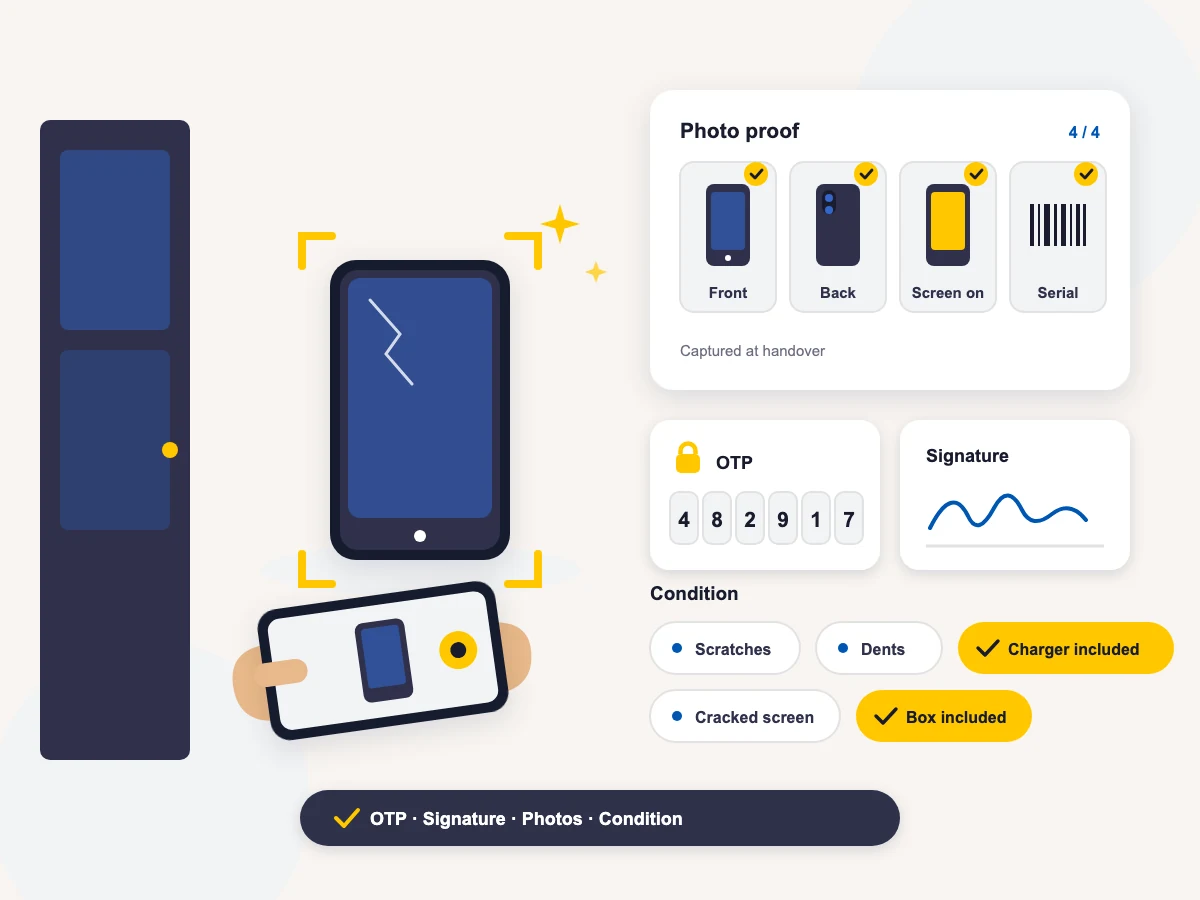
BytePhase’s pickup and drop software gives your repair shop doorstep logistics, tracked end to end. Book a pickup or delivery against any job, sale or purchase, dispatch a field executive, follow them on a live map, and capture proof at the door — photos, condition tags, OTP and signature — before the task can close.
Your customer watches it happen on a live tracking link. No app to install, no login, and no more “where is my device?” phone calls.
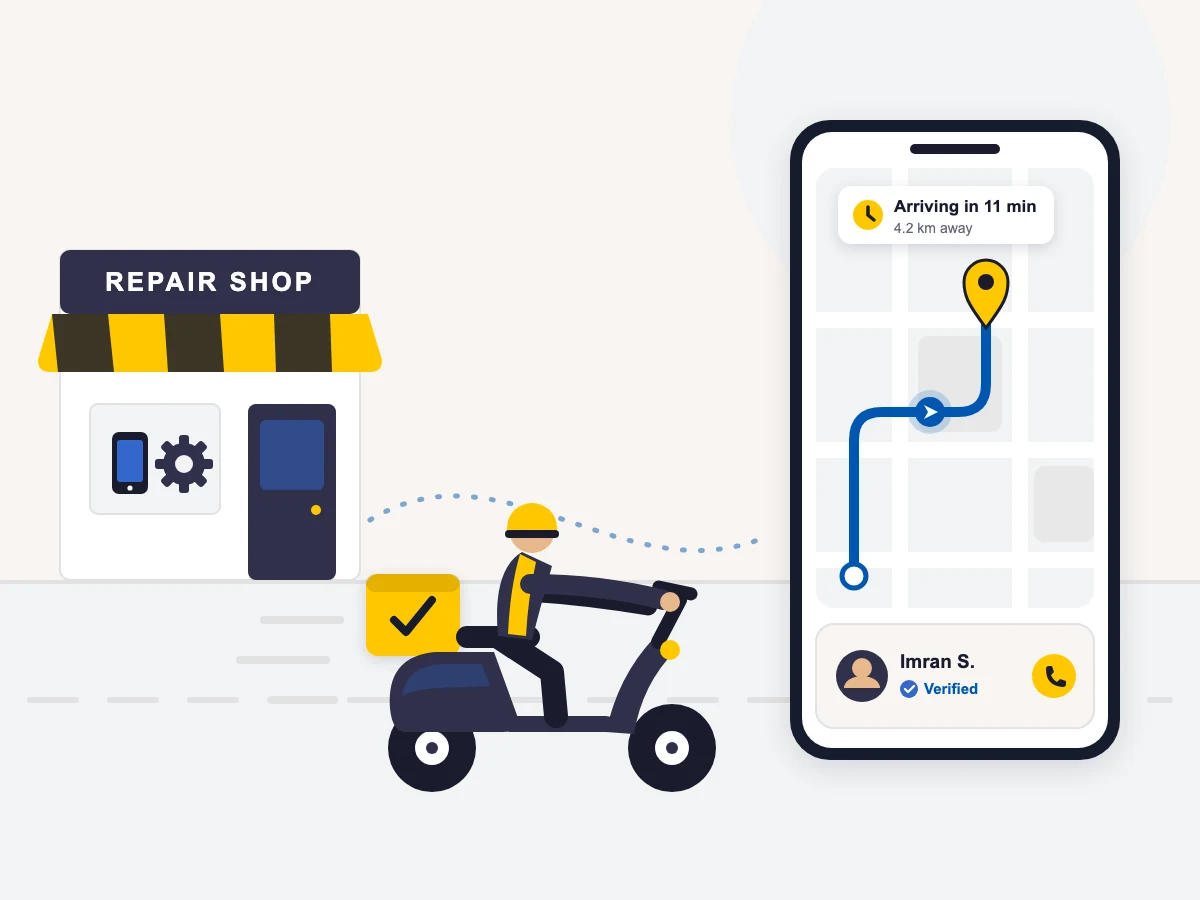
One module for every device that leaves the counter
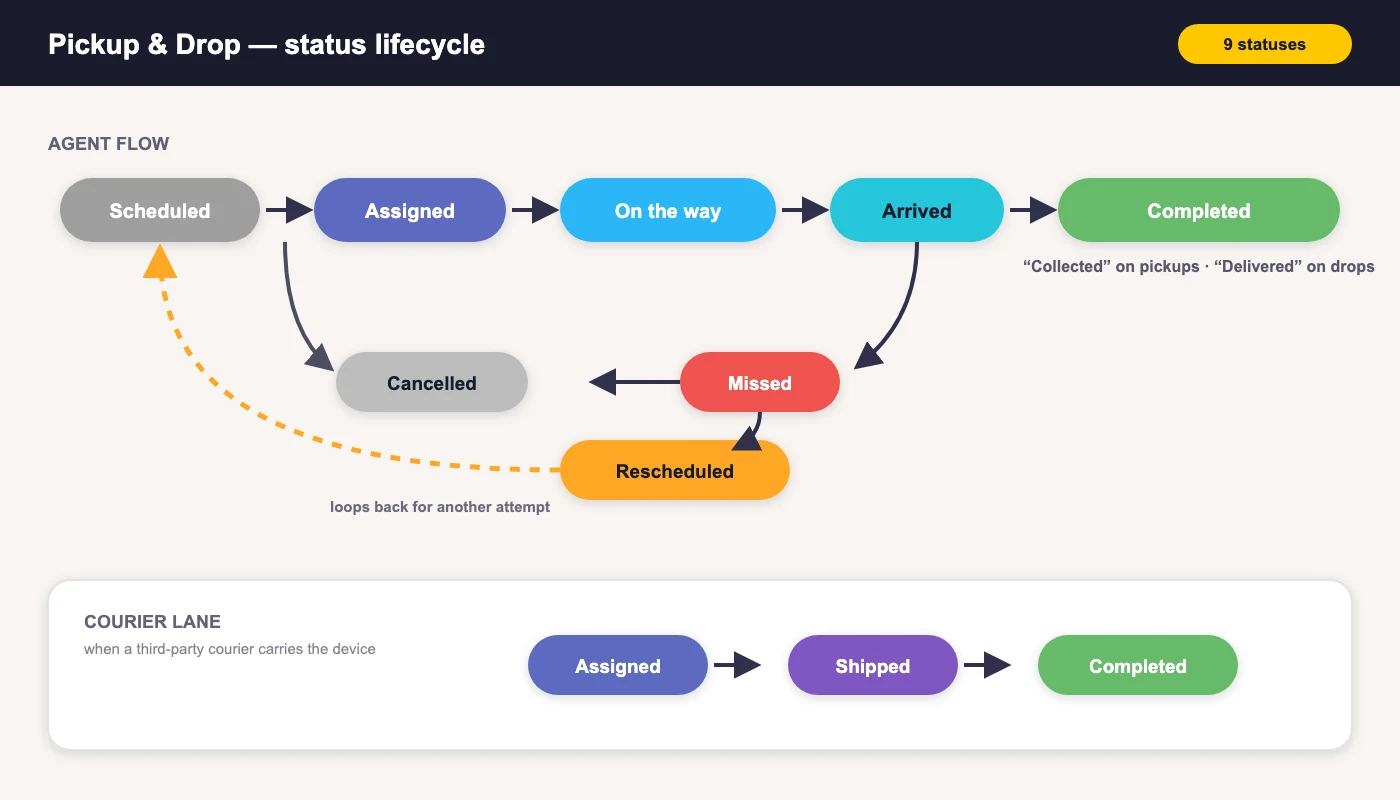
Whether an executive rides to the customer’s door or a courier carries the parcel, every trip runs through the same nine-status lifecycle — from Scheduled through On the way to Collected or Delivered — with GPS, timestamps and a full audit trail on every move. The reception desk runs a live dispatch board, field executives run their day from a mobile route screen, and customers simply watch the map. That is the difference between a courier spreadsheet and pickup and drop software built into your repair workflow.
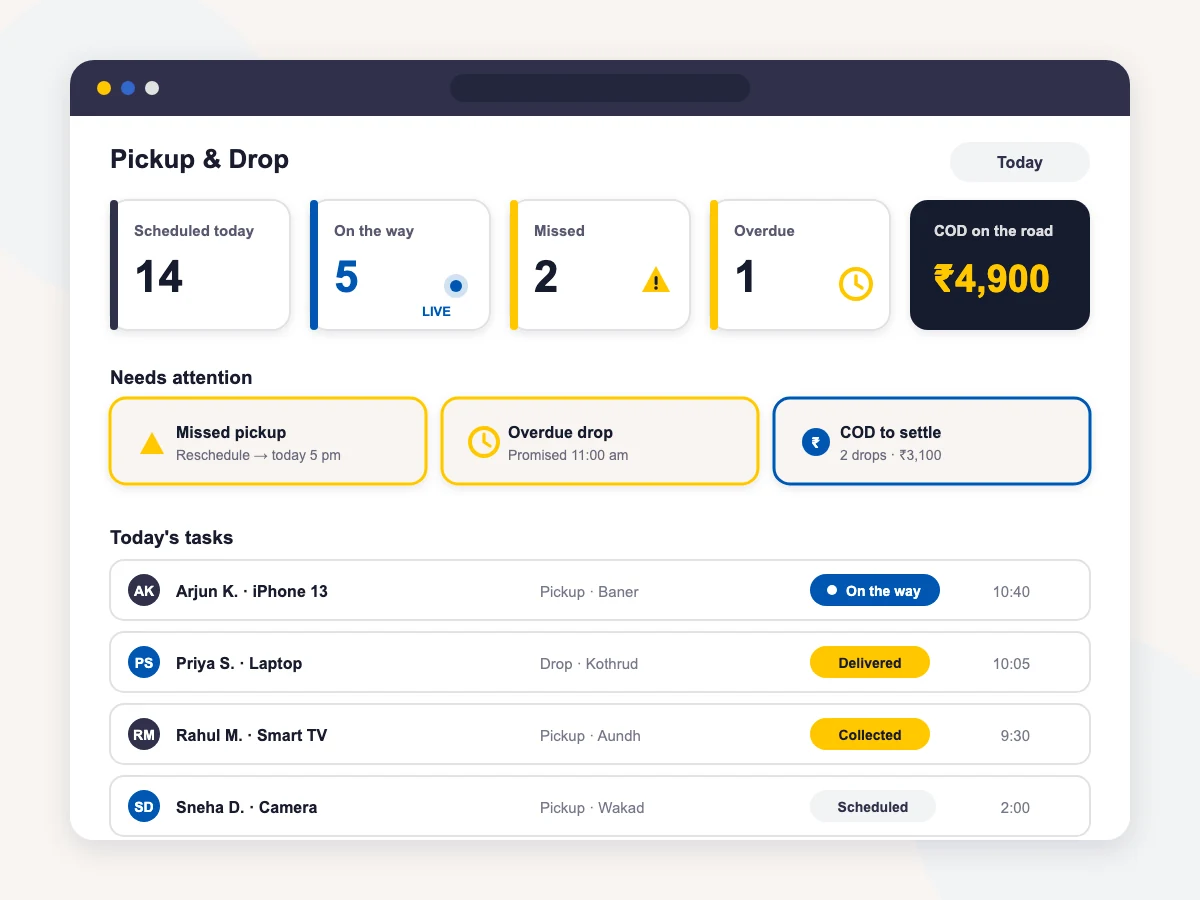
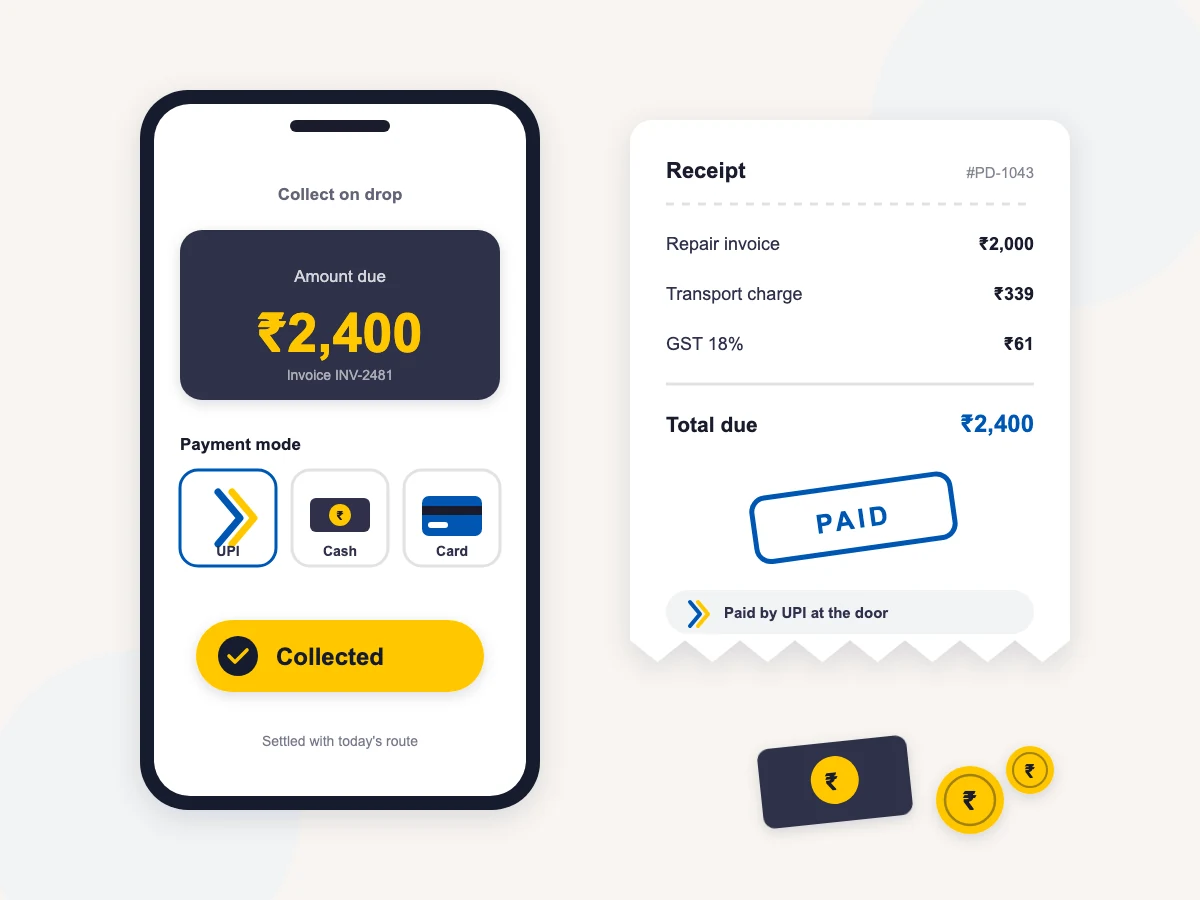
Everything a doorstep service needs, built in
Pickup & Drop is part of BytePhase repair shop management software — the same platform that runs your job sheets, invoices and inventory. You are not bolting pickup and drop software onto a repair CRM — every capability below ships with the module:
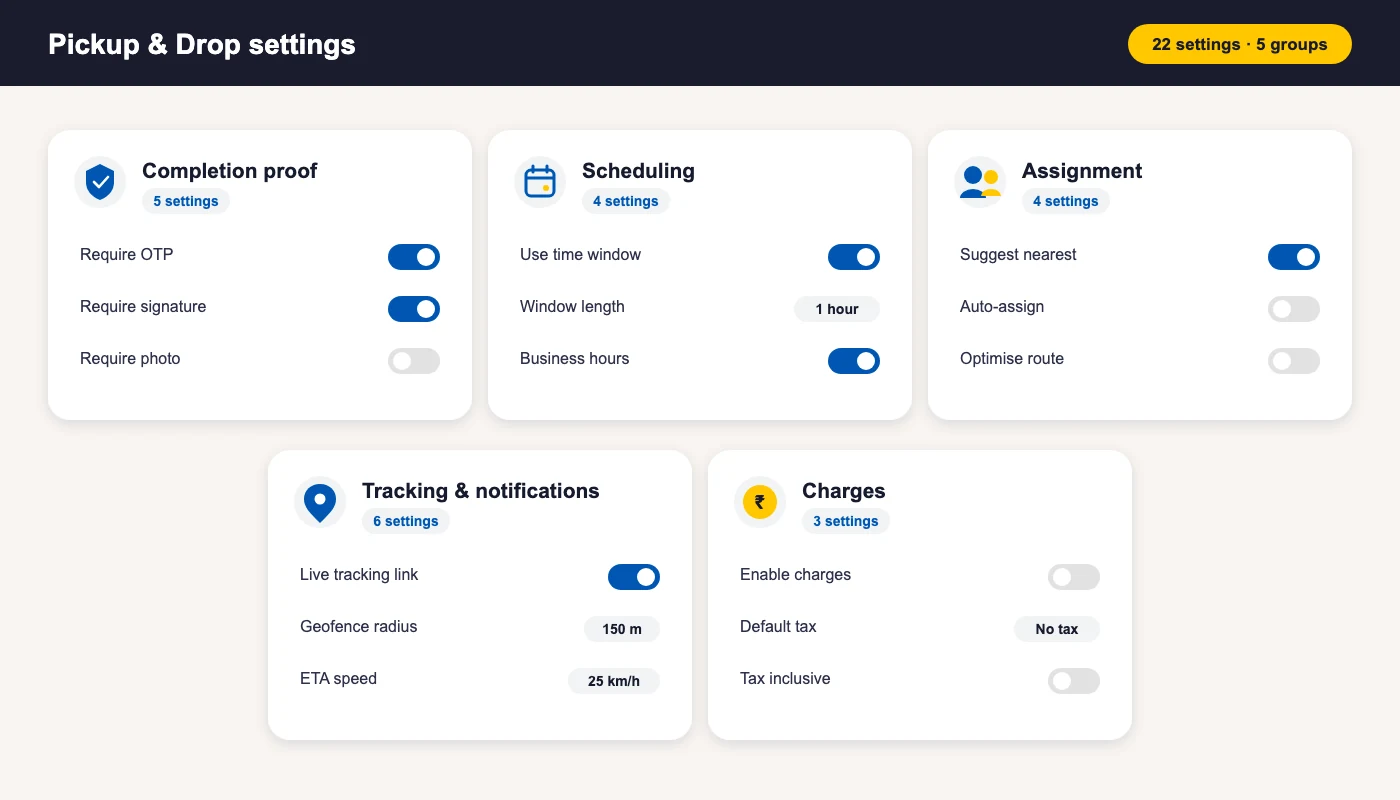
Twenty-two settings, five groups
Set them once in Business settings and they shape every task your shop books — what proof a handover needs, how slots are booked, who gets assigned, what the customer sees, and whether you charge for the trip.

Your customer just watches the map
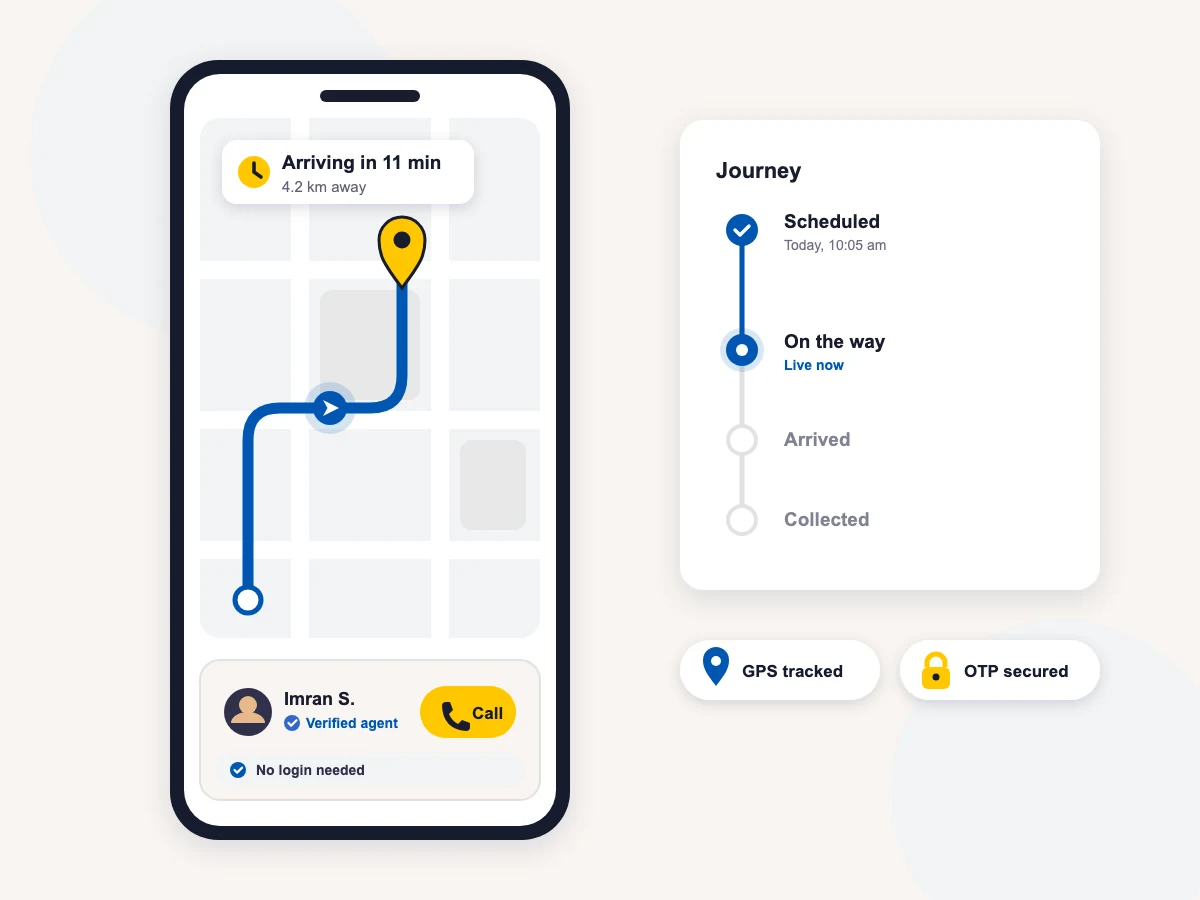
The tracking page opens straight from a link on WhatsApp or SMS. Customers see a live map with the executive’s marker moving along real roads, an arriving-in ETA, a verified agent card with a call button, a journey timeline, and the handover photos once they are taken. GPS runs only during the trip — tracking starts when the executive sets off and stops at the door, so there is no always-on surveillance and no battery drain between stops.
Built for the field, run from the desk
Field executives run their day from the BytePhase mobile app — a route screen with today’s stops, one-tap status moves, turn-by-turn navigation, and a handover wizard assembled from your settings. The desk never loses a task: every booking always has an owner, finished tasks can never be silently reopened, and every move is logged with who, when and where. That is what separates real pickup and drop software from a shared calendar and a WhatsApp group.
Frequently asked questions
Pickup and drop software manages the physical movement of devices between your shop and customers, suppliers or service vendors. In BytePhase, every trip is booked against a source record — a job, sale, purchase, self check-in or outsourced job — then dispatched to a field executive or courier, tracked on a live map, and closed with proof at the door: photos, condition tags, OTP and signature.
Yes. When the executive sets off, the customer gets a message with a secure tracking link. It opens a live map showing the executive’s position, an estimated arrival time, the agent’s name with a call button, and a journey timeline — refreshed every 15 seconds, with no app to install and no login.
A handover can require a one-time password read out by the customer, a signature captured on the executive’s screen, at least two photos per collected device in named slots (front, back, screen on, serial/IMEI), and condition tags such as scratches or cracked screen. Each requirement is a setting, and the proof attaches to the exact device line on the task.
Yes. Each device on a trip is its own line with its own photos, condition tags and outcome — Collected, Not available or Excluded. That is how a partial pickup is recorded cleanly: “2 of 3 collected”, with the reason stored against the third device.
The executive taps “Couldn’t complete”, picks a reason, and either reschedules on the spot — the customer is right there to agree a new slot — or logs the miss, which sends the task to the dispatch board’s attention queue. The attempt is counted exactly once, and the GPS location is stamped on the record.
2000+ Professional Repair & Data Recovery Businesses Trust BytePhase
We help you stay focused and organized by keeping detailed records
Best-in-class support
No matter what you need help with, our team is here to assist you. The goal of our business is to build long-lasting relationships with our customers.
Free Lifetime Updates
We will provide you with free and regular updates and welcome your feedback, which we will consider for implementation in your subscription.
Data Security & Encryption
We use the highest industry standard (AES-256) to encrypt your data on a secure RDS server for maximum protection.
Automatic Backups
We perform automatic backups daily on our dedicated database server to keep your data safe.
Last updated: 2 October 2026