
Repair ticket software that tracks every job from check-in to handover
Every device gets one ticket with its customer, fault, photos, technician, parts and payments, so anyone at the counter can answer “where is my phone?” without walking to the bench.
15-day free trial · 30-day money-back guarantee
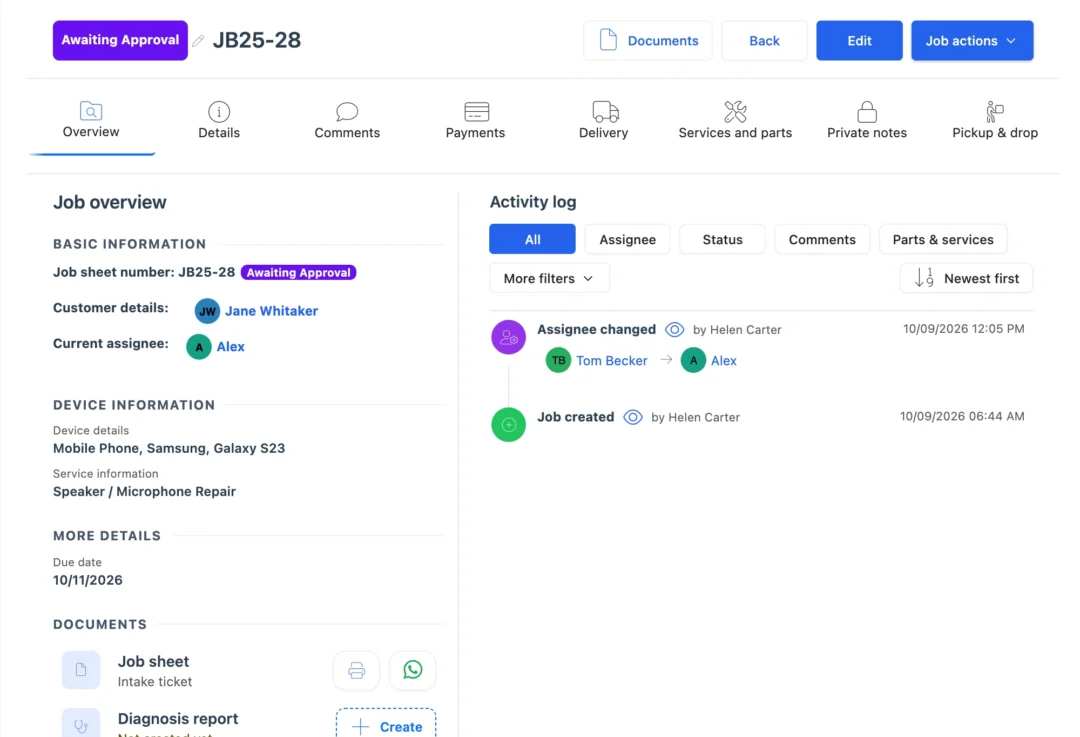
What is repair ticket software?
Repair ticket software records each device a shop takes in as one job: customer, device, serial or IMEI, fault, photos, technician, parts, status and payments, from check-in to a recorded handover.
Repair tracking from check-in to handover
- Step 1 · Check-in
Create the ticket with the customer, the device, its serial or IMEI, the fault and condition photos. When you save, tick Notify customer and they get a message with a link to follow the repair. Send it by email or SMS, or open WhatsApp with the message typed and press send.
- Step 2 · Quotation
Add the services and parts the repair needs and send the quotation. The customer opens the link, checks the work and taps Approve or Reject, and BytePhase saves their answer with the time.
- Step 3 · Technician
When the customer approves, the technician on the job and your admins get a phone alert, and the job can move to In Process on its own. Hand the job to someone else from Assigned to, and they are alerted in the app. Each technician's jobs also show by due date on the work scheduler.
- Step 4 · Repair
The technician adds the display assembly from stock, so your stock count drops and the part is on the bill. Change the status, add a comment, tick how to tell the customer and save. The update goes by SMS or email, or on WhatsApp in one tap.
- Step 5 · Ready
Set the status to Completed with a comment such as "Ready for pickup". The link in the message opens the job online, with its status and the full job sheet, so the customer doesn't have to phone you.
- Step 6 · Invoice
Create the invoice from the job's menu and send it the same way as the updates. Record the payment against the job, including any advance taken at check-in. Invoices use your currency and your tax.
- Step 7 · Handover
Add the delivery and send the customer a 6-digit code by email, or by SMS if you use your own SMS provider. They read it out at the counter, your staff type it in, and the job is marked delivered.
Your new job T-1048 has been created with Fix & Go Repairs.
What each repair ticket keeps for you
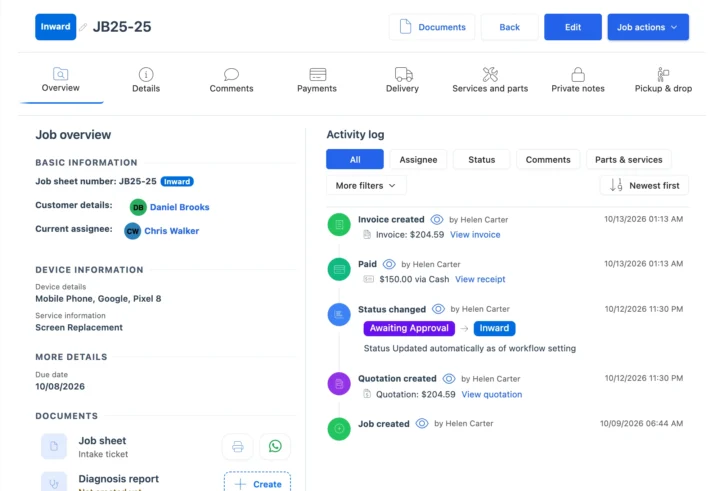
Device details and condition photos at check-in
At check-in the repair ticket software records the type, brand and model, the serial or IMEI, accessories, colour and the pattern lock, with photos kept on the ticket. See condition photos for every device.
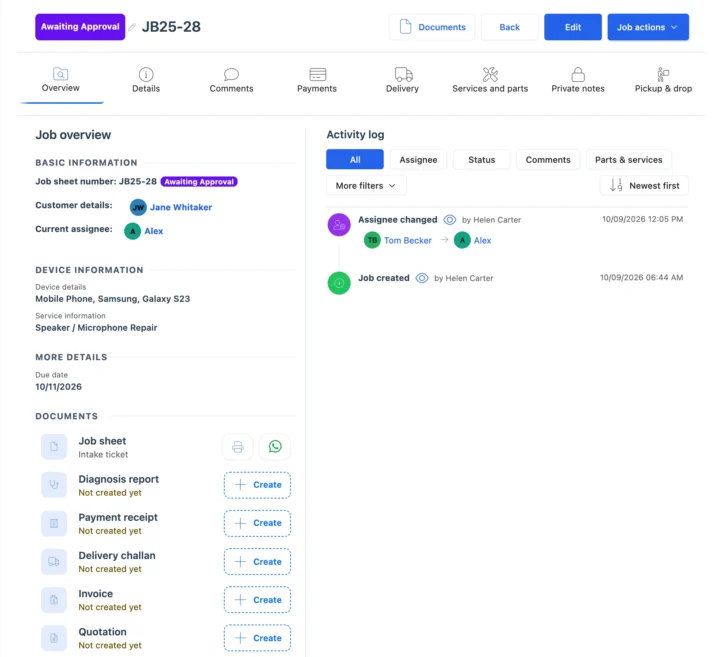
Printed job sheets and customer signatures
The repair ticket software prints job sheets on A4, 58 mm or 80 mm thermal paper, or as a device sticker, with customer and staff signatures. Technicians work the same ticket in the BytePhase mobile app.
Also on every ticket
How repair tickets connect to the rest of BytePhase
Each card opens the feature it shares data with, so nothing is typed twice.
A repair ticket system for phone, computer and data recovery shops
Set up repair ticket software step by step
Short guides with screenshots in the BytePhase Help Center, checked against the app.

Repair ticket software FAQs
Yes. In the repair ticket software, each customer’s profile has a Jobs tab with every repair you have logged, and you can search jobs by serial or IMEI, job number or customer. To take tickets out, export the jobs list to Excel, filtered by customer, technician, status or dates; the file is emailed to you. Moving from another system? Import your customers from Excel or CSV with the sample file; past tickets are not imported, so open repairs start as new tickets.
Each BytePhase account keeps its data in its own isolated database. Your data and files are encrypted at rest with AES-256, and automatic daily backups run on the database server. Inside your account, each employee’s role and permissions decide what they can see and change, and customers who sign in see only their own repairs.
Yes. BytePhase starts you with 11 statuses, each in one of four fixed stages: Open, Closed, Rejected or Returned. You can add your own status with its own name, stage and colour, or rename and recolour the existing ones. Every job has an assignee: pick the technician when you create the job, or change it later from Job actions › Assigned to, from the jobs list or in the phone app. The technician can be told by email, SMS, in-app alert or WhatsApp, and each service line on a job can have its own technician.
When you create a job, change its status or make the invoice, tick Mail, SMS, In-app or WhatsApp and the update goes out with your comment and a tracking link. The link opens the job’s current status and job sheet, with no login needed. In India, WhatsApp updates can go out automatically from BytePhase’s number or your own; in other countries, BytePhase opens WhatsApp with the message ready so staff send it in one tap. Customers with a login can also see all their repairs and approve or reject quotations.
It is the part of BytePhase that records each repair as a job ticket. A ticket stores the customer, the device type, brand and model, the serial or IMEI number (typed or scanned), accessories received, colour, storage location, the device password or pattern lock, pre-repair condition checks, photos, the fault, services and parts, priority, assignee and due date, plus any custom fields you add. To get started, sign up for the 15-day free trial and log your first repair ticket.
Track every repair job from check-in to handover
Basic setup takes about 10 minutes: import your customers from Excel or CSV into the repair ticket software, open your first ticket and send the customer their first update.
15-day free trial · 30-day money-back guarantee
2000+ Professional Repair & Data Recovery Businesses Trust BytePhase
We help you stay focused and organized by keeping detailed records
Best-in-class support
No matter what you need help with, our team is here to assist you. The goal of our business is to build long-lasting relationships with our customers.
Free Updates, Always Included
We will provide you with free and regular updates and welcome your feedback, which we will consider for implementation in your subscription.
Data Security & Encryption
We use the highest industry standard (AES-256) to encrypt your data on a secure RDS server for maximum protection.
Automatic Backups
We perform automatic backups daily on our dedicated database server to keep your data safe.
Last updated: 30 October 2026