
WEB · ANDROID · iOS
Repair Shop Management Software For Phone, Computer & Electronics Repair
Run every repair from check-in to handover.
Stop chasing paper job cards and “is it ready?” calls. Manage repair tickets, technicians, spare parts and billing, and keep customers updated on WhatsApp, in one connected workflow.
Native Android and iOS apps, included on every plan.
- 2,000+repair businesses
- 920,500+repairs tracked
- 40+countries
- 99.9%uptime
- Android + iOSnative apps on every plan
- Any currency
- VAT, GST or sales tax
- 8 languages, more on request
- Any timezone
How it works
Repair tracking from check-in to handover
When intake, repairs, parts, payments and customer updates live in different places, the owner becomes the link between them. BytePhase is repair management software that keeps the whole workflow in one ticket. Follow one repair from the counter to the customer.
-
Intake
Check in the device with photos
Log the device, fault and condition photos at the counter. A digital ticket tracks the job from here.
Instead of: paper job cards and lost slipsRepair tickets →
Ticket #T-1048Checked in3 photos added -
Approval
Send the quote for approval
Diagnose the fault and send the quotation. The customer approves it online from a link.
Instead of: calling customers to confirm the price
Ticket #T-1048Quote approvedApproved online -
Repair
Assign a technician and use parts
The job appears in the technician’s app, and parts are deducted from inventory as they are used.
Instead of: technicians chasing paper slips and guessing stockInventory →
Ticket #T-1048In repairStock updated -
Updates
Keep the customer informed
WhatsApp, SMS and email updates go out automatically, and customers can check the status any time.
Instead of: customers calling to ask “is it ready?”
Ticket #T-1048Ready for pickupWhatsApp sent -
Billing
Invoice and collect payment
Turn the finished job into an invoice in one click, with your tax and currency, and record the payment.
Instead of: typing invoices separately
Ticket #T-1048InvoicedInvoice created -
Handover
Hand over with OTP verification
The customer shares a one-time code at pickup, so the right device goes to the right person.
Instead of: the wrong device handed to the wrong personOTP for delivery →
Ticket #T-1048DeliveredOTP verified

Features
Job management that connects every step of the repair
No more re-typing the same job into a spreadsheet, a billing app and a stock register. The repair ticket, spare parts, quotations, POS billing and inventory share one record, so your whole team works from the same information.
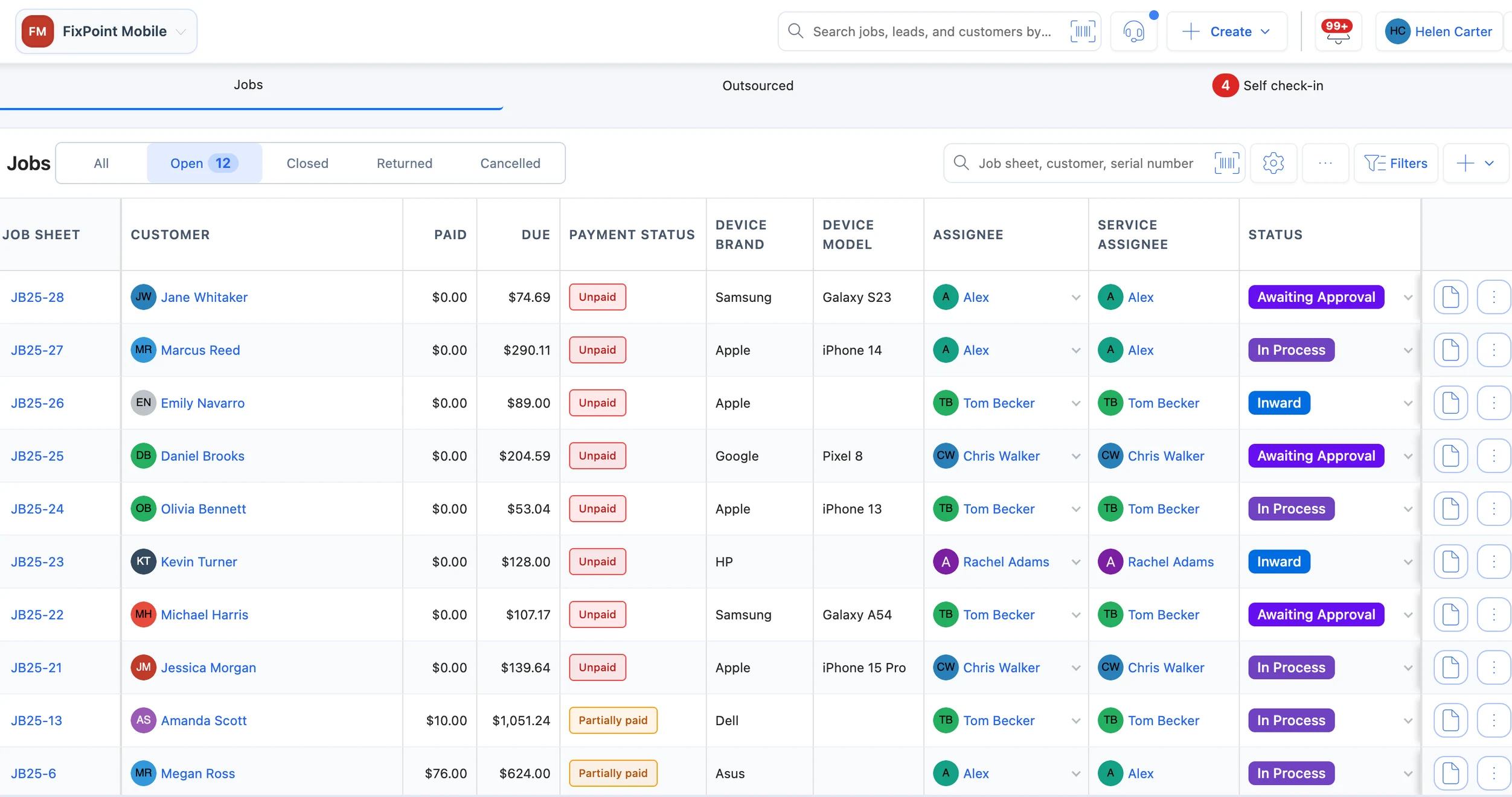
- Job status
- Payment status
- Assigned technician
Track every repair from intake to handover
Every repair becomes a digital ticket with device details, intake photos and status, from check-in to OTP-verified pickup.
- Intake photos and device history
- Diagnosis and quote approval
- Status visible to the whole team
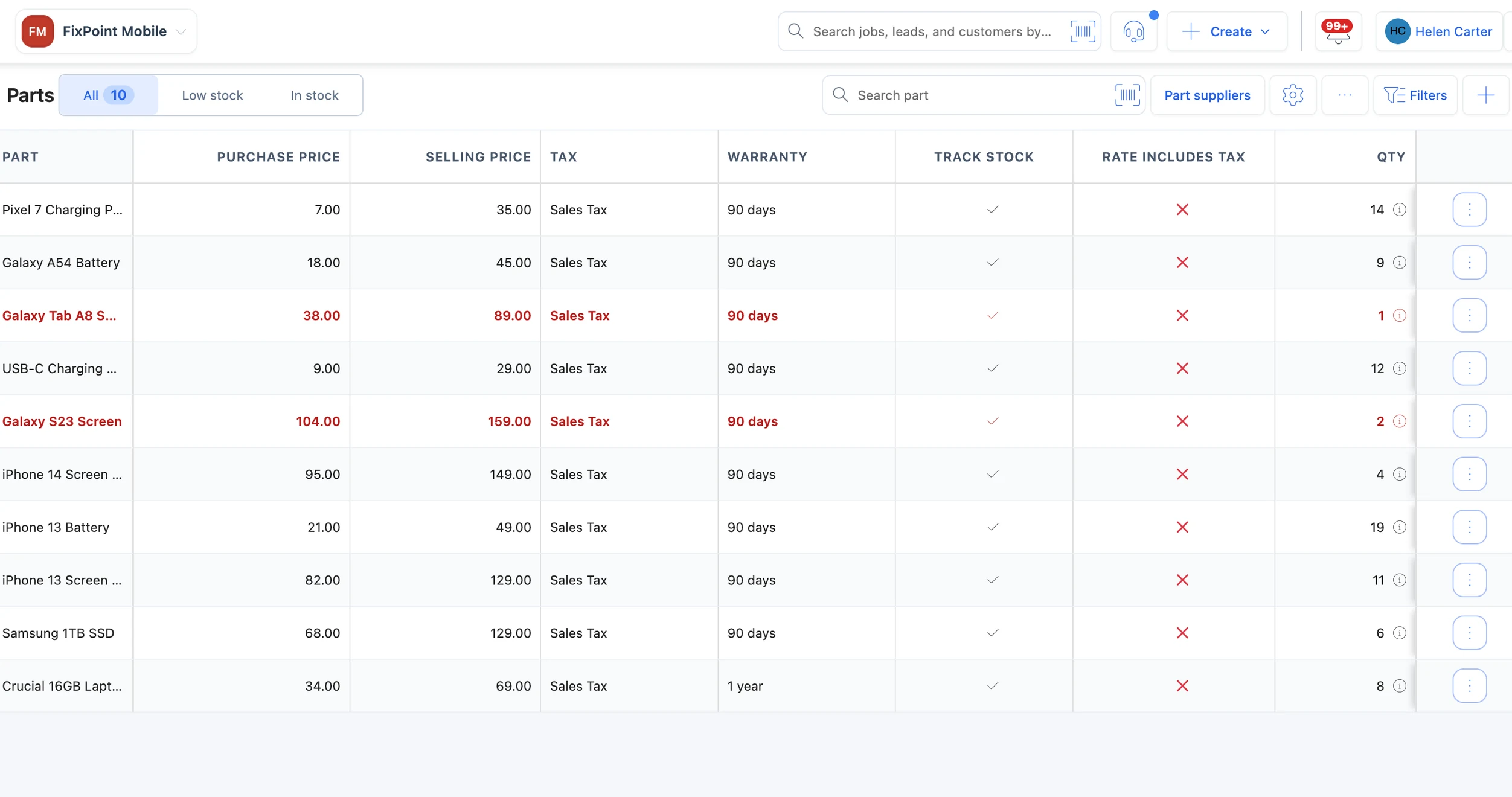
- Low-stock parts in red
- Purchase and selling price
- Stock on hand
Know what parts you have and where they went
Parts are deducted from inventory as they’re used on a job, so you always know what’s on the shelf.
- Parts linked to each repair
- Barcode scanning at the counter
- Stock levels at a glance
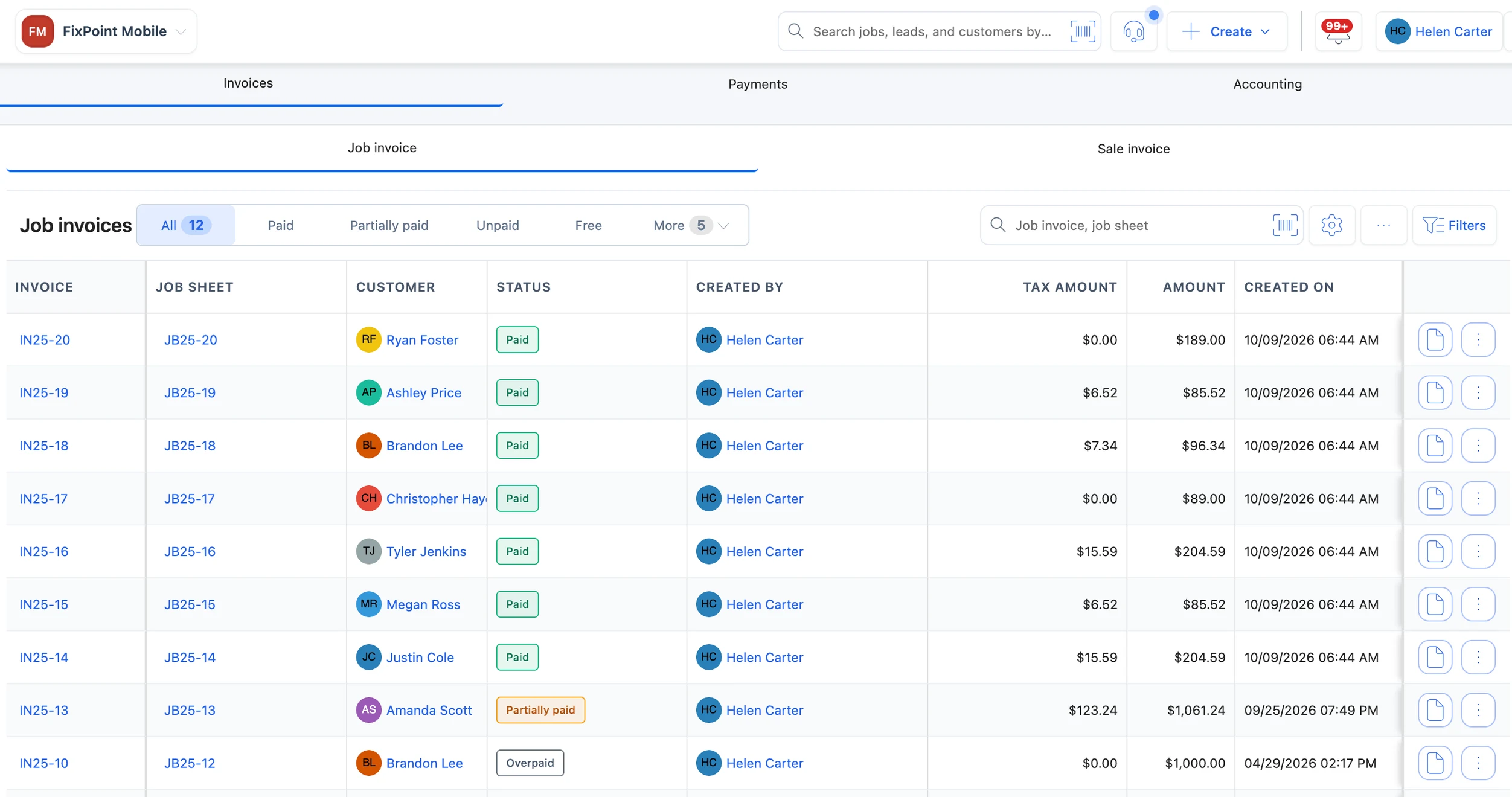
- Invoice linked to its job sheet
- Paid or partially paid
- Tax on every invoice
Bill, collect and print in seconds
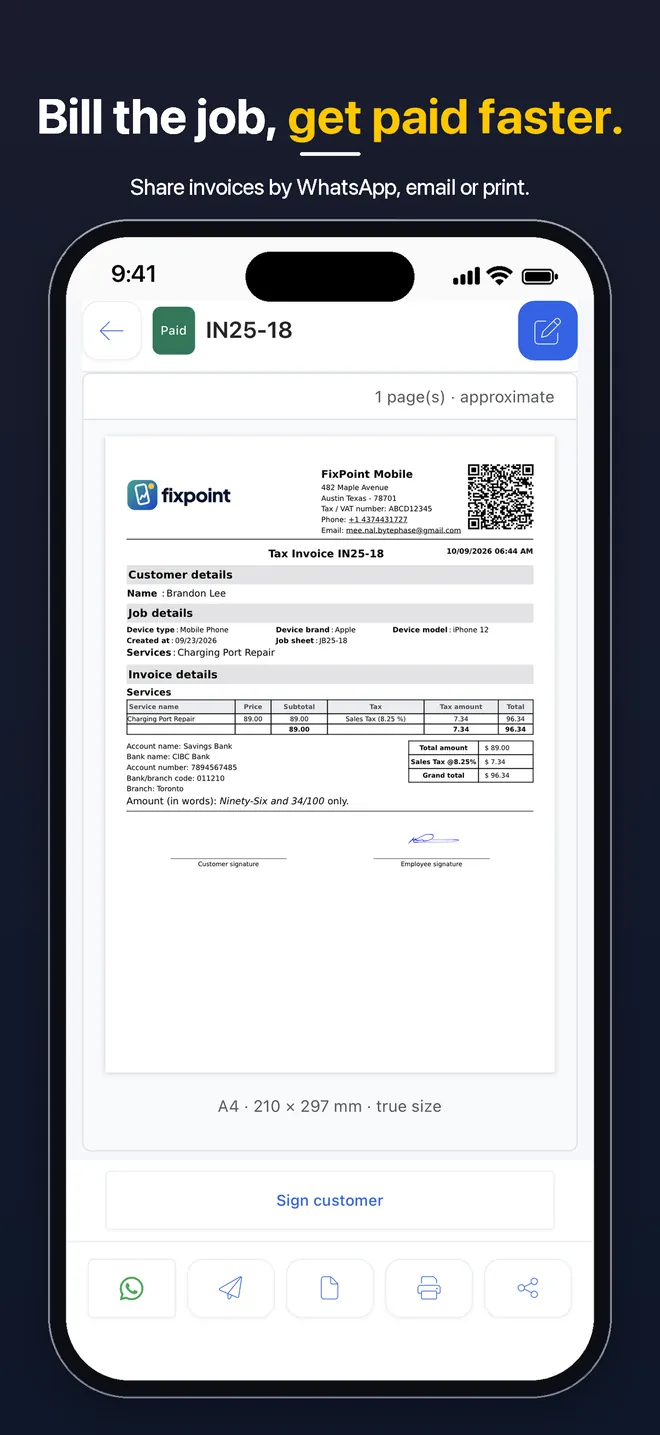
Turn a finished repair into an invoice and payment in one click, or sell over the counter from the POS.
- One-click invoice from the ticket
- VAT, GST or sales tax
- Your local currency
Keep customers informed on WhatsApp
Job updates, quotations, invoices and job sheets go out automatically through the official WhatsApp Business API, alongside SMS and email, and customers reply in a WhatsApp inbox inside BytePhase.
- Official WhatsApp Business API
- Two-way WhatsApp inbox for your team
- WhatsApp marketing campaigns on Standard and Enterprise
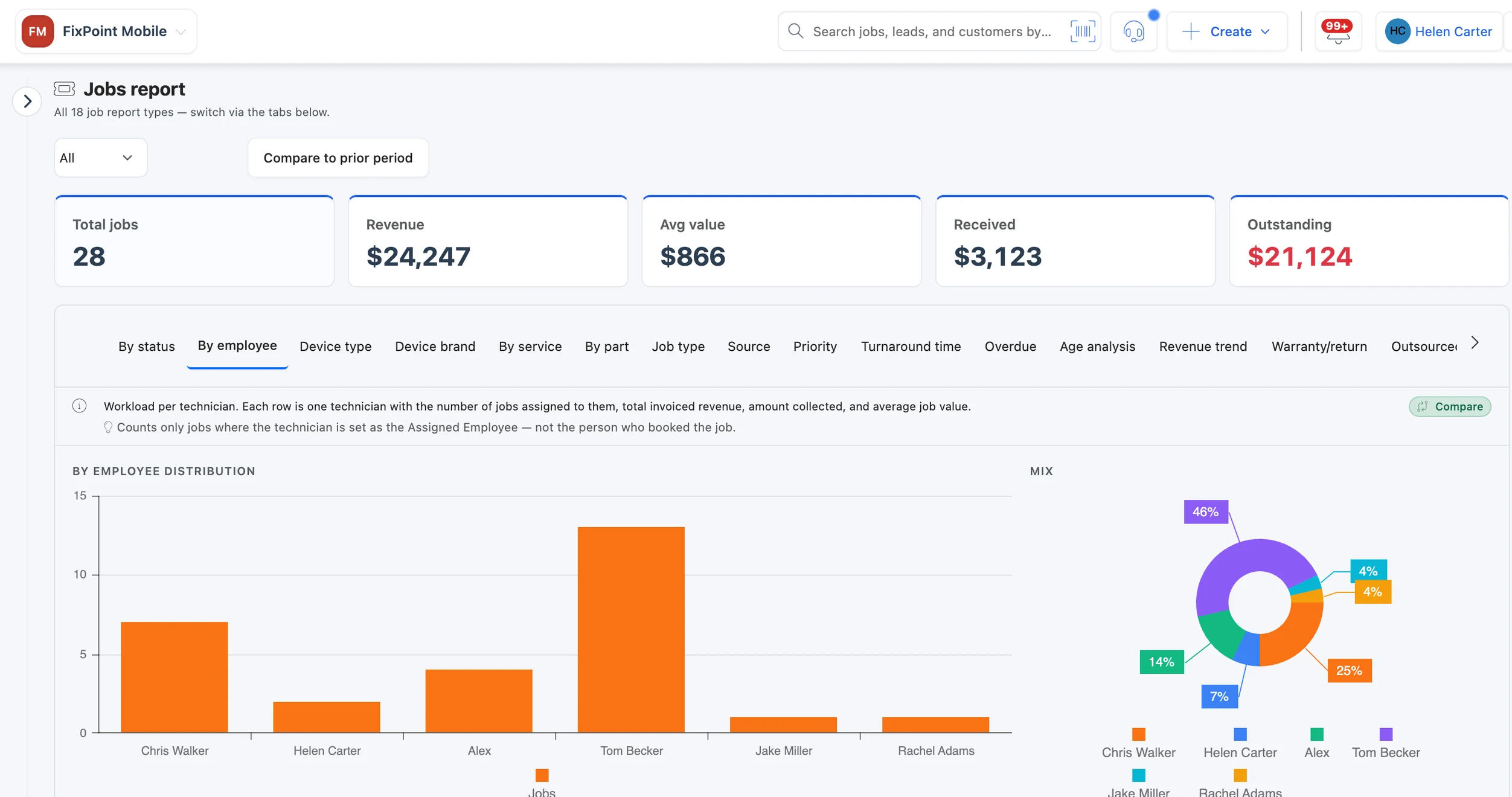
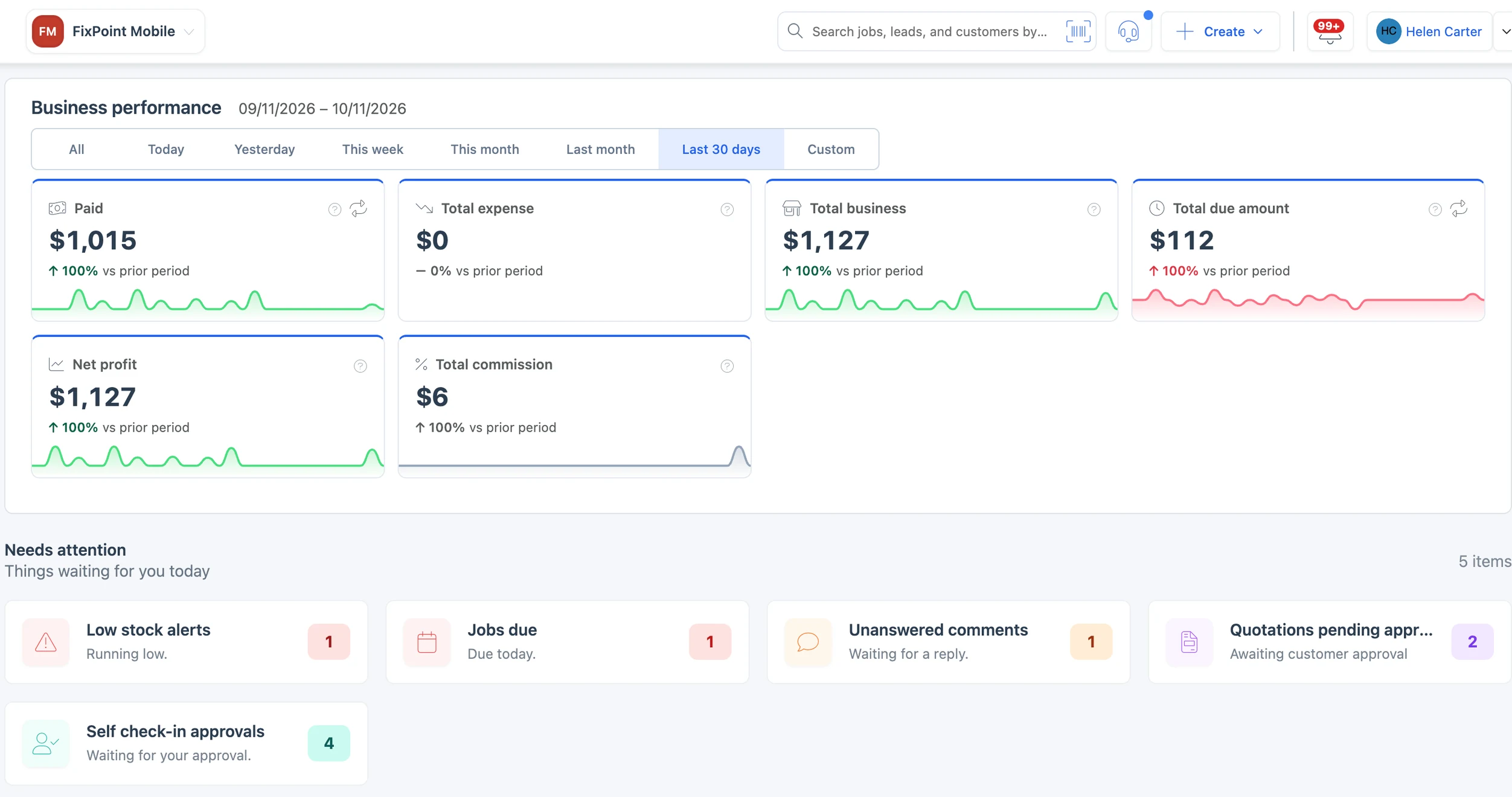
- Jobs per technician
- Revenue and amount received
- Each technician’s share
Assign work and track commissions
Assign each job to a technician; they see it in their app and update status and parts from the bench.
- Jobs assigned to a technician
- Status and parts updated from the app
- Configurable staff permissions
Works with the tools you already use: WhatsApp, QuickBooks, Xero, Zapier, Mailchimp, Twilio, Google Calendar and Microsoft 365 — see all 19+ integrations →
Watch videos → Free tools for repair shops → Explore all featuresAll features →
Why BytePhase
Repair shop CRM built for repair jobs, not spreadsheets or sales pipelines
Spreadsheets need manual upkeep and most CRMs are built for sales teams. BytePhase keeps the customer, device and repair in one connected record, from check-in to handover.
Typical setups. Individual spreadsheets and CRMs vary.
Every repair is one connected record, not rows in a sheet or a deal in a pipeline.
Built for repair shopsSee how repair tracking works →- Step 1: CustomerProfile and contact details
- Step 2: DeviceModel, IMEI and intake photos
- Step 3: RepairDiagnosis, quote and status
- Step 4: TechnicianAssigned to the right person
- Step 5: PartsUsed parts come off stock
- Step 6: PaymentInvoice and payment on the ticket
- Step 7: HandoverOTP-verified handover
Compared with
- Records kept and updated by hand
- Little built-in view of repair progress
- Built around leads and deals
- Repair workflows often need customisation
Printing
Print job sheets, invoices and labels in any format
From a thermal receipt at the counter to a full A4 invoice and a barcode label on the part bin, BytePhase prints on the printers repair shops already use.
90-day warranty on parts & labour.
58 mm and 80 mm rolls
Receipts and job sheets at the counter
Job sheets, invoices, quotations and payment receipts on any thermal printer, in Classic, Modern or Compact layouts, with a QR the customer scans to track the repair.
38×25 mm to 100×75 mm
Part labels and job stickers
Barcode labels with part name, price, SKU and warranty, and a sticker for every device on the bench with its job number, assignee, due date and a QR code.
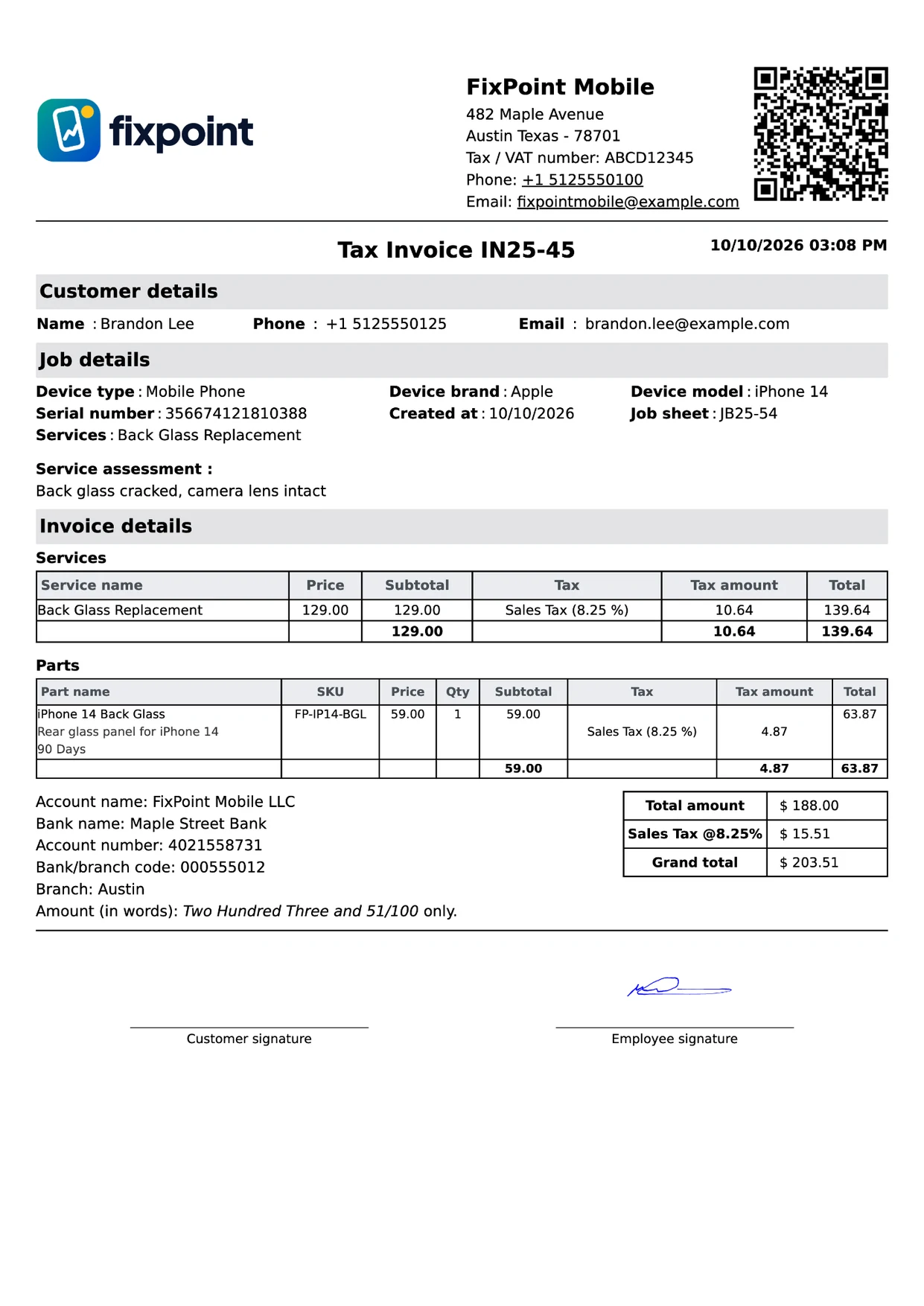
A4 and US Letter
Full invoices in your own theme
Your logo, tax number and accent colour, with the item and tax columns you choose, payment QR, bank details, terms and signature.
Half-page A5
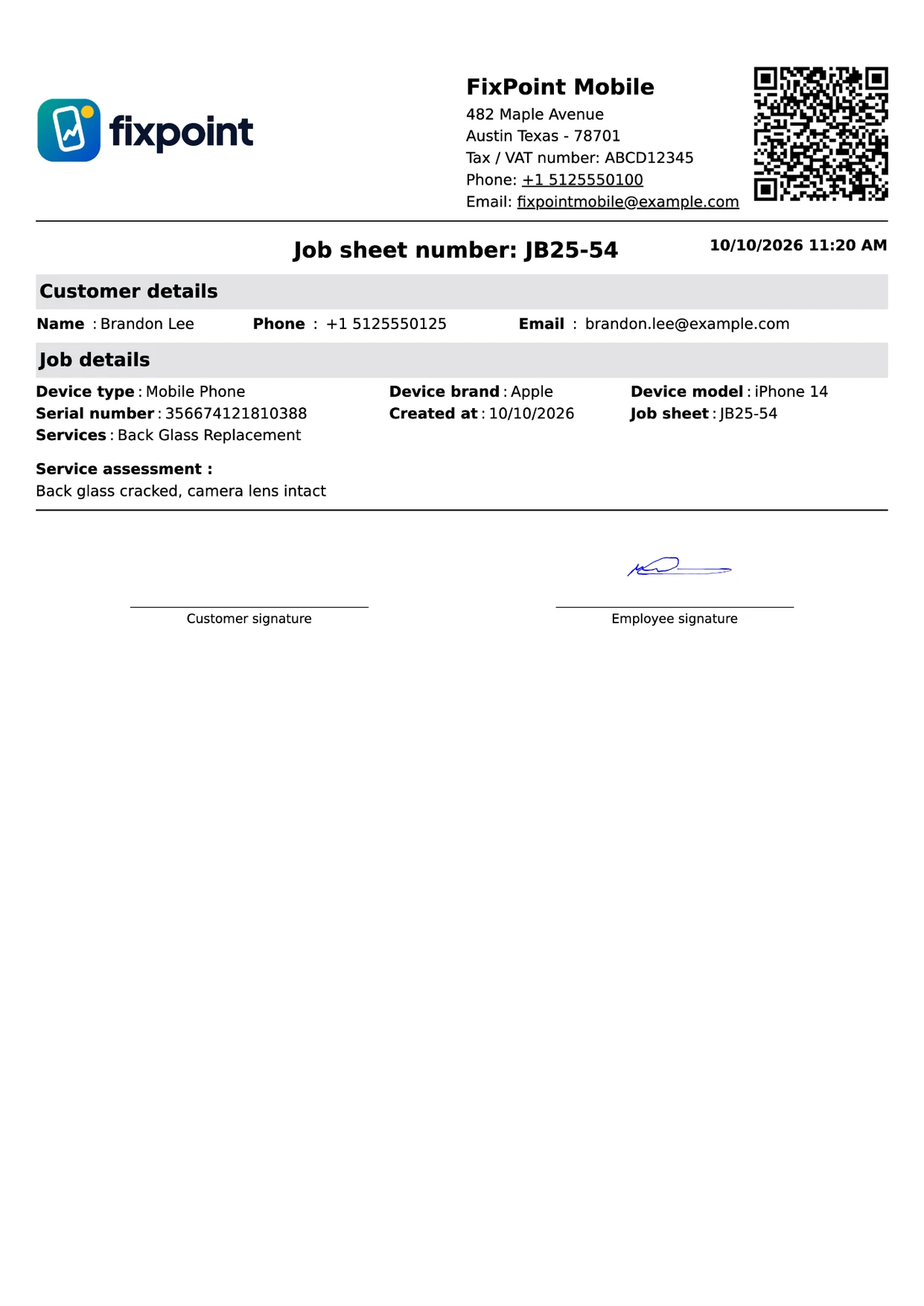
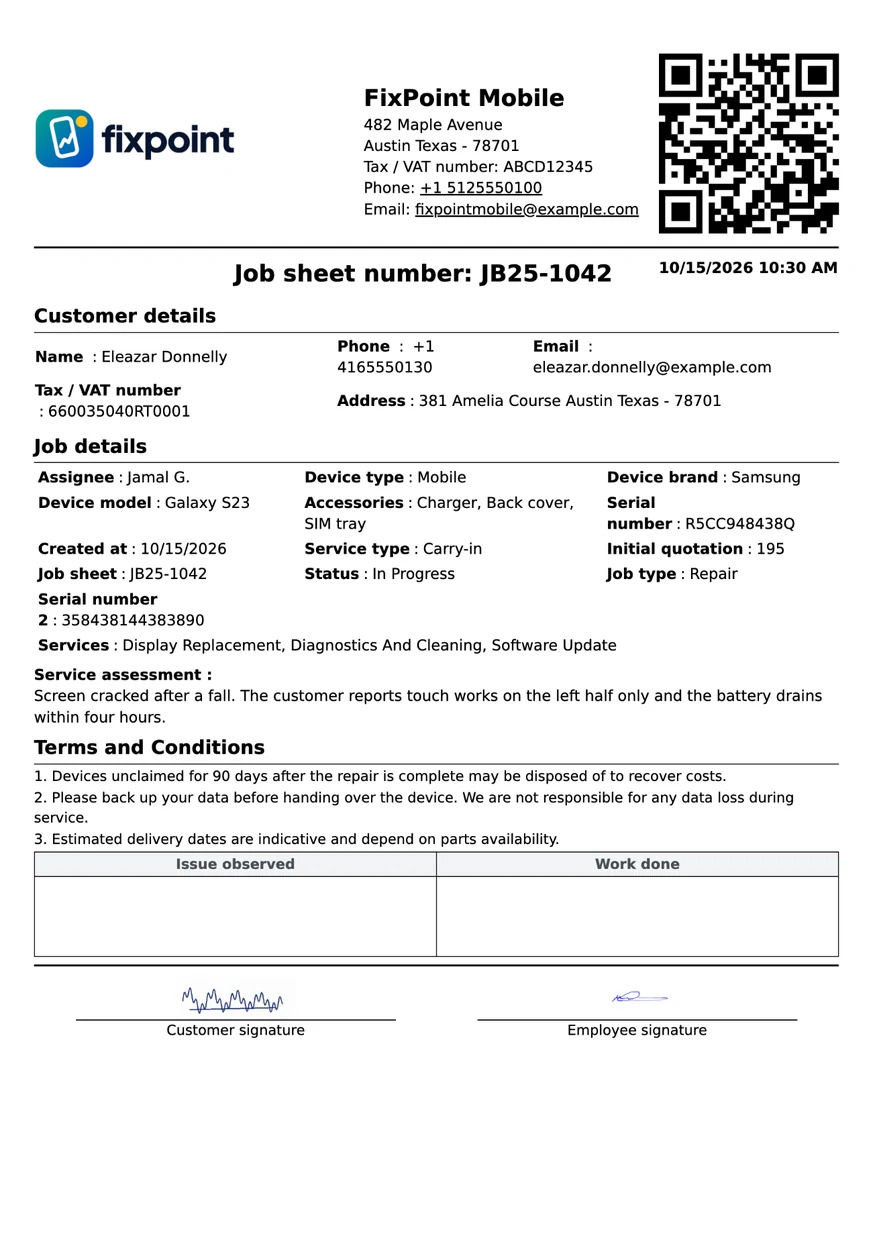
Job sheets on half a page
Customer and device details, the service assessment and initial quotation, boxes for the technician’s notes, a tracking QR and signature lines.
Modern and Compact themes are on the Standard plan and above. On the mobile app, documents print or share as PDF. Supported printers & hardware →
Industries
Built for every kind of repair shop and service center
One service center software for every repair counter: pick your industry at sign-up and start with its template — device types, brands and services pre-loaded.
Mobile app
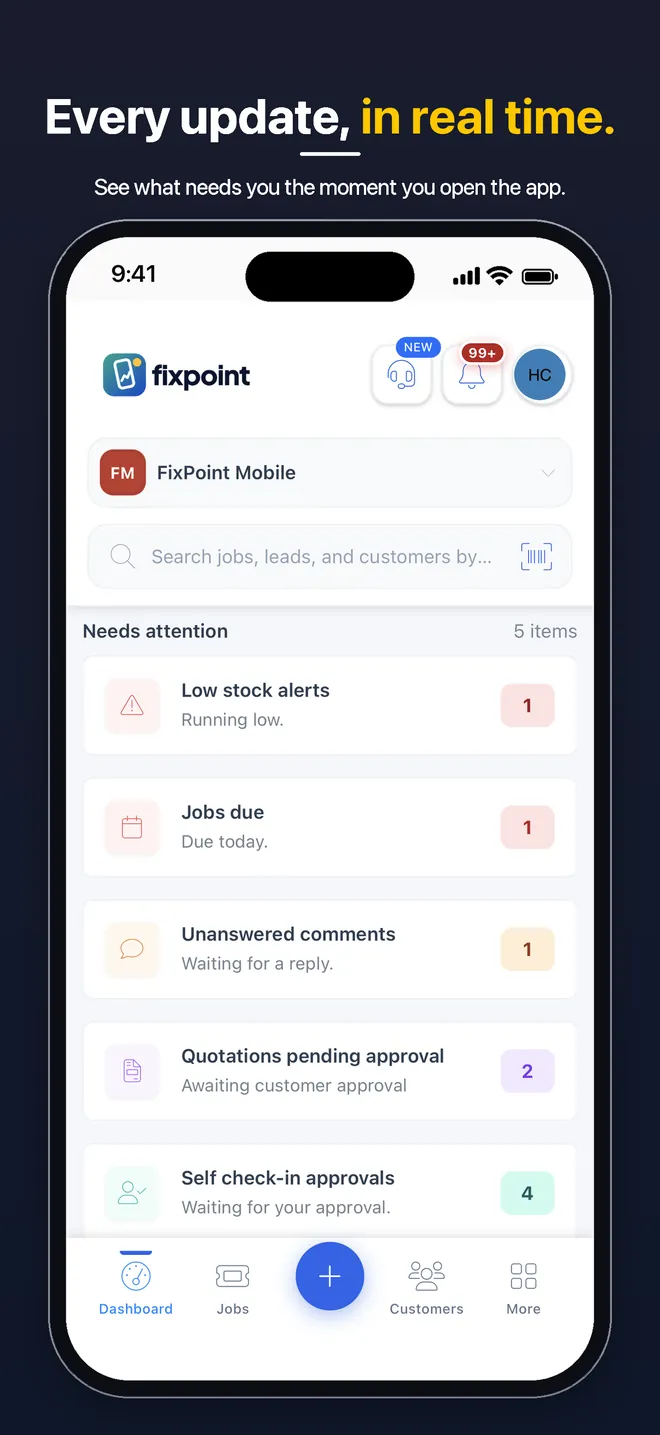
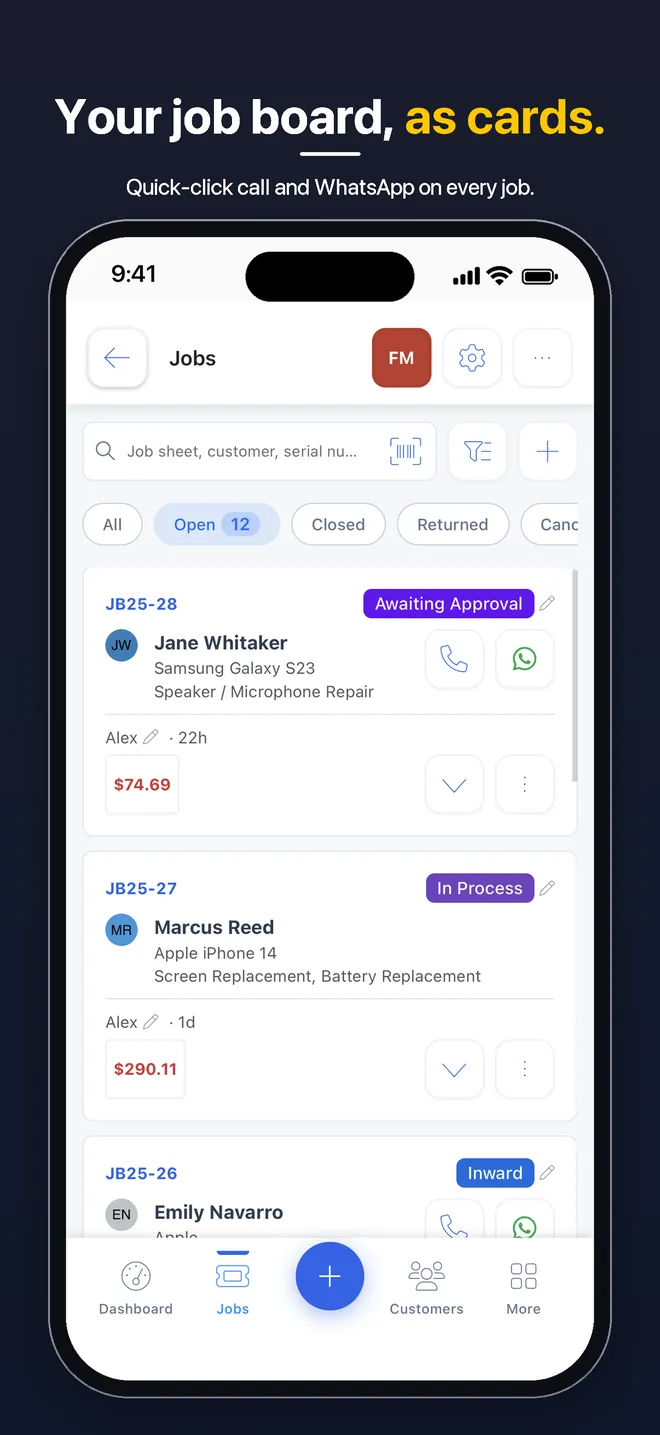
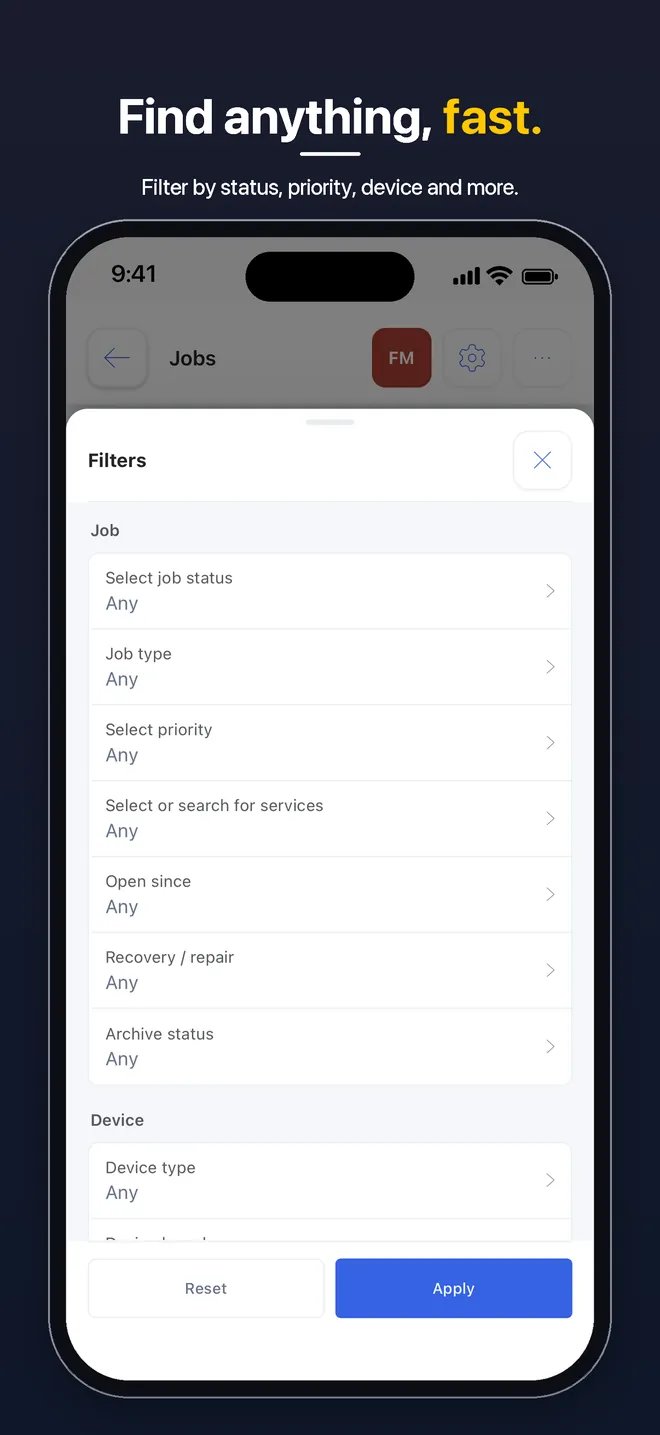
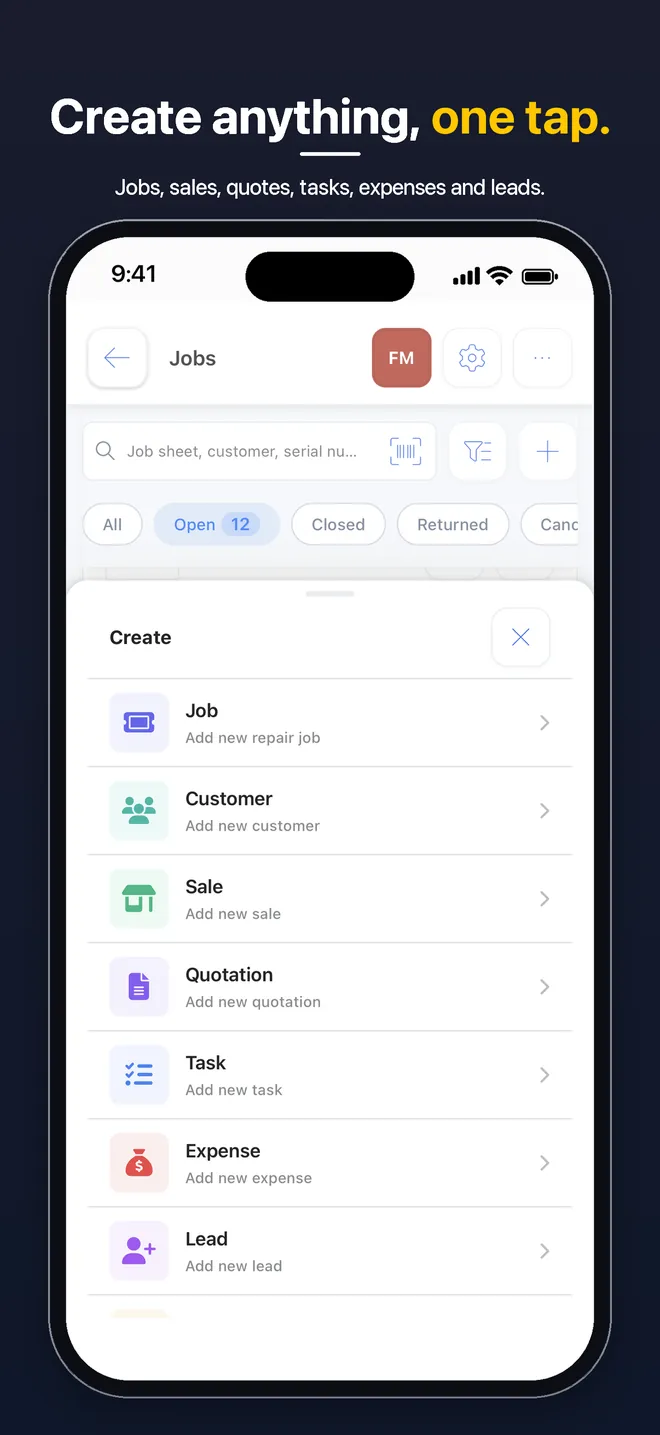
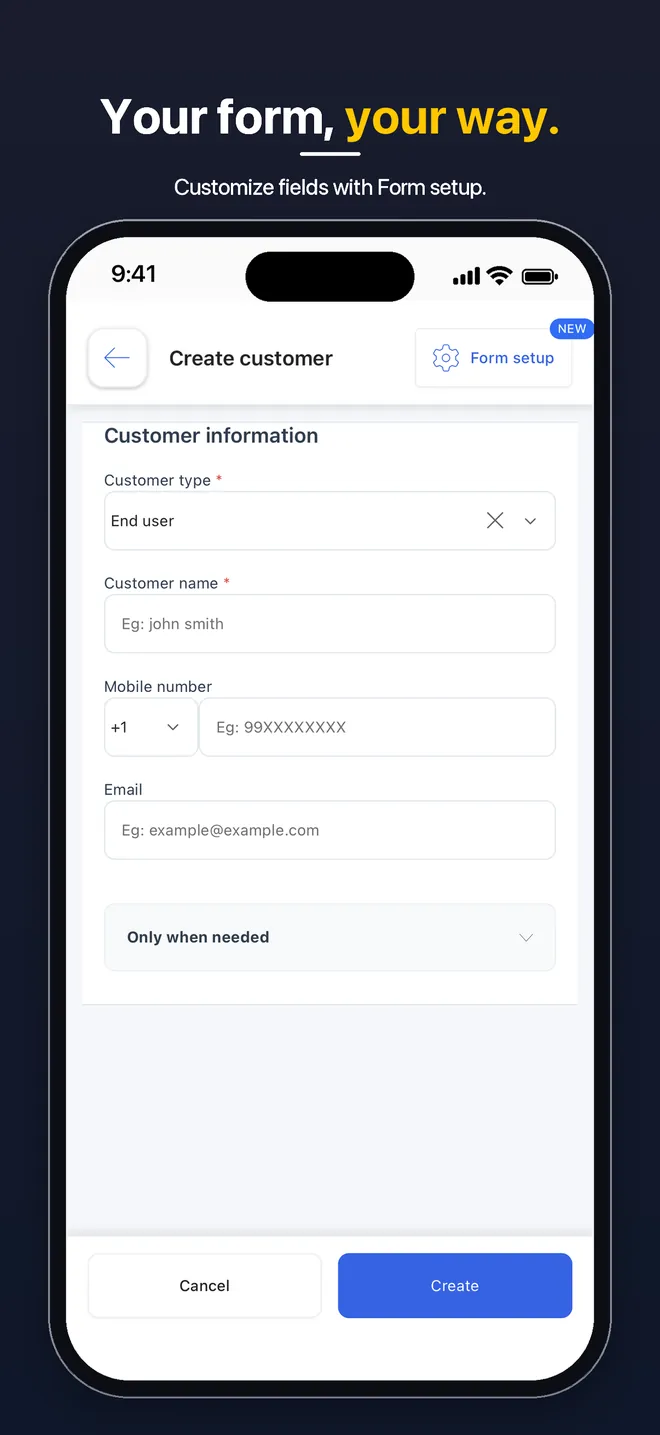
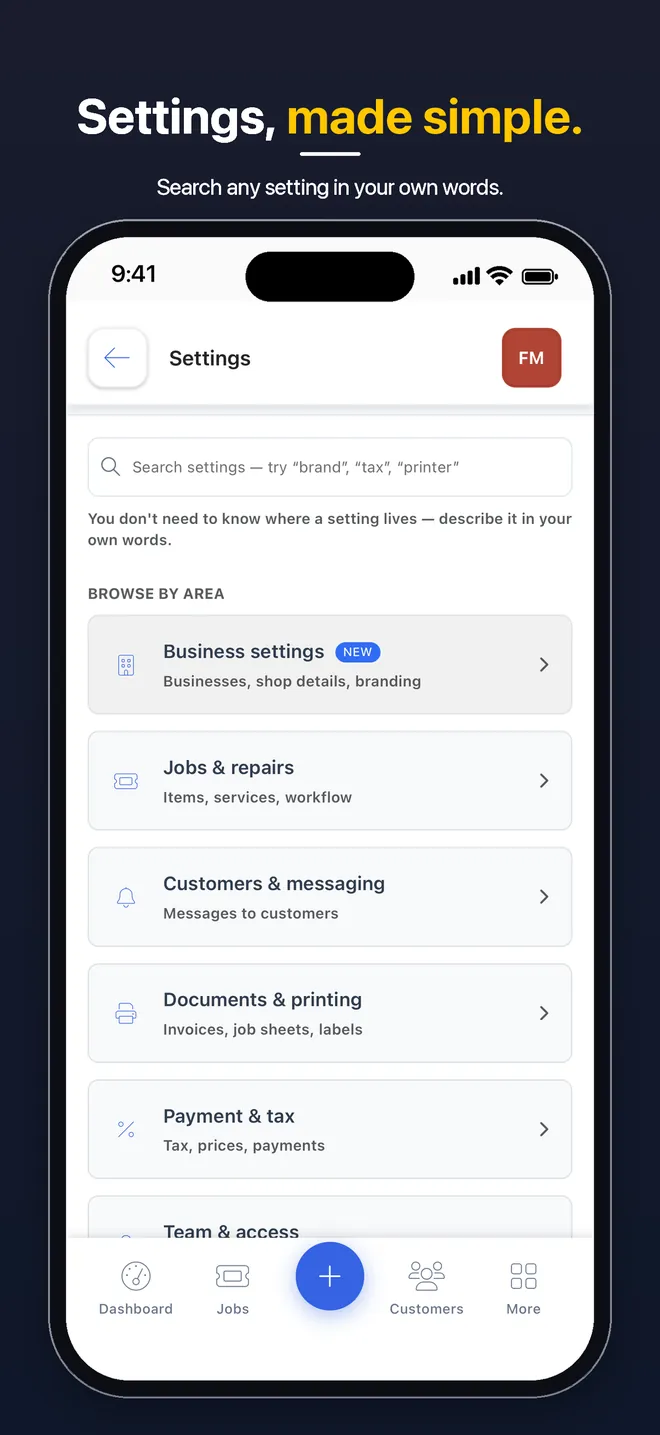
Native Android and iOS apps, included on every plan
No per-device fee on any plan


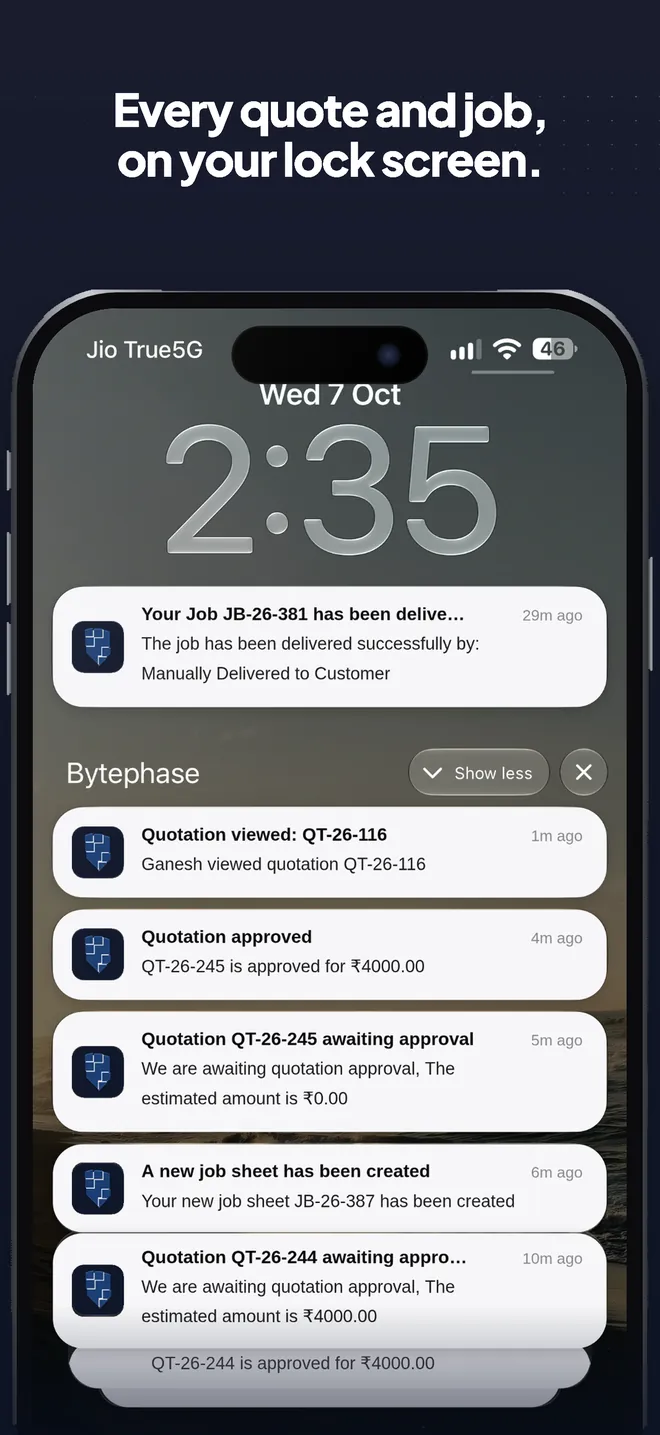
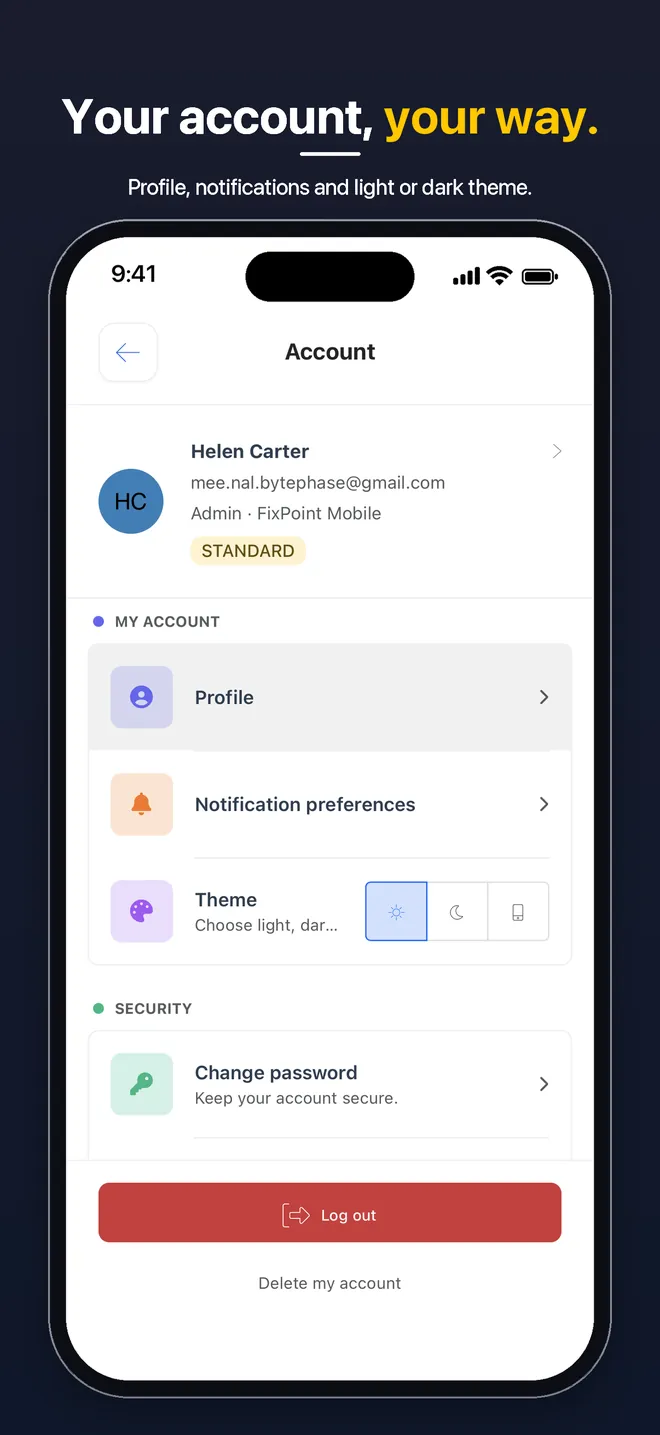
| Software | Android app | iOS app | Included on every plan |
|---|---|---|---|
| BytePhase | ✓ Google Play | ✓ App Store (iPhone + iPad) | ✓ |
| RepairDesk | Not listed | Not listed | — |
| RepairShopr | Not listed | iOS “Lite+” field app | — |
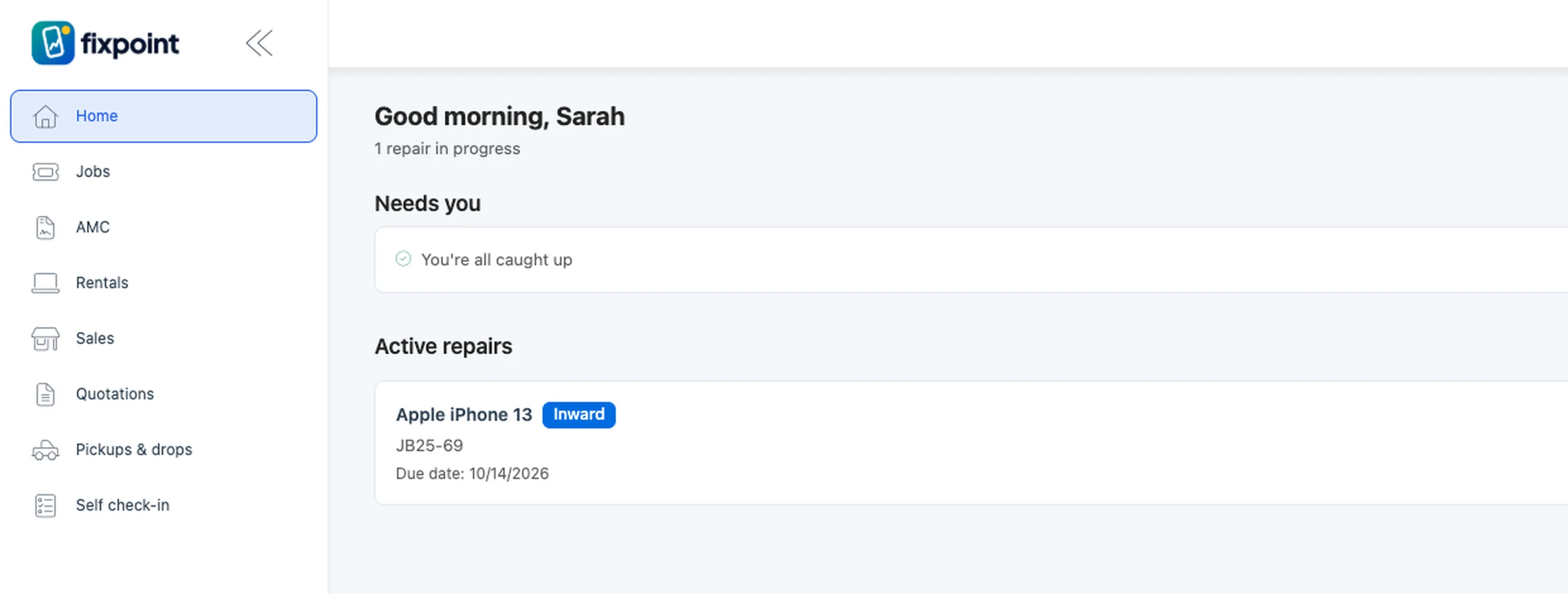
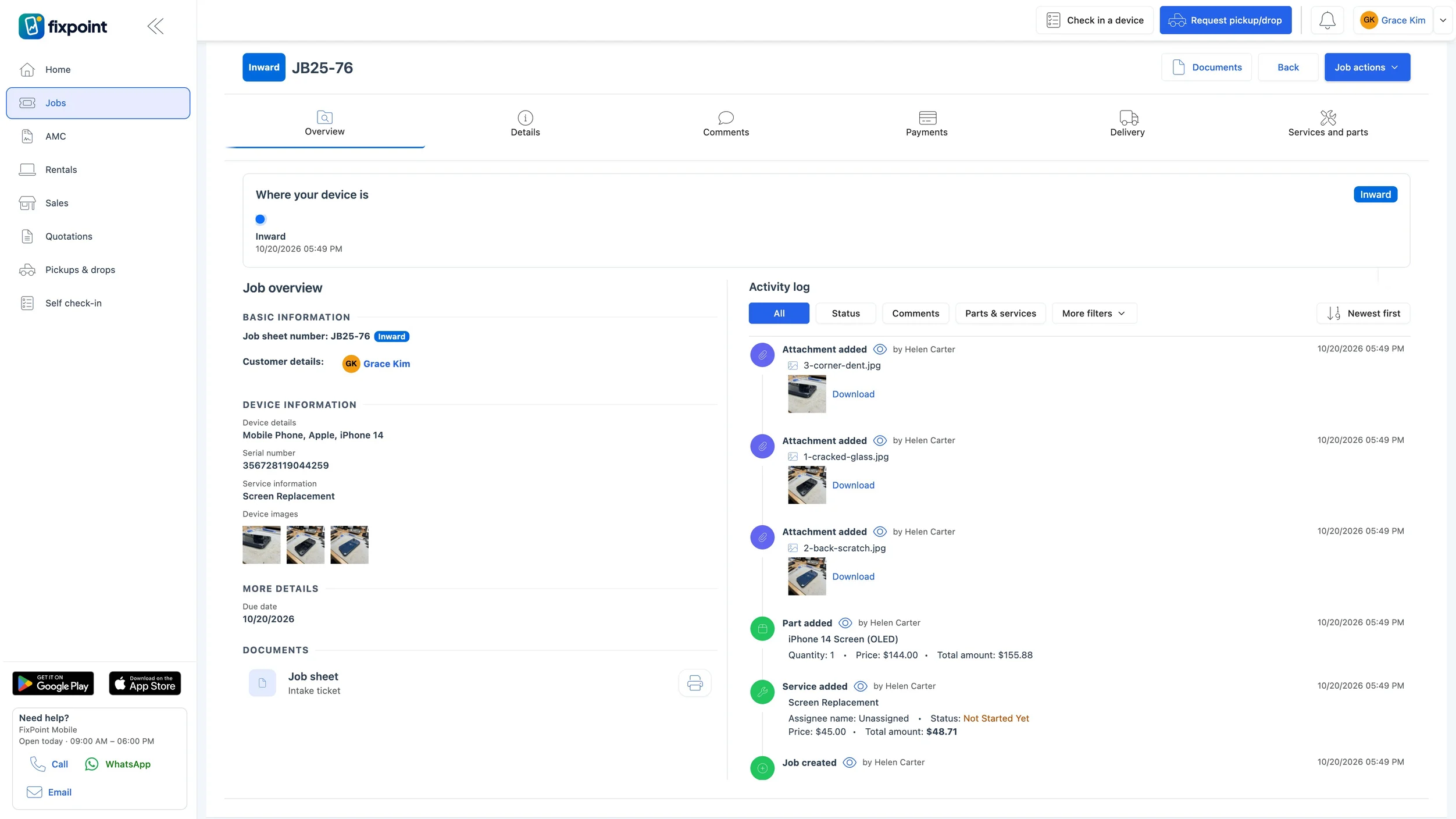
Customer portal
Customer portal for repair tracking and approvals
Customers log in with their email or mobile number and a one-time code to follow their repairs, approve quotations and download their documents, so fewer calls reach your front desk.
Pickup requests and AMC complaints depend on your plan.
Customers
Trusted by 2,000+ repair businesses in 40+ countries
“Now I don’t have to waste 30-50 minutes of my daily time giving updates to my customers over a call and can spend that much of my time on other productive work.”
 Chirag PatidarCOO · Data Restoration Lab
“Before this I manage my business with hand written bill but there was problem if customer lost there receipt … Bytephase solved my issue.”
 Prem P.Proprietor · Care Computer Services
“I was worried about training my staff on a new system, but BytePhase is incredibly user-friendly. We were up and running, creating tickets in under a minute.”
 Bhargav R.Owner · DB Smart Systems
“Dedicated features designed specifically for data recovery and repair shop workflows instead of generic CRM tools.”
 Sachin K.Technician · Digital World Data Recovery Lab
“Their AMC module is carefully planned, encompassing matters as simple as service scheduling to tracking maintenance jobs in real time.”
“It’s simple to use. We have all the customer support information on one website, which makes it easier to keep track of things. Our employees use it every day.”
 Silicon InfotechComputer repair
“BytePhase is a future for repair shop management or the repair industry. They have crafted the UI very beautifully.”
 Selfie MobilesMobile repair
“The time-saving the software provides repair shops, making tasks that took 1 to 2 hours to complete be done in minutes.”
“I like the job ticket creation function along with image upload option available for it also android app for this software.”
 Tejas P.Admin · Lappy Care
“BytePhase is an amazing software that caters exactly to the needs of repair professionals. The continuous software development and personalized customer support …”
 Systron Data Recovery LabData recovery
Read all reviews on Capterra · G2 · SoftwareSuggest · Trustpilot

Most active countriesAlso running BytePhase
Repair shops and service centers in North America, Europe, Africa, Asia and Oceania run their repairs on BytePhase.
- United States & United Kingdom
- Repair shops and service centers in both markets
- Europe
- Lithuania, the Netherlands, Germany, Italy, Belgium, Czech Republic, Cyprus
- Africa
- South Africa, Uganda, Tanzania, Kenya, Nigeria, Ghana, Mauritius
- Americas & Caribbean
- Canada, Mexico, Guatemala, Dominica, Saint Vincent, Saint-Martin
- Asia-Pacific & Middle East
- India, Malaysia, Thailand, Indonesia, Sri Lanka, Australia, New Zealand, Saudi Arabia, Qatar
Fits your business
Start with one shop. Grow without changing your system.
Priced for your market, not ours
Plan prices are set for your market, so a repair shop pays a rate that fits where it works. Every plan includes the web app and native Android and iOS apps, with no per-device fee.
Try every feature on a 15-day free trial, or book a demo and we’ll walk you through it.
Start Free TrialBook a DemoSee plans & pricing for your country →
AES-256 encryption at rest · automatic daily backups · 24/7 live chatbot support on all plans · Security at BytePhase →
FAQ
FAQs about repair shop software
Repair shop management software (also called repair management software) runs a repair business end to end: device intake and repair tickets, technician assignment, spare-parts inventory, POS billing and customer updates in one system.
The best repair shop management software is the one that fits how your shop works, so look for a system that covers the whole repair job: device intake with photos, quotations customers can approve, technician assignment, spare-parts inventory, invoicing in your own tax and currency, and customer updates with online tracking, on the web and on mobile. Check that you can import your existing customers and parts, and that you can try it before you commit.
BytePhase is built around that single repair ticket. It runs on the web and in native Android and iOS apps, imports customers and parts from Excel or CSV, and starts with a 15-day free trial with full access, so you can run real repairs through it and judge the fit for your shop.
BytePhase is built for businesses that take in a customer’s device, work on it and hand it back — single-location repair shops, multi-branch service centres and data-recovery labs. Shops using it repair mobiles, computers and laptops, electronics, home appliances, AC and HVAC units, cameras, watches, jewellery, drones, bicycles, musical instruments and vehicles.
If your work revolves around a job sheet and a device sitting on a bench, it is the right fit. If your technicians travel to the customer and you need route dispatch, it is not.
A general-purpose CRM tracks leads and deals. A repair business also has to track a physical device: its condition on arrival, the photos taken at check-in, the parts consumed, the technician who worked on it, and the OTP handover at delivery. BytePhase is built around the repair ticket, so spare-parts inventory, POS billing and customer updates all reference the same job instead of living in separate tools.
Comparing specific tools? See BytePhase vs RepairShopr, vs RepairDesk, vs Orderry and vs Fixably.
Repair tickets, quotations, POS and invoices, spare-parts inventory and purchases, customers, staff permissions and commissions, AMC contracts, pickup & drop and reports — on the web and in the Android and iOS apps. Customer updates go out on WhatsApp through the official WhatsApp Business API, and WhatsApp marketing campaigns come with selected plans.
Yes. The Enterprise plan includes multiple branches. Each branch keeps its own staff, customers, stock and reports, and one login opens every branch.
Yes. With white-label, BytePhase runs on your own domain (for example app.yourshop.com) with your logo and colors on the app and on customer notifications.
Yes. Every plan starts with a 15-day free trial with full access to every feature, and paid plans come with a 30-day money-back guarantee.
Yes. BytePhase is used by repair businesses in 40+ countries. It works in your local currency and any timezone, in 8 languages with more added on request, and plan prices are set for your market.
All of them. Your shop quotes and invoices customers in your local currency, set from your country — and if yours is not listed yet, we add it. Your BytePhase subscription is billed in Indian rupees in India and in US dollars in every other country, and international cards are accepted.
Yes. You set up your own taxes with their name, rate and registration number, then apply them to each part and service, so one invoice can mix rates. A tax can be split into its components, such as CGST and SGST in India, and each item can carry its HSN or tax code. Invoices print the full tax breakdown in your currency, and the tax report shows the tax charged on every invoice.
Yes. Create a quotation on the repair ticket with parts and services. The customer approves or rejects it from a link, or with Approve and Reject buttons when you connect your own WhatsApp number. The finished job becomes an invoice in one click, with your tax and currency.
Yes, in two ways. Every job has a tracking number: customers enter it with their mobile number or email and a one-time code to see the status, details and updates, without calling the shop. They can also log in to the customer portal with a one-time code to see all their repairs, approve or reject quotations, download job sheets and invoices, and request a pickup or book a new repair. Pickup requests depend on your plan.
Yes. Computer and laptop repair has its own template with device types, brands and services pre-loaded. Log serial numbers, accessories received and condition photos at intake, track parts per job and hand devices back with OTP verification. Data recovery jobs have a dedicated module.
Yes. The import wizard takes Excel or CSV files for customers, employees, leads and spare parts, and you run the import yourself; support is there if you get stuck. You can run your old system alongside BytePhase during the 15-day trial. Old tickets and invoice history are not imported.
Yes. Native Android and iOS apps are included on every plan, with no per-device fee. Technicians can book repairs with photos, scan barcodes, check stock and update job status from their phone.
Guides: Best computer repair software · Repair ticket software options · Online repair booking · PhoneCheck alternatives · Quote approval by customers · Technician commission · Custom domain setup
More features: AMC management · Lead management · Signature capture · Activity logs · Task management · All features →
Last updated: 1 November 2026