
Self check-in software for repair shops
Self check-in software lets customers check in online before they arrive. They open your online self check-in form on their own phone or computer, add the device and the problem, verify with a one-time code and send it. There is no client check-in app to download, and your team turns each request into a repair job in one tap.
- Share the link on Google, your website or social pages
- Requests verified by OTP
- Customer photos and an optional pickup
- One tap from request to job
15-day free trial · 30-day money-back guarantee
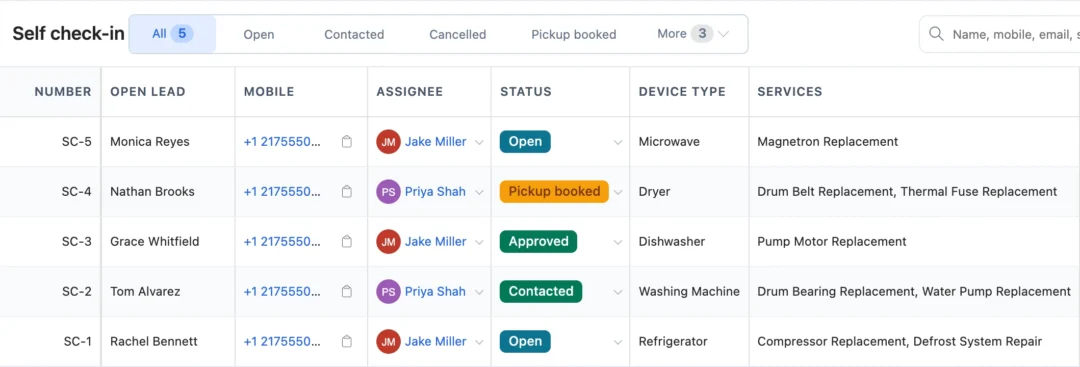
What is self check-in for a repair shop?
Self check-in is an online form your customers fill in before they visit: repair or data recovery, device type, brand, model, serial number, accessories, the problem, their contact details and, if you offer it, a pickup. A one-time code to their mobile or email confirms it is them. Each request lands in BytePhase, where reception approves it and creates the repair job.
How online check-in works for a repair
- 1
Share your link
Copy it from Important links in business settings and put it on your Google Business Profile, website, WhatsApp Business profile or social pages.
- 2
Customer fills it in
Device, problem and photos, then name, mobile and email, the address and an optional pickup.
- 3
A code confirms it
A one-time code to their mobile or email verifies the request, and reception is alerted in the app, on the phone and by email.
- 4
Approve & create job
One tap makes it a job; the customer’s photos are copied over and the job-created message carries the tracking link.
Self check-in requests that become repair jobs
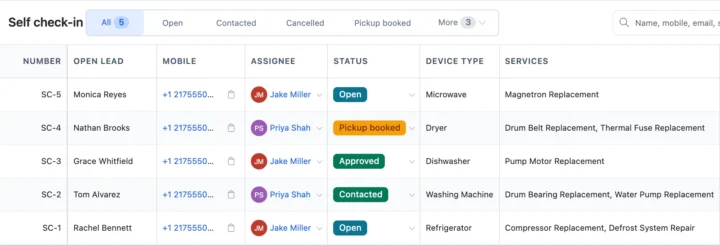
The request list
Every request shows its number, customer, mobile, assignee, status and the services asked for. Filter by Open, Contacted, Cancelled, Pickup booked or Approved, and handle requests in the phone app under More › Daily work. Approved requests carry on in your repair ticket software.
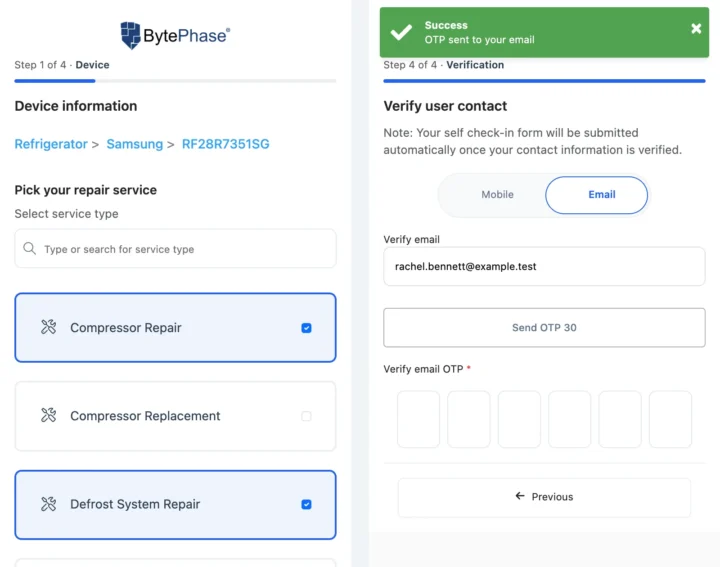
The customer form
Choose which fields are required, whether prices show and whether to skip the address step. Customers can add photos of the device and ask for a pickup, which you book with pickup and drop.
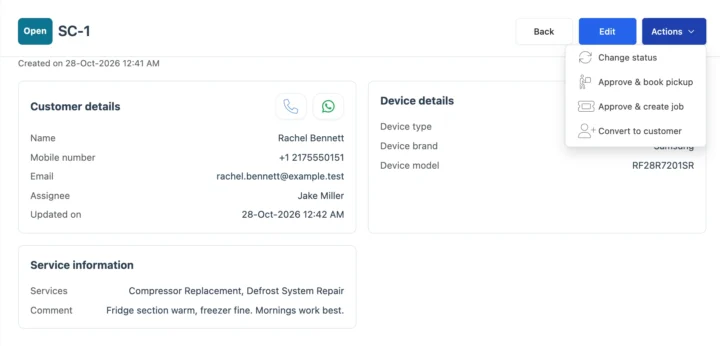
From request to job
Approve & create job matches or creates the customer, adds a new brand or model if needed and copies the customer’s photos to the job, under the business you pick. Counter photos are added the same way with device images.
Also in self check-in
Your link on Google, your website and social pages
Put the link on your Google Business Profile, website and social pages. Once the job is created, updates go by email, your own SMS provider or WhatsApp in one tap.
How check-in connects to the rest of BytePhase
Each card opens the feature it shares data with, so nothing is typed twice.
Online check-in for phone, bike and data recovery shops

Self check-in questions
No. Self check-in is a web link that opens on the customer’s own phone or computer. They fill in the device and the problem, verify with a one-time code and send it; there is no client check-in app to install.
With paper forms and chat messages, your staff type every detail again and repeat customers get added twice. With online self check-in the customer types the device, serial number, accessories and problem once on their own phone, and can add photos. When you approve the request it becomes a repair job, and if the mobile number or email matches a customer you already have, BytePhase uses that customer. A booking widget only reserves a time; this request carries the device details into the job, with no kiosk or tablet needed at your counter.
Self Check-In allows customers to submit their device details, issue descriptions, and contact information online before visiting your repair shop. It speeds up the intake process and reduces manual entry for your team.
Yes. BytePhase allows automated notifications via SMS, email, or push, confirming submission and providing the ticket ID.
Yes. Copy your self check-in link and put it on your website, social pages or Google Business Profile. For a counter QR code, paste the link into any free QR generator and print it; BytePhase does not make the QR itself. Website forms and tools like WordPress, Typeform, JotForm and Tally.so can also send requests in.
Yes. Customers can request a pickup while they check in, giving their address and a preferred time, and nothing is booked until you approve it.
Yes. Once your staff approve the check-in it becomes a normal repair job, and the customer can follow it from the tracking link in your job messages, which opens the job sheet with its status. Customers with a login can also see their repairs in the customer portal.
Yes. The form works on phones, tablets and computers. Customers open your link in their browser, fill in the device and the problem, verify with a one-time code and send it, with nothing to install.
Yes! Customers can attach device photos directly while filling out the form, helping technicians diagnose issues faster
Yes! BytePhase supports OTP verification to ensure all incoming tickets come from verified customers, keeping your database clean and accurate.
Right away. Self check-in is ready on every new account: copy your self check-in link and share it. You also choose which fields customers must fill in.
Let customers check in before they reach the counter
Copy your self check-in link from BytePhase and share it with your next customer today.
15-day free trial · 30-day money-back guarantee
2000+ Professional Repair & Data Recovery Businesses Trust BytePhase
We help you stay focused and organized by keeping detailed records
Best-in-class support
No matter what you need help with, our team is here to assist you. The goal of our business is to build long-lasting relationships with our customers.
Free Updates, Always Included
We will provide you with free and regular updates and welcome your feedback, which we will consider for implementation in your subscription.
Data Security & Encryption
We use the highest industry standard (AES-256) to encrypt your data on a secure RDS server for maximum protection.
Automatic Backups
We perform automatic backups daily on our dedicated database server to keep your data safe.
Last updated: 30 October 2026