Purchase management that adds supplier parts to your stock
Record each supplier bill once: the parts go into stock, the bill stays attached, and you can see what you still owe. BytePhase purchase management keeps the buying side of your repair shop on the same parts list your technicians use.
- Scan parts off the delivery by barcode
- Stock goes up when you save the purchase
- Pay a supplier in full or in parts
- See what you owe each supplier
15-day free trial · 30-day money-back guarantee
What is purchase management in a repair shop?
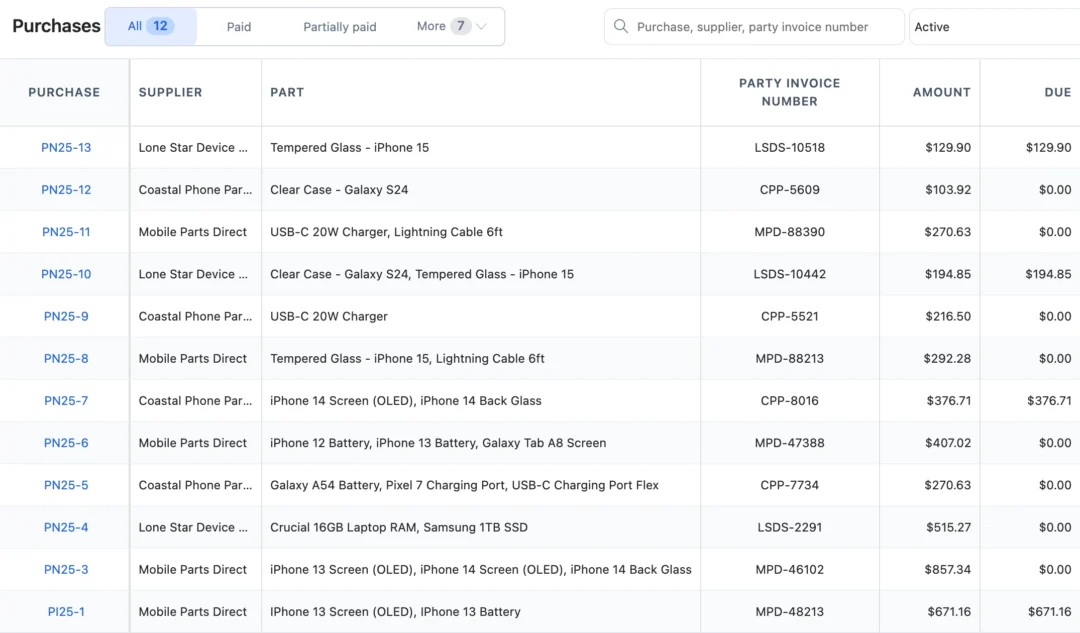
Purchase management is how a repair shop records what it buys: the supplier, the party invoice number, the parts, the quantities and prices, and what has been paid. In BytePhase a purchase is the supplier bill itself. Saving it adds the parts to stock, so the screen you bought is the screen a technician fits and bills on the repair.
From supplier bill to stock
- 1
Pick the supplier
Choose the supplier, type the party invoice number and purchase date, and set the payment terms or due date.
- 2
Scan or search the parts
Scan the barcode or search by name or SKU, then enter quantity and price. A part you have never stocked can be typed in and becomes an inventory part.
- 3
Pay now or later
Record a full or part payment on the purchase, or add the payment later; the status and balance due update.
- 4
Stock goes up
Saving the purchase adds the parts to stock, and the part’s stock history shows where they came from.
Supplier bills, payments and stock in one purchase record
Supplier purchases into stock
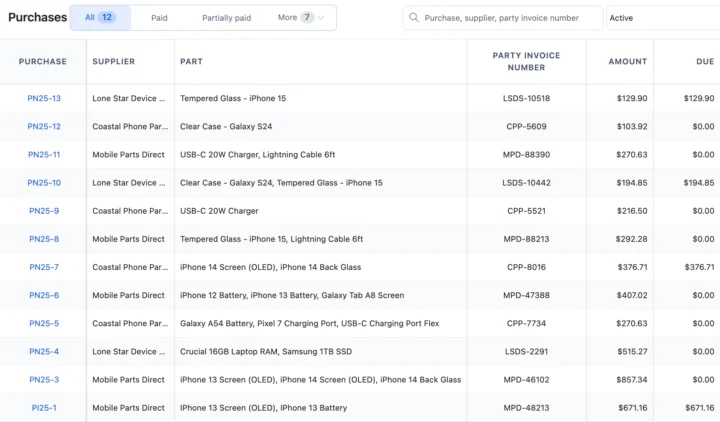
Each purchase holds the supplier, the party invoice number, the date and the parts with quantity, price and tax. Saving it adds the parts to stock, the bill can be attached, and the purchase invoice prints on A4 or thermal paper. Every part then carries its history into repair shop inventory.
What you owe each supplier
A supplier’s record shows the number of purchases, the total bought, the amount paid and what is still outstanding, with tabs for payments and purchases. Pay on the purchase or later from its actions. The parts you paid for are the same ones you sell through the repair shop POS.
Purchase reports and the dashboard
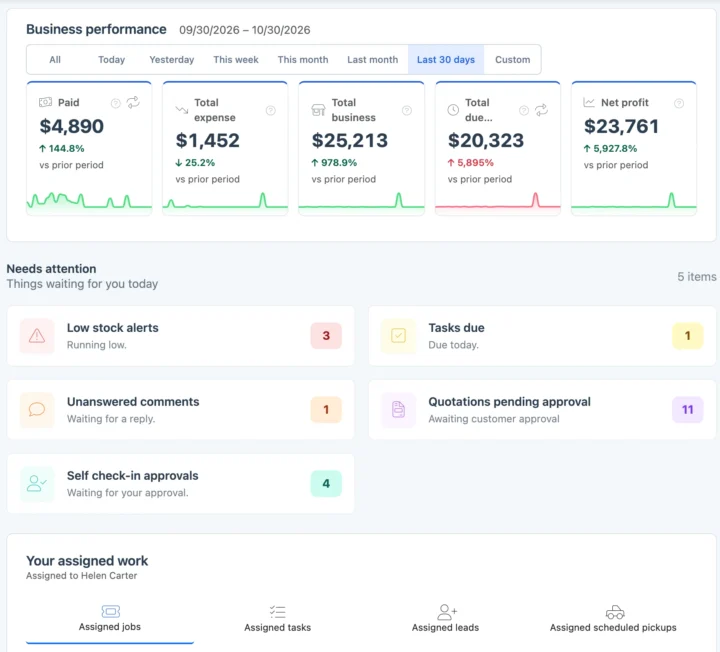
Supplier bills due today show on the dashboard under Supplier payments due, and the purchase list filters by due date. Total expense on the dashboard counts purchases and running costs together, and the older reports give total purchases, a daily purchase report and the parts you buy most. Running costs are recorded in shop expenses.
Also in purchases
Purchases in your currency and your tax
Record supplier bills in your operating currency with your tax name and rate, and keep each supplier’s tax or VAT number on their record.
How purchases connect to the rest of BytePhase
Each card opens the feature it shares data with, so nothing is typed twice.
Supplier purchases in different repair trades

Purchase management questions
BytePhase shows purchases due today on your dashboard under Supplier payments due, and you can filter purchases by due date. It does not send a reminder message.
Purchase management is how you record what your shop buys: creating purchase invoices against a supplier, capturing the items and amounts, and keeping a running view of what has been ordered, received and paid for. It is the buying side of the same stock your repair jobs consume.
Yes. Purchase management works together with inventory — creating a purchase updates your stock automatically, so you are not entering the same parts twice or reconciling two lists by hand.
Yes. Payments are added against a purchase directly in the system, so you can mark an invoice paid, see outstanding balances and manage vendor payments without keeping a separate ledger.
Parts, yes: download the sample file and import your parts list from an Excel or CSV file, with quantity, SKU, barcode and purchase price. Suppliers are not imported; add each one once with a name and mobile number, and the list is shared by all your businesses. Your account comes ready to use, so basic setup takes about 10 minutes and you can record your first purchase the same day.
Yes. In the Android and iOS apps, tap More › Sales › Purchases and then +. Pick the supplier, type their invoice number and date, add the parts with the quantity and price, and enter what you paid. When you save, the parts are added to your stock, just as on the web.
Yes. The Purchase report shows your total purchase amount and count for the period you pick, a daily purchase report and your top parts in purchases. The dashboard’s Total expense adds purchases to your expenses, and each supplier’s page shows what you bought from them and what you have paid.
Yes. On the Create purchase page, click Scan barcode and scan each part’s label, or search by name or SKU. Type the quantity you received and the price you paid, and your stock goes up when you save. You can print barcode labels for parts that don’t have one yet.
You can still record the purchase. Click Add item manually and type the part, quantity and price. When you save, BytePhase adds the new part to your inventory with stock tracking turned on, so you can check and complete its details afterwards.
Yes. On a saved purchase you can attach the supplier’s bill as a photo, scan, PDF or other document, so it stays with the record. The purchase also keeps the supplier’s invoice number and the purchase date, and you can print the purchase invoice from it.
Yes. Each business numbers its own purchases with its own prefix, the stock belongs to the business that bought it, and the purchase invoice prints with that business’s details. Your suppliers are one shared list, so you add each supplier once for all your businesses.
Put your next supplier bill straight into stock
Add your suppliers once, record the next delivery with BytePhase purchase management, and see what you owe at a glance.
15-day free trial · 30-day money-back guarantee
2000+ Professional Repair & Data Recovery Businesses Trust BytePhase
We help you stay focused and organized by keeping detailed records
Best-in-class support
No matter what you need help with, our team is here to assist you. The goal of our business is to build long-lasting relationships with our customers.
Free Updates, Always Included
We will provide you with free and regular updates and welcome your feedback, which we will consider for implementation in your subscription.
Data Security & Encryption
We use the highest industry standard (AES-256) to encrypt your data on a secure RDS server for maximum protection.
Automatic Backups
We perform automatic backups daily on our dedicated database server to keep your data safe.
Last updated: 30 October 2026