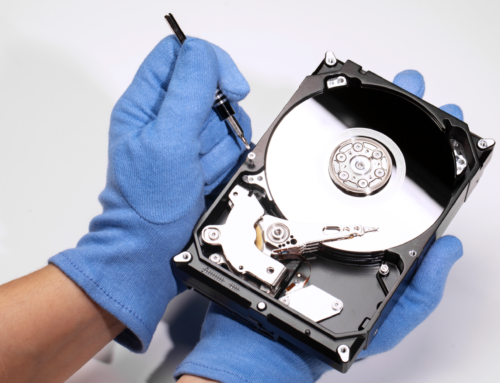
Local Computer Repair Shop vs Mail-In & Big-Box: Why Local Wins

Why a Local Computer Repair Shop Beats Mail-In or Big-Box Repair
When your laptop crashes or your PC won’t boot, you have three choices: mail it to a repair depot and wait, drag it to a big-box counter and hope, or walk it into a local computer repair shop and talk to the technician who’s actually going to open it up. That third option wins on every axis that matters when you’re stuck without your machine: speed, accountability, and someone who will look you in the eye and explain what’s wrong. Local technicians turn tech troubles into a same-day (often same-hour) fix, backed by a real person you can call back if something isn’t right. Whether it’s a virus infection, a cracked screen, a dead battery, or a mysterious software glitch, they have the tools, parts, and experience to diagnose it fast and fix it right — without the multi-week round trip of mail-in service or the impersonal hand-off at a big-box store. Here’s why local wins, and how to pick a shop you can actually trust.
Benefits of Choosing a Local Computer Repair Shop
Personalized service and expertise
When you choose a local shop over a big-box store or an online mail-in service, you get personalized service and real expertise. Local technicians take the time to understand your specific issue and don’t rush you through a script. They know a wide range of computer models, operating systems, and software, so they can usually pinpoint the root cause fast — whether it’s a slow machine, a broken screen, or a virus-infected drive. That personal attention means your individual problem gets solved, not just logged.
Quick turnaround time
This is one of the clearest wins: local technicians prioritize getting your device back to you fast, because they know you need it for work, communication, or school. With the right tools and parts on hand, most repairs are done within hours or a couple of days — not the one-to-three-week turnaround typical of mail-in service. Less downtime means less disruption to your routine.
Cost-effective solutions
Contrary to popular belief, a local shop is often the cheaper option once you account for shipping, insurance, and the hidden fees that mail-in and big-box services tend to add later. Local technicians give you a detailed estimate upfront, charge for the actual repair needed, and are more likely to suggest replacing one component instead of pushing a full device replacement. That transparency saves real money over time.
Trust and reliability
Reputation is everything for a neighborhood repair business — they depend on word-of-mouth and local reviews to keep the doors open, which means they have every incentive to do the job right and communicate honestly about the diagnosis, the repair process, and any risks. That accountability is harder to get from a call center on the other end of a shipping label.
Local Computer Repair Shop vs. Big-Box Stores
Big-box stores can look convenient, but the comparison mostly favors the independent shop. Big-box repair counters often prioritize volume over quality, which shows up as rushed diagnostics and outsourced repairs handled by a rotating cast of third-party contractors — that’s why wait times run long and quality is inconsistent. They also tend to have shallower expertise on specific models or less common issues. Choosing an independent repair shop means supporting a small business in your community while getting service that’s actually tailored to your device and your problem.
How to Find a Reputable Local Computer Repair Shop
Finding the right shop doesn’t have to be guesswork. Start with recommendations from people you trust — friends, family, or coworkers who’ve had a good experience. Then check review platforms like Google or Yelp for a track record of solid service and satisfied customers. Look at certifications, qualifications, and years in the industry; a good shop keeps its technicians current on the latest hardware and software. Finally, don’t skip a quick visit or call — professionalism and clear communication upfront are a strong signal of what you’ll get when your device is in their hands.
Questions to Ask Before Choosing a Repair Shop
Before you commit, a few direct questions will tell you a lot about who you’re dealing with:
- What’s your experience with this specific type of issue?
- Can you give me a detailed estimate before starting the repair?
- What’s the realistic turnaround time for my device?
- Is there a warranty or guarantee on the repair?
- What certifications or qualifications do your technicians hold?
- How do you handle data privacy and security during a repair?
- How will you keep me updated while the repair is in progress?
- Do you offer extra services, like data recovery or performance tuning?
The answers tell you as much about the shop’s professionalism as the repair itself — and they’ll help you make a confident, informed choice.
Conclusion: Why Local Wins for Your Tech Troubles
Local repair shops win on the things that actually matter when your tech breaks down: personalized service, a fast turnaround, fair and transparent pricing, and a technician who’s accountable to their own community and reputation — not a call center or a shipping label. Next time something breaks, skip the mail-in box and the big-box counter, and start with the local computer repair shop down the street.
Running a Repair Shop? Here’s How to Earn That Same Local Trust
Everything above is exactly what customers are silently scoring you on the moment they choose you over a mail-in service or a big-box counter: personalized service, transparent status updates, and someone who’s accountable when things go wrong. The shops that consistently win those reviews aren’t leaving it to chance — they make trust visible at every step:
- Genuine, easy-to-find reviews and ratings that customers can check before they walk in
- Automated SMS, WhatsApp, or email updates every time a repair moves to a new stage, so customers aren’t calling to ask “is it done yet?”
- OTP-verified handover at pickup, so a device only ever releases to the customer who dropped it off
- Clear, itemized estimates before any work begins, with no surprise charges at pickup
Most of that isn’t manual discipline — it’s the shop running on computer repair shop software that creates a repair ticket in about 60 seconds, tracks each device by serial number or IMEI and its warranty status, assigns it to a technician, and fires off the status updates and OTP-verified handover automatically. Customers notice the difference, and it shows up in reviews.
If you run a local computer repair shop and want that same visible accountability — reviews, real-time status updates, OTP-verified handover — built in from day one, BytePhase gives you all of it out of the box. Try it free for 15 days.