How to Set Up Role-Based Access Control in BytePhase

Role-based access control lets you decide exactly what each employee can see and do inside your BytePhase account — from viewing job lists to exporting data or deleting jobs. Instead of giving every technician or front-desk staffer full access, you assign permissions by role, so sensitive actions stay with the people responsible for them. Role-based access control is one of the configurable permissions built into BytePhase’s repair shop management software, and it takes only a few minutes to set up.
Step-by-step process to set up role-based access control
- Log in to your BytePhase account to grant permissions to an employee. Go to the Employees tab and select the employee’s name, then click Profile to open their permission settings.
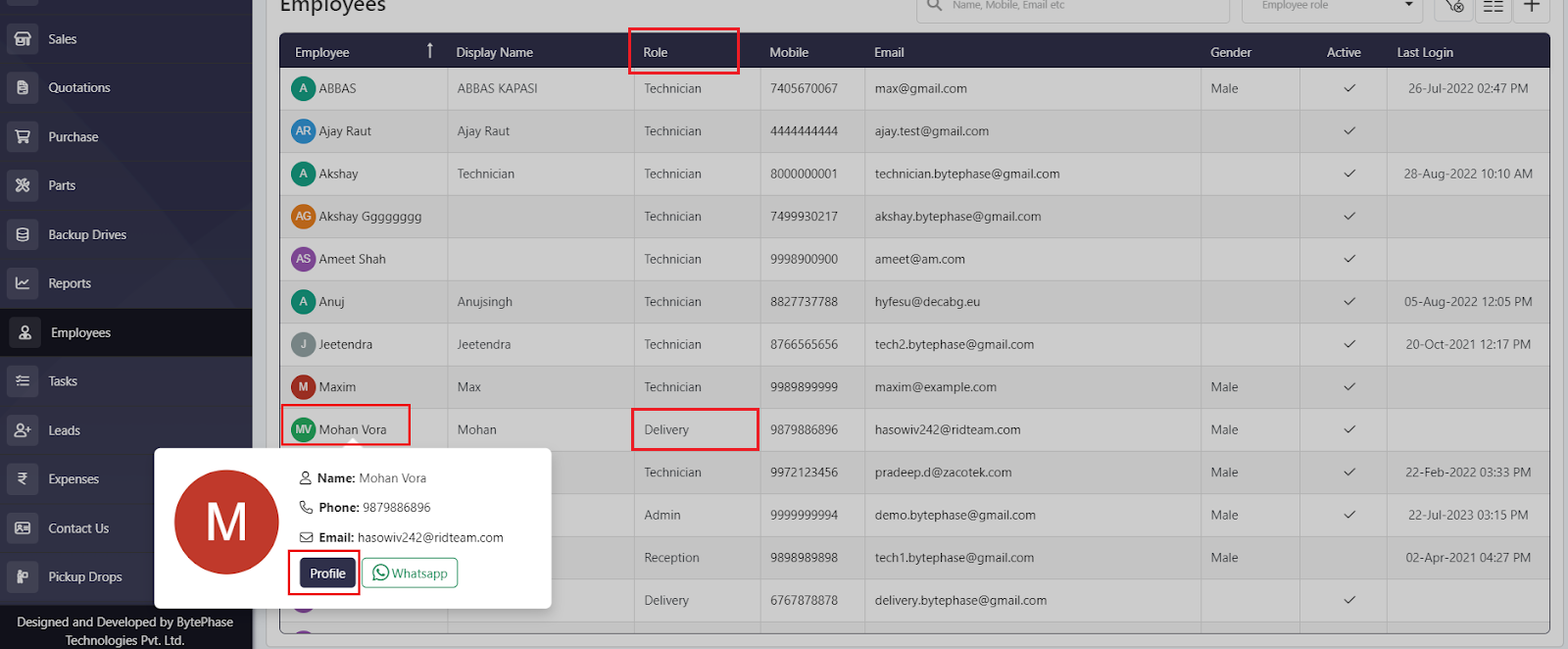
- Opening the employee’s Profile takes you to the Permissions tab.
- The Permissions tab lists attributes such as Job, Customer, Quotation, and Sales. You can assign permissions for each one to match the employee’s role and responsibilities.
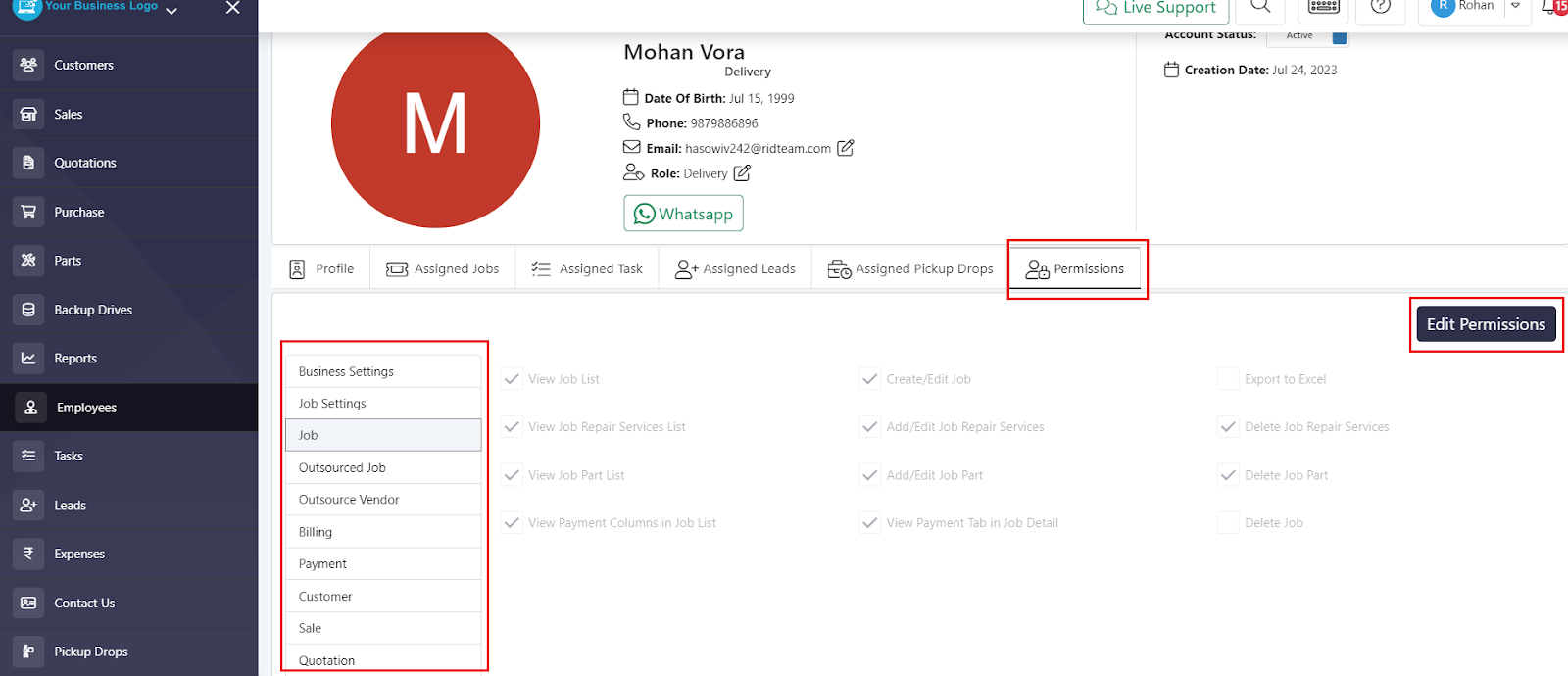
- Click any attribute — Job, Customer, Quotation, Sales, etc. — then click Edit Permissions.
- Deselect the specific actions you want to restrict. In the example below, View Job List, Export to Excel, View Payment, and Delete Jobs are unchecked, which blocks the employee from those functions.
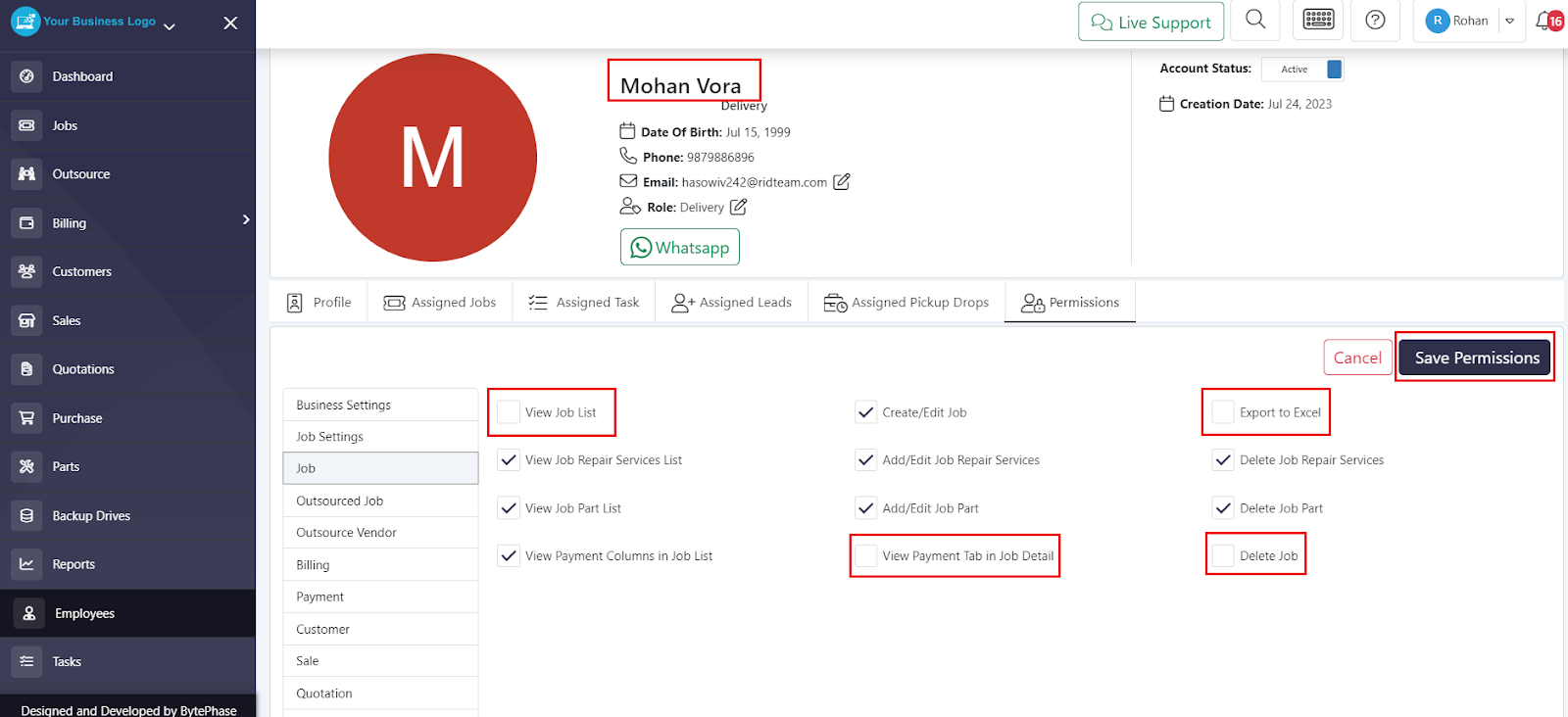
- Repeat this for any other attribute you want to restrict, then click Save Permissions.
- The image below shows how the restricted permissions appear on the employee’s account.
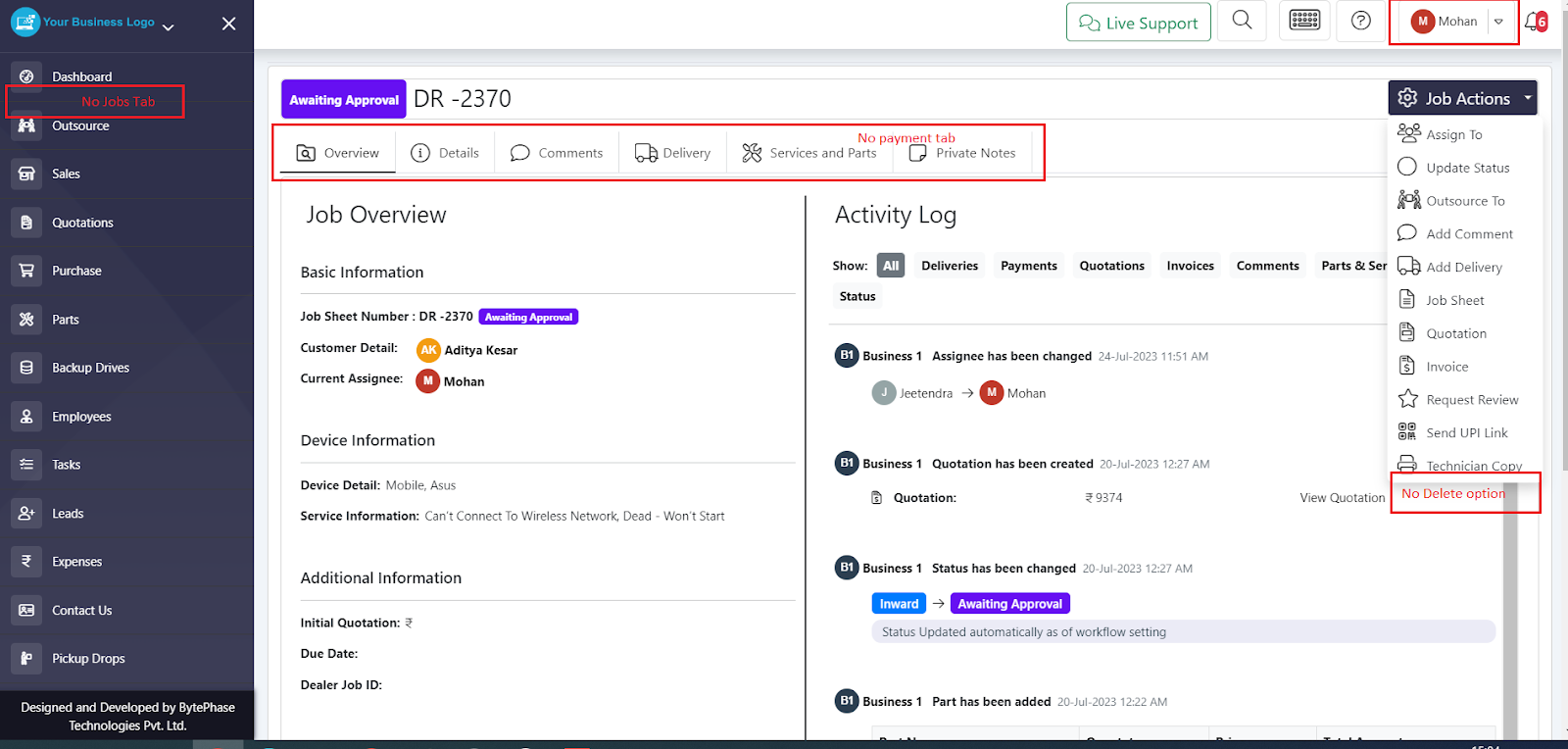
- Any permission you deselect is enforced immediately — the employee simply won’t see or be able to use that function.
By customizing permissions this way, you align each employee’s access with their actual role and responsibilities, while keeping sensitive customer and financial data protected.
BytePhase gives every account this kind of role-based access control by default, so you can safely add new staff without exposing data or actions they don’t need.
Ready to set up your team’s permissions? Start your BytePhase 15-day free trial and configure role-based access in minutes.