Mobile Phone Repair Business Tips: 5 Hacks to Dominate Customer Service in 2026

5 Mobile Phone Repair Business Tips That Actually Move the Needle in 2026
Every mobile phone repair business promises fast, friendly service — but promises don’t show up on a customer’s screen. What actually separates a shop that earns repeat business from one that earns a one-star review is a handful of concrete, repeatable habits at the counter. Below are five mobile phone repair business tips a shop owner can put in place this week — no new hires, no rebuilt process, just tighter execution at the moments that matter: intake, diagnosis, handover, and the ask that comes right after. Get these right and you’re not just fixing phones, you’re building the kind of phone repair customer service that turns a walk-in into a regular.
Hack 1: Automate Status Updates at Handover
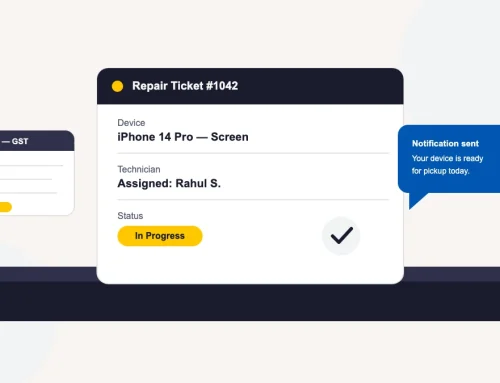
The single biggest source of complaint calls in any repair shop isn’t the repair itself — it’s the silence in between. Fix it by automating the update, not by hiring someone to make the calls. This is one of the highest-leverage mobile phone repair business tips because it touches every single ticket, every day.
- Trigger the update automatically off the ticket status — received, diagnosis complete, in repair, ready for pickup — so customers stop calling the counter to ask “is it done yet?”
- Create the job card at intake in under a minute. A slow intake form is usually the real reason updates start late; the ticket has to exist before it can update anyone.
- Give repeat customers self-serve status access through a customer portal, so they can check progress themselves instead of calling in.
- Use the same automated channel for the “ready for pickup” message. It’s the one update customers are actually waiting for — don’t let it get missed in a manual queue. Most shops still track this on a whiteboard or a shared spreadsheet; mobile repair shop software does the triggering for you off the ticket status, with no extra data entry.
Hack 2: Photograph the Device at Intake to Kill Disputes
Every shop owner has had the argument: a customer swears the screen wasn’t scratched before drop-off. Photos end it before it starts.
- Photograph the device from all four sides at intake — front, back, edges, any existing cracks — and attach the photos to the device record.
- Log the IMEI against the device record so warranty status and repair history follow the phone itself, not just the customer’s name.
- Match the intake photos against the device at handover, before the customer leaves the counter — not after a complaint call.
- Verify pickup with an OTP sent to the customer’s phone, so the person signing for the device is provably the one who dropped it off.
Hack 3: Make (and Keep) a Same-Day Triage Promise
Customers don’t expect same-day repair on every job. They do expect to know, same day, what’s wrong and what it costs. Promise that — and hit it.
- Commit publicly to a same-day diagnosis — every phone gets triaged and quoted within business hours of drop-off, even when the repair itself takes longer.
- Assign the ticket to a technician immediately at intake instead of leaving it in an unassigned queue; tracking workload per technician is what keeps triage from stalling.
- Send the diagnosis and cost estimate the moment it’s ready — don’t hold it back to bundle with the next scheduled update.
- If triage reveals a delay — a part isn’t in stock — say so immediately. A fast “here’s the bad news” beats a slow “it’s still being looked at” every time.
Hack 4: Ask for the Review at the Moment of Delivery
The best time to ask for a review is the five minutes after a customer gets a working phone back, not three days later in a forgettable email blast.
- Build the review ask into the delivery step itself. The same OTP-verified handover that closes the ticket can trigger a review request text or email within minutes.
- Ask once, at the moment of highest satisfaction. A repeat request three days later reads as spam and gets ignored — or worse, resented.
- Make the ask specific. Point happy customers straight to the review link instead of a generic “please review us.”
- Catch unhappy customers before they leave, not after they post. If a customer flags a concern at pickup, resolve it first — then ask for the review.
Hack 5: Pre-Stock Parts for Your 10 Most-Repaired Models
The fastest shop in town still loses the sale if the replacement screen isn’t on the shelf. Stop ordering parts reactively.
- Pull your last 90 days of repair tickets and identify the 10 device models you repair most often — that list, not a generic parts catalog, is what you stock deep.
- Set a minimum-stock threshold per part with barcode-scanned spare-parts inventory, so a reorder triggers before a part hits zero, not after a customer is told to come back next week.
- Check stock across branches before quoting a delay if you run more than one location — a part sitting at another branch is still faster than a supplier order.
- Track parts against the repairs they went into so you can see which components you’re burning through fastest, and adjust the pre-stock list every quarter as models change.
Put These Mobile Repair Shop Tips to Work
None of these five phone repair business hacks require new headcount — they require deciding, once, that status updates, intake photos, triage timing, review timing, and stock levels are part of the job, not an afterthought. Put them in place this month and you’ll feel the difference in fewer “is it ready?” calls, fewer handover disputes, and more reviews from customers who were asked at the right moment.
Conclusion: Fewer Disputes, Faster Trust, More Repeat Customers
These aren’t abstract customer-service values — they’re five specific, executable habits any shop can run this week. If your goal is to grow mobile repair business revenue, a bigger ad budget usually matters less than fewer disputes, faster answers, and more customers willing to leave a review. More than 2,000 repair businesses across 32+ countries already run their intake, ticketing, and status updates this way. Try these mobile repair shop tips for a full week of walk-ins, then decide what’s worth keeping. BytePhase offers a 15-day free trial if you want your ticketing and status updates to run on rails instead of a whiteboard.