What is Repair Shop Management Software? (How It Works, Features, Benefits)
Repair shop management software is a single platform that replaces paper job cards, sticky notes and scattered spreadsheets with one system for tracking repairs, managing inventory, billing customers and sending status updates. It covers the entire workflow — from the moment a customer drops off a device to the invoice you hand over when it’s ready — so nothing gets lost between the front desk, the technician’s bench and the customer’s phone.
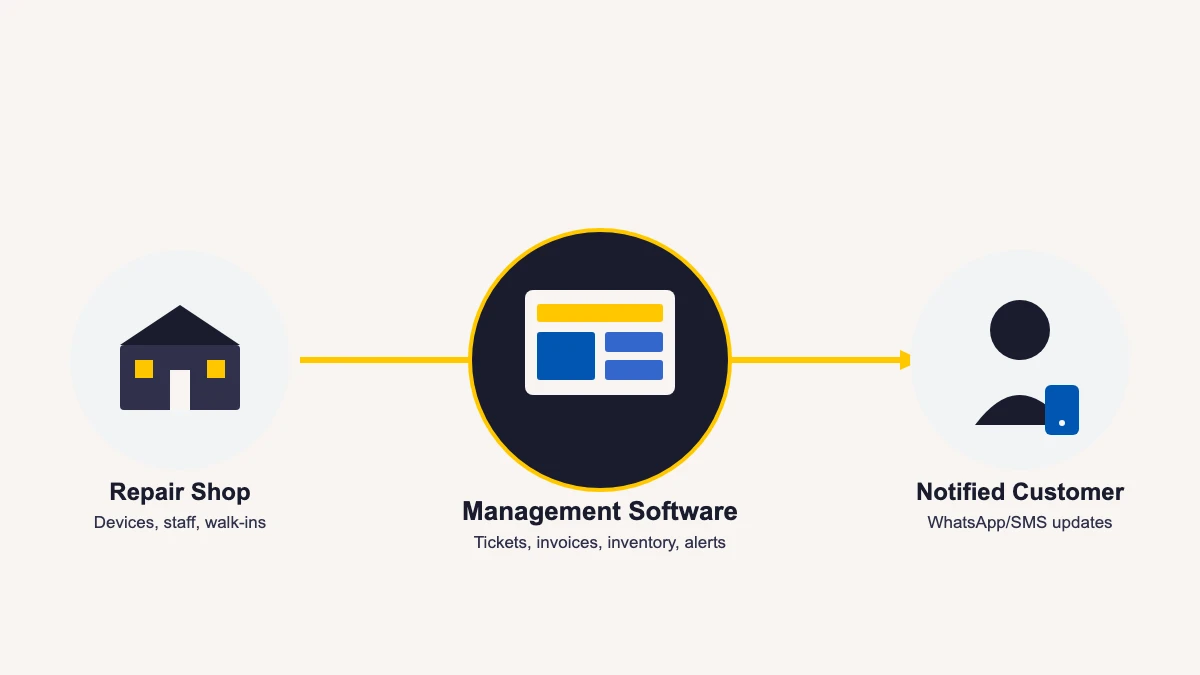
What Repair Shop Management Software Actually Does
At its core, repair shop management software gives every device that enters your shop a digital record: who dropped it off, what’s wrong with it, who’s working on it, what parts it needs, and what it will cost. That record is shared in real time across your front desk, your technicians and — through automated notifications — your customer, so everyone is looking at the same information instead of relying on memory or a notebook that only exists on one desk.
It is different from a generic retail point-of-sale system or a spreadsheet template because it is built around a repair job, not a single sale. A repair takes days, passes through several people, and needs a paper trail if a customer disputes what was fixed or what it cost. Platforms like BytePhase repair shop management software are purpose-built for that exact workflow, whether the shop repairs mobiles, laptops, electronics, home appliances, jewelry, or vehicles.
The category goes by a few different names depending on who you ask — repair shop software, a repair shop management system, or simply a repair CRM — but they all describe the same idea: one connected system for the people, devices and money moving through a repair business, instead of that information living in three or four disconnected places.
How Does Repair Shop Management Software Work?
A repair job moves through the same basic stages in almost every shop. Repair shop management software turns each stage into a tracked, time-stamped step instead of a verbal handoff:
- Intake. Front-desk staff open a repair ticket (also called a job sheet or job card) with the device, the reported fault, the customer’s contact details and an estimated cost. The customer gets a reference number on the spot.
- Assignment. The ticket is assigned to a technician, who sees it on their own screen — no walking across the shop floor to ask who’s handling what.
- Status updates. As the job moves from “diagnosed” to “in repair” to “ready for pickup,” the software logs the change and timestamps it automatically.
- Customer notification. The customer gets a WhatsApp, SMS or email update the moment the status changes — without anyone having to remember to call.
- Parts and inventory. Any spare part used on the job is deducted from stock automatically, so the shop always knows what it has on hand.
- Invoicing and payment. A tax-compliant invoice is generated from the ticket, payment is recorded, and the completed job is archived and searchable later.
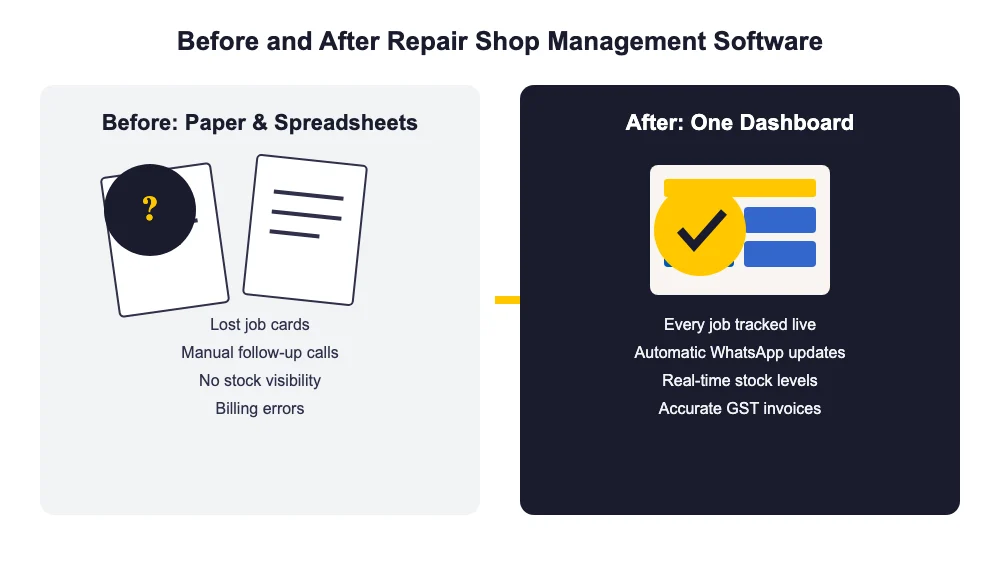
The difference this makes is easiest to see side by side. On paper, a job card can be misplaced, a status update depends on someone remembering to call, and stock counts are only as accurate as the last manual count. On a shared dashboard, every one of those steps is logged the moment it happens and visible to whoever needs it — the owner checking progress from home, a second branch, or their phone. Nothing here requires the shop to run its own server or hire an IT person; a repair shop management platform is typically delivered as cloud software, so the provider handles updates, backups and security, and the shop just logs in.
Core Features of Repair Shop Management Software
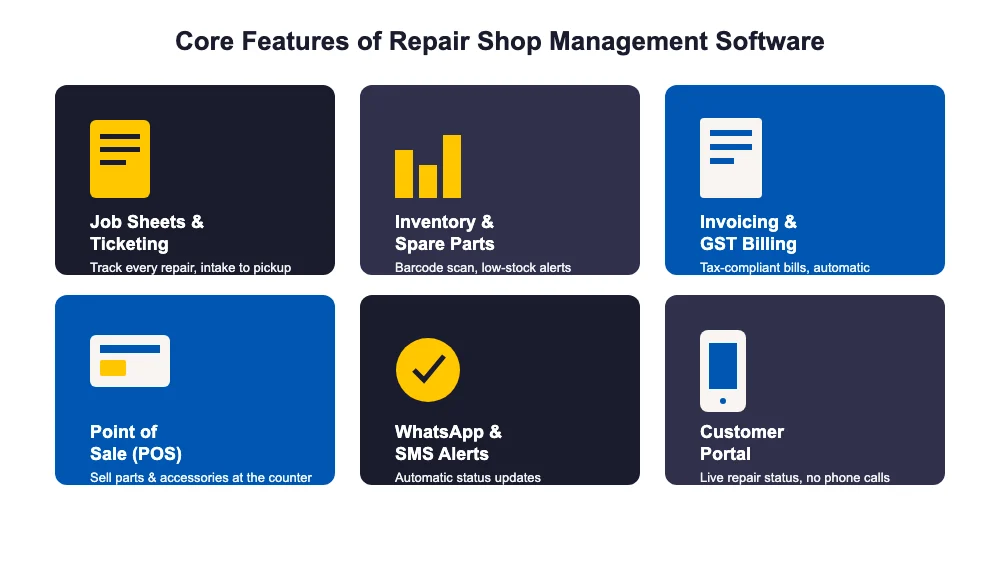
Most of what belongs in repair shop management software exists because of a specific, everyday problem repair shops run into. Here’s how the core features map to those problems.
Repair Tickets and Job Sheets
The center of the system. Every device gets a ticket with its fault, its status and its history, so a technician or the owner can pull up any job in seconds instead of digging through paper. When a customer calls asking about their device, the answer is a search away instead of a walk to the filing shelf. See how ticket management works.
Inventory and Barcode Tracking
Parts get used on every job, and manual stock counts drift out of date fast. Inventory management tracks stock levels as parts are used and can scan barcodes at intake and checkout, so the shop always knows what’s actually on the shelf instead of finding out mid-repair that a part everyone thought was in stock isn’t.
Invoicing, GST Billing and Payments
Billing by hand leads to missed tax details and inconsistent totals. The software generates GST-compliant invoices straight from the ticket and supports UPI and other digital payment methods, so billing takes seconds instead of a manual calculation, and bulk payments can be reconciled without cross-checking a separate ledger.
Point of Sale (POS)
Not every sale is a repair — shops also sell accessories, parts and devices over the counter. A built-in point of sale system handles those walk-in sales without a separate till or a second piece of software, and the sale still shows up in the same inventory and reporting the repair side uses.
WhatsApp, SMS and Email Notifications
The single biggest source of phone-call volume in a repair shop is “is it ready yet.” Automatic WhatsApp, SMS and email alerts tell the customer the moment their device changes status, cutting that call volume dramatically and freeing the front desk to actually deal with the customers standing in front of them.
Customer Portal and Repair Tracking
Beyond notifications, a customer portal lets a customer check live repair status themselves, on their own time, without calling the shop at all — useful for customers who dropped off a device and would rather check a link than wait for a message.
AMC (Annual Maintenance Contracts)
For shops that service the same customers repeatedly — offices, retail chains, or repeat consumer clients — AMC management tracks contract terms, renewal dates and service history in one place instead of a separate spreadsheet, so a renewal never quietly lapses.
Outsource Management
Some repairs — a specialised data-recovery job, for instance — get sent to a third-party vendor. Outsource management keeps that handoff, and the cost and timeline attached to it, inside the same ticket instead of an off-system email thread that’s easy to lose track of.
Activity Logs
Every status change, price edit and note is recorded against the user who made it in the activity log, which matters the moment a customer disputes what was done or a shop needs to review a technician’s work. It also makes onboarding a new front-desk hire easier, since the history of any job is right there.
Multi-Branch Operations
Shops running more than one location need inventory, tickets and reporting to work across branches, not as separate, disconnected setups per location. Multi-branch support keeps every location on one shared system with per-branch visibility, so the owner sees the whole business, not just the branch they happen to be standing in.
Beyond that core set, repair shop management software typically also covers pickup and drop scheduling for doorstep service, lead management for walk-in and online inquiries, business reports for tracking revenue and technician performance, and accounting sync — BytePhase, for example, integrates with Tally for shops that keep their books there.
Benefits of Repair Shop Management Software
The features add up to a handful of concrete, day-to-day benefits for a repair shop owner:
- Faster turnaround. Technicians spend time repairing devices instead of tracking down job cards or updating a spreadsheet, which shortens the average time a device sits on the bench.
- Fewer lost or misplaced devices. Every device has a ticket and a status, so nothing sits forgotten on a shelf without anyone noticing.
- Far fewer “is it ready” phone calls. Automated status notifications answer the question before the customer has to ask it, which frees up staff time at the counter.
- Accurate, consistent billing. Invoices are generated from the ticket itself, so GST and totals don’t depend on someone doing the math by hand under pressure.
- Real visibility into the business. Reports show which technicians, branches or repair types are actually driving revenue, instead of a gut feeling based on how busy the shop felt that week.
- Room to grow. A shop can add a second branch, a new technician, or a new device category without switching systems or re-training staff on a new tool.
Who Needs Repair Shop Management Software?
Any repair business that handles more than a handful of jobs a week outgrows paper and spreadsheets quickly. That includes mobile and computer repair shops, electronics and home-appliance service centers, jewelry and watch repair counters, data-recovery specialists, and auto and vehicle repair garages and workshops.
It matters just as much for a solo technician juggling every job alone as it does for a multi-branch chain coordinating several locations, because the underlying problem — devices, parts, customers and money moving through a shared process — is the same at any size. The difference is usually how quickly the pain shows up: a single-person shop can run on memory for a while, but a shop with two or more technicians and steady walk-in traffic feels the gap almost immediately.
A useful test: if you’ve ever had to call a customer back to ask what was wrong with their device again, or you’ve caught a stock discrepancy only after a customer complained a part wasn’t actually replaced, that’s usually the sign a shop has outgrown its current system — whether that system is a notebook, a shared spreadsheet, or software that wasn’t built for repair work in the first place.
How to Choose Repair Shop Management Software
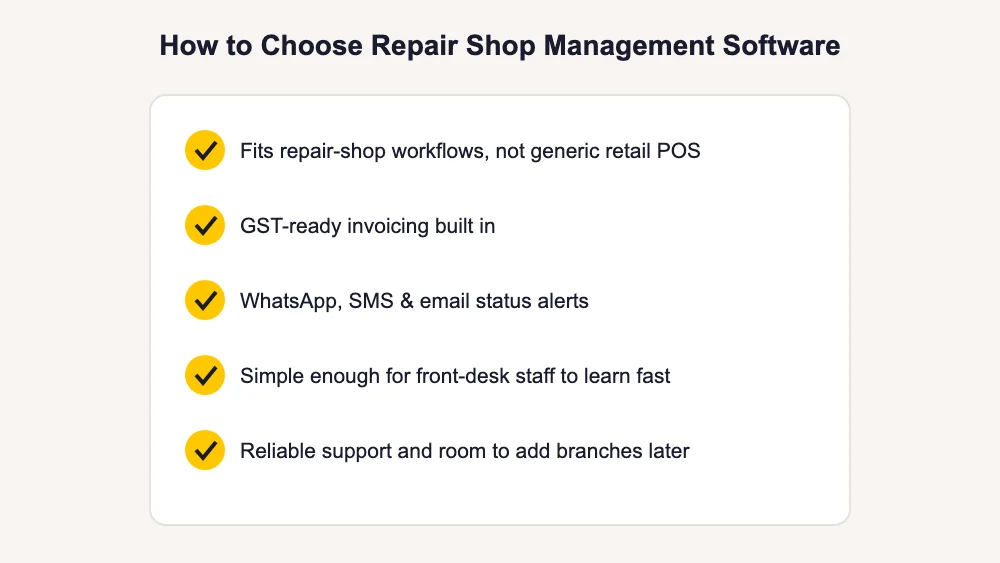
Not every option on the market is built for a repair workflow — some are general CRMs or retail POS systems with a repair module bolted on. A few things worth checking before you commit:
- Does it fit repair-shop workflows specifically, rather than generic retail point-of-sale?
- Is GST-ready invoicing built in, rather than a manual workaround?
- Does it send WhatsApp, SMS and email status alerts automatically?
- Is it simple enough for front-desk staff to learn in a day, not a week?
- Does it offer reliable support and room to add branches or technicians later?
A trial run with real jobs — not a demo account — is the fastest way to find out whether a tool actually fits how your shop works day to day. Most vendors offer a free trial specifically so a shop can test intake, ticketing and invoicing on a handful of real repairs before committing.
The Bottom Line
Repair shop management software exists to solve one problem: keeping every device, every status update and every rupee accounted for as a job moves from intake to pickup, without relying on paper or memory to hold it together. The specific features matter — ticketing, inventory, GST invoicing, notifications, and the rest — but they’re all in service of that one outcome: a shop that runs the same way whether the owner is at the counter or three states away.
If you want to see what a purpose-built repair shop management software platform looks like in practice, browse the full feature set or see how BytePhase brings ticketing, inventory, billing and customer communication into one connected system built specifically for repair businesses.