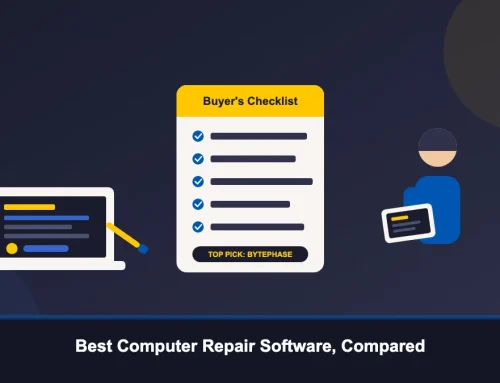
How to Choose Repair Shop Software: A Buyer’s Checklist

Picking software for a repair shop is not a five-minute decision. The tool you choose will run your ticket queue, your spare-parts inventory, and your customer communications for years, and switching later means re-training staff and re-entering data. This repair software buying guide walks through how to choose repair shop software the practical way: by starting from your shop’s actual workflow, not a marketing feature list, and by checking the few things — pricing structure, migration effort, and support hours — that most comparisons skip.
None of this requires picking a winner from a shortlist of brand names. It requires knowing what to ask, and testing the answers yourself during a trial before you commit.
How to Choose Repair Shop Software: Start With Your Workflow
Most buying guides open with a feature list — invoicing, inventory, reporting — and ask you to tick boxes. That’s backwards. Before comparing vendors, walk through how a device actually moves through your shop today: intake, diagnosis, parts, repair, quality check, pickup. Write down where things go wrong right now — jobs that get forgotten, parts that can’t be found, customers who call asking for updates you can’t give them without digging through paper.
Once you have that map, evaluating repair ticket software becomes a much narrower exercise. You’re no longer asking whether a vendor has inventory features — nearly all of them say yes. You’re asking whether a technician can open a ticket, log the parts used, and hand a device back to the front desk in under a minute, because that’s the step that’s actually broken in your shop.
Workflow Fit by Vertical: Not Every Repair Shop Works the Same Way
A computer or laptop repair shop, a jewelry repair counter and a musical instrument repair bench don’t track the same fields. A phone or electronics shop needs an IMEI and warranty status on every ticket; a watch, jewelry or leather bag repair shop cares more about item condition and insured value; an auto repair shop or garage workshop needs vehicle details specific to that trade, and a bicycle repair shop needs each bike’s frame number. Software built around one vertical and stretched to fit another usually shows the seams within a few weeks — fields that don’t apply, screens that ask for information you don’t collect.
Ask any vendor how their ticket fields adapt across device or repair types, not just whether they support your specific trade today. A shop that repairs phones now and takes on tablets or wearables next year shouldn’t have to switch platforms to do it.
Per-Device and Per-Technician Pricing Traps to Watch For
Pricing structure matters as much as the feature list. Some platforms charge per device logged, per technician seat, or per branch — costs that look reasonable in a demo but scale badly as the shop grows or opens a second location. Others cap how many people can use the mobile app at once, which becomes a problem the day you want your whole floor checking job statuses from their phones instead of walking over to a shared terminal.
Before signing anything, ask directly: what happens to the bill if I add a technician, open a second branch, or double my ticket volume next quarter? A vendor that can’t answer that clearly in one sentence is worth a second look.
Plan Your Migration Path Before You Sign Up
Whatever you’re using now — a spreadsheet, a notebook, or another software — holds months or years of customer and repair history. Ask upfront whether the new platform can import that data, in what format, and who actually does the work. A vendor that treats migration as an afterthought is telling you something about how they’ll treat support later.
This matters more than it sounds. Losing repair history means losing warranty records and customer context on day one — exactly the kind of disruption a new tool is supposed to prevent, not cause.
What to Test During Your Free Trial: A Practical Checklist
A free trial is only useful if you use it to simulate a real day, not just click through menus. BytePhase, for example, offers a 15-day free trial — enough time to run it alongside your current process for a week or two before deciding anything.
During that window, test the specific moments that matter: create a job card the way you would for a walk-in customer and time it; search for a part in the spare-parts inventory; send a status update by SMS or WhatsApp and see how it reads to the customer; generate an invoice and try a UPI, PhonePe, or card payment; confirm an OTP-verified delivery on a test ticket; and if you run more than one branch, check whether you can see stock and tickets across locations without switching accounts.
Support Hours and Onboarding: Questions to Ask Before You Commit
A repair shop doesn’t run nine-to-five, and support for the software running it shouldn’t either. Ask what hours support is actually available, not just what the pricing page implies. If your team works evenings or weekends, a vendor with genuine 24/7 support is worth more than one with a longer feature list and a ticket queue that resets every Monday morning.
Also ask about onboarding: is there guided setup, documentation, or training available in your team’s preferred language? Software that’s genuinely easy to adopt shows it in how much help is offered before you’ve even paid for anything.
Questions Worth Asking Any Repair Shop Software Vendor
A few questions cut through most sales pitches quickly when you evaluate repair shop software options. Can you export your data if you ever leave? Is there a limit on devices or users for the mobile apps? Does the platform support the languages your staff actually speaks day to day? Is there a native app for both Android and iOS, or just one?
None of these are trick questions, and a vendor that answers them plainly — rather than redirecting straight to a demo call — is usually the safer bet long-term.
A Buyer’s Checklist for Repair Shop Software
Use this repair shop software checklist when you sit down to compare options side by side:
- Does it match how devices actually move through your shop, from intake to pickup?
- Are ticket fields adaptable to your vertical (IMEI, warranty, item condition, vehicle details)?
- Is pricing transparent as you add technicians, branches, or ticket volume?
- Can it import your existing customer and repair history?
- Does it include barcode-based inventory management software for tracking spare parts, not just a stock count?
- Can you create a job card and generate an invoice with local payment methods (UPI, PhonePe, cards) in under a minute?
- Are automated SMS, WhatsApp, or email updates included, and are they easy to turn on?
- What are the actual support hours, and is onboarding included?
- Does it support multi-branch and AMC management if you expect to need them?
Conclusion: Choosing Repair Shop Software That Actually Fits
There’s no single answer to which repair shop software is right for every business — the right choice depends on your vertical, your team size, and how you actually work today, not on which vendor has the longest feature list. Use the workflow-first approach above, run a real trial, and let a vendor’s answers to direct questions do the deciding for you.
BytePhase offers a 15-day free trial, so you can test job card creation, spare-parts inventory, invoicing, and customer updates against your own daily workflow before committing to anything. Founded in Pune in 2020 and used by 2,000+ repair businesses across 40+ countries, it’s built to adapt across verticals rather than lock you into one.