
Device Rental Management Software for Repair Shops
At a glance: BytePhase device rental management software is a system that tracks loaner and rental devices — pool, contracts, deposits, billing and returns — in the same platform as your repairs. Built for repair shops that lend or rent devices, with a 15-day free trial.
If your shop lends or rents devices — a loaner handset while a repair runs long, a laptop on a monthly contract, test equipment out with a corporate client — you already know where it goes wrong. The device list lives in one person’s head, the deposit is a note in a drawer, and nobody is quite sure who still owes for last month. Device rental management software replaces all of that with one record per contract and one status per device.
Rentals that stay accurate without anyone policing them
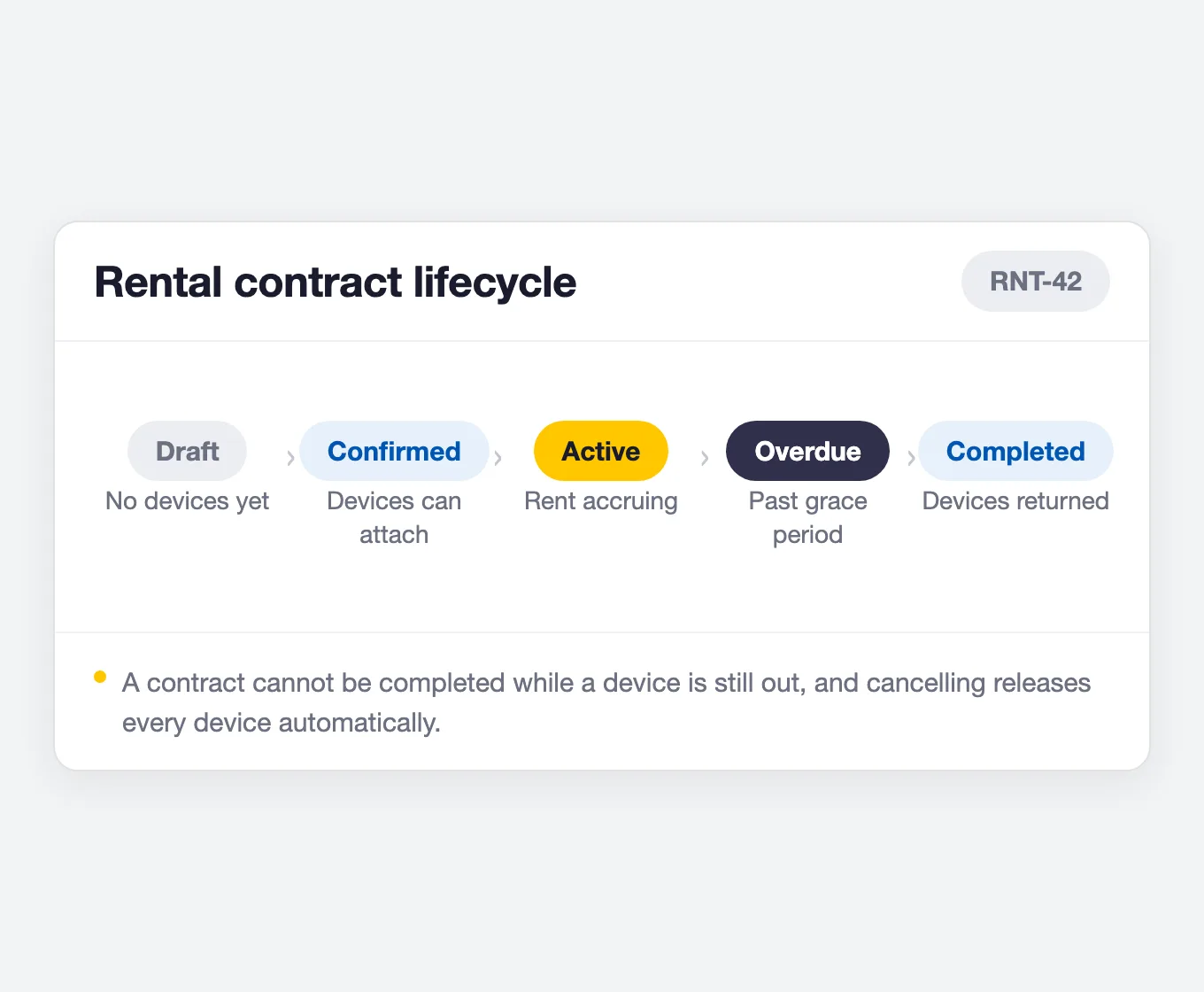
Most rental trouble is not really about rent. It is about a device that went out and never came back, a deposit refunded twice, or a contract everyone forgot to renew. Good device rental management software closes those gaps in the workflow itself, and BytePhase does: a device that is already with a customer cannot be rented again, a contract cannot be closed while equipment is still out, and a deposit cannot be refunded twice. The rules hold whether or not anyone remembers them.
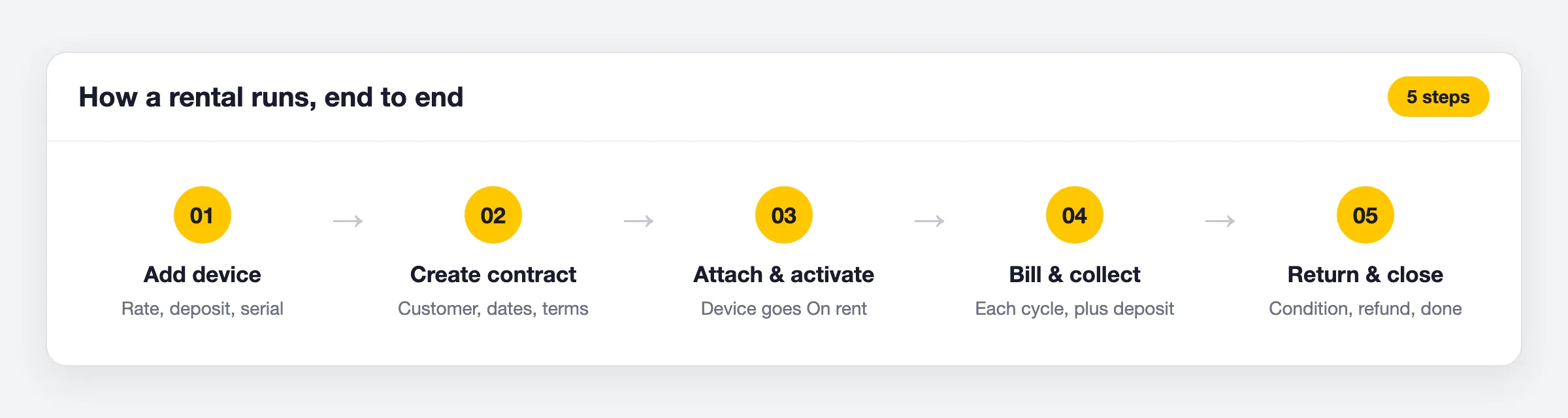
What BytePhase device rental management software gives you
Everything below is in the product today. Rentals sits on the Standard and Enterprise plans, and every action lands in an audit trail you can read back months later.
Your device pool
Contracts and terms
Money
Returns and proof
Rental settings you set once
Twenty-one settings shape how every new rental behaves, grouped into billing and auto-renewal, reminders and follow-ups, team alerts, message channels, and the defaults each new contract starts from. Set them once and every contract your shop creates inherits them — you can still override the important ones per rental. The two that matter most on day one are how long an unpaid charge is tolerated before a contract is flagged Overdue, and how far ahead of the end date the renewal reminder goes out.
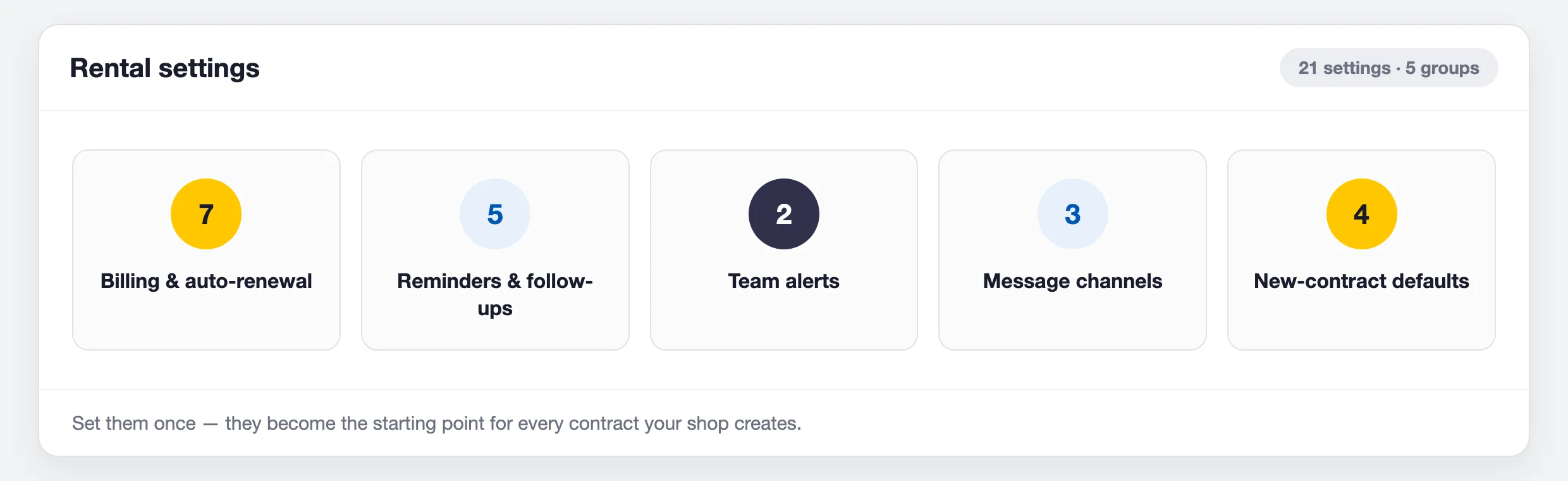
Every setting is walked through, with its default, in our guide to BytePhase rental settings.

The same customers, staff and payments as your repairs
The advantage of device rental management software that lives inside your repair CRM is that a rental contract is not a silo. It points at a customer record you already have, is assigned to a member of staff whose workload it counts toward, carries a lead source, and applies tax per device line. Payments are recorded against the contract and the payment status works itself out — Unpaid, Partially Paid, Paid, or Overdue when a part-paid contract runs past its end date. There is no separate rental ledger to reconcile at month end.
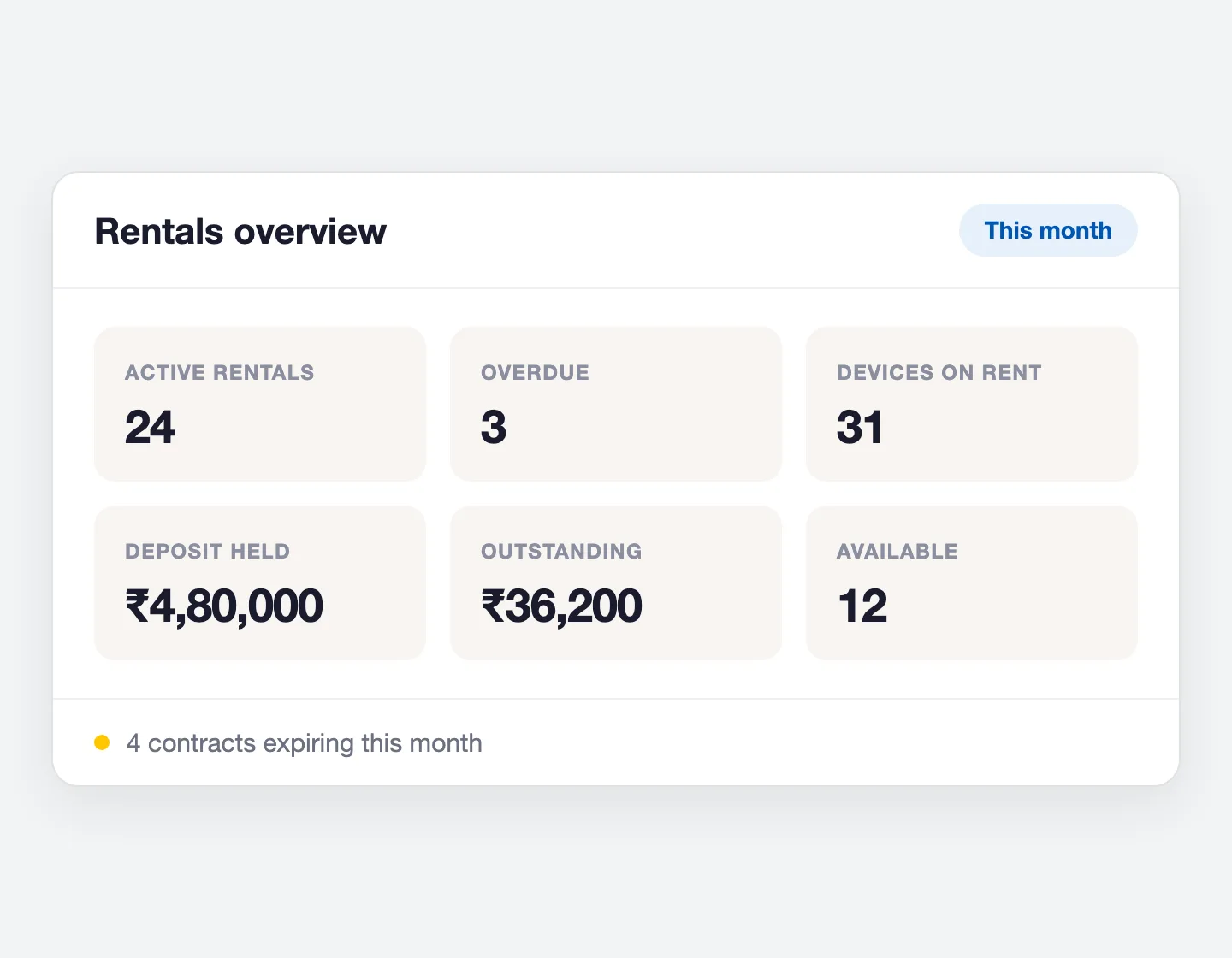
Your team sees it where they already work. Overdue rentals and upcoming renewals appear as actionable cards on the dashboard, and the Rentals overview totals active and overdue contracts, money outstanding, deposits held, and how many devices are on rent, under repair or free. Renewal and overdue alerts reach your team and your customer by email, with SMS, WhatsApp and push templates ready in the template library.
Access is controlled properly. Twelve separate rental permissions decide who can create a contract, activate one, take a return, manage the device pool, see the payment tab, or change rental settings — and customer-facing roles get a read-only view of their own rentals in the portal.
Paperwork your customer can actually keep
Every contract prints as a formatted PDF: your shop header and a QR code, the customer’s details, the billing terms, a device table with serial numbers and rates, the payment position, your terms, and signature blocks for both sides. Deposits print their own receipt. You can share a secure link so the customer can open it without an account, or push it to WhatsApp for your staff to send.
And nothing is lost. Assignments, returns, renewals, pauses, swaps, cancellations, deposit refunds and status changes are all recorded, with who did it and when, on one timeline per contract — which is the whole point of running rentals on device rental management software instead of a notebook.
Device rental management software FAQs
Device rental management software lets a business rent its own equipment to customers and track the whole arrangement in one place: which devices are out, who has them, what is owed, and which deposits are still being held. In BytePhase it covers a rental device inventory, rental contracts with start and end dates, recurring billing, security deposits, and returns with a recorded device condition.
Yes. BytePhase includes a full Rentals module alongside repairs, so loaner and rental devices live in the same system as your jobs, customers and payments rather than in a separate spreadsheet. You keep a pool of rentable devices, put them on a contract for a customer, bill on a recurring cycle, and take them back when the rental ends. Rentals is available on the Standard and Enterprise plans.
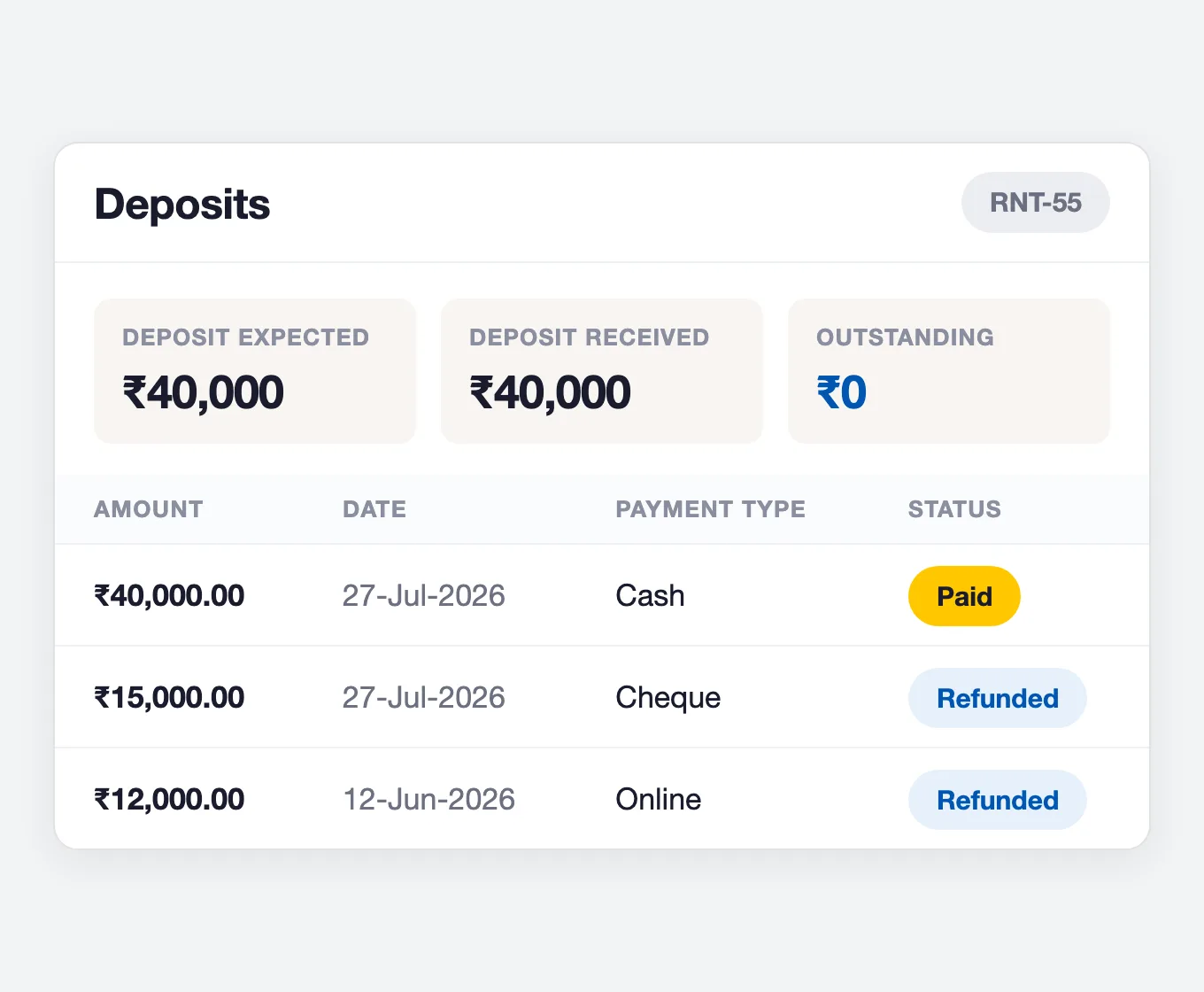
Security deposits sit on their own ledger, separate from rental payments, so deposit money is never counted as income. The contract deposit is added up from the deposit set on each device you attach. You collect it from the contract’s Deposits tab once the contract is Confirmed or Active, and each entry shows as Paid while you hold it and Refunded once returned. A deposit can only be refunded once, and every deposit has a printable receipt.
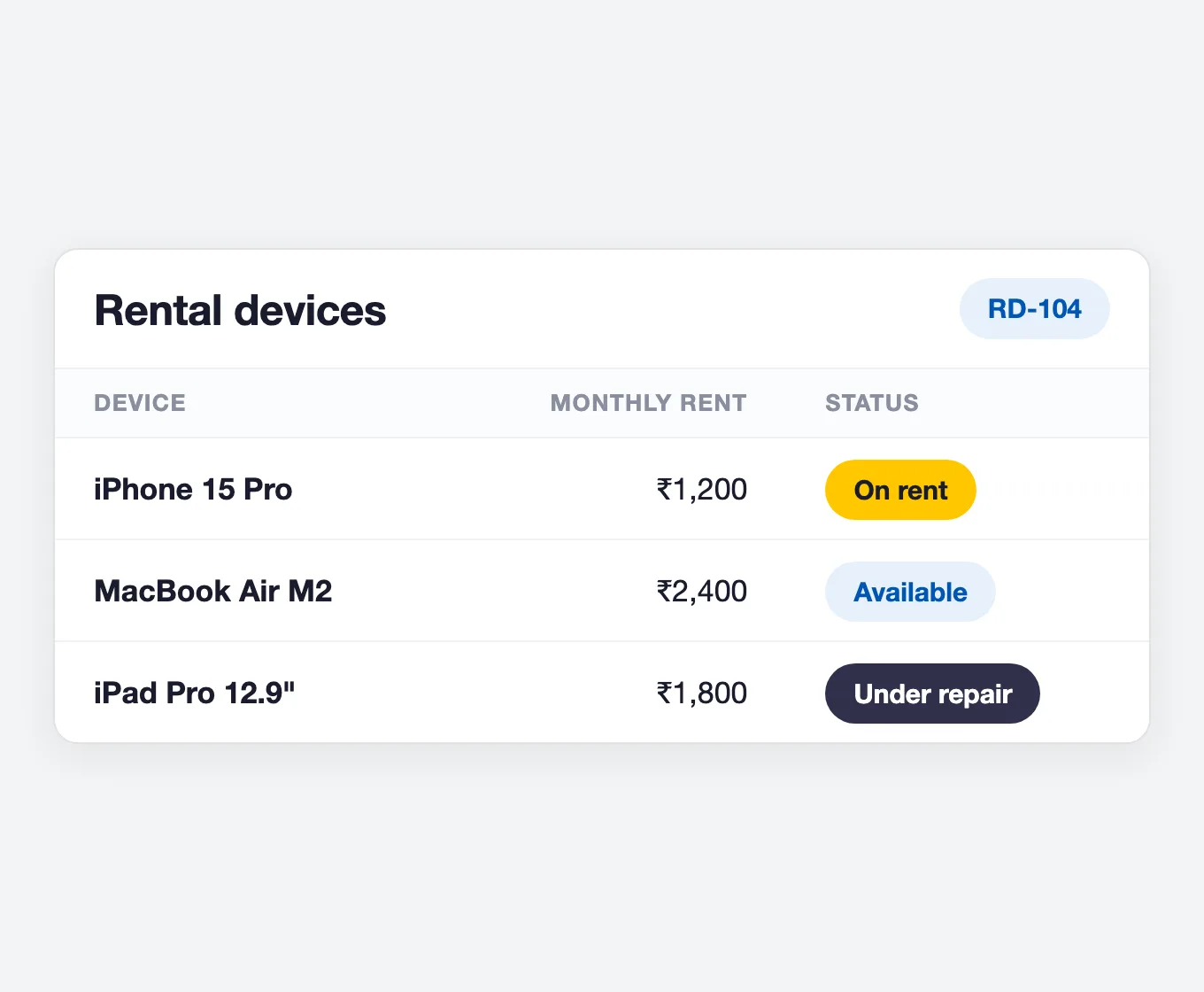
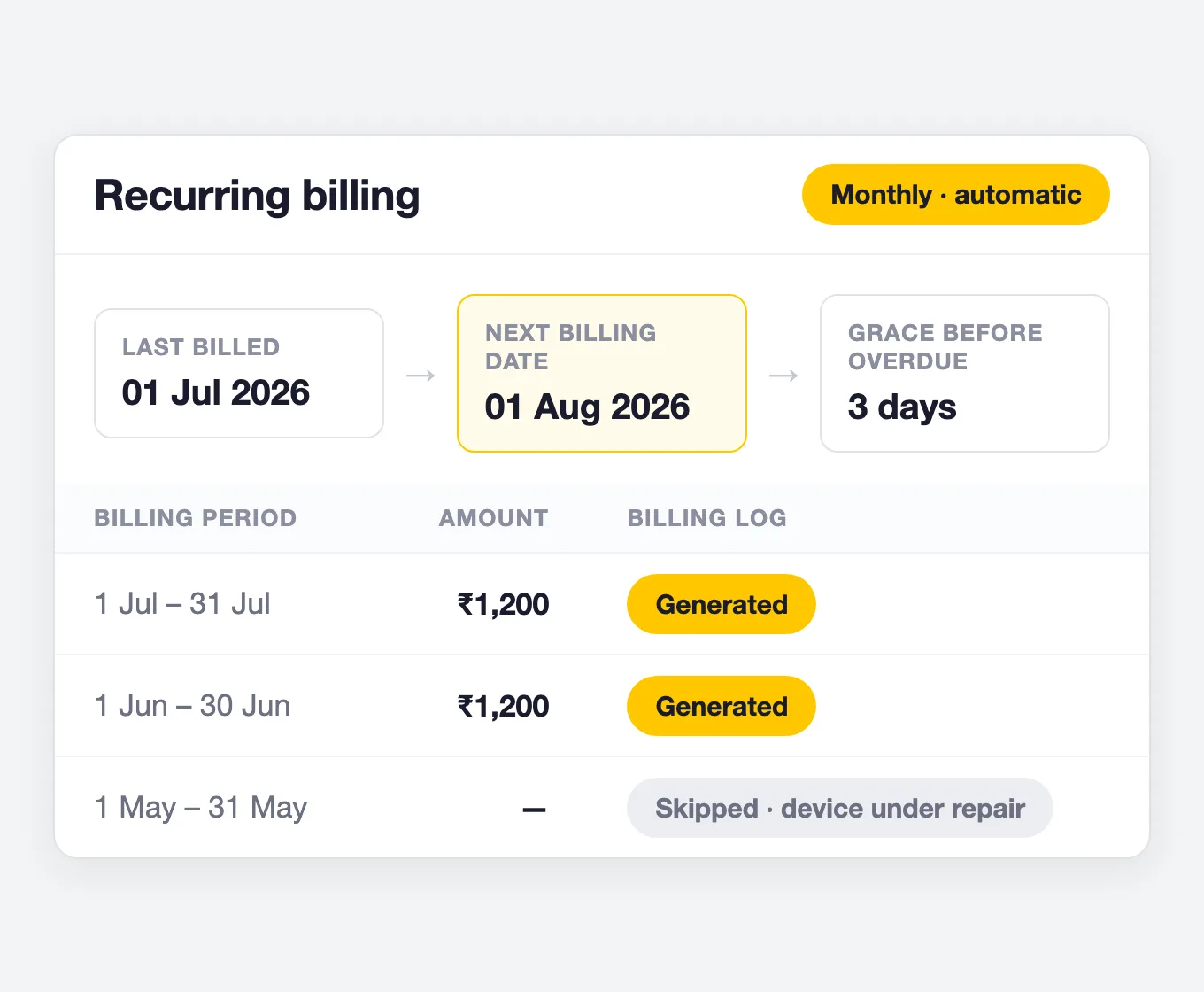
Mark the device as Under repair and it drops out of circulation: it cannot be returned, swapped or added to another contract until the repair is resolved. Your rental configuration decides whether the customer keeps paying while the device is away or billing pauses for it. If every active device on a contract is under repair, that whole billing cycle is skipped and the reason is recorded in the contract’s billing log.
Set a contract to automatic billing and pick a frequency — daily, weekly, monthly, quarterly, half-yearly or yearly. On each billing date BytePhase adds that cycle’s rent to the contract total, stamps every device line, advances the next billing date and writes a billing log entry marked generated, skipped or failed. Contracts set to auto-renew extend their own end date, up to the maximum number of renewals you allow.
2000+ Professional Repair & Data Recovery Businesses Trust BytePhase
We help you stay focused and organized by keeping detailed records
Best-in-class support
No matter what you need help with, our team is here to assist you. The goal of our business is to build long-lasting relationships with our customers.
Free Lifetime Updates
We will provide you with free and regular updates and welcome your feedback, which we will consider for implementation in your subscription.
Data Security & Encryption
We use the highest industry standard (AES-256) to encrypt your data on a secure RDS server for maximum protection.
Automatic Backups
We perform automatic backups daily on our dedicated database server to keep your data safe.
Last updated: 2 October 2026