

Supported Hardware for Repair Shops
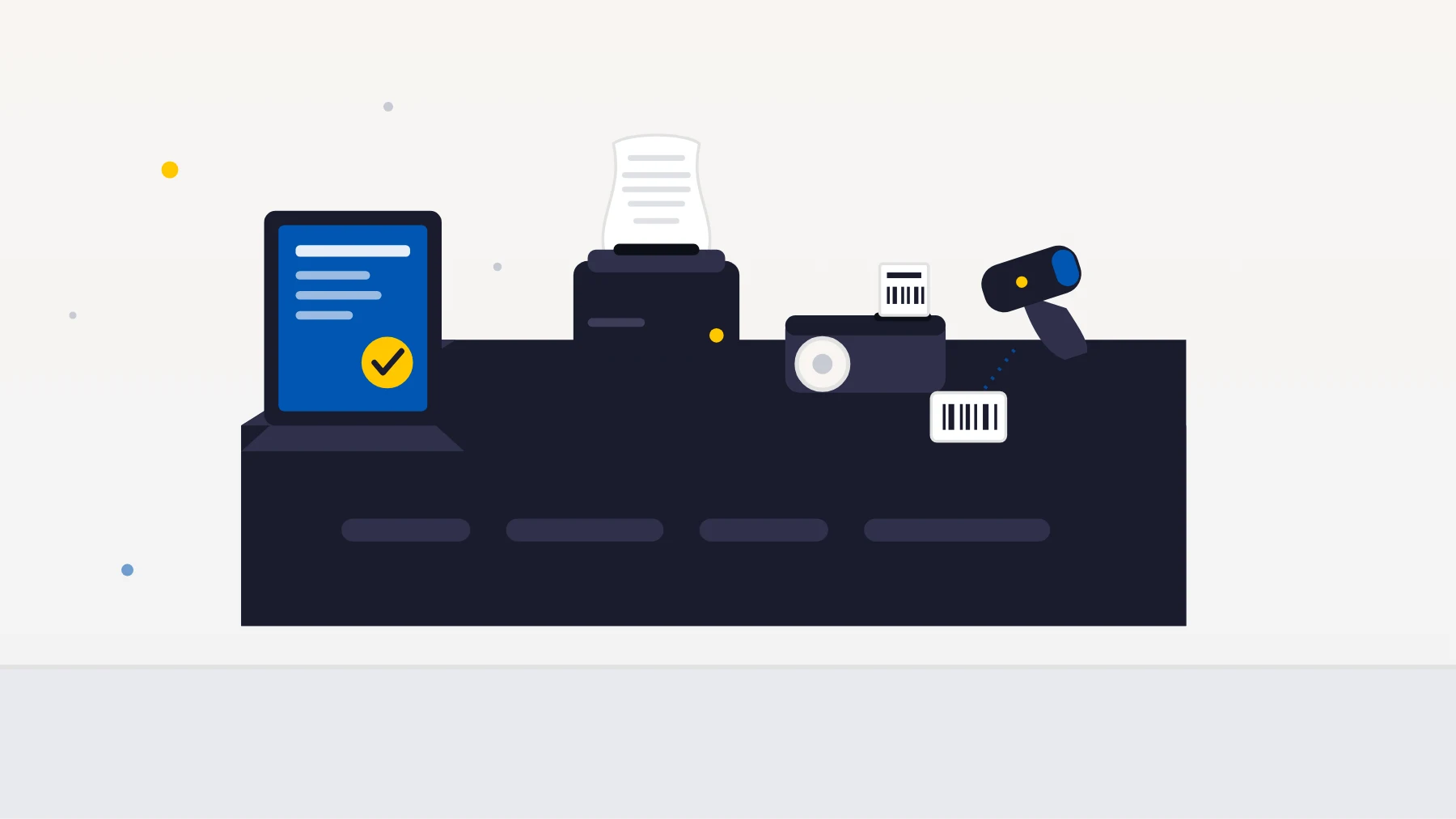
In short: BytePhase needs no special hardware — it runs in the browser and prints through your computer’s normal print system, so any thermal receipt printer, label printer or USB barcode scanner that already works on your computer works with BytePhase. This page is a compatibility guide made for repair shops checking their setup before they switch.
BytePhase does not need special repair shop hardware. It runs in your browser and prints through your computer’s normal print system, so any thermal receipt printer, barcode label printer or USB barcode scanner that already works on your computer will work with BytePhase. There is nothing proprietary to buy from us, and nothing to rent.
This page exists to answer the question shop owners actually ask before signing up: “will my printer work, and what should I buy if I am setting up a new counter?” Below are the exact paper and label sizes BytePhase supports, what to look for when buying repair shop hardware, and where Indian shops typically source each item. We do not sell, resell or certify hardware — brands are named only because they are widely available in India, not because they are endorsed or exclusive.
Supported Paper and Label Sizes
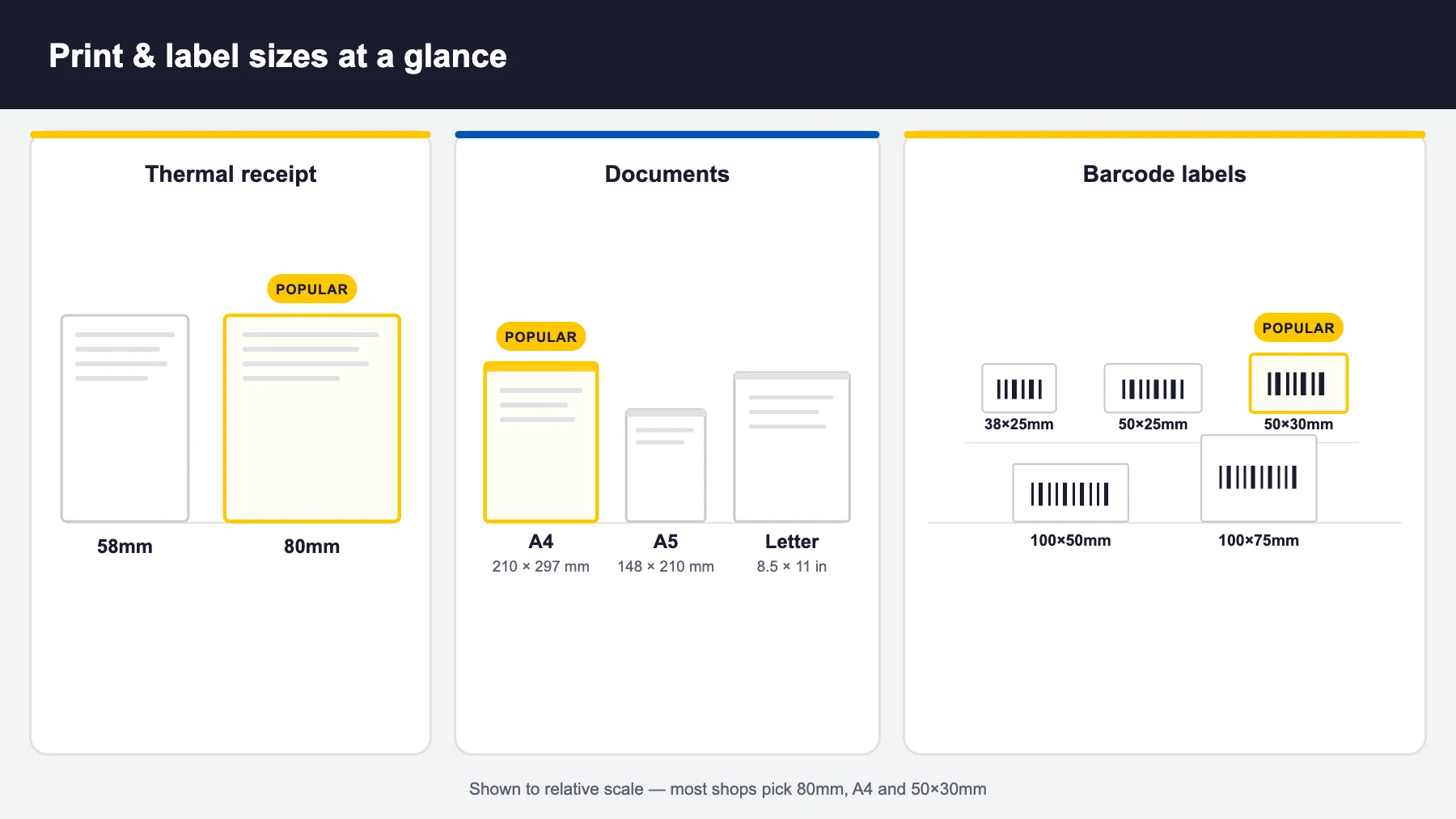
These are the sizes you can select inside BytePhase. Buy repair shop hardware and consumables that match one of them and setup is a single settings change.
| Print type | Supported sizes | Most used | Used for |
|---|---|---|---|
| Thermal receipt | 58 mm, 80 mm | 80 mm | Counter receipts, job-sheet slips, pickup/drop receipts |
| Documents (A4 printer) | A4 (210 × 297 mm), A5 (148 × 210 mm), Letter (8.5 × 11 in) | A4 | Full invoices, detailed job sheets, estimates, reports |
| Barcode labels | 38 × 25 mm, 50 × 25 mm, 50 × 30 mm, 100 × 50 mm, 100 × 75 mm | 50 × 30 mm | Device tags, spare-part labels, inventory bins |
You set these once under printer settings in your BytePhase account — one selection each for thermal receipts, documents and barcode labels — and every print from then on uses the right format.
1. Thermal Receipt Printer
The workhorse of the counter: it prints the customer receipt when a device is booked in and when it is collected. Look for:
- Paper width 80 mm (or 58 mm if your counter is tight) — match this to the size you select in settings
- USB connection for a desktop counter, or LAN/Ethernet if the printer is shared between billing computers; Bluetooth models suit a mobile or roaming counter
- A driver for your operating system — this is the only real compatibility requirement, because BytePhase prints through the system print dialog
- Auto-cutter, if you print a high volume of receipts — a small comfort that pays for itself at a busy counter
Widely available in India from brands such as TVS Electronics, Epson, HPRT, Rugtek and Everycom, sold through computer-hardware dealers and online. Browse current options: 80 mm thermal receipt printers · 58 mm thermal printers.
2. Barcode Label Printer
A label printer tags every device that comes in and every spare part on your shelf, so a scan pulls up the right ticket or stock item instead of someone reading a handwritten sticker. Look for:
- Direct thermal or thermal transfer printing — direct thermal is cheaper to run (no ribbon); thermal transfer labels survive heat, solvents and handling far longer, which matters on parts that sit in stock for months
- Support for one of the supported label sizes — 50 × 30 mm is the practical default for device and part tags; 38 × 25 mm suits small parts, 100 × 50 mm and 100 × 75 mm suit larger items and bin labels
- USB or LAN connectivity and a driver for your OS
Common brands in India include TSC, Zebra, TVS Electronics and Honeywell. Browse: barcode label printers. Once labels are printing, see how barcodes work inside BytePhase.
3. Barcode Scanner
Most USB handheld scanners are plug-and-play: the scanner behaves like a keyboard, so you click into a search or item field in BytePhase, scan, and the code arrives as if typed. No driver, no configuration.
- 1D laser or CCD scanners are enough for standard barcodes on parts and device tags
- 2D imagers cost more but read QR codes and damaged or screen-displayed barcodes — worth it if you scan codes off phones
- Wired USB is the simplest and cheapest at a fixed counter; wireless models help if you scan stock on shelves away from the desk
Available in India from TVS Electronics, Honeywell, Zebra, Retsol and similar. Browse: USB barcode scanners. Scanning pairs with inventory management and counter point-of-sale billing.
4. Paper Rolls and Label Stock
The recurring purchase, and the one most shops under-order. Match the consumable to the size you set in BytePhase:
- Thermal receipt rolls in 80 mm or 58 mm width — buy in bulk packs; check the roll diameter fits your printer
- Barcode label rolls in your chosen size (50 × 30 mm being the usual) — confirm the core size and whether the roll is direct thermal or thermal transfer, matching your printer
- Ribbons, only if you chose a thermal transfer label printer
- A4 paper for full invoices and job sheets printed on a normal office printer
Browse: 80 mm thermal paper rolls · 50 × 30 mm barcode label rolls.
Setting Up Your Repair Shop Hardware
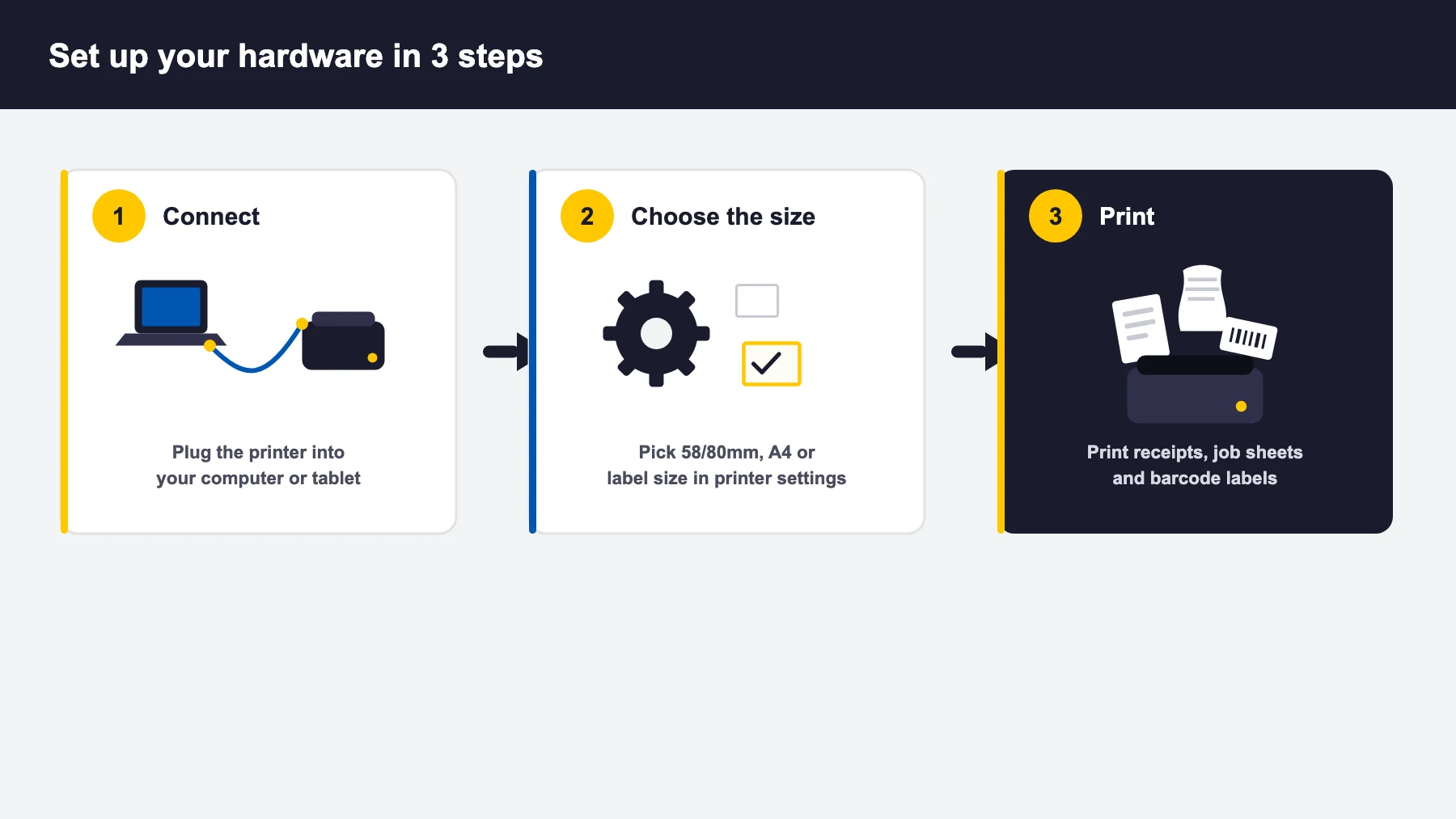
Three steps, and none of them are BytePhase-specific until the last one:
- Connect the printer to your computer and install the manufacturer’s driver, exactly as you would for any other printer. If it prints a test page from your operating system, BytePhase can print to it.
- Choose your sizes in BytePhase settings — thermal receipt width, document size and barcode label size.
- Print — receipts, job sheets, invoices and barcode labels all come out in the format you selected.
What is not supported yet
Cash drawers. BytePhase does not currently open or drive a cash drawer. Everything else on a typical repair counter is covered — thermal receipts, A4 or A5 documents, barcode labels and USB scanning. We would rather say this plainly here than let you find out after buying one.
Already Have Hardware? Start With It
The cheapest repair shop hardware decision is the one you do not make. If your shop already has a working receipt printer and scanner, connect them and see how they behave before buying anything — the compatibility bar is simply “does it print from this computer”. You can run the full ticketing, inventory, billing and label workflow on a 15-day free trial and BytePhase is used by 2,000+ repair and service businesses across 32+ countries.
Unsure whether a specific printer or scanner will fit your counter setup? Talk to our team — we would rather answer before you spend money on hardware.
Hardware FAQs
No. BytePhase runs in the browser and prints through your computer’s normal print system, so any thermal receipt printer, label printer or barcode scanner that already works with your computer will work with BytePhase. There is no proprietary hardware to buy and nothing to rent from us — if your shop already has a printer, start with it.
BytePhase supports 58mm (compact) and 80mm (standard) thermal receipt paper. 80mm is the more common choice in repair shops because job sheets and itemised invoices fit more comfortably. You choose the size once in the printer settings and every receipt is formatted to match.
BytePhase prints barcode labels at 38 × 25 mm, 50 × 25 mm, 50 × 30 mm, 100 × 50 mm and 100 × 75 mm. 50 × 30 mm is the most widely used size for tagging devices and spare parts. Pick the size that matches the label rolls you buy, and set it once in your printer settings.
Not yet — BytePhase does not currently drive a cash drawer. Everything else on a typical repair shop counter is covered: thermal receipt printing, A4 or A5 job sheets and invoices, barcode label printing and USB barcode scanning.
Generally no. Most USB handheld barcode scanners work as plug-and-play keyboard devices: you plug the scanner in, click into the search or item field in BytePhase, and scan. The scanned code arrives exactly as if it had been typed, so no driver or configuration is normally needed.
2000+ Professional Repair & Data Recovery Businesses Trust BytePhase
We help you stay focused and organized by keeping detailed records
Best-in-class support
No matter what you need help with, our team is here to assist you. The goal of our business is to build long-lasting relationships with our customers.
Free Lifetime Updates
We will provide you with free and regular updates and welcome your feedback, which we will consider for implementation in your subscription.
Data Security & Encryption
We use the highest industry standard (AES-256) to encrypt your data on a secure RDS server for maximum protection.
Automatic Backups
We perform automatic backups daily on our dedicated database server to keep your data safe.
Last updated: 5 October 2026