
White-Label Custom Branding & Custom Domain for Repair Shop CRM
Run BytePhase on your own domain — your logo, favicon, business name and SMTP — while BytePhase stays the platform underneath. Goes live in about 2 business days across web and PWA.
Trusted by 2,000+ repair shops across 40+ countries.
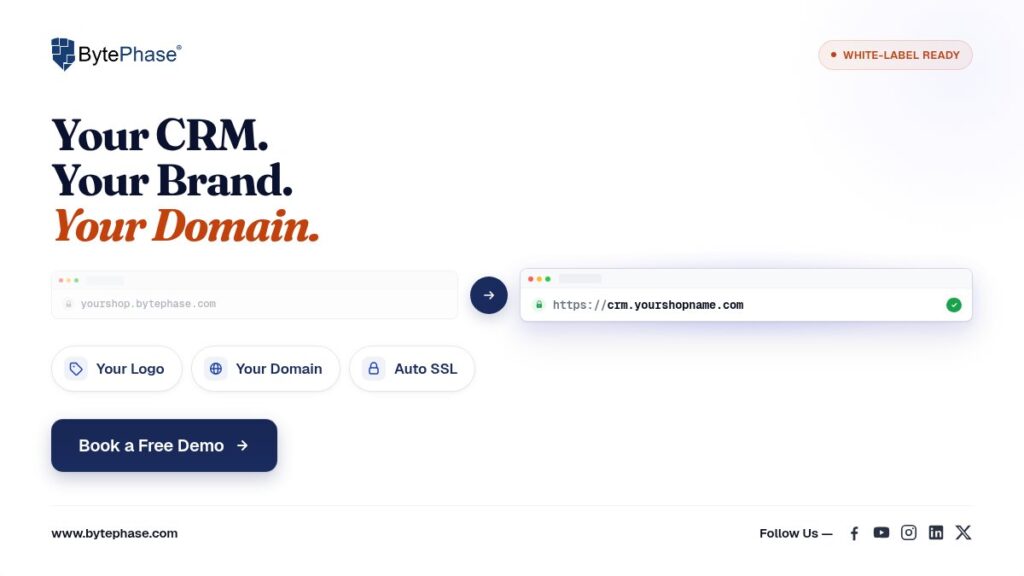
Custom branding at a glance
| Pricing | Contact sales for region-specific pricing |
| Active setup time | ~30 minutes with DNS access ready |
| End-to-end go-live | ~2 business days (mostly DNS propagation) |
| Scope | Web + PWA (no native Android/iOS apps) |
| Billing | Annual plans only (not monthly/quarterly) |
| Domains included | 1 custom domain (Enterprise: serves all branches) |
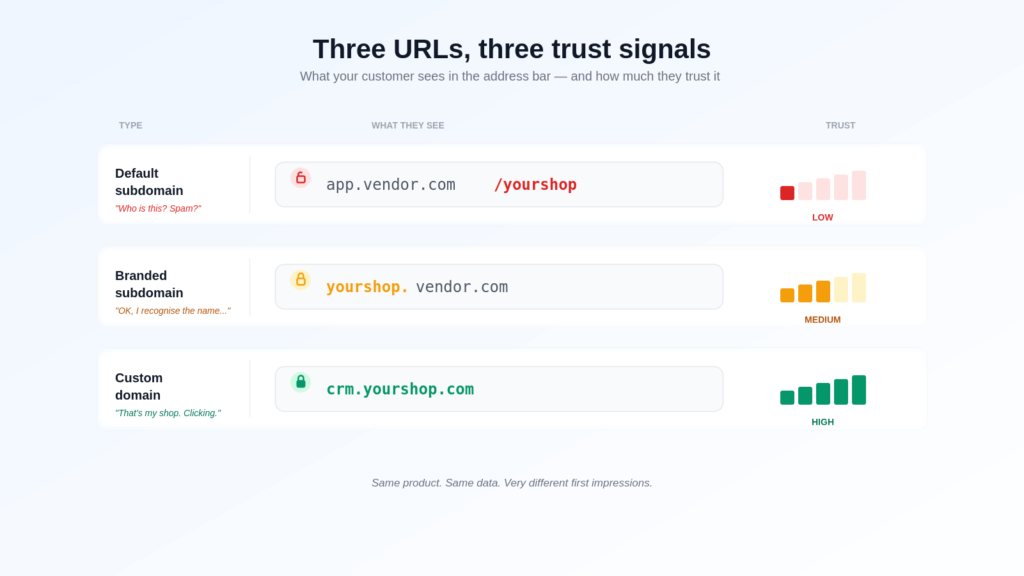
What your customers actually see
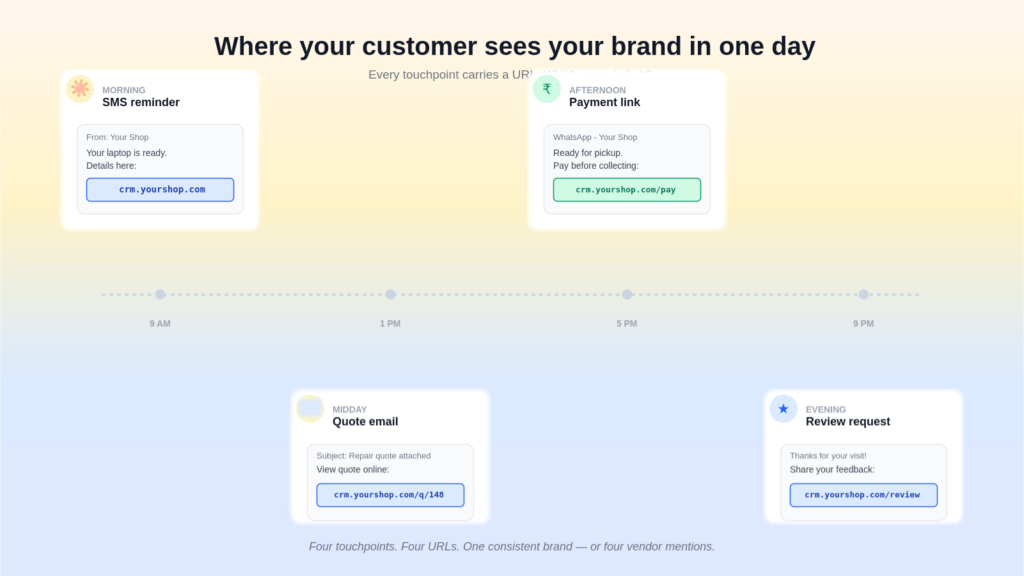
The point of white-label custom branding is that your customers experience your business — not the platform underneath. Here's what changes:
| Touchpoint | Without custom branding | With custom branding |
|---|---|---|
| Browser URL | yourshop.bytephase.com |
crm.yourshop.com |
| Browser tab title | BytePhase | Your business name |
| Login screen | BytePhase logo | Your logo |
| PWA install on phone | "BytePhase" + BytePhase icon | Your business name + your favicon |
| Invoice header | Your business details (always) | Your business details (always) |
| Email sender | Your SMTP (always) | Your SMTP (always) |
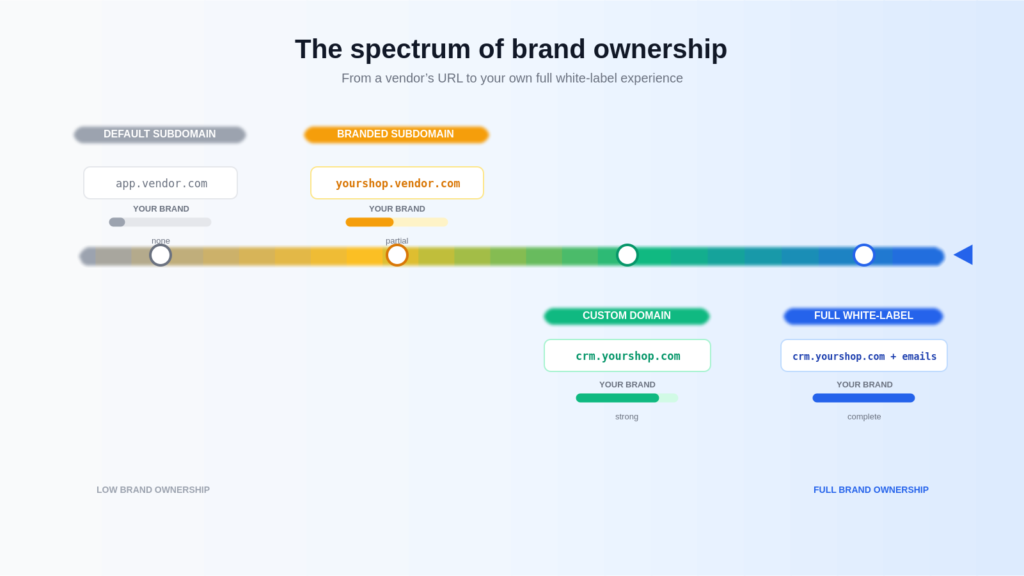
What the add-on unlocks vs. what's already in the base plan
Many tenant-level branding fields work on every BytePhase plan. The Custom Branding add-on specifically unlocks the custom domain layer and everything that flows from it.
Already in every plan (no add-on)
|
Custom Branding add-on unlocks
|
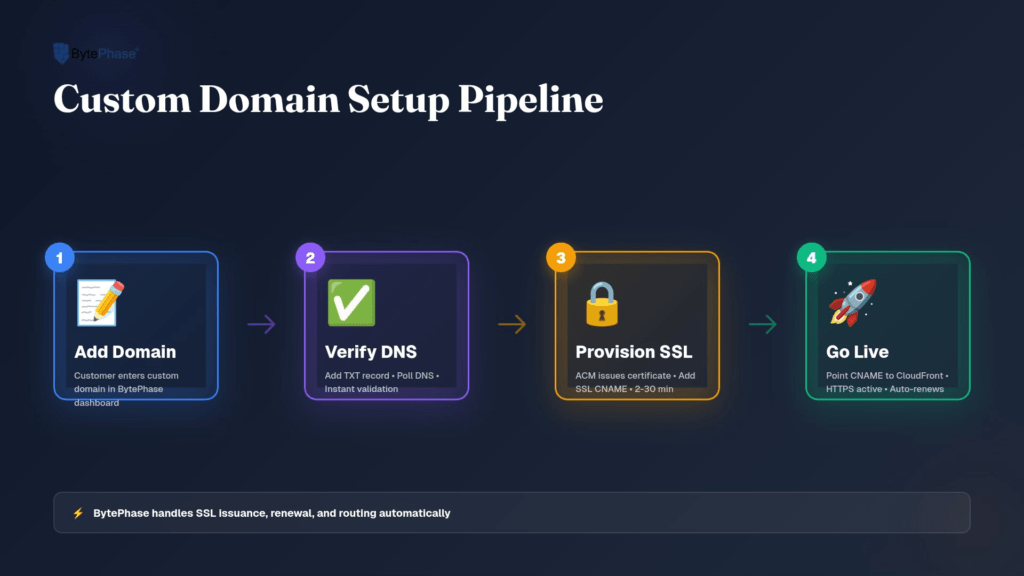
How does custom domain setup work? (Step-by-step)
Total active work is about 30 minutes with your DNS provider login ready. End-to-end go-live typically takes about 2 business days, mostly waiting for DNS propagation between verification, SSL issuance, and routing.
The 5-step process
- Add your domain in BytePhase → Business Settings → Custom Branding.
- Verify ownership by adding the TXT record we provide to your DNS.
- Validate SSL by adding the CNAME record we provide. We auto-request a TLS certificate.
- Point to the CDN with the final CNAME (or ALIAS / ANAME for apex domains like
yourshop.com). - Go live when status moves to "SSL Active" — typically 15–30 minutes after the final DNS record.
Limits and gotchas
- One custom domain per plan. On Enterprise, that single domain serves all your branches via unlimited subdomains (e.g.
abc.yourshop.com,pqr.yourshop.com) at no extra cost. - Apex / root domains need ALIAS or ANAME support from your DNS provider — a DNS-standard limitation, not BytePhase-specific.
- Your existing email and website are untouched. We only add new DNS records (TXT, CNAME). MX, A, and other records are not modified.
- Sign-in with Google on your custom domain requires a one-time redirect URL whitelist via BytePhase support.
- Removal disconnects from your
*.bytephase.comsubdomain (not the custom domain itself). CDN tear-down completes in 5–15 minutes.
How much does custom branding cost on BytePhase?
What's included
- One custom domain with auto-SSL on a global CDN
- Branded PWA install — your business name + your favicon on customer's home screen
- Branded browser tab title on your custom domain
- Enterprise Plan: That single domain serves all your branches at no extra cost. Optional per-branch domains available — contact sales.
Most repair shop CRMs that offer white-label charge significantly more for similar capability, often as a separate enterprise tier. BytePhase keeps white-label affordable so single-location shops can run a branded customer experience from day one.
Visual branding: what you can and can't customize
| Surface | Customizable? | Notes |
|---|---|---|
| Login screen logo | ✅ Yes | Upload via Business Settings. Falls back to BytePhase logo if not uploaded. |
| In-app header / sidebar logo | ✅ Yes | Same uploaded logo. |
| App splash screen logo | ✅ Yes | Shown on PWA cold start. |
| Permissions prompt logo | ✅ Yes | Shown when the app requests notification / location permissions. |
| Favicon (browser tab icon) | ✅ Yes | Active once the custom domain is SSL Active. Max 100KB, ICO/PNG/SVG. |
| Browser tab title | ✅ Partial | Replaces "BytePhase" on verified custom domain. On *.bytephase.com, still shows "BytePhase". |
| Invoice / quotation header | ✅ Yes | Pulls business name, address, GST, contact, logo, signature from your account. |
| Thermal print receipt | ✅ Yes | Uses business name + address + signature. |
| Theme colors | ❌ No | Light / dark mode only. |
| Fonts | ❌ No | Fixed across the platform. |
| Custom CSS | ❌ No | Not exposed. |
Email, SMS, and WhatsApp under your brand
Email — your own SMTP
- From-name and from-address are yours. Configure your own SMTP (Gmail, Office 365, Zoho, Hostinger, GoDaddy, iCloud, cPanel, or any standard SMTP) under Business Settings → Email Configuration. Mail comes from
you@yourdomain.comwith your business name as sender. - Email body uses your business name, support email, and support phone in the footer once Custom Branding is fully active on a custom domain.
- SMTP configuration is required. If SMTP is not configured or misconfigured, the system shows an "Error sending email" message and the mail is not sent — BytePhase does not send mail on your behalf as a fallback.
- System notifications (plan renewals, billing failures, queue alerts) always come from BytePhase — operational mails to the account owner only, not customer-facing.
SMS — fully your message, with one compliance note for India
- SMS templates are per-tenant — you author your own message text.
- India tenants: every SMS appends
-BytePhase(TRAI/DLT requirement — see below). - Non-India tenants: no suffix is appended.
WhatsApp — your number, your templates
- WhatsApp business number, sender name, and templates are per-tenant.
- WhatsApp shortened links use a BytePhase short-link service (
short.bytephase.com).
Terms & Conditions — your own
You author your own T&C for invoices, quotations, sales, and purchases. Stored per-tenant; no BytePhase boilerplate is forced into customer documents. Master T&C templates by business type (Computer Repair, Mobile Repair, etc.) are available — import and edit, or write your own.
India SMS compliance (TRAI/DLT): what it means for your brand
Indian telecom regulation (TRAI) requires every commercial SMS sent through DLT-registered headers to identify the originating platform. Most SaaS providers either don't register at all (and can't send SMS in India) or force every customer to handle their own DLT registration (weeks of paperwork per shop). BytePhase handles it centrally so you can start sending SMS the moment you sign up.
How the suffix works
- Applies to: every SMS template, every outbound message, every plan tier — for tenants whose country is set to India.
- Cannot be removed by enabling Custom Branding, upgrading plan, editing the template, or via support. It is enforced in code as a compliance control.
- Does not apply to email, WhatsApp, in-app messages, push notifications, or invoices — those are fully branded.
- Non-India tenants on Custom Branding have no such suffix.
Your business identity across BytePhase
These tenant-level fields flow into every customer-facing surface — invoices, emails, receipts, signatures — on every plan:
- Business name
- Business email
- Business address
- Phone, mobile, alternate, WhatsApp number
- GST number / tax registration
- Bank account details (for invoices)
- Business hours
- Business signature image
- Important links (custom URLs)
- Currency, timezone, locale, country
All editable under Business Settings → Account Details.
PWA & mobile: how branded installs work
What your customers see when they install the PWA depends on which URL they install from:
| Install URL | Custom Branding | Favicon | PWA install shows |
|---|---|---|---|
yourshop.bytephase.com |
Off | — | "BytePhase" name + BytePhase icon |
yourshop.bytephase.com |
On | — | "BytePhase" name + BytePhase icon (by design) |
| Your custom domain | On | Yes | Your business name + your favicon |
| Your custom domain | On | No | Your business name + BytePhase icons |
| Your custom domain | Off | — | "BytePhase" name + BytePhase icon |
Bottom line: For a fully branded install (your name + your icon), direct customers to install from your custom domain with Custom Branding on and a favicon uploaded. Installs from *.bytephase.com always show BytePhase by design.
Why no native Android or iOS app?
A native white-labeled mobile app would require building and maintaining a separate per-tenant build for every shop — at the kind of cost that would push white-label pricing 10x higher. The PWA delivers ~90% of native functionality (home-screen install, offline use, push notifications, near-native launch) at a price single-location shops can afford. Native is something we may revisit; for now, PWA is the answer.
Full coverage matrix
| Area | Covered | Limitation |
|---|---|---|
| Custom domain + SSL + CDN | ✅ | 1 domain per plan. Enterprise: serves all branches. Apex needs ALIAS/ANAME. |
| Logo (login, header, splash) | ✅ | — |
| Favicon | ✅ | Active once custom domain SSL is live |
| Browser tab title | ✅ on custom domain | Still says "BytePhase" on *.bytephase.com |
| Outbound email sender | ✅ | SMTP required — no BytePhase fallback |
| Invoice / quotation branding | ✅ | — |
| Custom T&C | ✅ | — |
| WhatsApp number + templates | ✅ | Short links use short.bytephase.com |
| SMS body | ✅ | India: -BytePhase suffix (TRAI/DLT) |
| Theme colors / fonts / CSS | ❌ | Light/dark only |
| PWA install name / icon | ✅ on custom domain | *.bytephase.com always shows BytePhase |
| Native Android / iOS app | ❌ | Out of scope — PWA only |
| System / billing emails to account owner | ❌ | Always from BytePhase |
Key terms
- PWA (Progressive Web App)
- Installable web app that works like a native app on phone or desktop — supports offline use, push notifications, home-screen launch.
- SMTP
- Your email server — used to send mail with your business as the sender.
- CDN (Content Delivery Network)
- Global infrastructure that serves your site fast everywhere in the world.
- TRAI / DLT
- Telecom Regulatory Authority of India and the Distributed Ledger Technology registration regime for commercial SMS in India.
Further reading
- What is a custom domain and why it matters more than you think — overview blog
- How to set up a custom domain in BytePhase CRM — step-by-step setup guide
- TRAI (Telecom Regulatory Authority of India) — SMS compliance regime reference
- Progressive Web Apps (web.dev) — background on PWA technology
Frequently asked questions
Custom branding (also called white-labeling) lets your customers see your business under your own domain, logo, favicon, business name, and email sender — while the underlying CRM remains BytePhase. On BytePhase this includes a custom domain with auto-SSL, branded login screen, branded invoices and quotations, your own SMTP sender, your WhatsApp business number, and a branded PWA install on your customers’ phones.
BytePhase uses Purchase Power Parity (PPP) pricing — the cost of the Custom Branding add-on varies by country based on your local Standard Plan price. The add-on is available only on annual plans (not monthly or quarterly). On the Enterprise Plan, one custom domain serves all your branches at no extra cost; per-branch domains are available on request. To get a quote for your region, email support@bytephase.com.
Custom domain setup is roughly 30 minutes on your side, but on our side it involves manual SSL certificate issuance and auto-renewal, mapping your domain to our global CDN and tenant routing layer, mapping your branded short URL, configuring and verifying the domain inside Google Cloud for sign-in and notifications, and multiple backend configurations so favicon, PWA manifest, and branded surfaces activate cleanly. The price covers this setup plus ongoing maintenance — certificate renewals, CDN configuration, and domain health monitoring for the life of your subscription.
Partially. The SMS body and templates are fully yours, but Indian TRAI/DLT regulations require every commercial SMS to identify the originating platform. BytePhase appends “-BytePhase” to every SMS sent from an India-country tenant, and this cannot be removed by any plan or setting. The trade-off: BytePhase handles all DLT registration on your behalf — saving you 2–4 weeks of telecom paperwork per shop.
Yes. SMTP configuration is required. You connect your own SMTP provider (Gmail, Office 365, Zoho, Hostinger, GoDaddy, iCloud, cPanel, or any standard SMTP). If SMTP is not configured or misconfigured, the system shows an “Error sending email” message and the mail is not sent — BytePhase does not send mail on your behalf as a fallback.
No. BytePhase only adds new DNS records (TXT for verification, CNAME for routing). Your MX, A, and other DNS records are not touched — so your email and existing website continue working normally. Your *.bytephase.com subdomain also keeps working as a fallback.
No native white-labeled mobile app is offered today. Your customers install the PWA from your custom domain. When installed from your custom domain with Custom Branding on and a favicon uploaded, the PWA appears on the customer’s home screen with your business name and your favicon — delivering most native-app features (offline use, push notifications, home-screen launch) without the cost of a per-tenant native build.
Active setup work takes about 30 minutes if you have your DNS provider login ready. End-to-end go-live typically takes about 2 business days, because most of that time is waiting for DNS propagation. Once your final DNS record is in place, go-live completes in 15–30 minutes (occasionally up to 24 hours depending on your DNS provider’s cache).
No. Custom Branding only routes a subdomain or apex domain to the BytePhase CRM app — typically crm.yourshop.com. Your main website at yourshop.com, its SEO, and its existing DNS records (MX, A, etc.) are not affected. We only add new TXT and CNAME records for the CRM subdomain.
Run BytePhase under your own brand
Start free, or ask us about custom-domain pricing for your region.
Last updated: 2 October 2026