RepairDesk vs BytePhase
BytePhase is all-in-one software for repair businesses: tickets, inventory, billing and customer communication on one platform. It streamlines repair workflows, saves time, and helps mobile, laptop and computer repair shops run more efficiently. Your account comes ready to use, and you can try it free for 15 days.
- Native Android and iOS apps on every plan, with no per-device fee
- OTP-verified device delivery, AMC management and a data recovery module
- WhatsApp notifications and UPI/PhonePe payment links
- Import your customers and parts yourself from Excel or CSV, free
15-day free trial · 30-day money-back guarantee
RepairDesk vs BytePhase feature comparison
| Feature | BytePhase | RepairDesk |
|---|---|---|
| Ticket Management | Yes | Yes |
| Customer Portal | Yes | Yes |
| Role-Based Permissions | Yes | Yes |
| Native Android & iOS Apps | Yes | ✗ No store app (Sept 2026) |
Where BytePhase goes further for repair shops
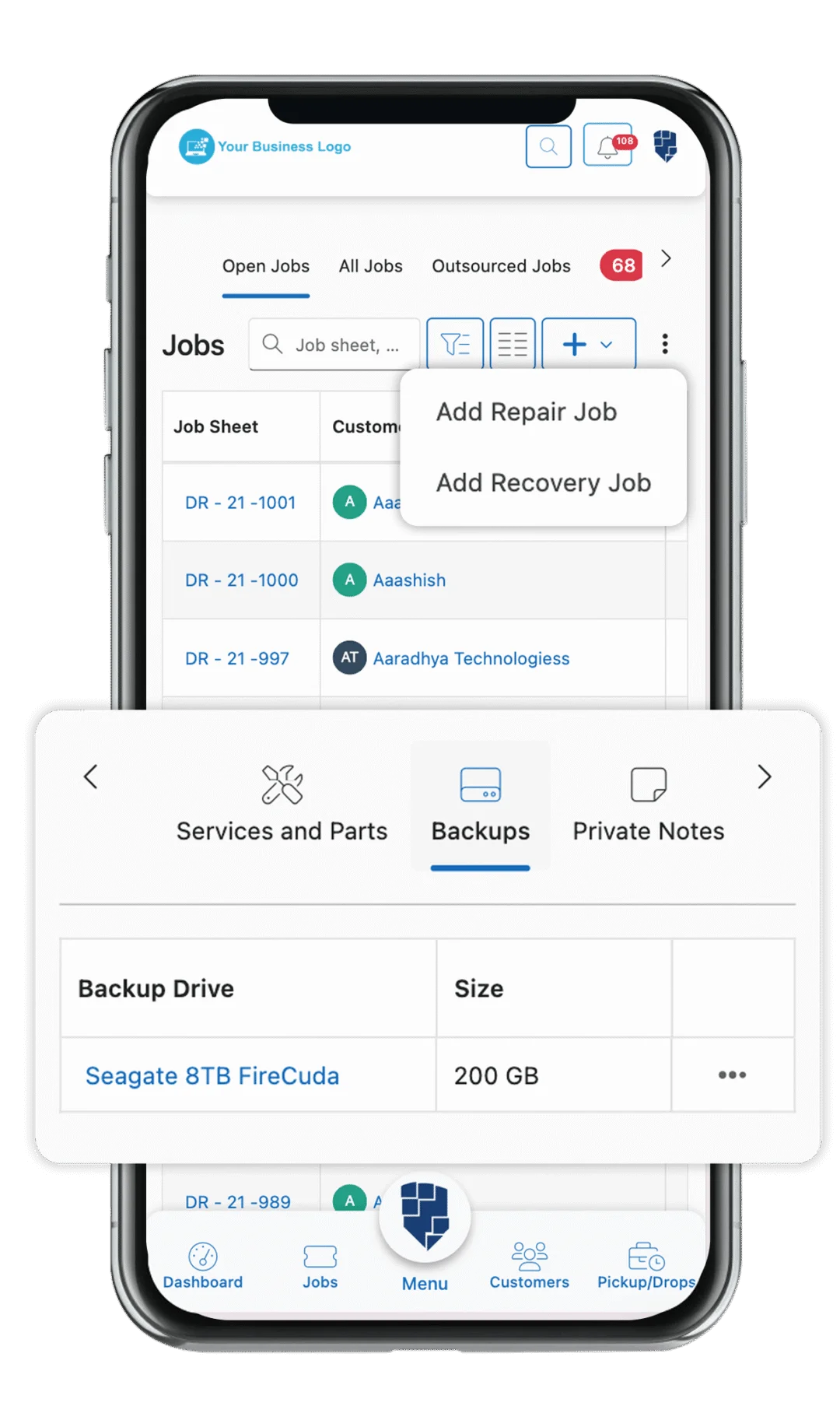
Mobile apps for the bench
Technicians update tickets and photos from Android or iOS.OTP-verified device delivery
Prevents wrong handovers at the counter.AMC management
Recurring service revenue from maintenance contracts.Data recovery management
A module built for recovery cases and labs.WhatsApp notifications
Customers hear about every status change.Repair tickets
Job sheets with status, technician and history.Switch from RepairDesk to BytePhase
Export, import, verify: you import your own data from Excel or CSV, and support is there if you get stuck.
- 1
Export your data
Download your customer and parts lists from RepairDesk as CSV or Excel files.
- 2
Import it yourself
Import customers, employees, leads and parts into BytePhase from Excel or CSV, using the sample file for each list. There is no charge for importing.
- 3
Go live when you are ready
Train your staff, run both systems side by side during the 15-day trial, and switch fully when you are confident.
Comparing RepairShopr too? Our guide to each RepairShopr alternative covers six options, RepairDesk included. Weighing other options? Our RepairDesk alternatives guide compares six.
Repair industries we serve
BytePhase serves 16 repair industries, from phones and laptops to data recovery and drones. Garages run on the same system as auto repair shop software.
Laptop and computer repair
Track your laptop repair jobs, manage inventory, and update customers. It simplifies daily operations with organized ticket and service management.Mobile repair
Create repair tickets, manage mobile phone parts, and automate inventory easily. Use OTP verification for secure device delivery and keep track of every repair job efficiently.Data recovery
Manage data recovery cases and send detailed diagnosis reports to customers. Securely share recovered file structures with OTP verification and digital signature approval.Drone repair
Track drone repair tickets, parts, and service progress in one place. Manage diagnostics, repairs, and customer updates efficiently with an organized repair workflow.
Questions about leaving RepairDesk
Yes. Export your records from RepairDesk, import your customers, employees, leads and parts into BytePhase from Excel or CSV, then check them before you go live. You run the import yourself, and support is there if you get stuck.
Yes. 24/7 AI chat support is included on every plan, alongside email, support tickets, callback requests and free training sessions; human replies come within 24–48 hours. Free updates are always included, and user feature requests shape what we build.
BytePhase gives you pricing set for your region, a 15-day free trial, OTP-verified device delivery, AMC management, white-label branding, billing and payments for your country, a multi-language interface (8 languages) and a data recovery module, with free updates always included.
Your customer database, employees, leads and parts inventory, plus device types, brands and models, which you import yourself from CSV or Excel. Old repair tickets and invoices are not imported, so keep your RepairDesk export for reference.
Your account comes ready to use and basic setup takes about 10 minutes. Import your customers, employees, leads and parts from Excel or CSV, then run BytePhase next to RepairDesk during the 15-day free trial and switch when your team is comfortable.
BytePhase includes several features not available in RepairDesk: OTP-verified device delivery (prevents wrong handovers), AMC/Annual Maintenance Contract management (for recurring service revenue), Data Recovery Management module, WhatsApp notifications, UPI/PhonePe payment links, GST-compliant invoicing for Indian businesses, built-in lead management, and a dedicated work scheduler for pickup/drop coordination.
Not in the app stores as of September 2026. RepairDesk’s 2020 iOS and Android apps are no longer listed in the App Store or Google Play, and its iPad POS app was retired in 2023, so staff work from the browser. BytePhase ships native Android and iOS apps on every plan, with no per-device fee — technicians update tickets and photos from the bench and owners see the shop from anywhere. See the BytePhase mobile app.
BytePhase has four plans — Lite, Basic, Standard and Enterprise — billed monthly or yearly and tiered by how many employees log in. Pick the plan that covers your team; if you run more than one location, the Enterprise plan includes multiple branches. Every plan includes the native Android and iOS apps with no per-device fee. See current plans for your country, or start with the 15-day free trial while RepairDesk is still running.
Start your switch from RepairDesk today
Try BytePhase free for 15 days, or book a demo and we will walk you through it.
15-day free trial · 30-day money-back guarantee
2000+ Professional Repair & Data Recovery Businesses Trust BytePhase
We help you stay focused and organized by keeping detailed records
Best-in-class support
No matter what you need help with, our team is here to assist you. The goal of our business is to build long-lasting relationships with our customers.
Free Updates, Always Included
We will provide you with free and regular updates and welcome your feedback, which we will consider for implementation in your subscription.
Data Security & Encryption
We use the highest industry standard (AES-256) to encrypt your data on a secure RDS server for maximum protection.
Automatic Backups
We perform automatic backups daily on our dedicated database server to keep your data safe.
Last updated: 1 November 2026