How to Configure Reminder Settings in BytePhase Portal: A Complete Guide to All Reminder Types
Introduction
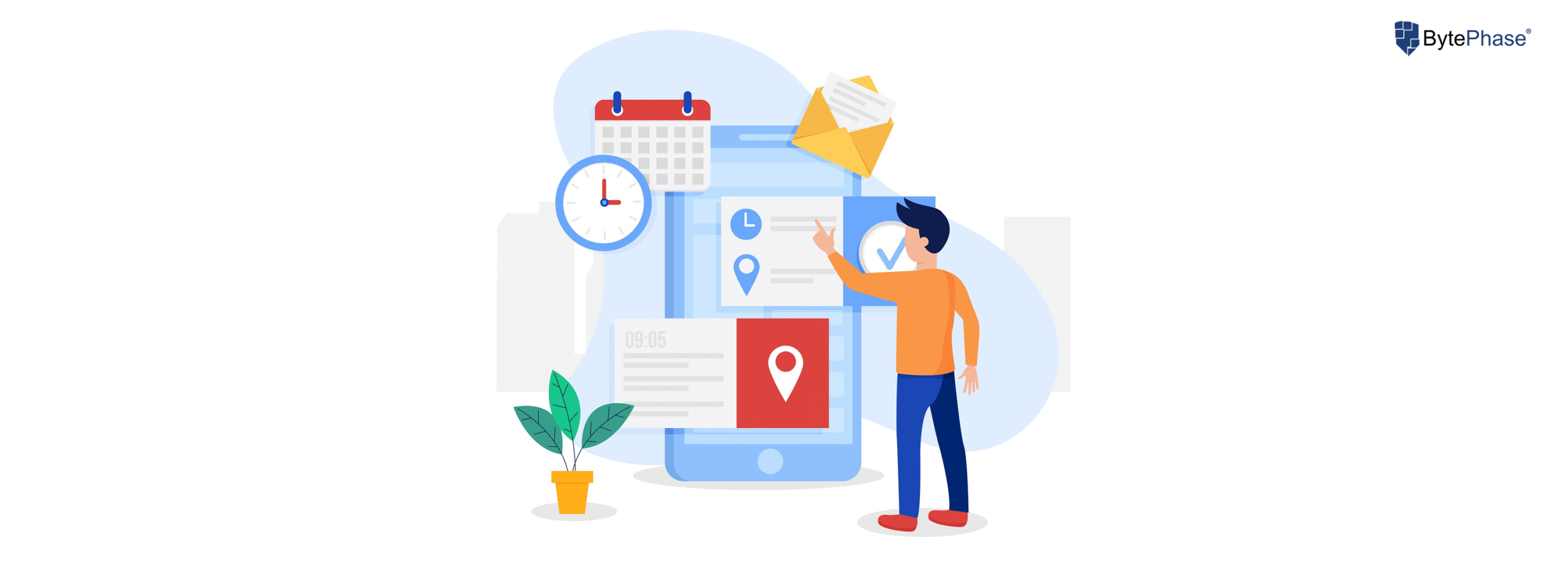
Keeping track of job deadlines, payments, AMC contracts, and service schedules can be overwhelming. Missing a due date can lead to customer dissatisfaction, financial losses, or operational inefficiencies. With BytePhase’s Reminder Settings, businesses can automate alerts for upcoming tasks, payments, and service deadlines, ensuring timely follow-ups and improved workflow management.
This is the complete guide: it covers every step to configure Reminder Settings in the BytePhase Portal, plus a full breakdown of all five reminder types (AMC, job, task, payment, and pickup & drop), best practices, and quick troubleshooting if a reminder doesn’t go out.
Why Are Reminder Settings Important in BytePhase?
🔹 Prevent Missed Deadlines – Avoid overdue payments, missed service renewals, or forgotten job schedules.
🔹 Improve Customer Experience – Timely reminders keep customers informed, enhancing trust and satisfaction.
🔹 Boost Cash Flow – Automated payment reminders reduce delays and ensure consistent revenue.
🔹 Enhance Productivity – Employees stay on top of pending jobs, pickups, and AMC contracts.
🔹 Automate Notifications – Reduce manual follow-ups and let the system handle reminders efficiently.
Step-by-Step Guide: How to Configure Reminder Settings in BytePhase
Step 1: Log in to BytePhase Portal
- Open the BytePhase Portal and enter your login credentials.
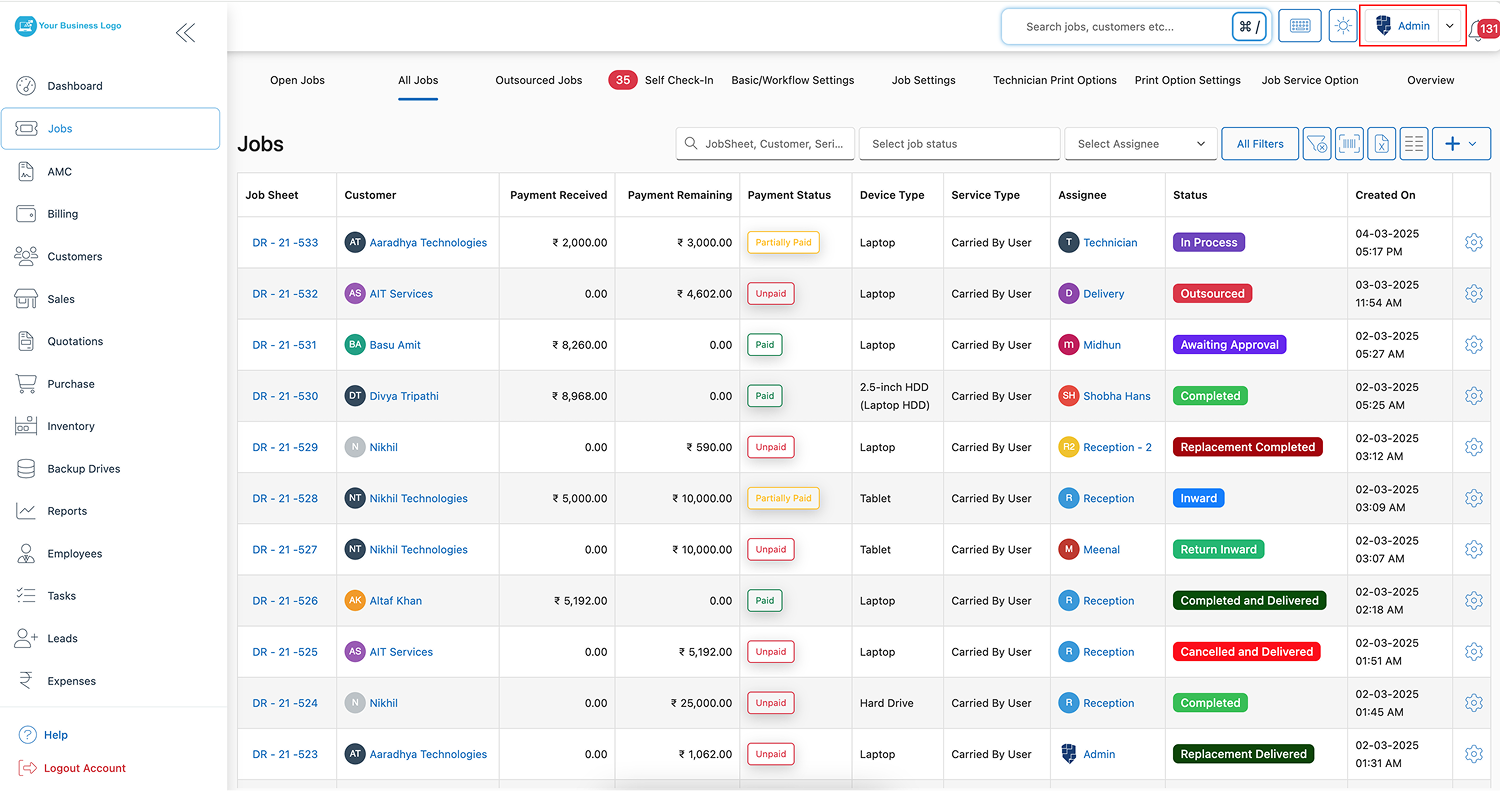
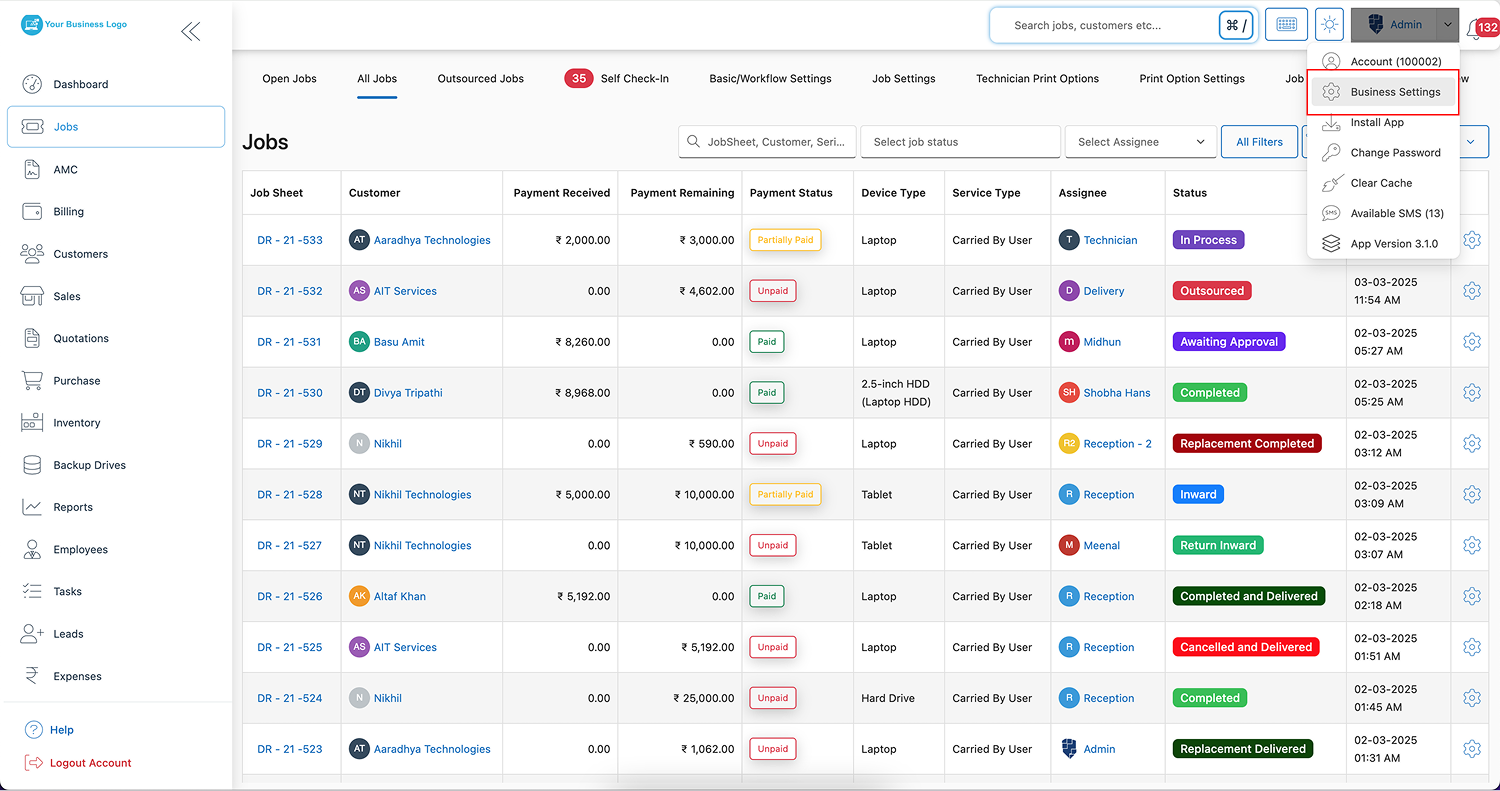
Step 2: Navigate to Business Settings
- Click on your profile icon in the top-right corner.
- From the dropdown menu, select “Business Settings”.
Step 3: Open the Reminder Settings Tab
-
Inside Business Settings, click on “Reminder Settings” to access the notification options.
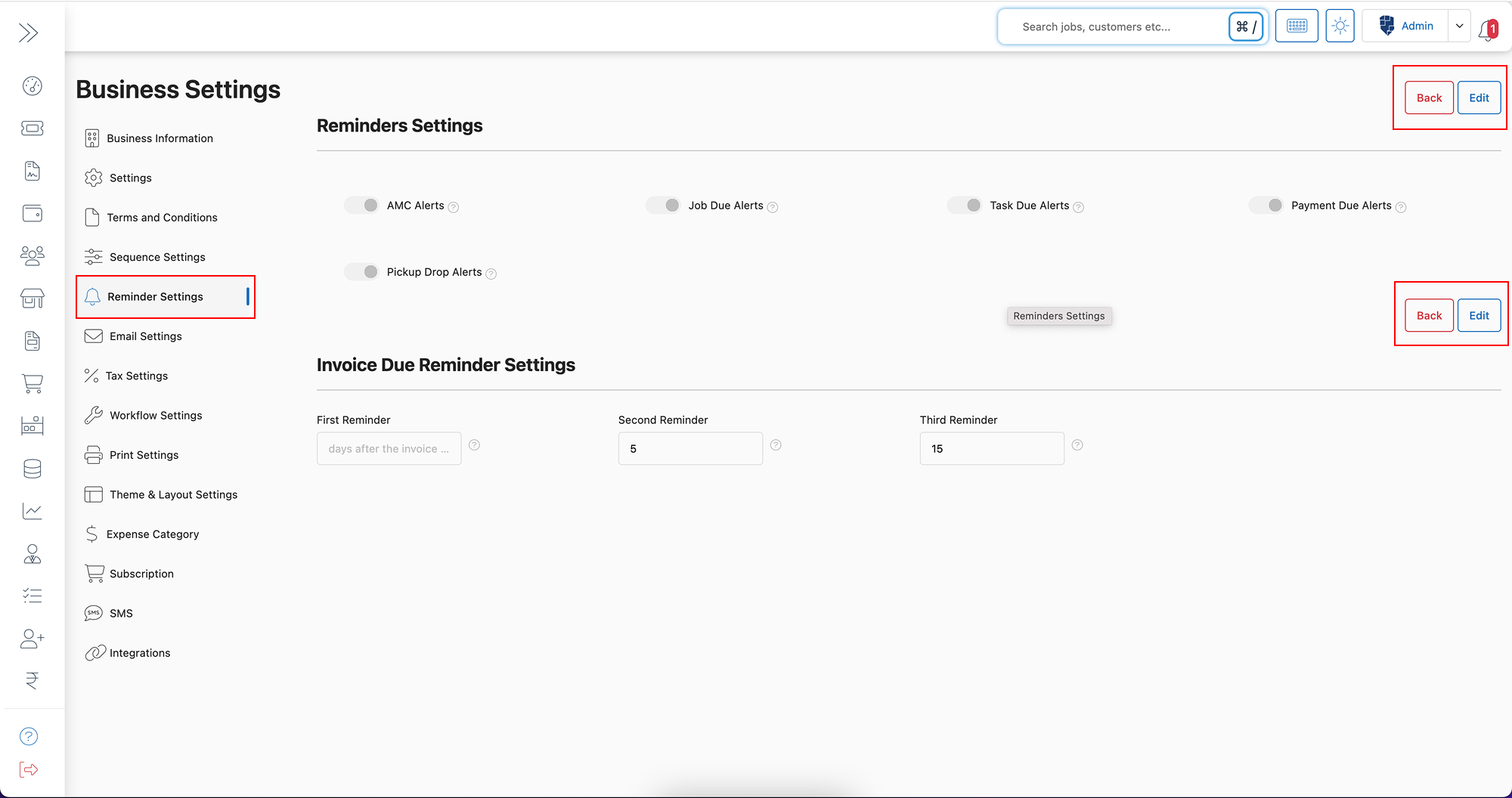
Step 4: Click on the Edit Button
- Click the “Edit” button to begin configuring your reminder preferences.
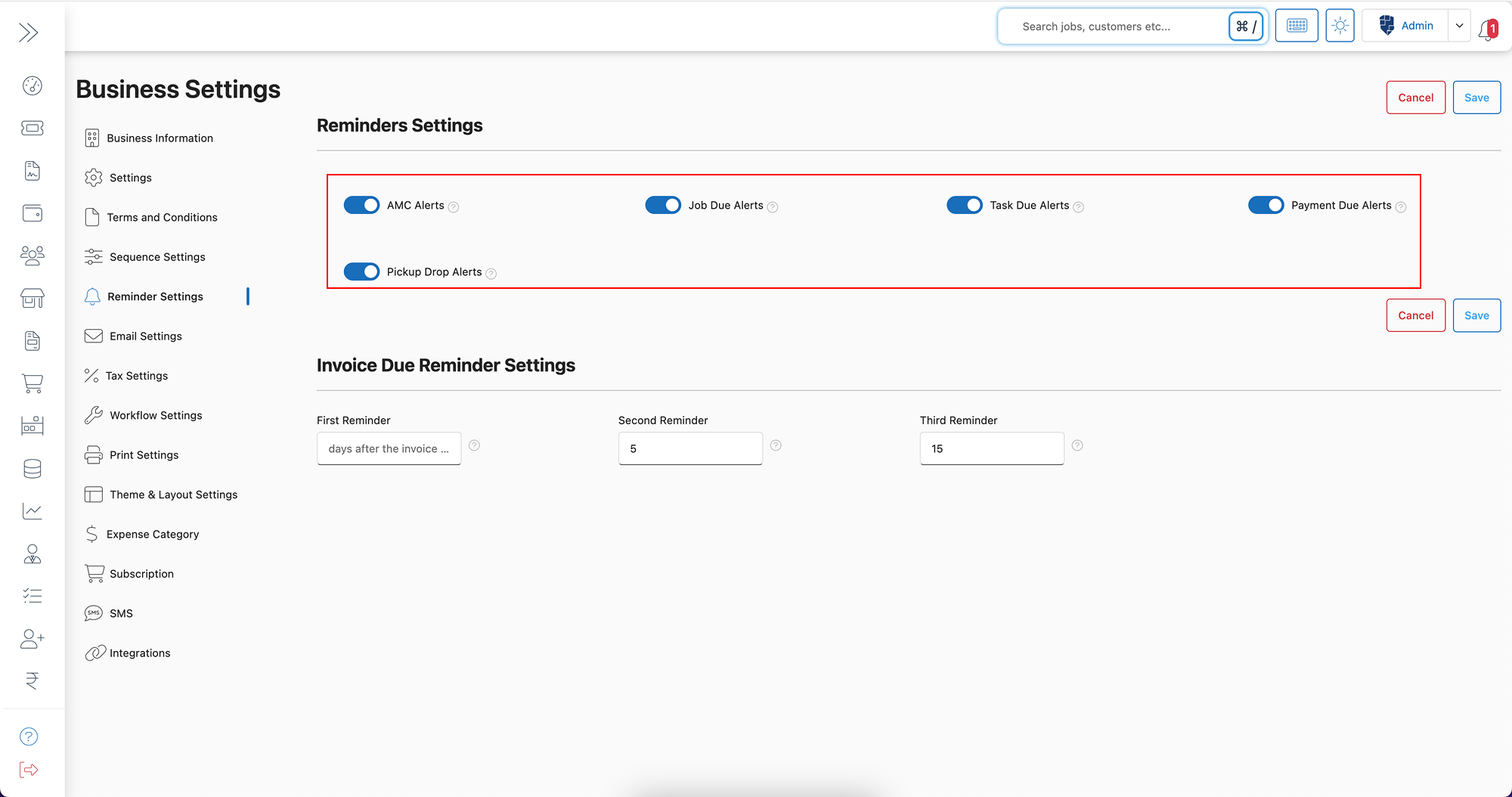
Step 5: Enable Required Reminder Settings
You can enable reminders for the following:
- ✅ AMC Alerts – Notify customers before their Annual Maintenance Contract expires.
- ✅ Job Due Alerts – Send reminders when a job is nearing its due date.
- ✅ Task Due Alerts – Ensure employees receive alerts for pending tasks.
- ✅ Payment Due Alerts – Automate reminders for outstanding invoices.
- ✅ Pickup & Drop Alerts – Keep customers updated about scheduled pick-ups and deliveries.
Toggle on whichever types your business needs — you don’t have to enable all five. Each type behaves a little differently once it’s on; the full breakdown of triggers, recipients, and recommended timing for all five reminder types is below, after the setup steps.
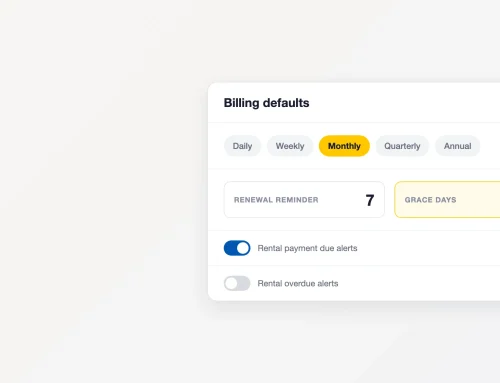
Step 6: Configure Invoice Due Reminder Settings
-
Set up to three reminder alerts for invoices before their due date.
-
Customers will receive automated email or SMS reminders at specified intervals.
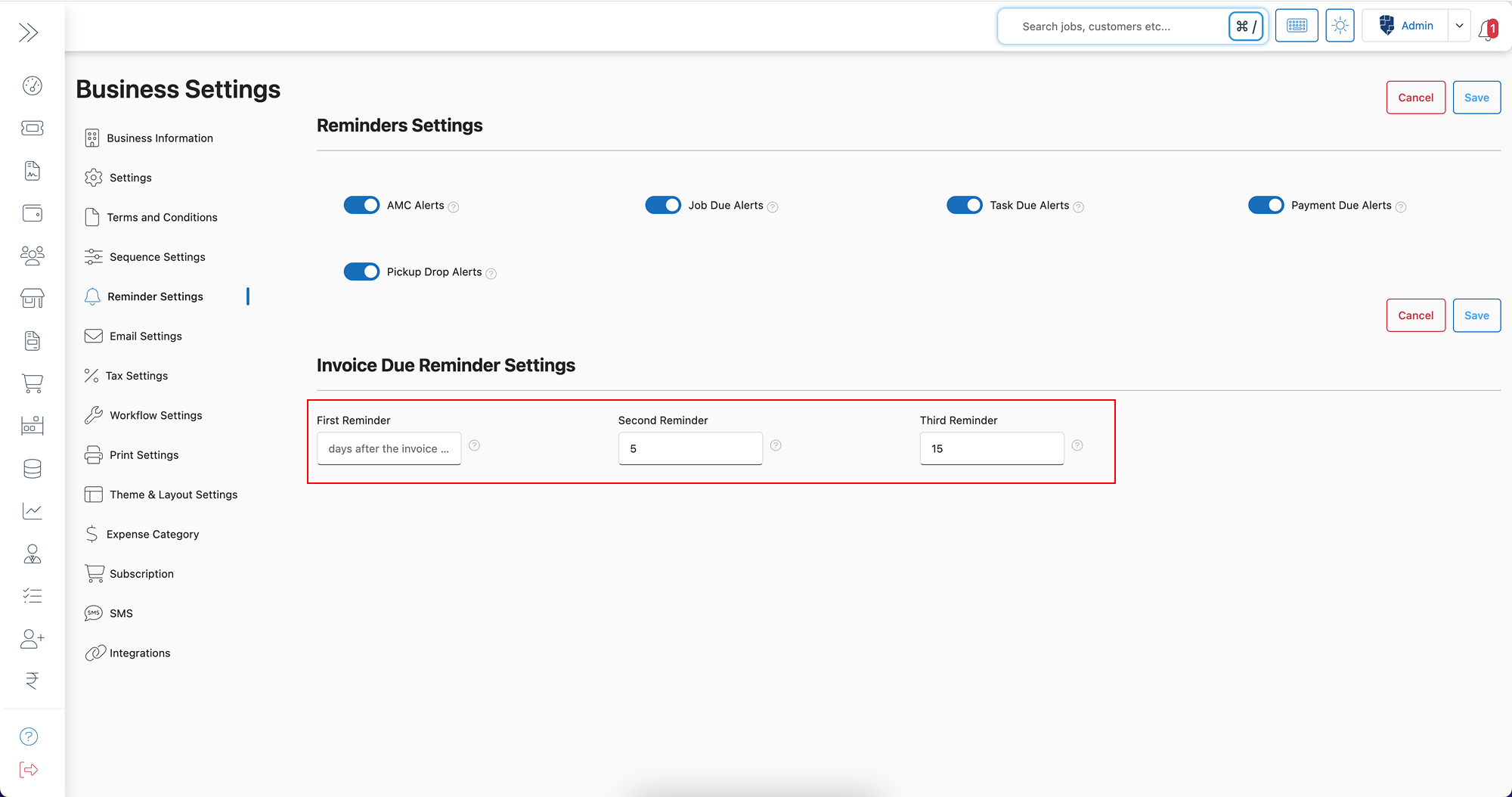
Step 7: Click Save
- Once you have customized the reminder settings, click “Save” to apply the changes.
✅ Now, BytePhase will automatically send alerts to customers, employees, and admins as per your configured settings.
A Complete Breakdown of Every Reminder Type in BytePhase
Each reminder type in BytePhase targets a different part of your workflow. Here’s exactly what triggers each one, who receives it, and how to set it up well.
AMC Renewal Reminders
Trigger: a customer’s AMC (Annual Maintenance Contract) is approaching its expiry date. Recipient: the customer, and optionally the assigned technician or account owner. Why it matters: AMC renewals are recurring revenue — an unnoticed expiry is a lost renewal, not just a missed alert. Set the first AMC reminder 15-30 days before expiry so there’s time to follow up before the contract lapses.
Job Due Reminders
Trigger: an open repair job is nearing its committed due date. Recipient: the technician or team assigned to the job (and the admin, if you enable admin alerts). Why it matters: job due alerts are an internal SLA check — they catch jobs that are quietly slipping before the customer has to ask for a status update.
Task Due Reminders
Trigger: a task assigned inside BytePhase (separate from a repair job) is approaching its deadline. Recipient: the employee the task is assigned to. Why it matters: useful for internal checklist items — stock counts, follow-up calls, documentation — that don’t belong on the main job board but still need to happen on time.
Payment / Invoice Due Reminders
Trigger: an issued invoice has an unpaid balance approaching (or past) its due date. Recipient: the customer, by email or SMS. Why it matters: this is the reminder type BytePhase lets you configure most granularly — up to three separate alerts per invoice (for example, 7 days before, on the due date, and 3 days after) so overdue invoices get chased automatically instead of manually.
Pickup & Drop Reminders
Trigger: a device is ready for pickup, or a scheduled drop-off/delivery date is approaching. Recipient: the customer. Why it matters: keeps devices from sitting uncollected and gives customers a clear, automatic heads-up instead of a phone call from your front desk.
If you run a repair service center juggling all five reminder types at once, service center software with this level of alert granularity is what keeps AMC renewals, job SLAs, and overdue invoices from quietly falling through the cracks.
Key Features & Benefits of Reminder Settings in BytePhase
✨ Automated Notifications – Set up once, and BytePhase will handle the reminders for you.
✨ Multiple Alert Types – Customizable reminders for jobs, payments, AMCs, tasks, and deliveries.
✨ Reduce Late Payments – Increase on-time payments by sending invoice due alerts.
✨ Customizable Reminders – Set three alerts per invoice to ensure timely follow-ups.
✨ Seamless Customer Communication – Keep customers updated without manual effort.
✨ Improved Productivity – Employees stay informed about upcoming tasks and job deadlines.
Practical Example: How Automated Reminders Improve Business Operations
Imagine you manage a repair service center handling hundreds of jobs and AMC contracts. Without proper reminders, you might forget to follow up on AMC renewals, overdue invoices, or pending service tasks.
With BytePhase Reminder Settings, you can:
✅ Automatically notify customers about AMC renewals to boost contract renewals.
✅ Send timely payment reminders to reduce outstanding balances.
✅ Ensure smooth task completion with employee alerts for due jobs.
✅ Enhance customer satisfaction by providing real-time pickup & drop updates.
Best Practices for Optimizing Reminder Settings in BytePhase
✔ Set reminders at strategic intervals – (e.g., 1 week, 3 days, and 1 day before due dates).
✔ Use SMS and Email reminders for better customer reach.
✔ Enable multiple reminders for invoices to improve payment collection.
✔ Regularly review settings to align with your business processes.
✔ Test the reminder system after setup to ensure correct notifications.
Troubleshooting: Reminder Not Sending?
If a configured reminder didn’t go out, check these first: the reminder toggle is switched on in Step 5, the customer or employee record has a valid email/phone number, the invoice or job actually crosses the alert interval you set (a 7-day reminder won’t fire on a job due in 3 days), and your notification channel (SMS/email) is active for your account. If everything above checks out and reminders still aren’t firing, contact BytePhase Support with the invoice, job, or AMC ID so the team can trace it.
Conclusion: Automate Your Business Reminders with BytePhase
Configuring Reminder Settings in BytePhase is a game-changer for businesses that deal with multiple jobs, invoices, and service contracts. With automated alerts for payments, tasks, AMC renewals, and job deadlines, you can ensure smooth operations, better cash flow, and improved customer engagement—all with minimal effort.
🎯 Ready to automate your reminders and improve efficiency?
New to BytePhase? Start your 15-day free trial and get Reminder Settings — along with the rest of the portal — running in minutes.
👉 Log in to BytePhase configure your Reminder Settings, and never miss a deadline again!
Read more about our other features.
Need assistance? Check our Help Center or contact BytePhase Support for expert help.