How to Configure Sequence Settings in the BytePhase Portal

Introduction
Maintaining an organized and structured numbering system for jobs, invoices, quotations, and contracts is crucial for running an efficient and professional business. BytePhase’s Sequence Settings feature allows you to customize and automate the numbering format for all your key business documents — including the job sheets that power your repair ticket management — ensuring consistency, accuracy, and easy tracking across your operations.
If you bill under more than one name, each Business keeps its own number series. See how multiple businesses work.
This guide walks you through how to configure sequence settings in BytePhase in a few quick steps.
Why Sequence Settings Matter for Your Business?
A standardized numbering system keeps every job sheet, invoice, and contract easy to track without confusion. It also prevents duplicate or missing document numbers, keeping your records error-free. Custom prefixes let you identify document types at a glance, and a well-organized sequence system simplifies audits, financial reporting, and compliance — saving valuable time and effort.
Step-by-Step Guide: How to Configure Sequence Settings in BytePhase
Step 1: Log in to the BytePhase Portal
- Go to the official BytePhase Portal.
- Enter your login credentials to access your dashboard securely.
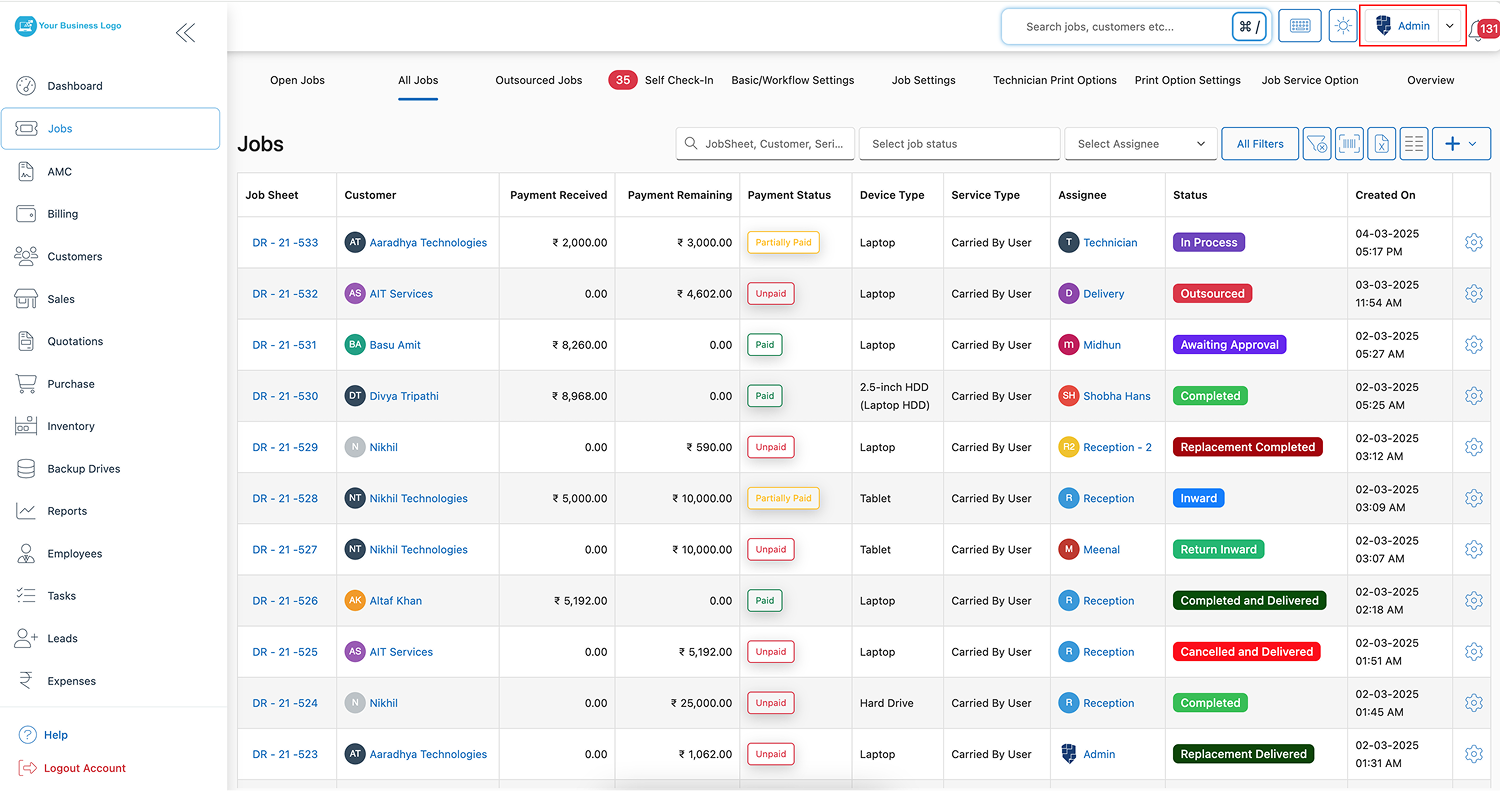
Step 2: Navigate to Business Settings
- Click on your profile icon at the top-right corner.
- From the dropdown menu, select “Business Settings” to configure company preferences
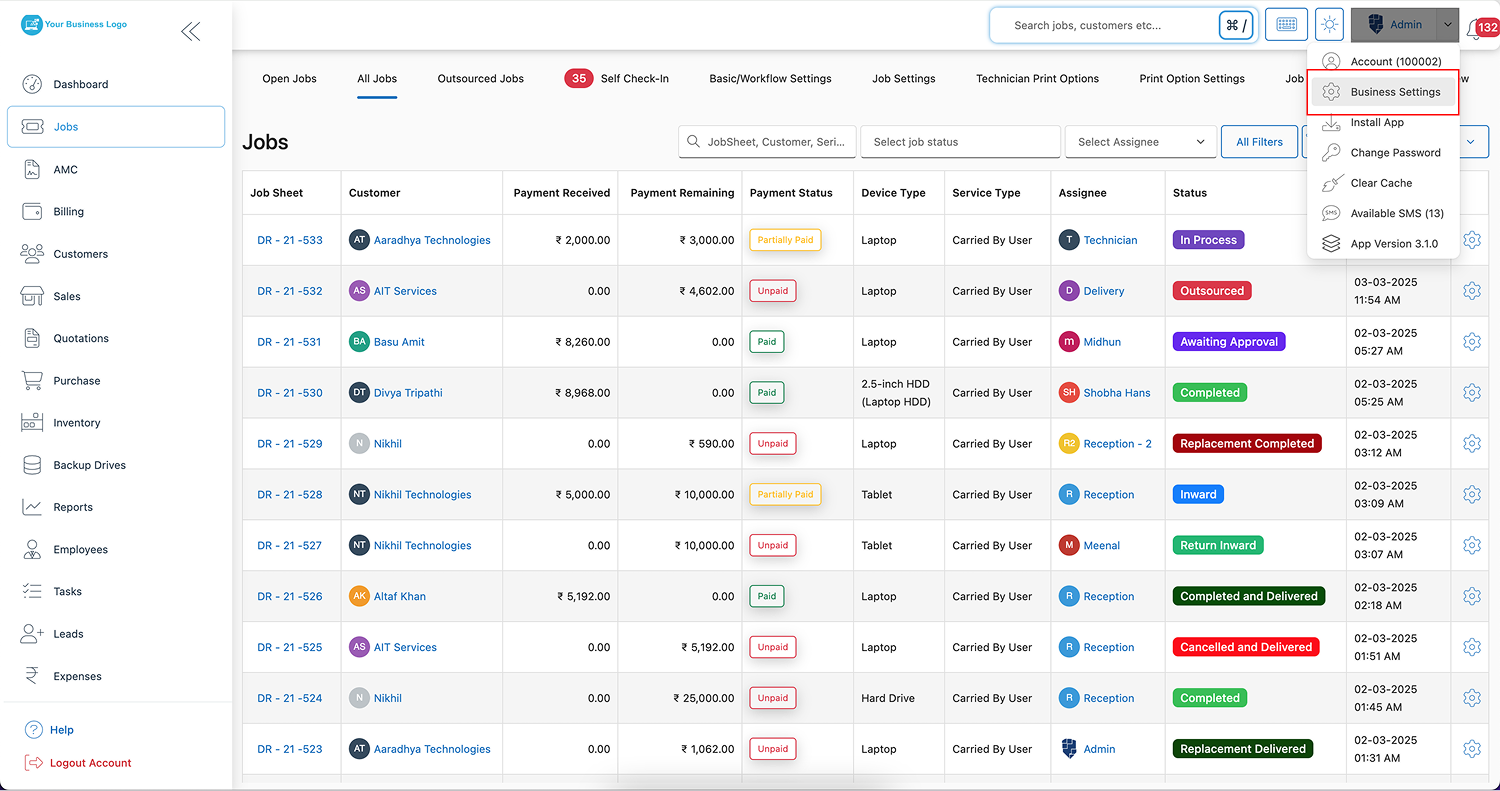
Step 3: Open the Sequence Setting Tab
- Inside Business Settings, click on “Sequence Setting” to access the numbering customization options.
Step 4: Click on the Edit Button
- Click the “Edit” button to begin modifying sequence settings for different business documents.
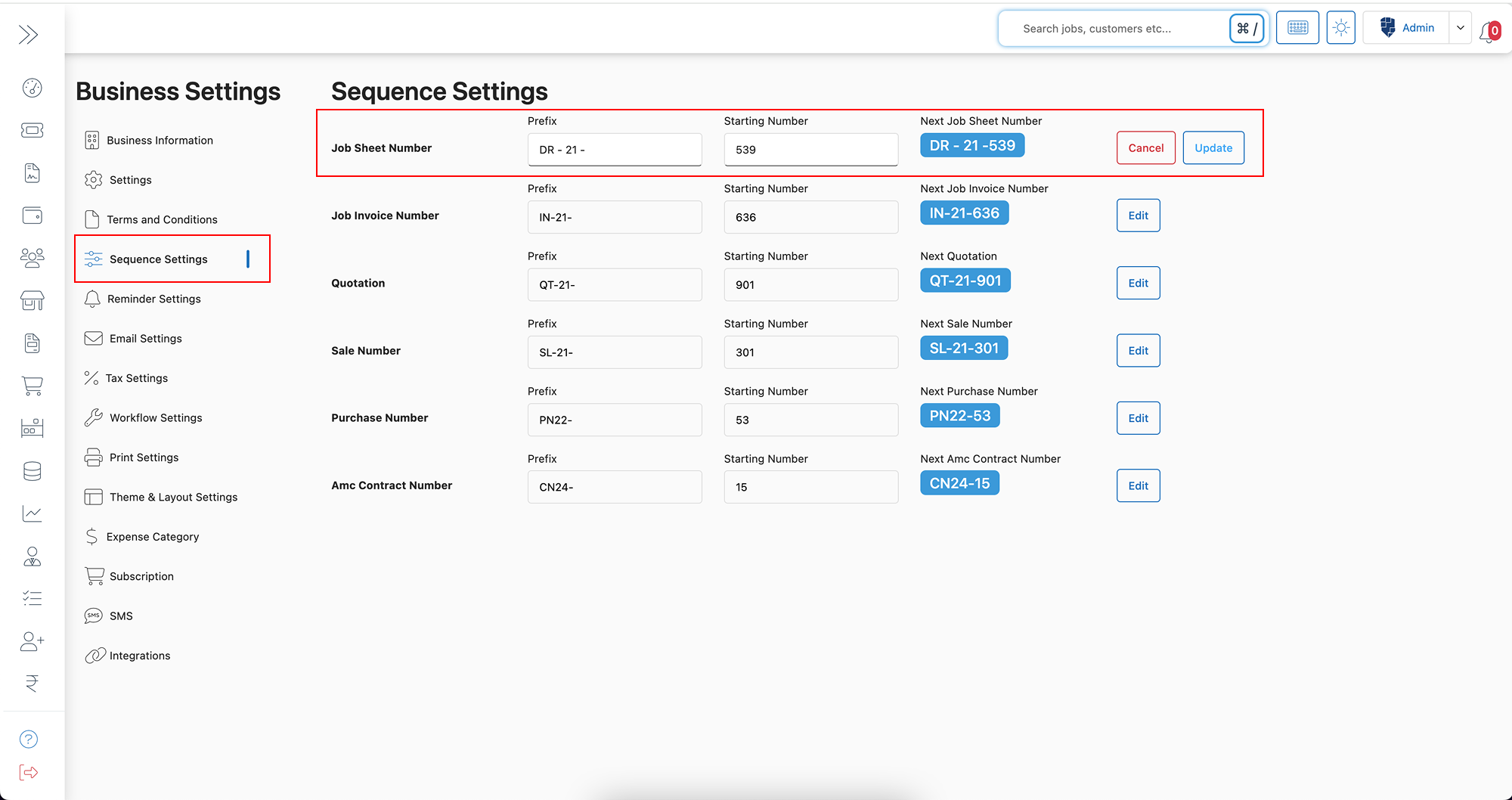
Step 5: Configure Sequence Settings as Needed
Specifically, you’ll find options to adjust sequence formats for multiple modules, such as
- ✅ Job Sheet Number
- ✅ Job Invoice Number
- ✅ Quotation Number
- ✅ Sale Number
- ✅ Purchase Number
- ✅ AMC Contract Number
For each document type, you can define essential details like:
- Prefix (e.g., “INV-2024-” for invoices or “JOB-001-” for job sheets), helping categorize and quickly identify documents.
- Starting Number (e.g., “001” or “100”), determining the initial number from which the system will begin generating sequences.
For example, if you configure an invoice sequence as “INV-2024-001”, the next invoice generated will automatically be numbered “INV-2024-002”, continuing in perfect order and eliminating manual entry.
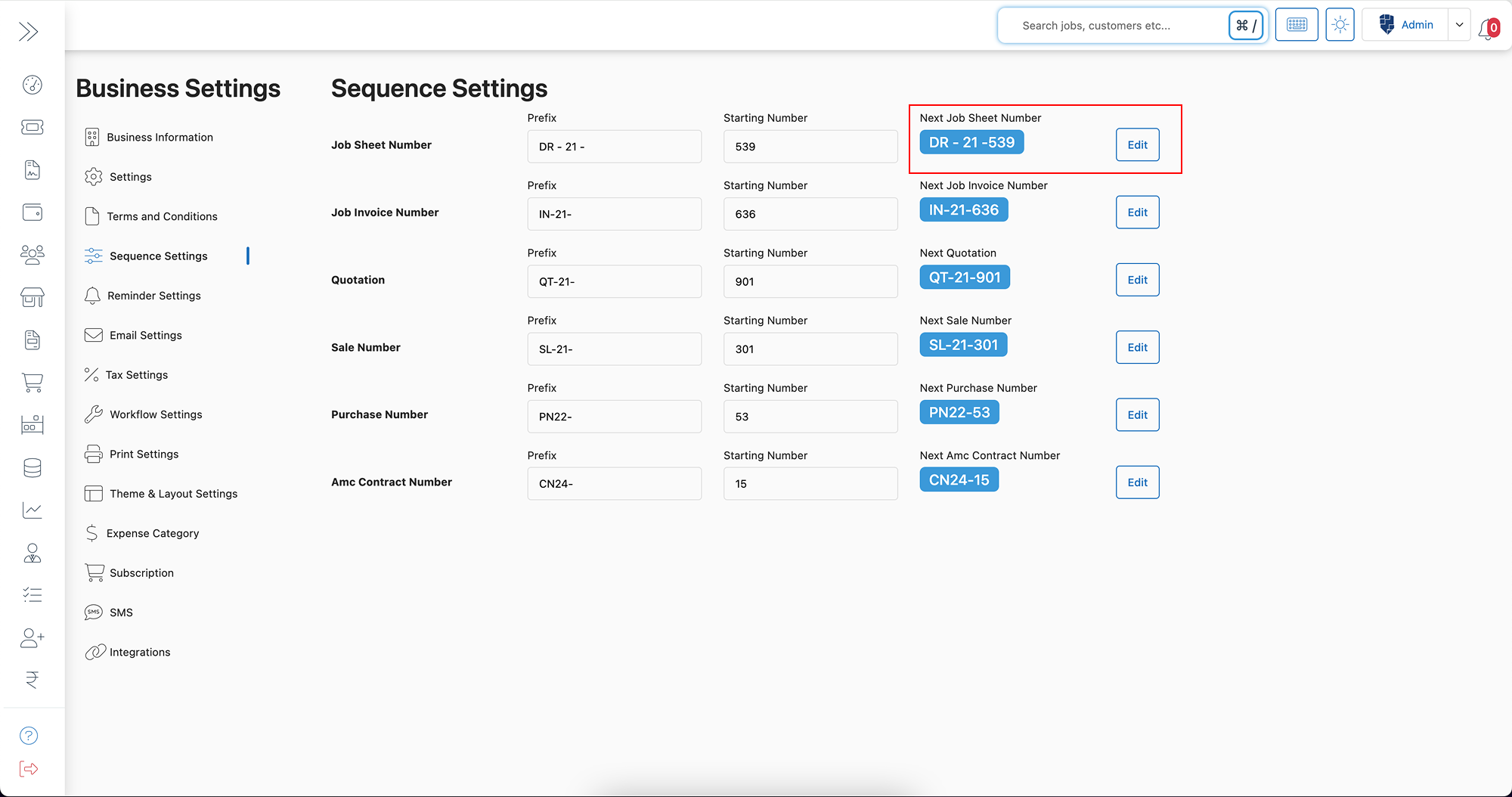
Step 6: Save Your Settings
- Once you have configured the settings as per your business needs, click “Save” to apply the changes.
- Your customized sequence settings will now reflect automatically in all related business documents.
Key Features and Benefits of Sequence Settings in BytePhase
✨ Consistent Numbering System – Keeps documents well-organized and maintains a structured workflow.
✨ Easy Document Tracking – Quickly find and differentiate job sheets, invoices, and contracts with unique prefixes.
✨ Custom Prefixes for Easy Categorization – Identify document type, year, or department at a glance.
✨ Duplicate Prevention – Avoid the risk of duplicate or missing numbers, ensuring an error-free database.
✨ Simplified Audits and Reporting – Smoothens financial reporting and makes compliance checks easier.
✨ Fully Automated Updates – System auto-generates sequential numbers without manual input, saving time.
Real-Life Example: Why Sequence Settings Improve Business Operations
Consider a company handling hundreds of invoices and jobs monthly. Without a structured numbering system, keeping track of individual transactions would become chaotic and prone to mistakes. By leveraging BytePhase’s sequence settings, businesses can easily categorize invoices by year, service type, or department using unique prefixes. This makes it easy to identify transactions instantly while keeping every record organized and accessible, improving overall workflow efficiency.
Best Practices for Optimizing Sequence Settings in BytePhase
✅ Use meaningful prefixes like “INV-2024-” for invoices and “JOB-001-” for job sheets to ensure easy identification.
✅ Start with logical numbering sequences (avoid random numbers) to maintain order.
✅ Assign unique sequences to each document type to prevent mix-ups or confusion.
✅ Review sequence settings periodically to ensure they align with updated business needs.
✅ Test new sequences before rolling them out across your team to confirm correct formatting.
Conclusion: Organize and Automate Business Documentation with BytePhase Sequence Settings
Setting up Sequence Settings in BytePhase is a powerful yet simple way to ensure your business documentation is consistent, professional, and easy to manage. With customized prefixes, auto-generated numbers, and a fully automated process, you can eliminate manual errors, improve client communication, and streamline internal workflows.
Ready to bring order and automation to your business documents? Log in to BytePhase and set up your sequence settings in minutes, or explore more BytePhase features on our blog. Need help? Watch our video walkthrough or contact BytePhase Support.