Mobile Repair Bill Format: Free GST Invoice and Bill of Supply Templates
Most mobile shops still bill on a bill book or a Word file, and the bill is usually missing something: the IMEI, the warranty, the HSN code, or the shop’s GSTIN. A good mobile repair bill format fixes that. It protects you in a warranty dispute, keeps your GST records clean and tells the customer exactly what they paid for.
In short: a mobile repair bill format needs the shop’s details, a unique invoice number and date, the customer’s name and mobile, the device model and IMEI, the fault and the work done, parts and labour as separate lines with HSN and SAC codes, CGST and SGST (or IGST), the total in figures and words, the warranty and a signature. A GST-registered shop issues a tax invoice; a shop that is not registered, or is under the composition scheme, issues a bill of supply. Download both below, in Word and PDF.
Billing every job by hand? In BytePhase the bill is created from the job, with the IMEI, parts and warranty already on it. See how mobile repair billing works.
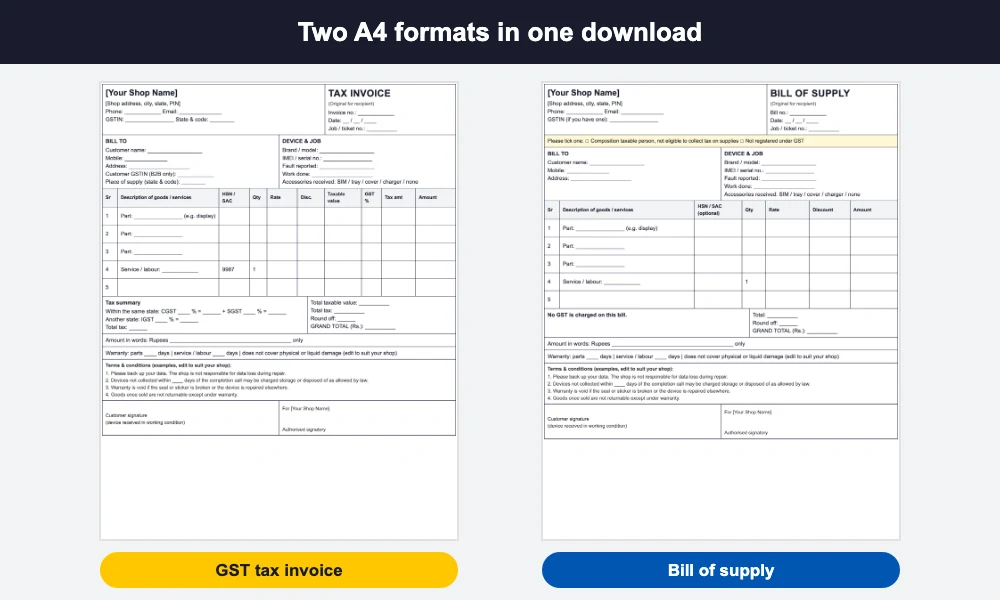
Both mobile repair bill format templates are blank A4 files with no company data: open the Word file, type your shop’s details once and save it as your master copy, or print the PDF and fill the bill by hand. The formats follow common Indian GST practice, but rules and thresholds change, so have your CA look at your final layout once.
Which mobile repair bill format does your shop need: tax invoice or bill of supply?
This is the first decision, and it depends on how your shop is registered, not on what you repair.
- Regular GST-registered shop: issue a tax invoice. It shows your GSTIN, the tax on every line, and the customer can claim input credit if they are a registered business.
- Composition scheme shop: issue a bill of supply. You cannot collect GST from the customer, so the bill carries no tax amount and states that you are a composition taxable person who is not eligible to collect tax on supplies.
- Shop below the registration limit and not registered: you cannot charge GST either. Use the bill of supply layout (or a plain bill) without a GSTIN and without any tax.
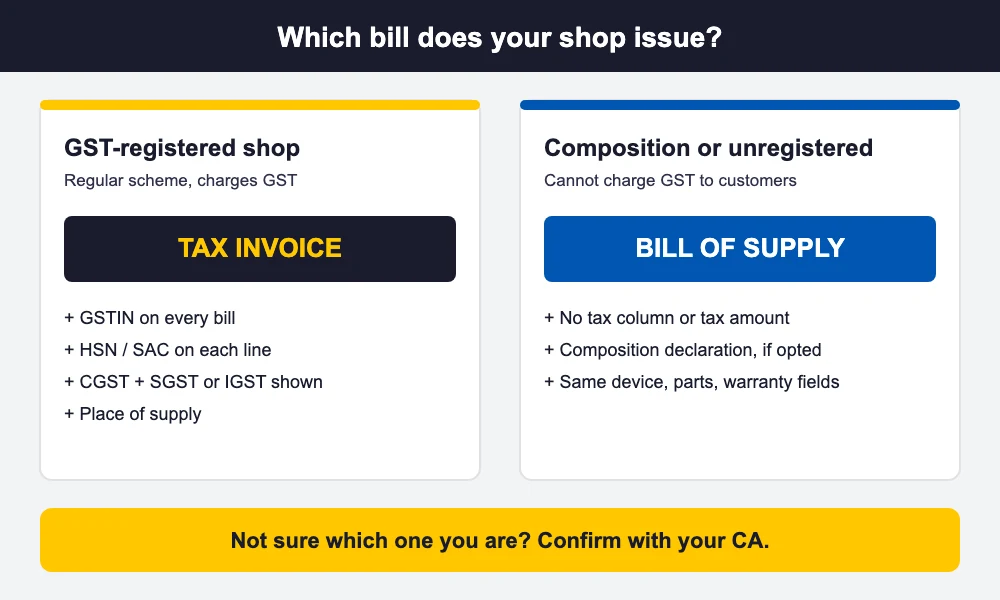
Never print a GST amount on a bill if you are not registered, and never skip it if you are a regular registered shop. Which scheme applies depends on your turnover, your state and what you sell, so confirm with your CA before you start using either format. You can check registration details on the GST portal.
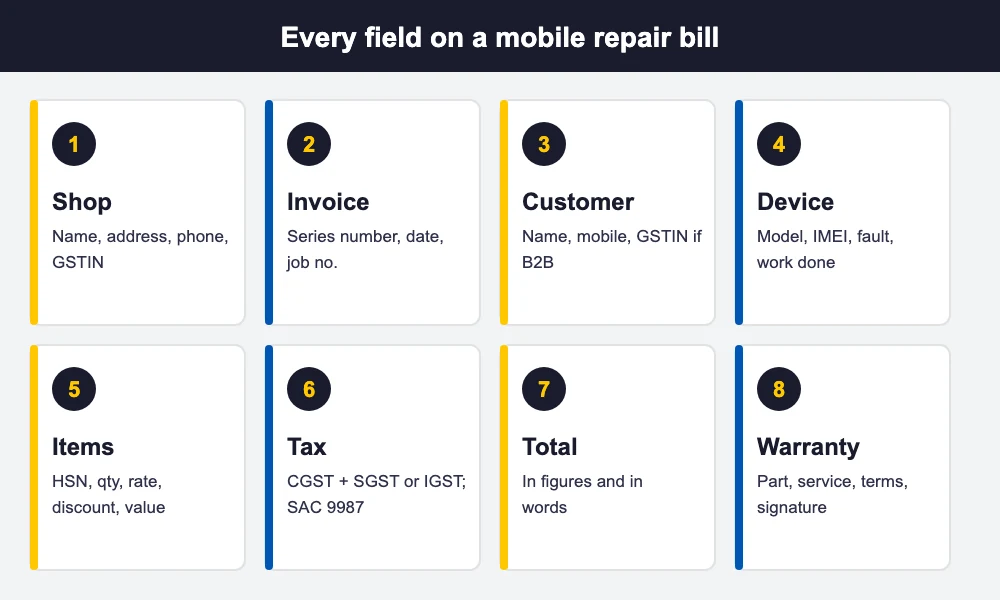
Mobile repair bill format: every field you need
These are the fields to keep on every mobile repair bill, grouped the way they appear on the template.
Shop details
- Shop name, full address, phone number and email.
- GSTIN and state code (tax invoice, or composition shops that have one).
Invoice details
- Invoice number: a unique, running number. GST rules allow up to 16 characters of letters, numbers, hyphen and slash, so a series like MR/25-26/0001 works and restarts each financial year.
- Date of the bill.
- Job or ticket number, so the bill ties back to the intake slip.
Customer details
- Customer name and mobile number (you will need the number to send updates and warranty reminders).
- Customer GSTIN only when you bill a business (B2B). Walk-in customers do not need one.
- Place of supply (state and code), which decides whether you charge CGST and SGST or IGST.
Device and job details
- Brand and model, and the IMEI or serial number. The IMEI proves which handset you repaired.
- Fault reported by the customer and the work actually done.
- Accessories received (SIM, tray, cover, charger), so nobody argues later.
Parts and labour lines
- Each part on its own line with description, HSN code, quantity, rate, discount and taxable value.
- Service or labour as a separate line with SAC 9987 (repair and maintenance services), usually at 18% GST. Confirm the current rate on the GST portal.
Tax, total, warranty and terms
- CGST and SGST for a sale within your state, IGST for a sale to another state, with the tax rate and amount.
- Grand total in figures and in words, plus any round-off.
- Warranty on the part and on the service, stated separately, with what it does not cover (physical or liquid damage, for example).
- Terms you choose, such as data backup being the customer’s responsibility, or how many days a finished device can stay uncollected. Treat these as examples and set your own.
- Customer signature and the shop’s authorised signature.
GST on a mobile repair bill: HSN, SAC, CGST, SGST and IGST
For a tax invoice, each parts line carries an HSN code and each labour line carries SAC 9987. Which HSN code fits a display, a battery or a charger, and how many digits you must print, depends on the part and your turnover. Our guide to HSN and SAC codes for mobile repair lists the headings shop owners use most, with the usual confirm-with-your-CA caveats.
Most counter repairs are within one state, so tax is split into CGST and SGST, each half of the GST rate. If the customer’s place of supply is in another state, charge IGST for the full rate. The tax summary box in this mobile repair bill format has room for both. If your turnover crosses the e-invoicing threshold, your invoices must also be reported through the government system, which is another reason to ask your CA which rules apply to you.
A filled mobile repair bill format example (generic, amounts left blank)
Here is how a screen replacement would sit in the mobile repair bill format for a tax invoice. Names are generic and amounts are deliberately blank, so you can follow the structure without mistaking it for a price list.
| Your Shop Name, Shop address, City, State, PIN · GSTIN: (your 15-character GSTIN) · TAX INVOICE No. MR/25-26/0042 · Date: __/__/____ | |
| Bill to: Customer Name, mobile 98XXXXXXXX Place of supply: your state |
Device: Brand and model, IMEI: 15 digits Job no. 1187 · Fault: cracked display, touch not working |
| Description | HSN/SAC | Qty | Rate | Taxable value | CGST 9% + SGST 9% |
|---|---|---|---|---|---|
| Replacement display (part) | HSN as per your CA | 1 | ₹ ____ | ₹ ____ | ₹ ____ + ₹ ____ |
| Display fitting (labour) | SAC 9987 | 1 | ₹ ____ | ₹ ____ | ₹ ____ + ₹ ____ |
Below the lines: grand total in figures and words, then Warranty: display 90 days, labour 30 days (not valid on physical or liquid damage), your terms and both signatures. The warranty periods here are examples; set your own.
A4 bill or thermal receipt?
Use A4 when the customer needs a proper tax invoice, for example a business customer who will claim input credit, or a repair with several lines and a long warranty note. Use a 58 mm or 80 mm thermal receipt for fast counter sales and small jobs. A thermal receipt is narrow, so keep only the essentials: shop name and GSTIN, invoice number and date, item lines with tax, the total, warranty in one line and a phone number. Whichever mobile repair bill format you print, the legal fields stay the same, and thermal paper fades, so give an A4 copy for any job that carries a long warranty.
Common mobile repair billing mistakes
These slips spoil an otherwise good mobile repair bill format:
- No IMEI on the bill. A warranty claim months later cannot be tied to the handset.
- One lump-sum line. Parts and labour need separate lines because they carry different codes (HSN versus SAC).
- Charging GST without being registered, or leaving it out when you are. Both create problems at filing time.
- Repeating invoice numbers or skipping numbers in a series, which makes returns hard to reconcile.
- One HSN code copied to every part. A battery and a charger are not the same code.
- Warranty missing or vague. Write the days for the part and the service separately, and what is excluded.
- No customer signature on the handover copy.
- Prices with discount but no taxable value, so the tax is calculated on the wrong figure.
How BytePhase creates the bill for you
A mobile repair bill format on paper is a good start, but retyping the same fields on every job is slow and error-prone. With BytePhase mobile repair shop software, the bill comes from the job itself:
- The IMEI is saved on the job when you take the phone in (typed or scanned), so it is already there at billing.
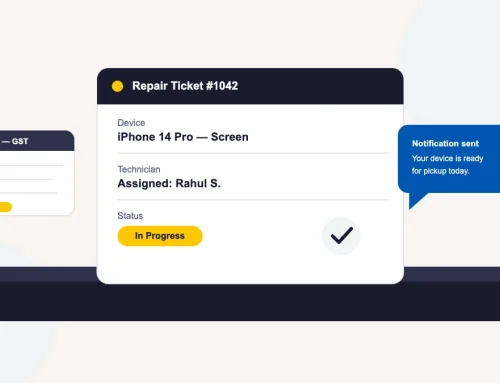
- You raise the invoice from the job; parts come off your stock onto the bill and your labour sits on its own line, with tax applied per line in a GST-compliant way.
- A part’s warranty, for example 90 days, is set on the part and prints on the bill.
- You can choose the columns that print, including quantity, rate, discount, tax and an HSN code column.
- Print on A4 or on a 58 mm or 80 mm thermal printer, and send the bill by WhatsApp, SMS or email.
Starting a shop? Our guide on how to start a phone repair business covers the rest of the setup, from licences to the tools you need. BytePhase is used by 2,000+ repair businesses in 40+ countries on web, Android and iOS.
Frequently asked questions
Shop name, address, phone and GSTIN; a unique invoice number and date; the customer’s name and mobile; the device model and IMEI; the fault and the work done; parts and labour as separate lines with HSN and SAC codes; CGST and SGST (or IGST); the total in figures and words; warranty on the part and on the service; and a signature.
A tax invoice is issued by a GST-registered shop and shows the tax charged on each line. A bill of supply is issued by a shop that cannot charge GST, such as a composition scheme shop, and carries no tax amount. Which one applies to you depends on your registration, so confirm with your CA.
Repair and maintenance of goods generally falls under SAC 9987, usually at 18% GST. Confirm the current rate and your exact sub-code on the GST portal or with your CA before filing.
Yes. It is not a GST field, but the IMEI proves exactly which handset you repaired, which settles most warranty and ownership disputes later. Note the IMEI or serial number on the job at intake and print it on the bill.
For quick counter sales a 58 mm or 80 mm thermal receipt is fine if it still carries your shop name and GSTIN, invoice number, date, item lines with tax, the total and the warranty. Give an A4 invoice to business customers and for jobs with a long warranty, since thermal print fades.
The bottom line
Pick the right mobile repair bill format for how your shop is registered, put the same fields on every bill, and keep parts, labour, IMEI and warranty clear. Use the templates above today, and move the bill into your repair software when typing it by hand starts costing you time.
Create the bill from the job instead of retyping it with BytePhase mobile repair shop software. Try it for 15 days or book a demo: