Computer Repair Invoice Template: Free Invoice and Receipt (Word, PDF)
A computer repair invoice is not just a bill. It is the record that says which machine came in, what condition it was in, what you found, what you replaced and what the customer agreed to. Most generic invoice generators skip half of that. This computer repair invoice template is built for a computer or laptop repair counter, with a device serial number, an accessories list, a data backup acknowledgment, parts with serials, labor, warranty and a pickup signature, plus a short repair receipt you can hand over with the device.
In short: a computer repair invoice should show the shop and customer details, the device brand, model and serial number, the accessories you received, the problem and your diagnosis, parts and labor as separate lines, any data backup or recovery service, sales tax, the total and balance due, the warranty and a signed pickup acknowledgment. Use a check-in ticket at drop-off, an invoice when the repair is done and a short repair receipt at pickup. Download the blank invoice and receipt below in Word and PDF (US Letter).
Writing invoices by hand every day? In BytePhase the invoice is raised from the job, with the device details already on it. See how computer repair shop software handles it.
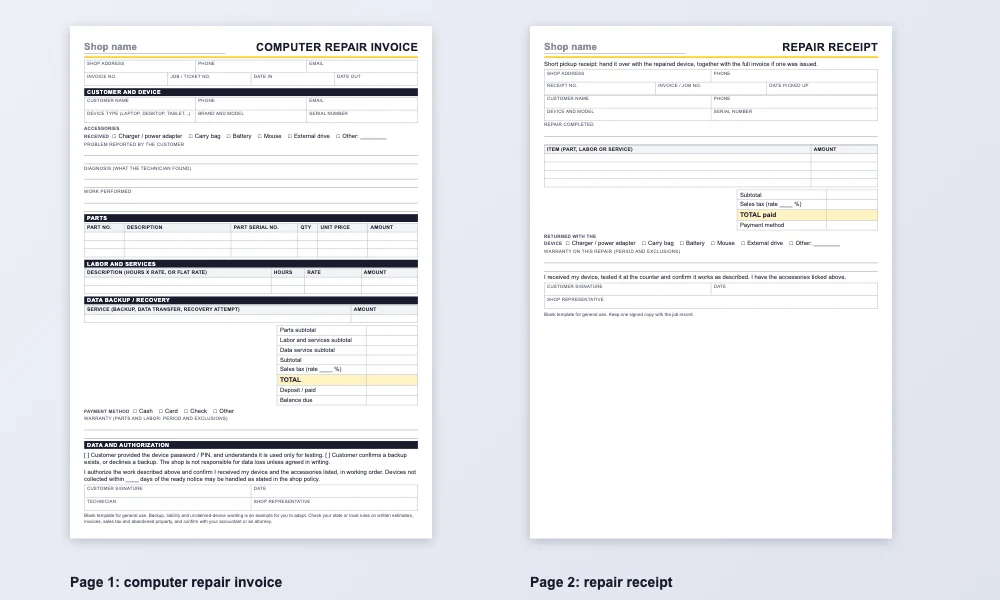
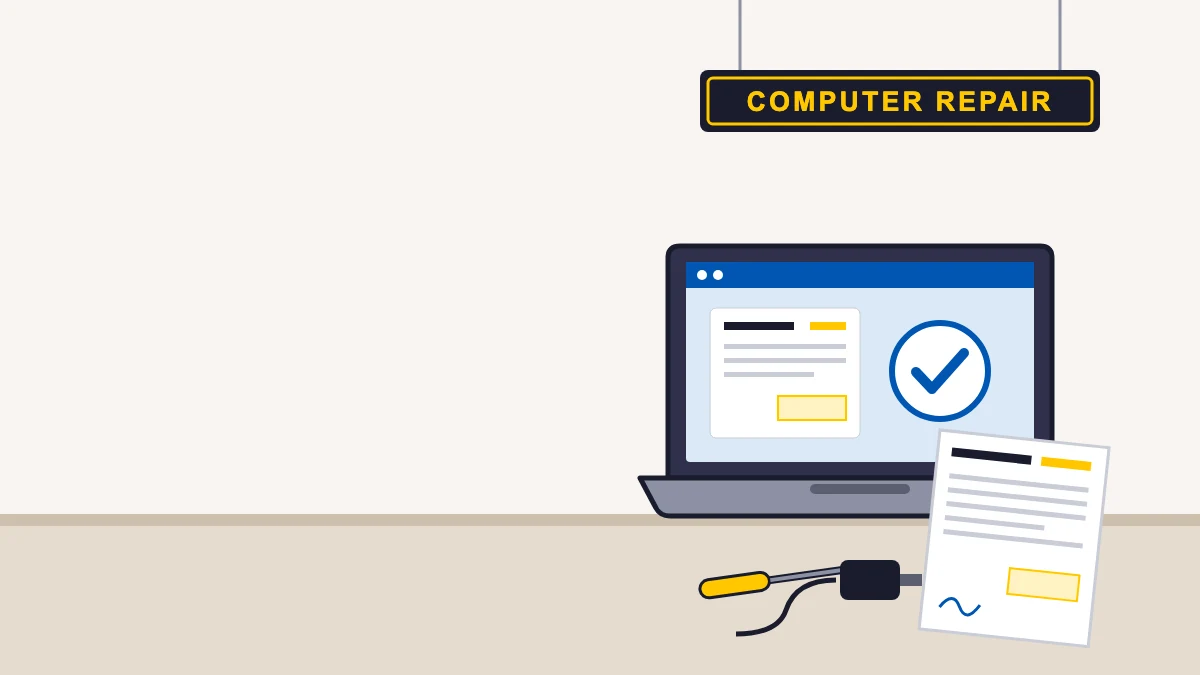
Both pages of this computer repair invoice template are blank US Letter files with no company data. Open the Word file, type your shop’s name and address once and save it as your master copy, or print the PDF and fill it in by hand. A second page holds the repair receipt. Treat the wording in this computer repair invoice template as an example to adapt, not legal advice.
Computer repair invoice template: what it must include
These are the fields to keep on every computer repair invoice. They are grouped the way they appear on the computer repair invoice template above.
Shop, customer and job details
- Shop name, address, phone and email.
- A unique invoice number, plus the job or ticket number so the invoice ties back to the intake form.
- Date in and date out, which shows how long the device was with you.
- Customer name, phone and email.
Device details and accessories received
- Device type, brand and model, and the serial number. The serial number proves which machine you repaired, which settles most warranty and ownership questions later.
- Accessories received: charger, carry bag, battery, mouse, external drive. If it is not written down at drop-off, you cannot prove you returned it.
Problem, diagnosis and work performed
- The problem as the customer described it, in their words.
- Your diagnosis: what the technician actually found.
- The work performed, in plain language the customer can follow.
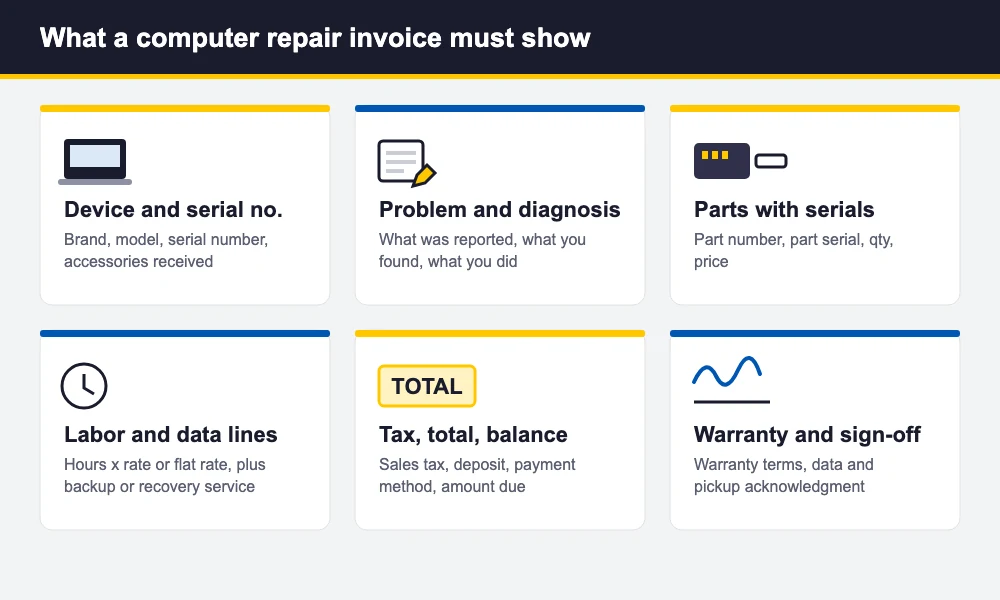
Parts, labor and data service lines
- Each part on its own line with part number, description, quantity and price. Add the part’s serial number for items like drives and memory when you track them.
- Labor as hours times a rate, or a flat rate, on a separate line.
- A separate data backup, transfer or recovery line when you do that work, so the charge is visible and agreed.
Tax, total, payment and warranty
- Subtotals for parts, labor and data service, sales tax, total, any deposit and the balance due. Whether repair labor is taxable differs by state, so confirm with your accountant.
- Payment method.
- Warranty on parts and on labor, with the period and what is excluded (liquid damage and physical damage, for example).
Invoice vs. repair receipt vs. check-in ticket
Many shops use one piece of paper for everything and end up with a document that does none of the jobs well. Three short documents, each handed over at the right moment, work better, and this computer repair invoice template covers two of them.
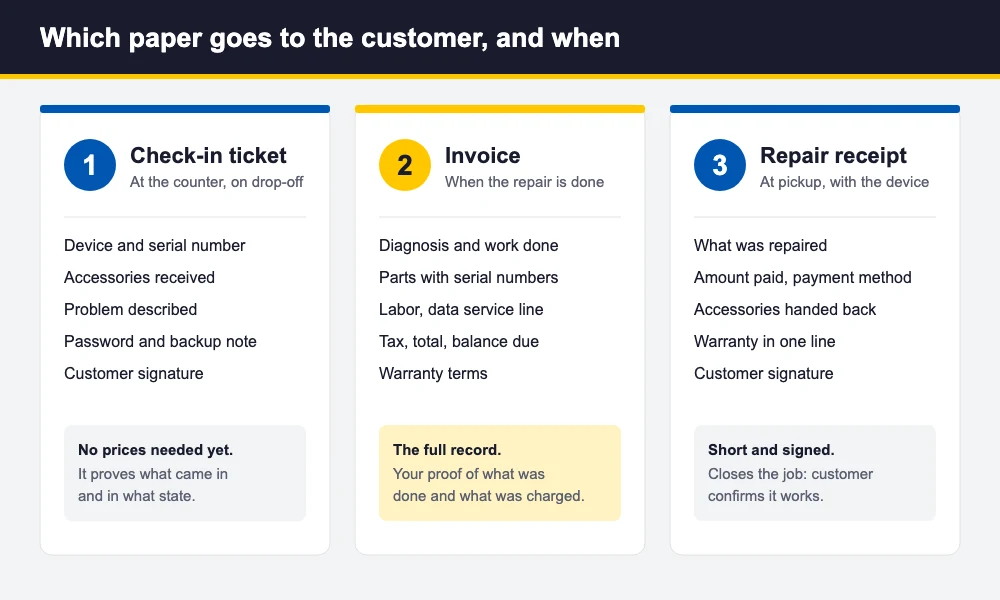
- Check-in (intake) ticket, at drop-off. Records the device, serial number, accessories, the problem, the password and backup note and the customer’s signature. No prices are needed yet. It proves what came in and in what condition.
- Invoice, when the repair is done. The full record: diagnosis, parts, labor, tax, total and warranty. This is the document you keep for your books and for any warranty claim.
- Repair receipt, at pickup. A short page handed over with the device: what was repaired, the amount paid and the payment method, accessories returned, the warranty in one line and the customer’s signature confirming the device works. It closes the job.
For a walk-in fix paid on the spot, the invoice and the receipt can be one page. For anything with a diagnosis, parts on order or a balance, keep them separate. Our guide on how to start a computer repair business covers how to price and structure that workflow.
Data and liability lines to add (examples, not legal advice)
Computer repairs put customer data in your hands, which is why the paperwork needs a few extra lines. The shop decides the exact wording, and an attorney should review it for your state. These are the usual topics:
- Backup acknowledgment. A tick box saying the customer has a backup or declines one, and that you are not responsible for data loss unless agreed in writing.
- Password or PIN. If you need to log in to test the machine, note that the customer provided it and that you use it for testing only.
- Data service is separate. A backup or recovery attempt is a line item, and recovery is never guaranteed. Say so.
- Diagnostic or evaluation fee. If you charge one, state it and say whether it is credited toward the repair.
- Unclaimed devices. A line saying that devices not collected within a set number of days (30, 60 or 90, your choice) may be handled as stated in your policy. Abandoned property rules vary by state, so check yours.
- Warranty exclusions. Liquid damage, physical damage, software installed later and problems unrelated to the original repair.
A filled computer repair invoice template example (amounts left blank)
Here is how a laptop repair would sit on the computer repair invoice template. The names are generic and the amounts are deliberately blank, so you can follow the structure without mistaking it for a price list.
| Your Shop Name, Shop address, City, ST ZIP · Invoice no. INV-1042 · Job no. 1187 · Date in: __/__/____ · Date out: __/__/____ | |
| Customer: Customer Name, phone (555) 010-0199 | Device: Laptop, Brand and model, Serial no. XXXXXXXX Accessories received: charger, carry bag |
| Problem: will not power on after a drop. Diagnosis: failed battery and cracked display hinge cover. Work performed: replaced battery, replaced hinge cover, tested for 24 hours. | |
| Description | Part serial no. | Qty | Unit price | Amount |
|---|---|---|---|---|
| Replacement battery (part) | XXXXXXXX | 1 | $ ____ | $ ____ |
| Hinge cover (part) | n/a | 1 | $ ____ | $ ____ |
| Labor: battery and hinge cover replacement, 1.0 hr | $ ____ | $ ____ | ||
| Data backup before repair (service) | 1 | $ ____ | $ ____ |
Below the lines: subtotal, sales tax, total, then Warranty: parts 90 days, labor 30 days (not valid on liquid or physical damage), the backup acknowledgment and both signatures. The warranty periods are examples. Set your own.
Common computer repair invoice mistakes
These slips spoil an otherwise good computer repair invoice template:
- No serial number. You cannot prove which machine came in, and swapped-device disputes are hard to win.
- No accessories list. A missing charger or bag becomes your word against the customer’s.
- Vague labor. “Repair, one lump sum” gives the customer nothing to check. Write the work done and the hours or flat rate.
- Parts and labor mixed on one line, which makes tax and warranty hard to apply.
- No data language. If a drive fails or a reinstall wipes a disk, a signed backup note is your protection.
- Missing warranty period or exclusions. Write the days for parts and labor separately.
- No pickup signature, so you cannot show the customer received a working device.
- Repeating or skipping invoice numbers. Use a running series.
If you also work on vehicles, our auto repair invoice template is the vehicle version of this computer repair invoice template, with VIN, odometer and parts, labor and sublet sections.
How BytePhase creates the invoice for you
A paper computer repair invoice template is a good start, but retyping the same fields on every job is slow and error-prone. With BytePhase computer repair shop software, the invoice comes from the job itself:
- The job records the device details, including the serial number, and the accessories received, when you take the device in. The print settings let you show them on the printed copy.
- You raise the invoice from the job. Parts come off your stock onto the bill, labor sits on its own line, and tax is applied per line using your own tax name and rate.
- A part’s warranty, for example 90 days, is set on the part and prints on the bill.
- Capture the customer signature and before and after photos, and use an OTP (6-digit code) handover so the right person collects the device.
- Bill parts and accessories sold at the counter with a repair POS system that shares the parts list and customer record with your repair jobs.
- Print on US Letter or A4, or on a 58 mm or 80 mm thermal printer, and send the invoice or updates by WhatsApp, SMS or email.
An estimate can be approved by the customer from a link and converted into the invoice with the same lines. For a comparison of tools, see the best software for managing a computer repair business. BytePhase runs on web, iOS and Android, with no per-device limit, and is used by 2,000+ repair businesses in 40+ countries.
Frequently asked questions
Shop and customer details, an invoice number and dates, the device brand, model and serial number, the accessories received, the problem and your diagnosis, parts and labor as separate lines, any data backup or recovery service, sales tax, the total and balance due, the warranty and a signed pickup acknowledgment.
An invoice is the full record of the repair: diagnosis, parts, labor, tax, total and warranty. A repair receipt is a short page handed over at pickup that shows what was repaired, the amount paid, the accessories returned and the customer’s signature. For a quick fix paid on the spot, one page can do both jobs.
Yes. The serial number proves which machine you repaired, which settles most warranty and swapped-device disputes later. Record it on the check-in ticket at drop-off and carry it onto the invoice, along with the accessories you received.
Common examples are a backup acknowledgment (the customer has a backup or declines one), a note that data recovery is never guaranteed, a statement that any password supplied is used for testing only, and a policy for devices not collected after a set number of days. The shop decides the wording and an attorney should review it for your state. This is not legal advice.
Yes. The template works for laptops, desktops, tablets and other electronics. Change the device type and the accessories list to fit what you repair, and keep the serial number, diagnosis, parts, labor and warranty fields.
The bottom line
A good computer repair invoice template proves what came in, what you did and what the customer agreed to. Put the serial number, accessories, backup acknowledgment, separate parts and labor lines, warranty and a pickup signature on every one. Use the computer repair invoice template above today, and move the invoice into your repair software when typing it by hand starts costing you time.
Create the invoice from the job instead of retyping it with BytePhase computer repair shop software. Try it free for 15 days or book a demo: