How to Start a Computer Repair Business in 2026: Complete Guide

How to start a computer repair business, in short: research your local market and pick a niche (home users vs. small-business/managed-service clients), write a lean business plan with realistic startup costs, register the business and check local licensing rules, build core repair skills, assemble a diagnostic toolkit, choose between a storefront, mobile/on-site, or home-based model, and set clear pricing before you take your first paying job. Most solo computer repair businesses can be running within a few weeks on a modest budget — the bulk of it goes to tools, a small parts inventory, and basic registration, not real estate. The rest of this guide walks through each step in order, including a realistic startup-cost estimate, the licenses and skills worth having, and the software that keeps day-to-day operations from turning into a spreadsheet mess.
Step 1: Research Your Market and Choose a Niche
Before you buy a single screwdriver, spend a week understanding who you would actually be fixing computers for. Two broad customer types drive almost every computer repair business, and the one you lean into shapes your pricing, marketing and even your hours:
- Home users and consumers — walk-in or drop-off repairs like slow laptops, virus removal, screen and battery replacement, and data recovery. Volume is higher, individual tickets are smaller, and word-of-mouth and local search matter most.
- Small business and managed-service clients — ongoing IT support, network troubleshooting, and device fleets for local offices, clinics and shops. Fewer clients, larger recurring revenue per client, and relationships matter more than walk-in traffic.
Many repair businesses start with consumer walk-ins because they’re easier to win with local marketing, then add small-business contracts once they have a reputation. Before committing, check how many computer repair shops already operate within a reasonable driving radius, what they specialize in, and whether there’s a gap — data recovery, gaming PC builds, or on-site business support are common under-served niches in smaller towns.
Step 2: Write a Business Plan and Estimate Startup Costs
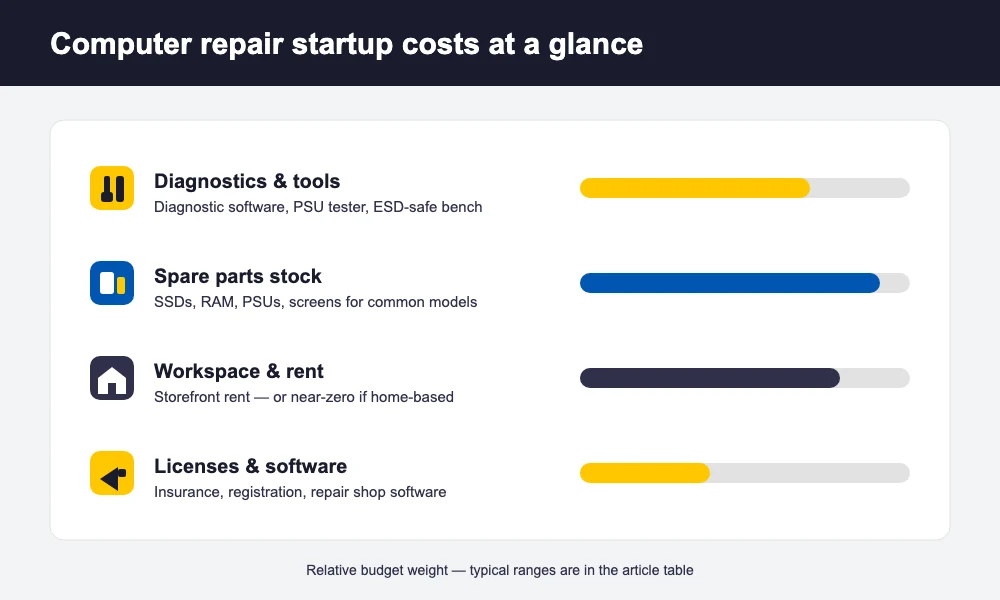
A computer repair business plan does not need to be a fifty-page document. It needs to answer four questions: who are you serving, what will you charge, what will it cost to open, and how many repairs do you need each month to cover your costs. The startup-cost side is where most first-time owners either overestimate (assuming they need a storefront on day one) or underestimate (forgetting insurance, a starter parts inventory, or software).
The table below is a planning estimate only — industry-typical U.S. ranges, not a quote. Actual costs vary heavily by city, whether you work from home or rent a space, and how much equipment you already own.
| Startup item | Typical U.S. range (estimate) |
|---|---|
| Business registration & local licenses | $50 – $400 |
| Repair tools & diagnostic equipment (starter kit) | $300 – $1,500 |
| Starter parts & consumables inventory | $200 – $1,000 |
| Repair-shop / ticketing software (first month) | $0 – $100 |
| Website, business phone number & basic marketing | $200 – $1,000 |
| General liability insurance (annual) | $300 – $1,200 |
| Storefront buildout & first month’s rent (if applicable) | $2,000 – $10,000+ |
| Contingency buffer | ~10% of the above |
A home-based or mobile computer repair business can realistically open on the lower end of this range, since it skips the buildout and rent line entirely. A storefront pushes the total considerably higher — treat that row as the one to defer until walk-in revenue justifies it. Whatever numbers you land on, sanity-check them against your own city’s costs before you commit; a national estimate is a starting point, not a budget.
Step 3: Register the Business and Handle Licensing
Most computer repair businesses start as a sole proprietorship or a single-member LLC — an LLC is worth the modest extra paperwork because it separates your personal assets from business liability. From there, the typical checklist is: register your business name with your state, get an EIN from the IRS if you’ll hire anyone or want to open a business bank account, check whether your city or county requires a general business license, and confirm whether you need a sales tax permit if you’ll be selling parts or hardware.
Zoning matters too, especially for home-based and storefront businesses — some residential zones or HOAs restrict operating a repair business from home, and commercial leases have their own permitting requirements. Rules vary enormously by state, county and city, so this is genuinely one to verify locally rather than assume. The U.S. Small Business Administration’s 10 steps to start your business guide is a solid, neutral starting point for the registration and licensing sequence before you talk to a local attorney or accountant about your specific situation.
Step 4: Build the Skills and Certifications That Matter
You don’t need a certification to legally open a computer repair business in most places, but a few credentials make a real difference in customer trust and in your own confidence walking into a first business-support contract:
- CompTIA A+ — the most widely recognized entry-level hardware and OS troubleshooting certification, and a common baseline expectation for technician hires.
- CompTIA Network+ — useful once you take on small-business networking or managed-service work.
- Manufacturer-specific training (Apple, Dell, HP, Microsoft) — worth pursuing if you plan to specialize in one brand’s devices or advertise authorized-style repairs.
- Data recovery and diagnostics coursework — a differentiator niche that commands higher tickets than routine repairs.
Just as important as the technical side: customers remember how clearly you explained the problem and the price, not how impressive your toolkit looked. Plain-language communication and a fair, upfront estimate close more repeat business than any certificate on the wall.
Step 5: Assemble Your Tools and Diagnostic Equipment
A working repair bench does not require an enormous upfront spend, but a few categories are worth buying properly rather than cheaply:
- Precision screwdriver set (including proprietary bits for laptops and phones) and spudgers/prying tools
- Anti-static wrist strap and mat to protect components you’re handling
- Tweezers, a magnifying lamp or headset, and compressed air
- A multimeter for basic electrical diagnostics
- Bootable diagnostic and cloning USB drives, plus data-backup and imaging tools
- A soldering iron and hot-air rework station, if you plan to take on board-level repairs
- A stocked shelf of common consumables — RAM, SSDs, chargers, cables and common replacement screens — sized to your local device mix
- A well-lit, organized workbench with anti-static flooring or a mat, and labeled parts storage so nothing walks off with the wrong job
Buy the core kit new and reliable; second-hand is fine for bench furniture and storage, less fine for anything that touches customer data or components directly.
Step 6: Choose Your Business Model — Storefront, Mobile, or Home-Based
This decision affects your costs, your reach and the image customers form of you before they even call. None of the three is universally “better” — they suit different niches and different starting budgets.
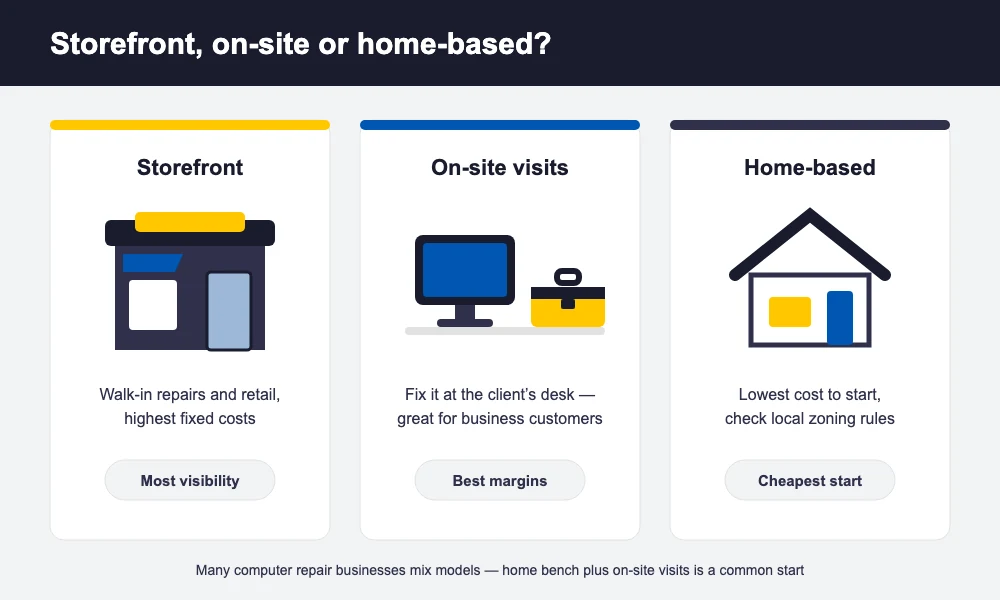
- Storefront — the most credible option to walk-in customers and the easiest to market with signage and foot traffic, but it carries the highest fixed costs: rent, buildout, utilities and staffing if you’re not there full time yourself.
- Mobile / on-site — you go to the customer’s home or office, which is a genuine differentiator for business clients and busy households. Overhead is low, but you can only be in one place at a time, and you’ll spend real hours driving between jobs.
- Home-based — the lowest-cost way to start, ideal for mail-in, drop-off-by-appointment, or purely remote/network support work. The trade-offs are zoning restrictions in some areas, a less “official” first impression, and the need for clear boundaries between a spare bedroom and a professional workspace.
Many owners start home-based or mobile to prove demand with minimal risk, then move to a storefront once consistent walk-in volume justifies the rent.
Step 7: Price Your Repair Services
There are two common pricing structures, and most repair businesses end up using both depending on the job:
- Hourly billing — straightforward for open-ended diagnostic or network troubleshooting work where the scope isn’t known upfront. Customers sometimes find it harder to budget for, so a not-to-exceed estimate helps.
- Flat-rate / per-repair pricing — a fixed price for a defined job (a specific screen replacement, a standard virus-and-tune-up service, a data-transfer job). Easier for customers to say yes to, and it rewards you for working efficiently rather than slowly.
Whichever structure you pick, most shops also charge a small diagnostic fee for evaluating a problem before quoting the repair — often waived or credited if the customer proceeds with the job. Rather than inventing numbers here, the right way to price is to call or check the websites of three to five repair businesses in your actual area, note what they charge for a handful of common jobs, and position yourself based on your niche, speed and service level — not simply the cheapest number on the list. Local cost of living, your specialization (data recovery and board-level work command more than routine cleanups), and how differentiated your service feels all belong in that decision more than a national average would.
Step 8: Get Your First Customers
Your first ten customers matter disproportionately — they set your review base and your referral pipeline. A few channels consistently work for new repair businesses:
- A complete Google Business Profile — photos, services, hours and a way to message you directly; this is where most “computer repair near me” searches land.
- Local partnerships — nearby offices, schools, print shops and electronics retailers that don’t do repairs themselves are natural referral partners.
- A simple referral incentive — a discount for the referrer and the new customer costs little and reliably brings in word-of-mouth business.
- Before/after and explainer content on social media — short posts showing a real repair build trust faster than any ad copy.
- Reactivation messages — a friendly WhatsApp or SMS check-in to past customers around common failure points (battery health, backup reminders) brings back repeat business at almost no cost.
For a deeper set of tactics once you’re past the first few jobs, see our guide on marketing strategies for your computer repair shop.
Step 9: Run Day-to-Day Operations With the Right Software
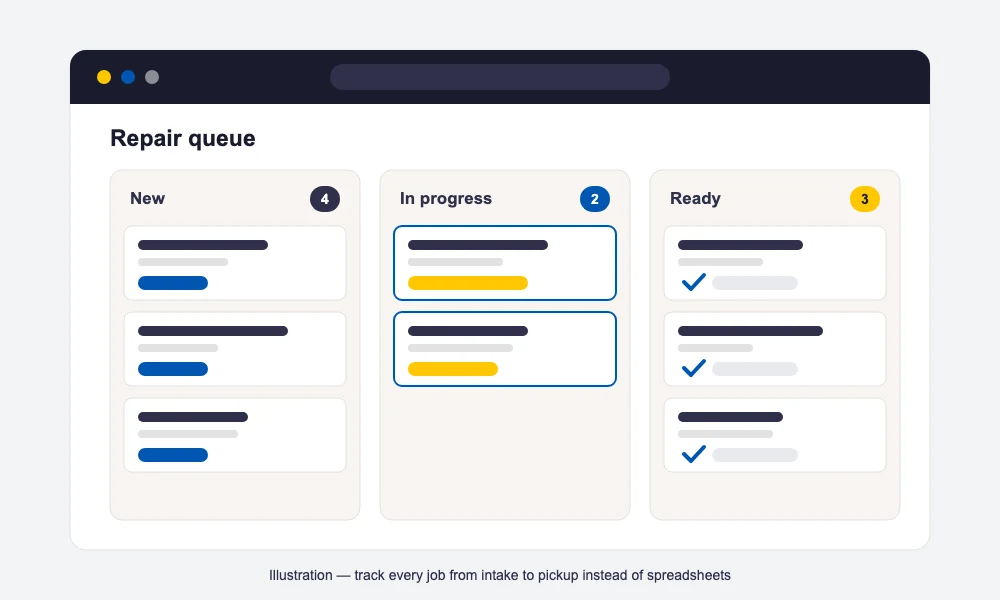
Once you’re taking in more than a handful of jobs a week, a notebook and a spreadsheet stop working — tickets get lost, parts go untracked, and customers start calling to ask “is it ready yet?” instead of getting an update on their own. This is the point where most computer repair businesses move to dedicated computer repair shop software rather than general-purpose tools.
BytePhase is one option built specifically for repair businesses: it’s trusted by 2,000+ repair businesses in 40+ countries, and every account starts with a 15-day free trial that doesn’t require a credit card. Day to day, it covers repair ticket management from intake to handover, barcode-based parts inventory so stock levels stay accurate, and turns an estimate into an invoice without re-typing anything. Customers get automatic WhatsApp, SMS and email status updates at each stage, devices are handed back with OTP-verified delivery, and a digital signature plus device photos are captured at check-in and pickup so there’s never a dispute about condition. It runs as native iOS and Android apps alongside the web app, with no limit on the number of devices your team uses. If you’re comparing options, our best computer repair software roundup lines up several platforms side by side.
Step 10: Track the KPIs That Actually Matter
A handful of numbers tell you whether the business is healthy long before the bank balance does:
- Average repair turnaround time — from intake to ready-for-pickup; the single biggest driver of both reviews and referrals.
- Revenue per ticket — are you quoting and closing jobs at a price that covers your real time, not just parts cost?
- Parts margin — the gap between what you pay for a part and what you charge, tracked separately from labor.
- Repeat-customer rate — the cheapest new job is one from a customer who already trusts you.
- Review volume and rating — directly feeds the local-search visibility that brings in new walk-ins.
Check these monthly rather than daily — a single slow week means little, but a trend over a quarter tells you exactly what to fix first, whether that’s turnaround time, pricing, or how you’re following up with past customers.
Frequently Asked Questions
It varies widely by model. A home-based or mobile computer repair business can often open for a few hundred to around two thousand dollars in tools, a starter parts inventory, and basic registration. A storefront adds rent, buildout and signage, which can push the total to several thousand dollars more. Treat any figure as a planning estimate — check your own city’s actual costs before committing.
It can be, especially with low overhead. Mobile and home-based setups keep fixed costs small, so even modest ticket volume covers expenses quickly. Profitability comes from a mix of steady walk-in or referral volume, healthy parts margins, repeat customers, and — once established — recurring small-business support contracts, which tend to pay more consistently than one-off consumer repairs.
No — most places don’t legally require one to open a computer repair business, though local business licensing rules still apply and vary by state and city. A credential like CompTIA A+ isn’t mandatory, but it builds customer trust and can help you win small-business or managed-service contracts where clients expect a recognized baseline qualification.
Yes, many computer repair businesses start home-based to keep costs low. Check your local zoning rules and any HOA restrictions first, since some residential areas limit running a business from home, and get general liability insurance. Keep business equipment and customer devices separate from personal use, and lean on a strong Google Business Profile and online reviews to offset the less “storefront” first impression.
At minimum, a system for repair tickets, parts inventory, and customer communication — a notebook and spreadsheet stop scaling past a handful of weekly jobs. BytePhase, for example, is trusted by 2,000+ repair businesses in 40+ countries and covers ticket management, barcode inventory, estimates-to-invoices, and automatic WhatsApp/SMS/email updates, with a 15-day free trial.