How to Add a Review Link in the BytePhase Portal (Step-by-Step Guide)

Why Add a Review Link in BytePhase?
In today’s competitive marketplace, customer reviews play a crucial role in shaping your business’s online reputation. Positive reviews not only build trust but also influence potential customers to choose your services. That’s why BytePhase makes it easy and seamless to add a review link for your Google Business Page and website directly within the portal — so you can encourage feedback, grow your credibility, and increase customer engagement effortlessly. Why customer reviews are important.
In this step-by-step guide, we’ll show you how to add a review link in the BytePhase portal, along with tips and best practices to make the most out of this feature.
Benefits of Adding a Review Link in BytePhase
- Encourages Customer Engagement – Making it easy for customers to leave feedback enhances loyalty and satisfaction.
- Strengthens Your Brand Image – A consistent stream of reviews shows that your business is active, trusted, and responsive.
- Boosts Online Visibility – Google reviews improve search rankings, making it easier for potential clients to find you.
- Builds Trust and Credibility – Reviews provide social proof, helping new customers trust your business faster
Step-by-Step Guide to Adding Your Review Link in BytePhase
Follow these simple steps to upload review link and start using it instantly:
Step 1: Log in to the BytePhase Portal
- Visit the official BytePhase Portal.
- Enter your login credentials to access your dashboard.
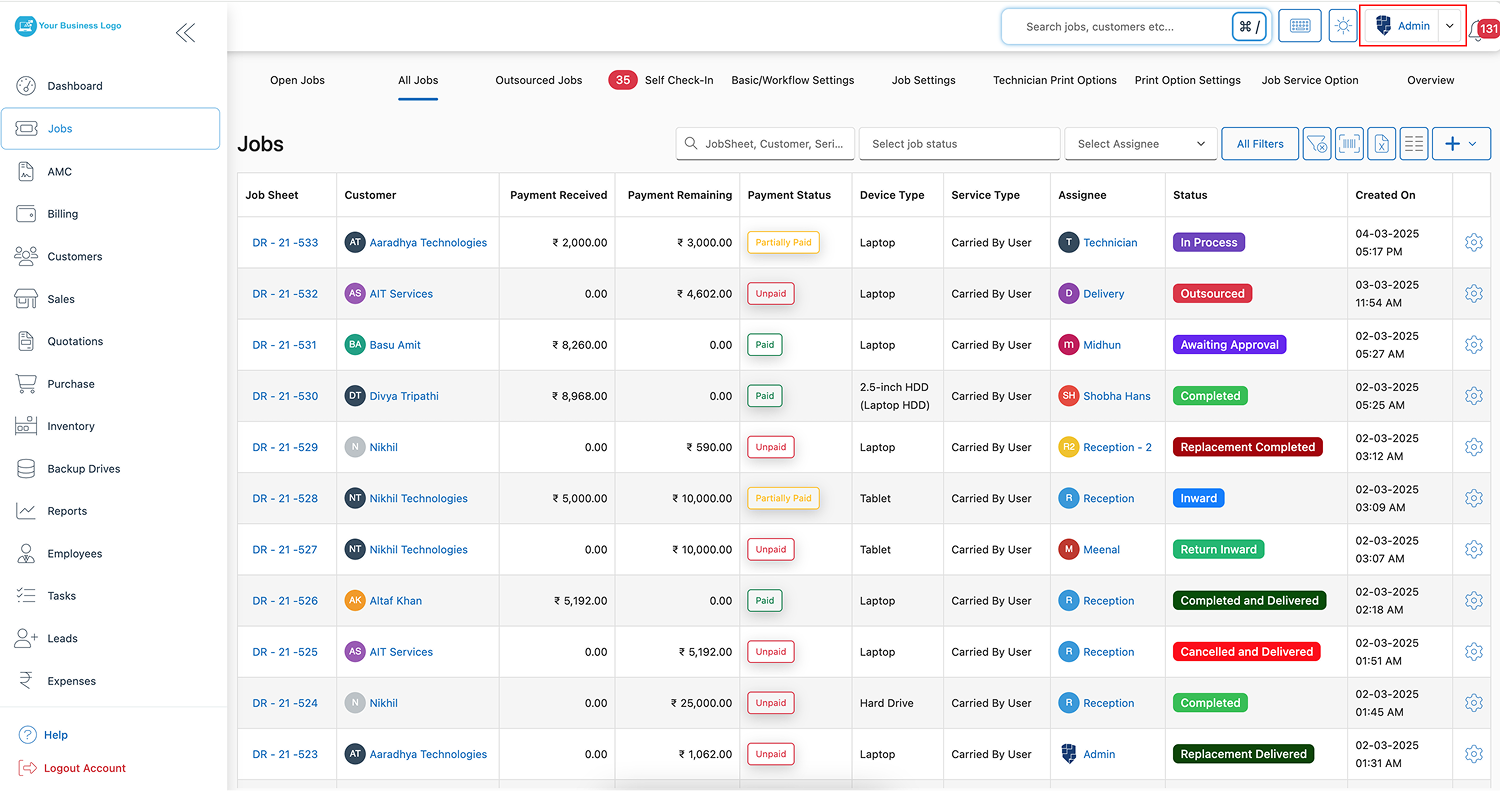
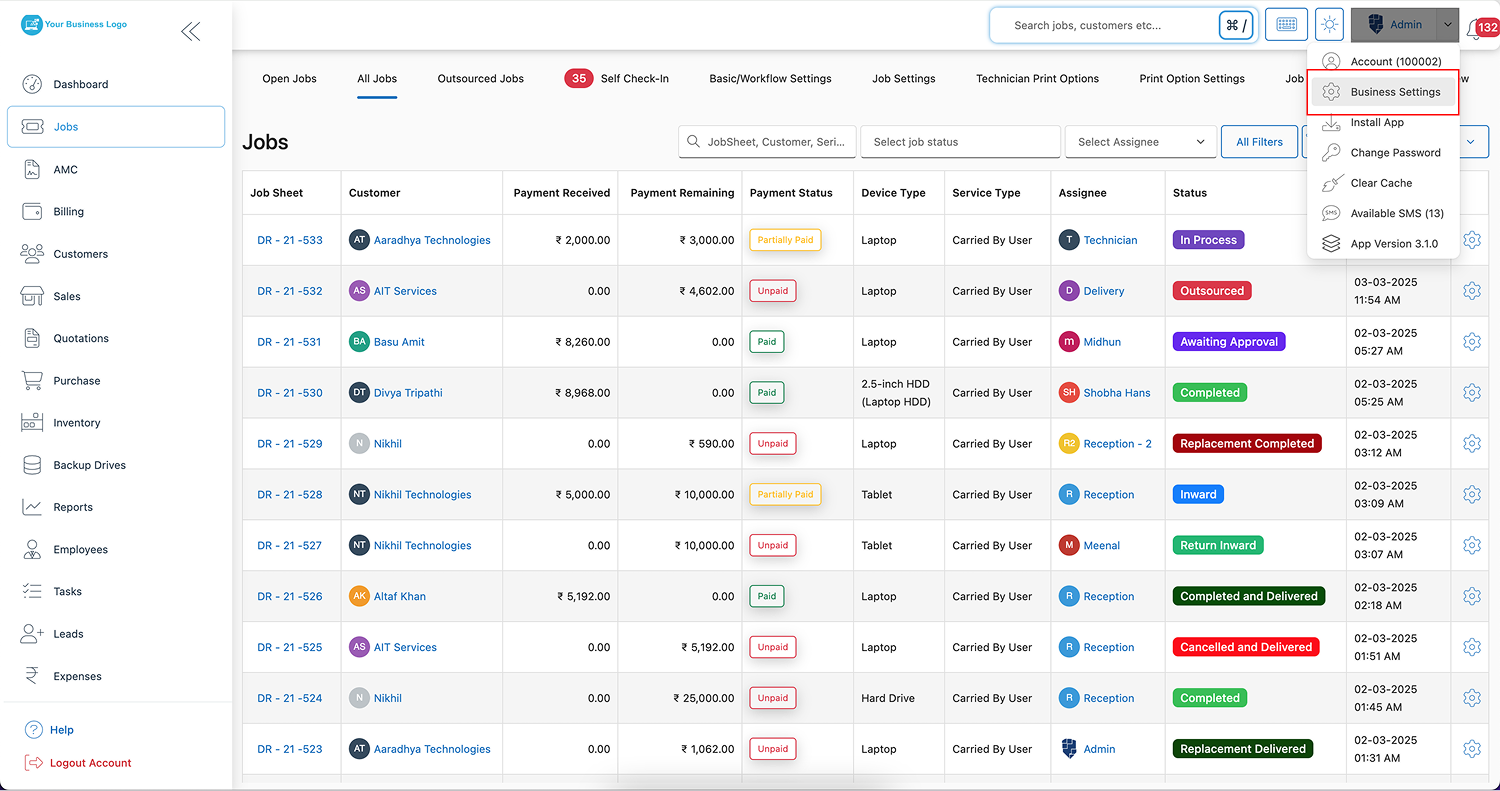
Step 2: Access Business Settings
- Click on your profile icon located at the top right corner of the portal.
- Select “Business Settings” from the dropdown menu.
Step 3: Go to Business Information
- In the Business Settings, click on “Business Information” to manage your company’s profile
Step 4: Add Your Review Links
- Find and click on the “Review Link” tab within Business Information.
- Add your Google Business Page review link and website review link in the provided fields.
💡 Tip: Use shortened URLs (like Bitly) to keep the links clean and easy to share.
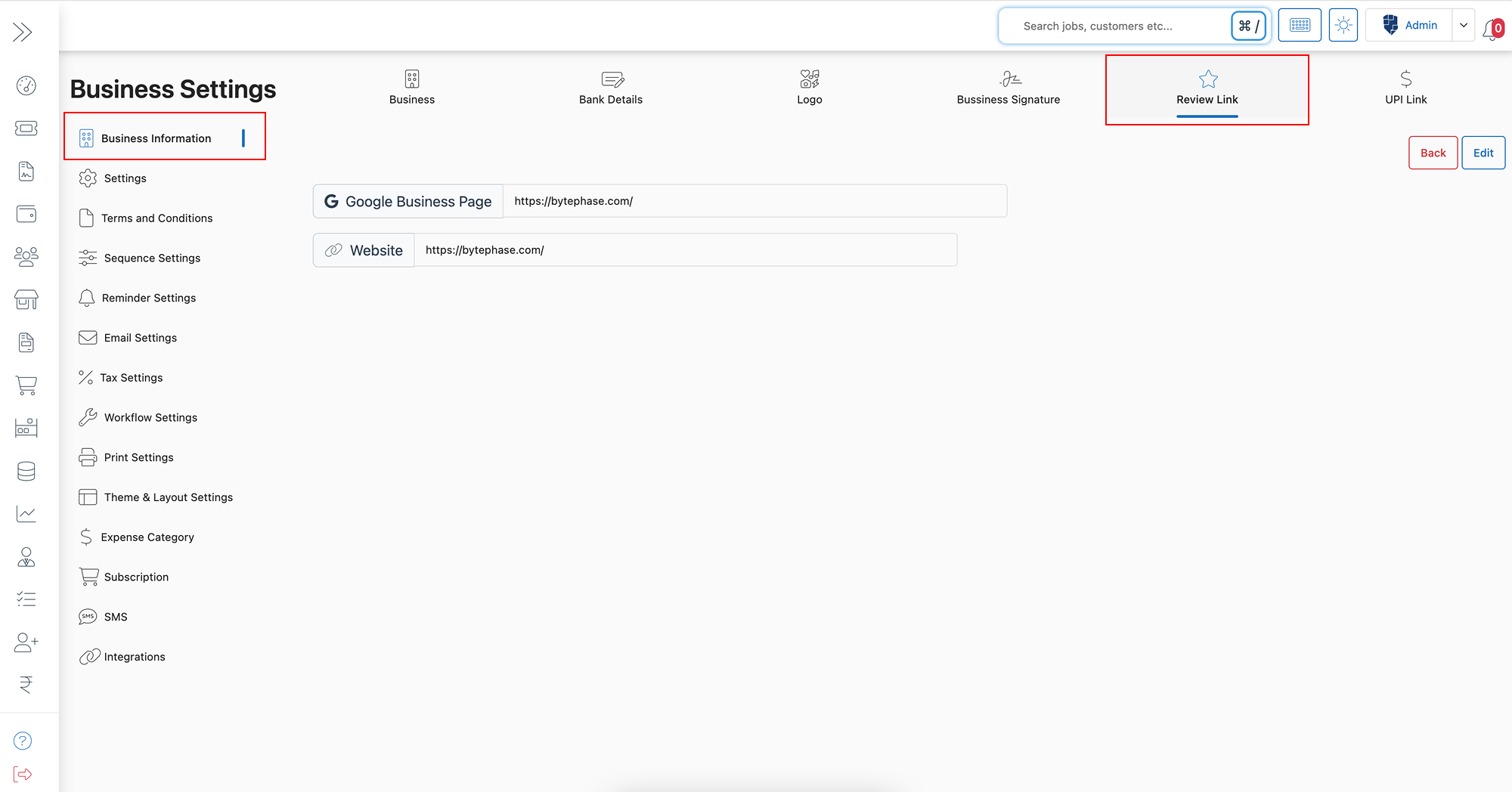
Step 5: Save Your Changes
- After adding your links, click ‘Save’ to apply the updates.
- Your customers can now easily access these links to leave reviews directly from your BytePhase profile and communications.
Practical Example: How BytePhase Review Link Can Help Your Business
Imagine sending an invoice or service update to a client through BytePhase. With your review link added to your profile, customers receive a direct and easy way to leave feedback—increasing the likelihood of positive reviews that boost your business’s reputation.
This pairs naturally with your repair ticket management workflow: once a job is marked complete, the same review link can go out with the closing SMS or email, reaching customers while the experience is still fresh.
Additional Tips to Maximize Customer Reviews
- Politely ask customers to leave a review after service completion.
- Offer a small incentive, like a discount on their next purchase, to encourage reviews.
- Respond to all reviews—both positive and negative—to show you care about customer feedback.
- Monitor and update your review links if your Google Business page URL changes.
Conclusion: Start Collecting Reviews and Building Trust Today with BytePhase
Adding a review link in BytePhase portal is a simple yet powerful way to increase customer trust, improve your online reputation, and grow your business. With a few easy steps, you’ll create a smooth pathway for clients to share their experiences — helping you stand out in a competitive market.
🚀 Ready to get started?
👉 Log in to BytePhase, add your review links, and start collecting positive customer feedback today!
Read more about our other features.
Need help? Check out our Help Center or contact BytePhase Support for personalized guidance.