How to Configure AMC Contract Print Options in BytePhase Portal
Introduction
For businesses offering Annual Maintenance Contracts (AMC), having well-structured and professionally formatted AMC contract printouts is crucial. With BytePhase’s AMC contract print options, you can customize which details appear on AMC documents, so every contract includes the information clients, technicians, and finance teams need.
This guide walks you through how to configure AMC contract print options in BytePhase, step by step.
Why Are AMC Contract Print Options Important in BytePhase?
- Standardized AMC contracts – every contract document follows a consistent, professional format.
- Customizable print details – choose which information appears on AMC documents for clear, concise agreements.
- Error-free documentation – avoid missing critical details like payment terms, service coverage, and response times.
- Automated contract formatting – skip the manual formatting and edits.
- Improved customer experience – professionally formatted AMC contracts build trust and credibility.
Step-by-Step Guide: How to Configure AMC Contract Print Options in BytePhase
Step 1: Log in to BytePhase Portal
- Open the BytePhase Portal and enter your login credentials.
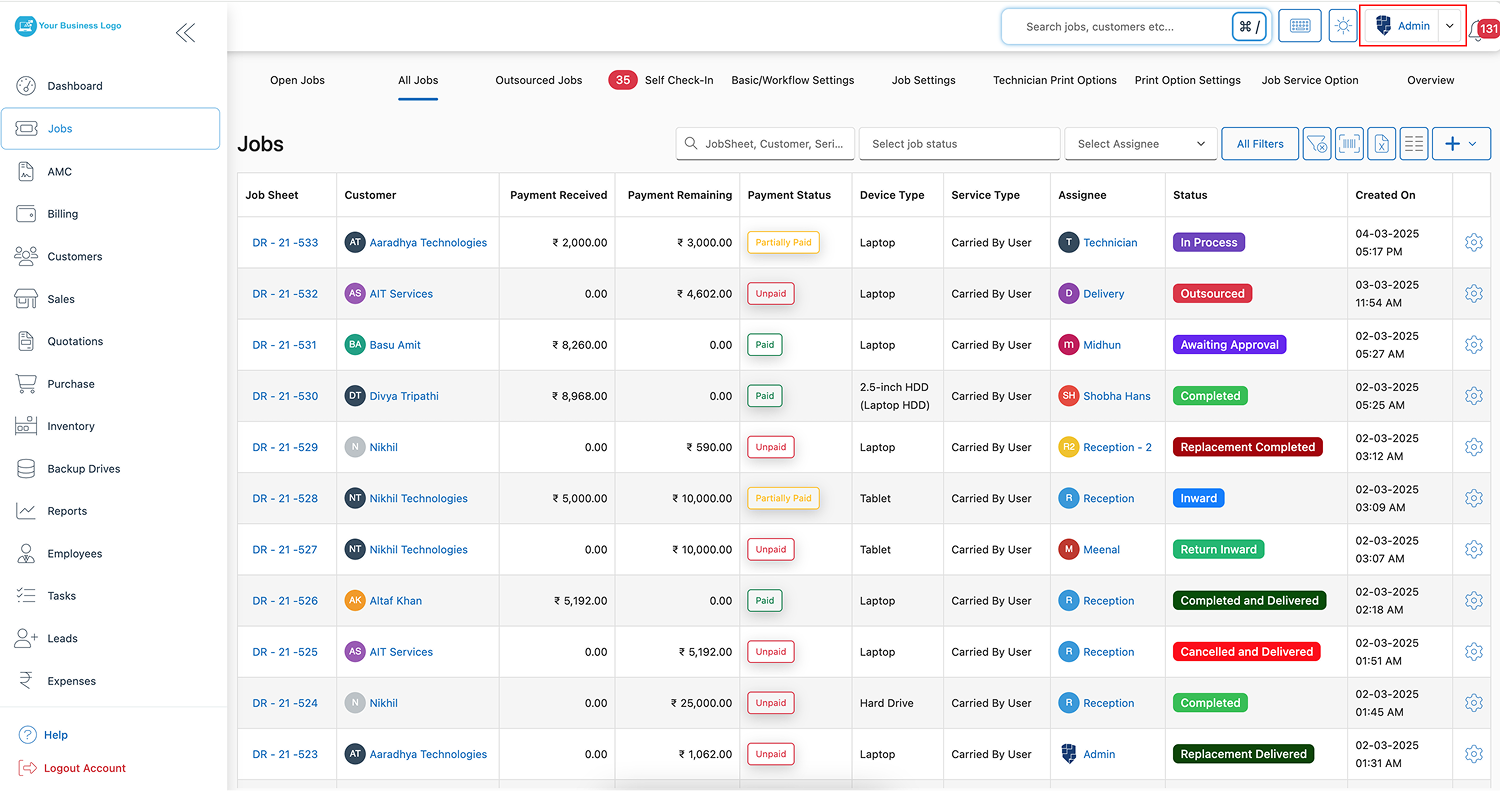
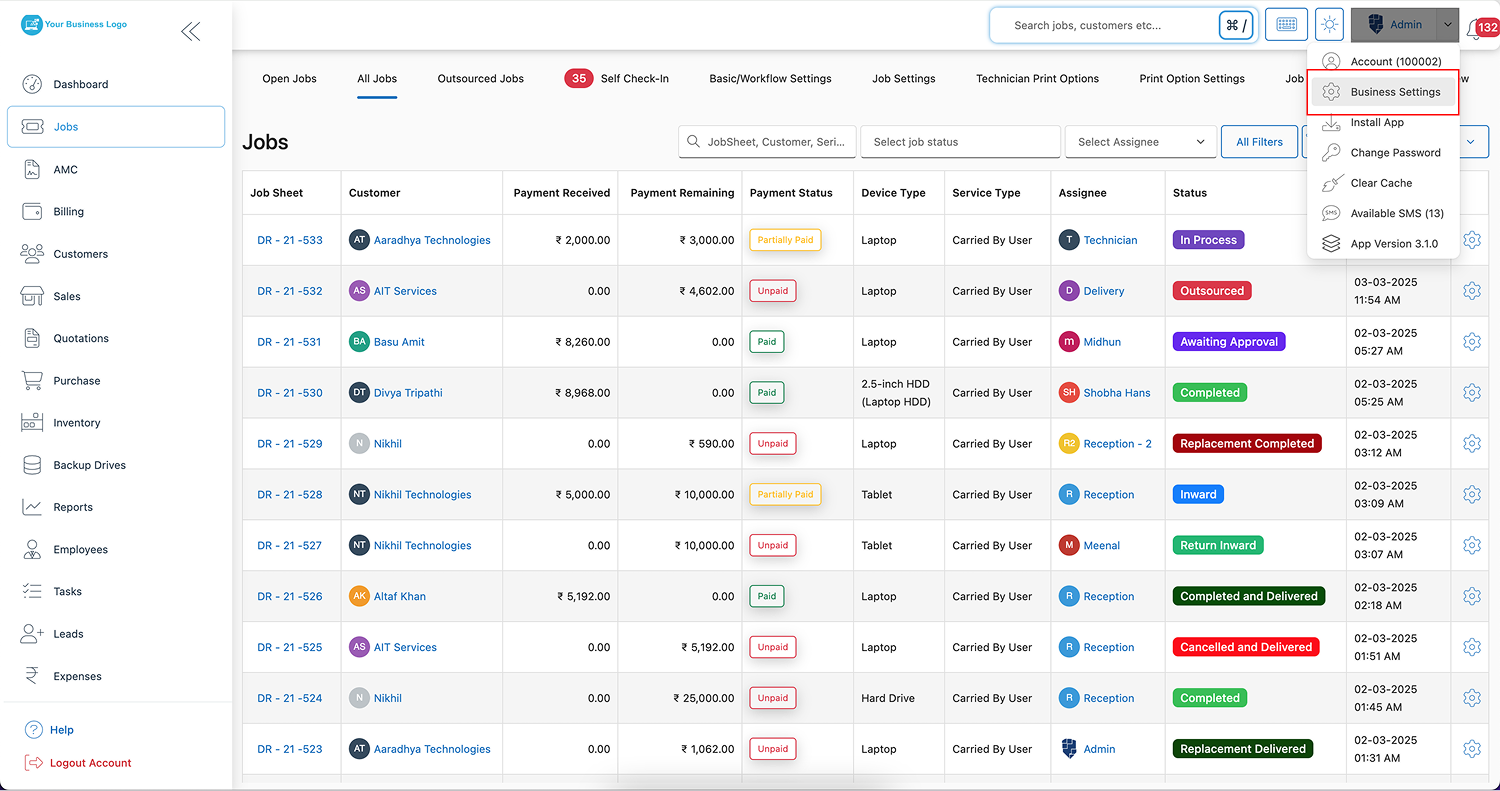
Step 2: Navigate to Business Settings
- Click on your profile icon in the top-right corner.
- From the dropdown menu, select “Business Settings”.
Step 3: Open the Print Settings Tab
-
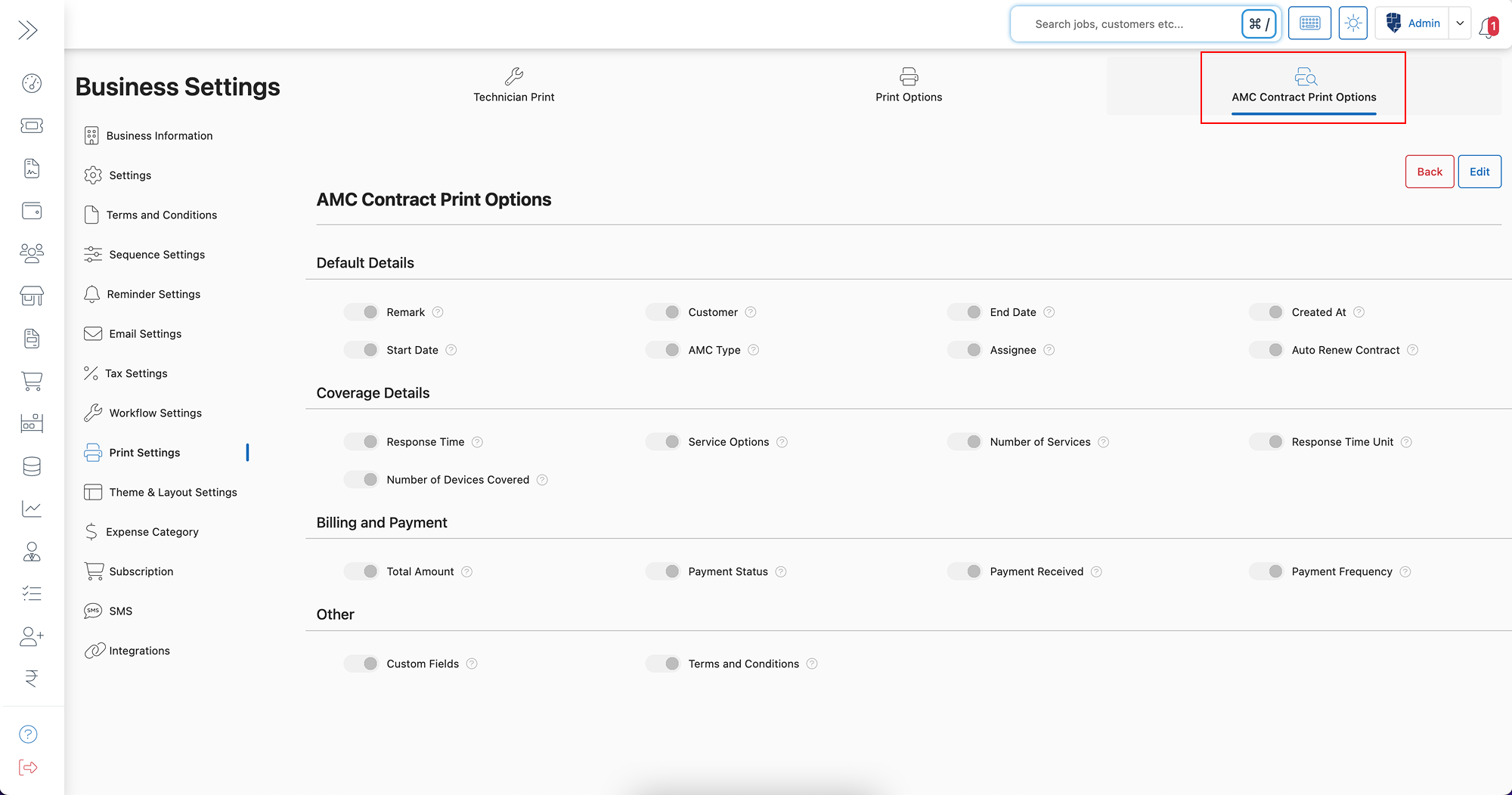
Inside Business Settings, click on “Print Settings” to access print customization options.
Step 4: Select AMC Contract Print Options
-
Click on “AMC Contract Print Options” to configure settings for AMC documents.
Step 5: Click on the Edit Button
- Click “Edit” to start modifying AMC contract print settings.
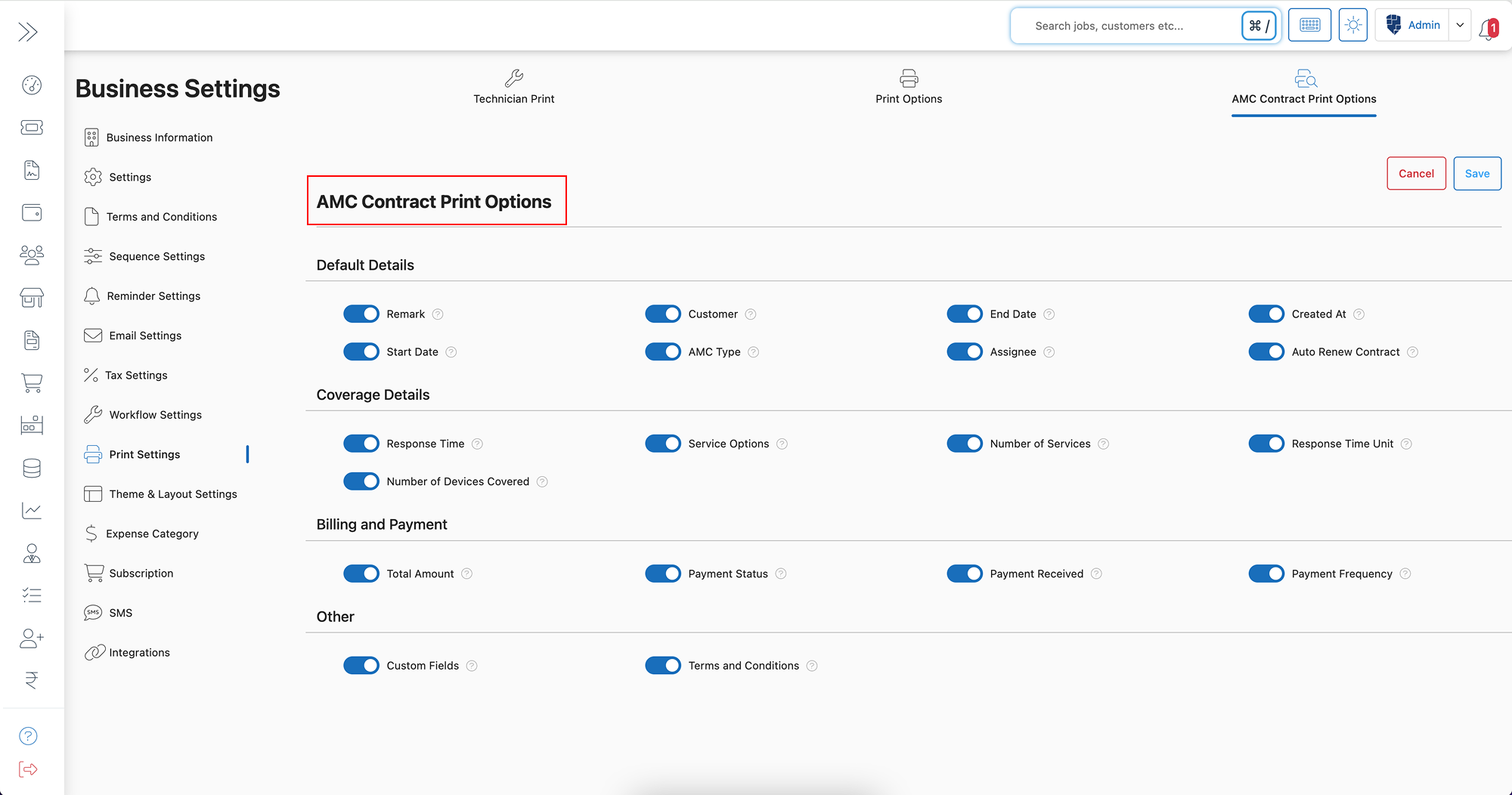
Step 6: Enable or Disable Required AMC Contract Details
Choose what information should be displayed in AMC contract printouts:
Default Details
- Remark
- Customer Name
- AMC Start & End Dates
- AMC Type
- Contract Created At
- Assignee Name
- Auto Renew Contract Option
Coverage Details
- Response Time
- Service Options
- Number of Services Included
- Response Time Unit (Hours/Days/Weeks)
- Number of Devices Covered
Billing & Payment Details
- Total Contract Amount
- Payment Status (Paid/Pending/Overdue)
- Payment Received
- Payment Frequency (Monthly/Quarterly/Yearly)
Other Information
- Custom Fields – add additional custom details based on business requirements.
- Terms and Conditions – ensure AMC contracts include legal and service agreement terms.
Step 7: Click Save
- After selecting your preferred settings, click “Save” to apply changes.
✅ Now, all AMC contract printouts will automatically reflect the updated settings!
Key Features & Benefits of AMC Contract Print Customization in BytePhase
✨ Professional & Structured Contracts – Enhances clarity and builds customer trust.
✨ Customizable Contract Details – Choose which key service and payment terms appear on printouts.
✨ Automated Contract Formatting – Saves time by eliminating manual formatting errors.
✨ Clear Payment Information – Ensures customers understand total amount, payment status, and due dates.
✨ Easy Service Management – Enables technicians and support teams to quickly access key contract details.
✨ Legal & Compliance Assurance – Ensures proper terms and conditions are included in every contract.
Practical Example: Why Businesses Need AMC Contract Print Options in BytePhase
Imagine managing hundreds of AMC contracts for clients with different service coverage, billing cycles, and response times. If these details are not clearly outlined in contracts, confusion arises regarding service commitments, payment terms, and renewal policies.
By configuring AMC Contract Print Options in BytePhase, businesses can:
✅ Ensure every contract includes accurate payment and service details.
✅ Customize printouts for different service packages and customer agreements.
✅ Save time by automating contract formatting for all AMC agreements.
✅ Improve compliance and customer satisfaction with clear and structured documents.
Best Practices for Optimizing AMC Contract Print Settings in BytePhase
✔ Enable critical details like AMC type, start/end dates, and auto-renew options.
✔ Include payment information to avoid confusion regarding billing cycles and amounts.
✔ Ensure service coverage is detailed so customers clearly understand what’s included.
✔ Use standardized terms in AMC contracts for legal protection and compliance.
✔ Regularly update contract settings to align with business growth and customer needs.
Conclusion: Automate & Customize AMC Contract Printouts with BytePhase
Configuring AMC Contract Print Options in BytePhase ensures well-structured, professional, and accurate service agreements. With customized contract details, automated formatting, and clear payment breakdowns, businesses can streamline their AMC management and enhance customer trust.
🎯 Ready to optimize your AMC contract documentation?
👉 Log in to BytePhase, configure your AMC contract print settings, and enhance your service agreements today!
Read more about our other features.
Need assistance? Check our YouTube channel or contact BytePhase Support for expert help.