How to Set Job, Quotation & Payment Workflow Settings in BytePhase
Introduction
Managing job statuses, quotations, and payment flows manually can be time-consuming and prone to errors. That’s why BytePhase, a repair shop management software, offers powerful workflow automation features that let service businesses automatically update job and payment statuses based on specific actions. Whether you run a repair shop, IT service provider, or any field service business, setting up Job, Quotation & Payment Workflow settings gives you a seamless, consistent, and efficient operation.
In this guide, we’ll walk you through the step-by-step process of configuring Workflow Settings in the BytePhase portal, and explain how each rule boosts productivity, improves accuracy, and elevates customer satisfaction.
Why Workflow Settings in BytePhase Matter?
Before diving into the process, let’s first highlight the key benefits of using workflow automation in BytePhase:
⭐ Reduces manual data entry and updates
⭐ Furthermore, it improves team coordination with automated status updates.
⭐ Additionally, it speeds up customer response times.
⭐ Moreover, it ensures consistent workflows across departments.
⭐ Furthermore, it minimizes the risk of human error in billing and job tracking.
By automating workflow changes, businesses can consequently focus more on delivering services and less on repetitive administrative tasks.
Step-by-Step: How to Set Job, Quotation & Payment Workflow Settings in BytePhase
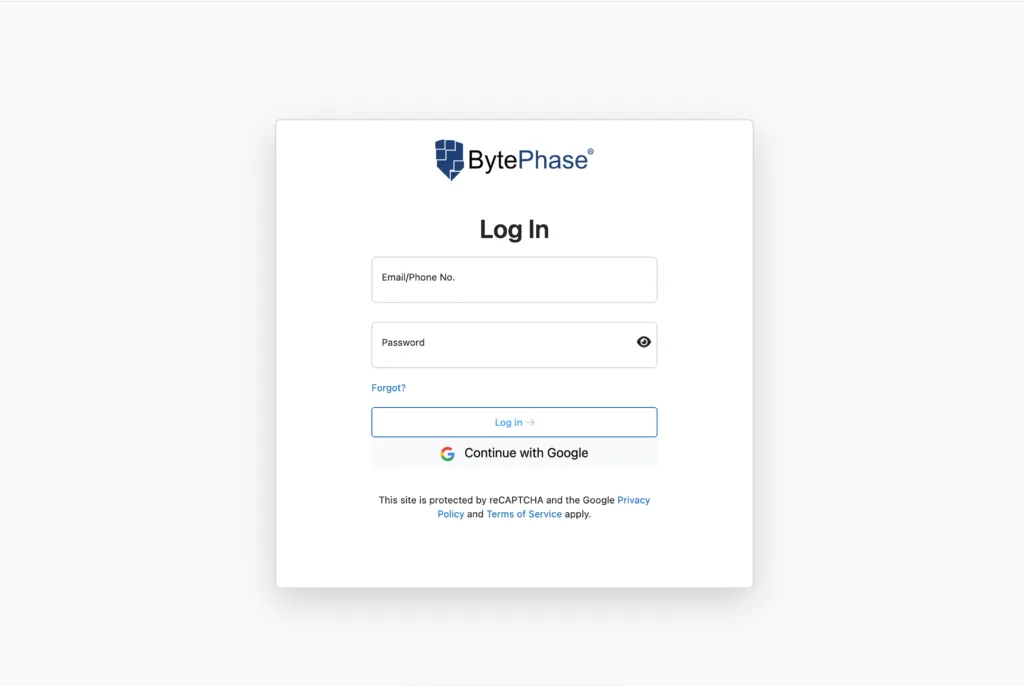
Step 1: Log in to BytePhase Portal
- Start by visiting the BytePhase login account using your email or phone number and password
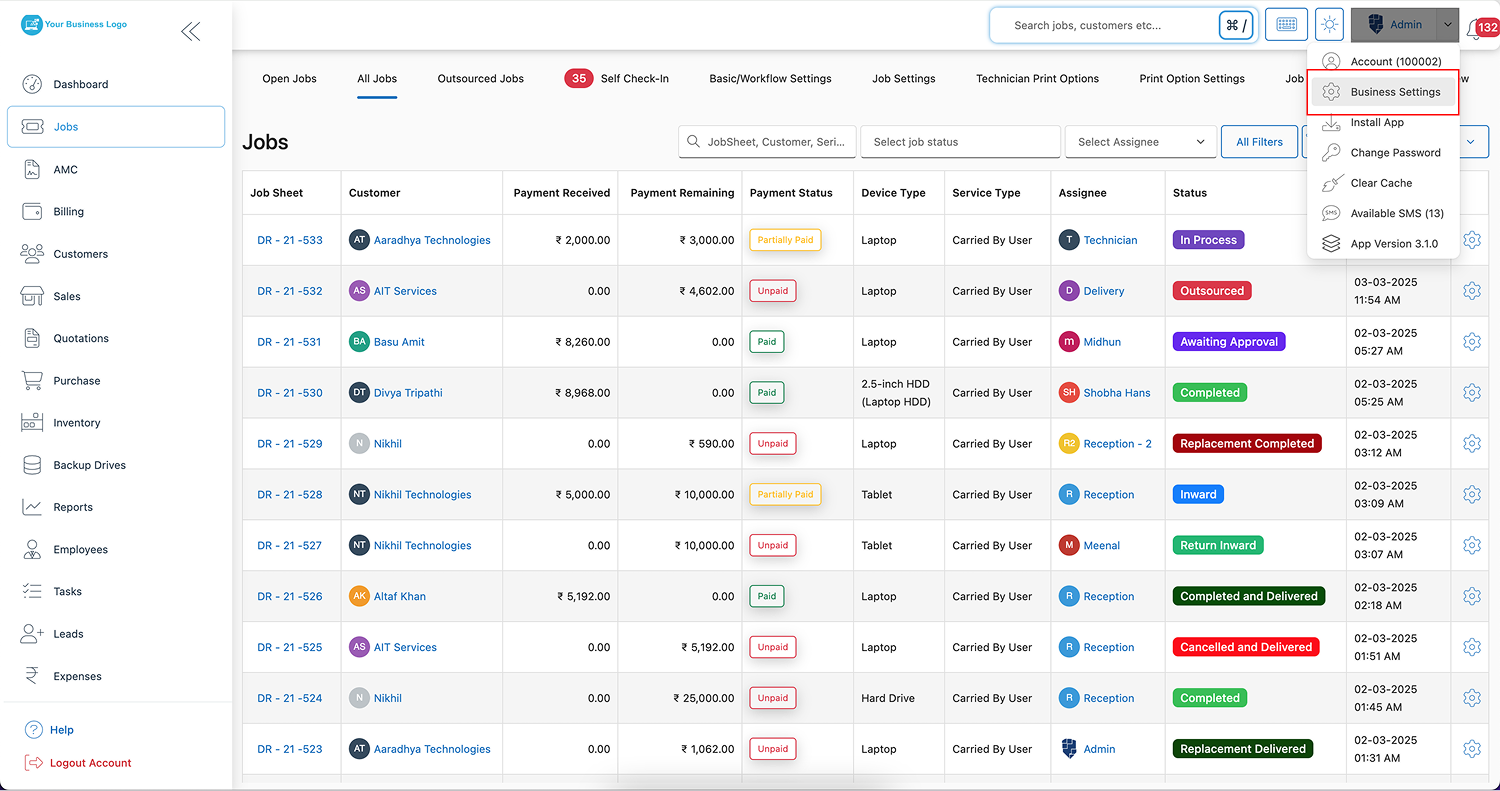
Step 2: Navigate to Business Settings
-
Click on your user profile icon at the top right of the dashboard. From the dropdown menu, select “Business Settings.”
Step 3: Go to Workflow Settings
-
On the left-hand menu, click on “Workflow Settings.” Next, select “Job, Quotation & Payment Workflow Settings” from the available workflow sections.
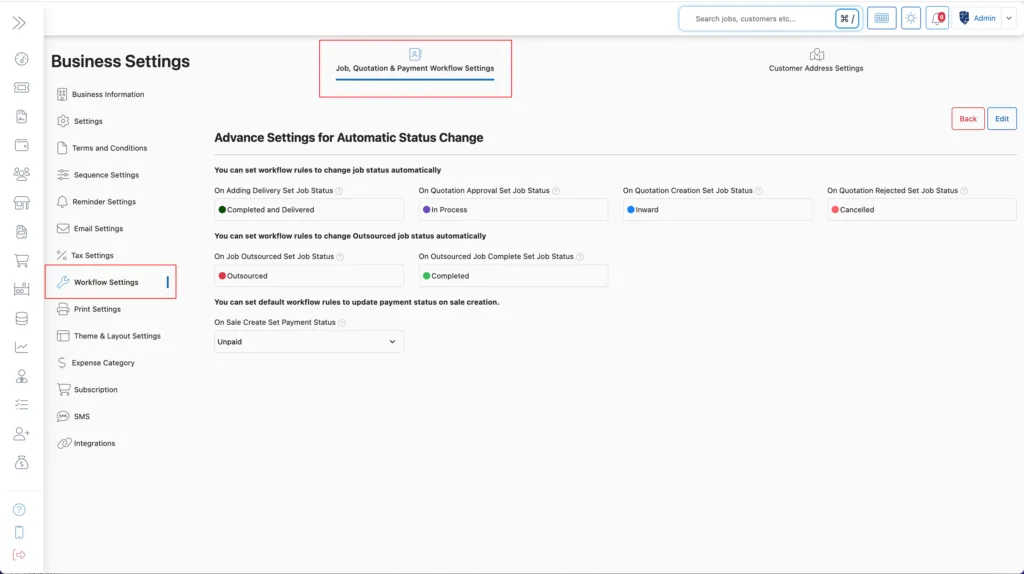
⚙️ Configuring Advanced Workflow Rules
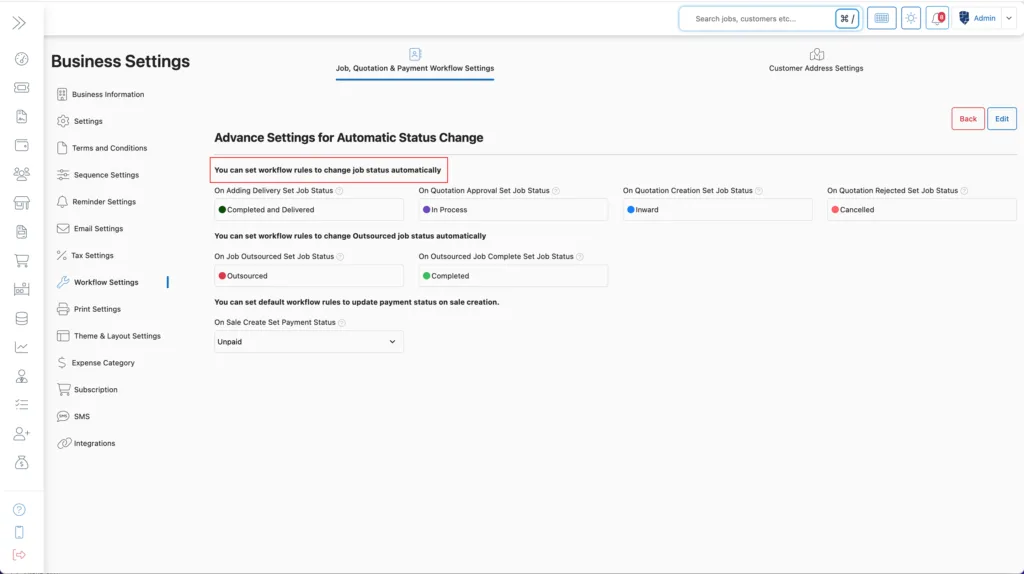
BytePhase enables you to define automated status updates triggered by specific job or payment actions. Here’s a breakdown of how each setting functions:
🛠️ Job Status Automation
1. On Adding Delivery – Set Job Status
Automatically update the job status as soon as a delivery is added. Consequently, completed or shipped jobs are automatically reflected in your dashboard without any manual intervention.
2. On Quotation Approval – Set Job Status
Once a customer approves a quotation, the job status will update automatically. This streamlines team assignments and job prioritization.
3. On Quotation Creation – Set Job Status
You can configure jobs to switch status upon quotation generation, helping track progress from inquiry to quote effortlessly.
4. On Quotation Rejection – Set Job Status
If a quote is rejected, BytePhase allows you to automatically mark jobs as declined, lost, or put on hold based on your preference.
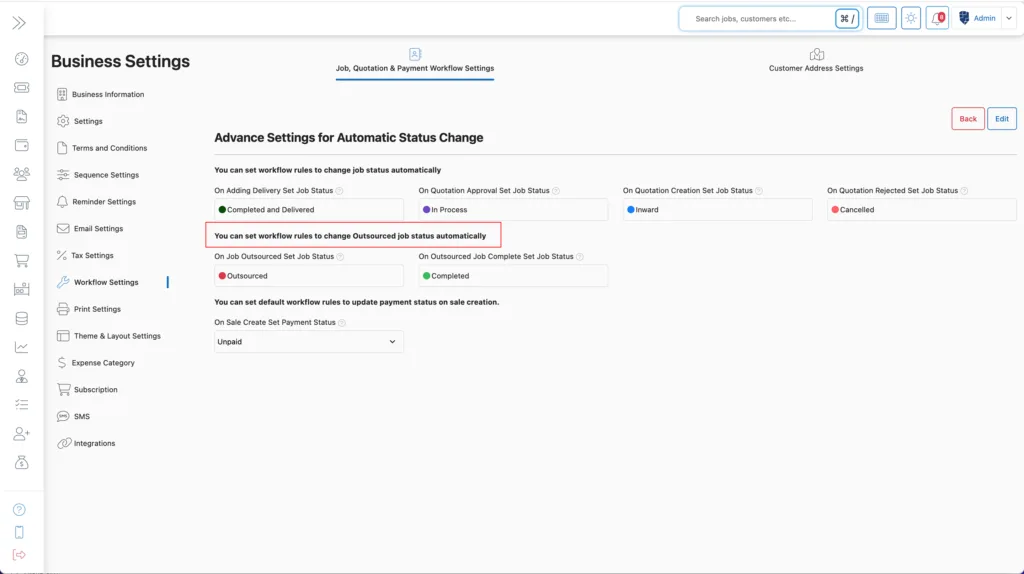
🔄 Outsourced Job Workflow Automation
5. On Job Outsourced – Set Job Status
When a job is outsourced to a third-party provider, BytePhase will update its status to reflect that action automatically
6. On Outsourced Job Completion – Set Job Status
As soon as the outsourced provider marks a job complete, BytePhase instantly updates the job status, enabling your internal team to proceed with the final steps.
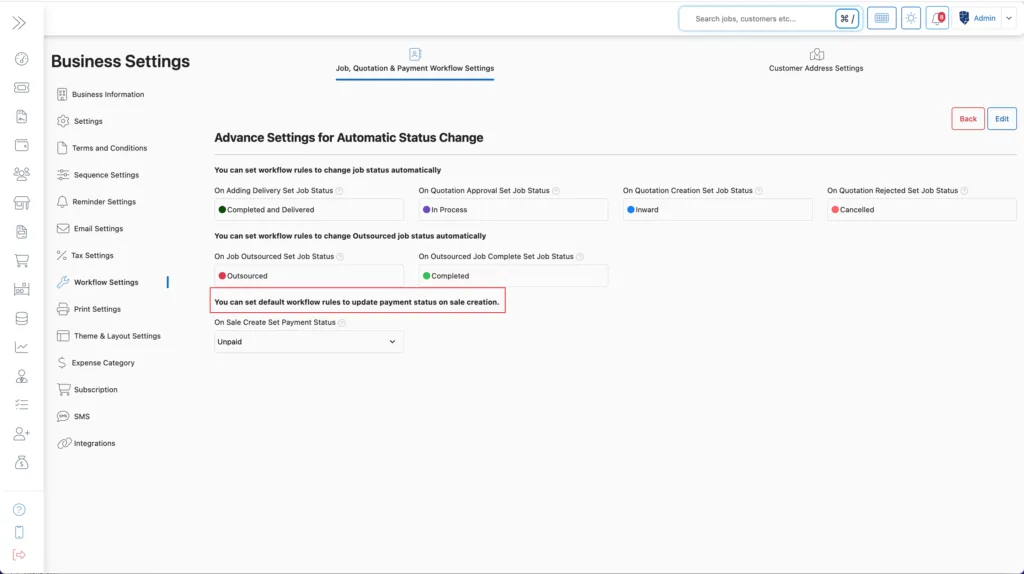
💰 Payment Workflow Settings
Additionally, BytePhase lets you define how payment statuses behave when a sale is created.
7. On Sale Creation – Set Payment Status To:
Choose from one of the following statuses:
-
Paid
-
Partially Paid
-
Unpaid
-
Refund
-
Over Due
-
Over Paid
-
Partial Paid Over Due
Moreover, this is particularly useful for businesses offering credit terms or multiple payment methods.
💾 Final Step: Save Your Settings
Once you’ve defined your workflow rules, simply click the “Save” button to activate them. Your BytePhase system will now automatically handle status changes according to your defined logic.
🚀 Benefits of Using Job, Quotation & Payment Workflow Settings in BytePhase
⭐ Consequently, it accelerates service delivery by eliminating manual updates.
⭐ As a result, it improves accuracy in billing and invoicing processes.
⭐ Consequently, it enhances communication between sales, service, and accounts teams.
⭐ Moreover, it provides real-time visibility into job and payment statuses.
⭐ Additionally, customizable rules accommodate different business models and workflows.
💡 Best Practices for Workflow Automation in BytePhase
✔ Before finalizing, test each rule with a sample job to ensure it behaves as expected.
✔ Additionally, align job statuses with team responsibilities (e.g., ‘Ready for Delivery’, ‘Pending Approval’) to improve clarity and accountability.
✔ Furthermore, review and update workflow rules quarterly to stay aligned with evolving business processes.
✔ Additionally, train staff on how automated statuses are triggered to ensure smooth workflows and accurate job tracking.
✔ To maintain clarity and efficiency, always use consistent naming conventions for job statuses.
Conclusion: Streamline Your Service Flow with BytePhase Workflow Settings
With BytePhase’s Job, Quotation & Payment Workflow Settings, your business can automate critical updates, reduce manual effort, and deliver faster, more consistent service. Whether it’s updating a job status after quote approval or marking a sale as paid, meanwhile, automation keeps you in control and ultimately saves hours of work each week.
🎯 Ready to Set Job, Quotation & Payment Workflow Settings?
👉 Log in to BytePhase, set up your workflow rules, and optimize your service operations like never before! New to BytePhase? Start your 15-day free trial and set up your own workflow automation in minutes.
Need help? Visit our Help Center or contact BytePhase Support for personalized assistance.