Cloud CRM for Repair Shops: Benefits, Features & How It Works in 2026
Managing a repair shop used to mean juggling notebooks, spreadsheets, and sticky notes. Today, thousands of repair businesses have replaced all of that with a single cloud-based tool: Cloud CRM software.
But what exactly is Cloud CRM, how does it work, and why are repair shop owners across 32+ countries switching to it? This guide breaks it all down — including a real cost comparison, a feature checklist, and answers to the most common questions. Platforms like BytePhase CRM bring this power to repair shop owners, helping them manage clients, invoices, and jobs seamlessly from the cloud.
Let’s dive deeper into how it works, and why it’s changing the way businesses operate in 2026. BytePhase is a cloud based CRM built for repair shops, keeping every ticket, customer, invoice and part in one place, accessible from anywhere.
What is cloud CRM?
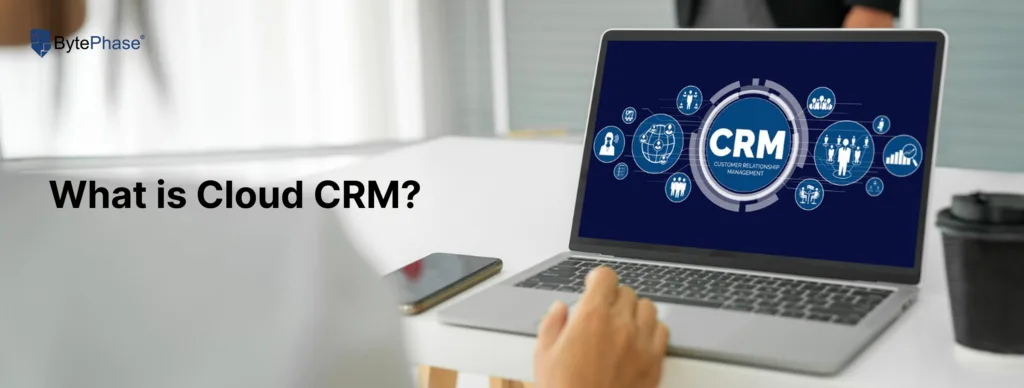
Cloud CRM is customer relationship management software that runs entirely over the internet. Instead of installing a program on one desktop, everything — customer records, repair jobs, invoices, technician notes and payment history — lives on secure cloud servers that you and your team access through a web browser or a mobile app.
In technical terms, cloud CRM is a type of SaaS (software-as-a-service) built on cloud computing infrastructure — the same model behind the everyday online tools you already use. At its core sits a single CRM software customer database that unifies every contact, device and job, so your entire device repair workflow runs on one connected record instead of scattered files.
For a repair business, that definition translates into something very specific: a single, shared source of truth for every device that comes through your door. The customer who dropped off a laptop on Monday, the part your technician ordered on Tuesday, the invoice raised on Wednesday and the pickup confirmation sent on Thursday all live in the same connected system — visible to everyone who needs it, instantly, from anywhere.
Unlike traditional CRM software bolted to a single desktop PC, a cloud CRM needs no installation, no in-house server, and no IT person on call to keep it alive. The provider handles the servers, the security, the backups and the updates — you just run your shop.
Why Repair Shops Are Moving to the Cloud: The 2026 Picture
This isn’t a niche trend. The global repair market is valued at roughly USD 22–24 billion in 2026 and is forecast to grow at around 8% a year through the next decade, according to multiple market-research firms. Demand is strongest exactly where independent shops live: in India, an estimated 82% of laptop owners have had a device repaired at least once, and across markets around 68% of users say they prefer a local repair shop over a carrier or manufacturer service centre.
More devices, more repairs, more walk-ins — and rising competition. The shops that win are the ones that turn jobs around faster, lose fewer devices, and keep customers informed without burning hours on the phone. That is precisely the gap cloud software closes.
The CRM data backs it up across industries. Salesforce research widely cited in 2025–2026 reports that CRM adoption is associated with sales increases of around 29%, productivity gains near 34%, and forecast-accuracy improvements of up to 42%. Nucleus Research puts the average return at about USD 8.71 for every dollar spent on CRM, and Freshworks finds CRM systems save most teams 5–10 hours of admin work per week. Roughly 87% of CRM systems in use today are cloud-based — the desktop-only era is effectively over.
For a repair shop, the relevant version of those numbers is simpler: fewer lost devices, faster turnaround, and customers who don’t have to chase you. In our own experience moving more than 2,000 shops off notebooks and spreadsheets, the three improvements that show up almost every time are faster repair turnaround, fewer misplaced devices, and dramatically better customer communication.
How Does Cloud CRM Work? The Repair-Shop Workflow, Step by Step
A cloud CRM works by hosting your business data on remote servers managed by the software provider, then syncing every change instantly to everyone on your team. Here is the complete flow for a typical repair job:
- Intake. A customer walks in. Front-desk staff create a repair ticket in the dashboard — device, fault, contact details, estimated cost — and the customer gets an instant intake confirmation.
- Data hits the cloud. That ticket is stored on encrypted servers the moment it’s saved, not on a local hard drive that could crash or be stolen.
- The team picks it up in real time. The assigned technician sees the job on their own screen or phone, updates the status, and logs the parts used — no verbal handoffs, no “I forgot to write it down.”
- Automated triggers fire. The system sends an SMS or WhatsApp update automatically when the device moves to “repairing” and again when it’s ready — without anyone lifting a finger.
- The invoice generates itself. A professional, tax-compliant invoice is created, payment is tracked, the receipt goes out, and the record is archived.
- You review everything remotely. From home, another branch, or mid-flight, your dashboard shows live status across every job and every location.
Every step is synced across all users and devices the instant it happens. No manual reconciliation, no duplicated effort, no version of the truth that only lives in one person’s head.
Cloud CRM for Repair Shops: 3 Real-World Examples
Theory is easy; the workshop floor is where it counts. Here are three situations we see constantly across the shops we work with — and how a cloud CRM changes each one.
The solo technician who’s never at the counter
A one-person mobile repair shop in Pune. The owner is constantly out — collecting parts, meeting suppliers, doing on-site jobs. A customer drops a phone the day before. From his own phone at a supplier’s counter, he opens the dashboard, sees the note about a corroded charging port, approves the part, and sends the customer a WhatsApp update — all in under a minute. No missed jobs, no shop that grinds to a halt the moment he steps out.
The two-branch shop with split inventory
A repair business in Mumbai runs two locations a few kilometres apart. Before, each branch kept its own spreadsheet, so a screen that was out of stock at one branch and sitting unused at the other was invisible to both. With a cloud CRM, both branches run on the same system, and the owner can open either shop from anywhere to check its stock, revenue, job volume and technician load before re-ordering a part.
The growing shop that just hired its third technician
As soon as a shop adds staff, two questions appear: who’s doing what, and who’s actually fast? With per-technician tracking, the owner can assign jobs, set deadlines, and see resolution times and job counts per person — rewarding strong performers and spotting bottlenecks early. OTP-based device handover also removes the “wrong phone given to the wrong customer” risk that grows with every new hire.
None of these shops needed a custom build. Each capability is standard in a repair-focused cloud CRM — which is exactly the point.
Key Features of Cloud CRM Software for Repair Businesses
Not every CRM is built for repair work. A generic sales CRM tracks deals and leads; a repair-specific cloud CRM tracks devices, jobs and parts. These are the 10 features that actually matter on a workshop floor in 2026:
1. Centralized Customer & Device Database
Every customer’s full history — devices repaired, past invoices, communication logs, warranty status — in one searchable place. No more digging through WhatsApp threads or a shoebox of receipts to confirm whether you’ve seen this handset before.
2. Real-Time Repair Ticket & Job Tracking
Create a repair ticket the moment a device arrives, assign it to a technician, and track each stage (Received → Diagnosing → Repairing → Ready → Delivered) in real time. Every change is timestamped and visible to the whole team. Built-in device tracking ties every unit to its ticket, technician and shelf location, so nothing gets misplaced.
3. Automated Invoicing & Payments
Generate professional invoices in seconds and send them by email or WhatsApp, with payment status tracked automatically. For Indian shops, GST-compliant billing and UPI collection are built in — no separate accounting tool required.
4. Multi-Device, Anywhere Access
Works on desktop browsers, tablets and smartphones via a dedicated mobile app. Front desk, technicians and management all see the same live data at once — whether they’re in the same room or different cities. It’s a true mobile CRM your team carries in their pocket.
5. Technician Management & Performance Tracking
Assign jobs, set deadlines, and review performance metrics — jobs completed, average resolution time, customer ratings — through technician management tools built for shops with anywhere from 2 to 20+ staff.
6. Automated Customer Notifications
Pre-built WhatsApp integration and SMS triggers tell customers when their device is received, when repair starts, and when it’s ready — with zero manual effort. This kind of workflow automation eliminates most of the “is it ready yet?” calls that eat your day.
7. Inventory & Spare Parts Management
Inventory management tracks stock levels, fires low-stock alerts, and links each part used directly to its repair job for accurate cost tracking and true per-job profitability.
8. Analytics & Business Reports
Live dashboards show revenue, job volume, technician efficiency, top repair types and customer retention — the numbers you need to make decisions without hiring an analyst. Pair this with lead management to capture every walk-in enquiry and quote request, so no potential job slips through the cracks.
9. Point of Sale (POS)
An integrated POS lets you sell accessories and out-of-warranty parts alongside repair services, so retail and repair revenue live in one ledger.
10. Automatic Backup, Security & Customer Portal
Data is encrypted in transit and at rest, backed up daily, and protected by role-based access. Many shops also expose a customer portal so clients can check their own repair status — cutting inbound calls even further. If a shop computer is stolen tomorrow, the business loses a machine, not its data. And for shops that also offer data recovery services, every consent note and job detail stays attached to the customer record.
How Much Does Cloud CRM Cost for a Repair Shop?
Here’s the honest version, because pricing is the question most owners actually want answered. Cloud CRM is sold as a predictable monthly or annual subscription — not a big one-time purchase. The numbers that matter:
- Upfront hardware cost: ₹0. No server to buy. A traditional on-premise setup can run ₹50,000 to ₹5,00,000+ before you raise a single ticket.
- Monthly subscription: Scales with the number of users (technicians/staff) and branches, so a solo shop pays far less than a five-branch chain — you pay for what you actually use.
- No hidden IT bills: Updates, backups, security and uptime are included — there’s no separate “maintenance” or “upgrade” invoice the way desktop software often carries.
- Free trial: Any serious repair CRM lets you test before you pay. If a vendor won’t, treat it as a red flag.
The real comparison isn’t subscription vs free — it’s subscription vs the hours lost to manual invoicing, the devices misplaced, and the customers who don’t come back because nobody told them their phone was ready. Most shops recover the monthly fee from time savings alone within the first few weeks.
Benefits of Cloud CRM for Repair Shops: Before vs After
Here’s what typically changes inside a real repair shop within 30 days of switching to a cloud CRM:
| The problem before a CRM | After moving to cloud CRM |
|---|---|
| Customers call asking “is my phone ready?” and staff search manually | Automated WhatsApp / SMS / email update fires the moment the job is done |
| End-of-day invoicing takes 1–2 hours | Invoices auto-generate and send in seconds |
| Owner can’t check shop performance while travelling | Full dashboard on a phone, any time, from anywhere |
| Spare parts run out with no warning | Low-stock alerts trigger automatically |
| No way to measure technician performance | Per-technician reports with resolution times and job counts |
| Computer crashes → data lost forever | Daily encrypted cloud backups — near-zero risk of loss |
| Devices occasionally misplaced or mixed up | Every device tracked to a ticket, technician and shelf location |
BytePhase serves 2,000+ repair businesses across 32+ countries — from solo and multi-branch shops in India to multi-branch repair chains in the UK and Australia. The single most consistent feedback: “I wish I had switched earlier.”
Cloud CRM vs the Alternatives: Honest Comparisons
Most shops aren’t choosing between two cloud CRMs — they’re choosing between a cloud CRM and whatever they use now. So let’s compare the real-world alternatives one at a time.
Cloud CRM vs Excel / Spreadsheets
Spreadsheets are free, familiar and flexible — which is exactly why so many shops start there. The problem is what spreadsheets can’t do: they don’t send automated WhatsApp updates, don’t track inventory in real time, don’t stop two people from overwriting each other, and don’t back themselves up. Industry surveys still find a large share of small businesses managing customers in spreadsheets — and a large share of them losing data because of it.
| Feature | Cloud CRM | Excel / Spreadsheets |
|---|---|---|
| Automated customer updates | Built in | None |
| Real-time multi-user editing | Unlimited, conflict-free | Files clash and overwrite |
| Inventory & low-stock alerts | Automatic | Manual, easily forgotten |
| Backup & recovery | Daily, automatic | Licence + IT support fees |
| Invoicing & reports | One click | Hand-built formulas |
Cloud CRM vs Traditional / Desktop CRM
Traditional CRM lives on one machine in the shop. It works, but it’s an island — accessible only from that desk, updated only by whoever is sitting there, and vulnerable to a single hardware failure.
| Feature | Cloud CRM | Traditional / Desktop CRM |
|---|---|---|
| Setup | Sign up → live in minutes | Install & configure over days |
| Access | Anywhere, any device | Only from that one desk |
| Upfront cost | ₹0 hardware | ₹50,000–₹5,00,000+ for a server |
| Updates | Automatic, included | Manual, often paid extra |
| Backups | Daily, automatic | Manual — frequently missed |
| Multi-user | Unlimited simultaneous | Limited to the local network |
| Scaling to new branches | Add instantly | Needs new hardware |
| IT maintenance | Zero — provider handles it | Needs dedicated IT support |
| Failure risk | Provider-managed redundancy | Single point of failure |
Cloud CRM vs On-Premise CRM
On-premise CRM is the enterprise cousin of desktop software: you (or a vendor) host the application on your own servers. You get maximum control — and maximum responsibility for security patches, uptime, backups and hardware refreshes. For a repair shop without a dedicated IT team, that overhead almost never pays off. Cloud CRM hands all of it to the provider while keeping your data encrypted and access-controlled.
Cloud CRM vs ERP
An ERP (Enterprise Resource Planning) system tries to run your entire company — finance, HR, supply chain, manufacturing. It’s powerful, expensive, and far heavier than most repair shops need. A repair-focused cloud CRM gives you the operational core that matters — tickets, customers, inventory, invoicing, payments — without the cost and complexity of a full ERP rollout. Most shops only consider ERP once they’re a large multi-branch chain, and even then the repair CRM usually remains the front-line tool.
Generic Sales CRM vs Repair-Specific CRM
This is the comparison that trips shops up most. Tools like Salesforce or HubSpot are excellent — for sales teams. Point them at a repair shop and you’ll pay several times more and still have to build repair tickets, device intake, parts tracking and OTP handover from scratch. A purpose-built repair CRM does all of that out of the box. The right question isn’t “which CRM is biggest?” — it’s “which CRM already understands repair jobs?”
How to Choose the Right Cloud CRM for Your Repair Shop
Not every cloud CRM is built for repair businesses. A generic sales CRM like Salesforce or HubSpot can cost 3x more and still not handle repair tickets, spare parts, or OTP device handover out of the box. Here’s what to check before you commit:
✅ Repair-specific workflows — Does it handle job tickets, device intake, and status tracking natively — or do you need to customize everything from scratch?
✅ WhatsApp & SMS integration — Can it send automated customer updates at each repair stage without a third-party plugin?
✅ Invoicing & local payments — Does it support your country’s billing requirements? For India: GST-compliant invoices and UPI payments built in.
✅ Multi-user access — Can your front desk, technicians, and manager all work simultaneously without overwriting each other’s updates?
✅ Mobile-first design — Can technicians update job status from their phone on the workshop floor — not just from a desktop?
✅ Data security — Is data encrypted in transit and at rest? Where are the servers located? Is there a daily backup?
✅ Free trial available — Any serious platform lets you test before you pay. If they don’t offer a trial, that’s a red flag.
✅ Scalable pricing — Will the cost jump sharply when you add a second branch or three more technicians? BytePhase checks every item on this list — purpose-built for repair shops, not retrofitted from a sales tool.
Is Cloud CRM Secure? What Repair Shops Should Know
Security is the question we hear most from owners who’ve never trusted their data to “the cloud.” The honest answer: a reputable cloud CRM is almost always more secure than a shop PC under the counter. Here’s why.
Data is encrypted both in transit (as it travels between your device and the servers) and at rest (while stored). Access is governed by role-based permissions, so a front-desk staffer can’t see what only an owner should. Backups run automatically every day, so a stolen laptop, a failed hard drive or a ransomware-locked PC no longer means losing your customer history. Providers also maintain redundancy across data centres, so a single server failure doesn’t take your shop offline.
When you evaluate a provider, ask three questions: Where are the servers located? Is data encrypted at rest and in transit? How often are backups taken, and can you restore from them? Any platform worth using will answer all three clearly.
Migrating to Cloud CRM: A Simple Plan
Switching sounds daunting; in practice most shops are live the same day. A clean migration looks like this:
- Export what you have. Pull your customer list out of your spreadsheet, notebook photos or old tool — even a basic CSV of names, numbers and devices is enough to start.
- Import & clean. Upload that data, then spend a few minutes removing duplicates and fixing obvious typos so you start clean.
- Configure your job types & services. Set up your common repairs, price list and parts catalogue.
- Set your notification templates. Customise the WhatsApp/SMS messages for intake, in-progress and ready-for-pickup.
- Run a parallel week. Create real tickets in the CRM for a few days while keeping your old method as a safety net. By the end of the week, the old method is redundant.
Most shops go fully live in under 30 minutes of setup and a few days of habit-building. The hardest part is usually deciding to start.
The Future of Cloud CRM: AI and Automation in Repair
AI has moved from buzzword to baseline. Across the CRM market, the majority of platforms now embed AI for automation and insights, and adoption is climbing fast. For repair shops, the near-term impact is practical rather than futuristic: smarter low-stock forecasting based on your actual repair history, automated reply suggestions for customer messages, faster diagnosis hints from past similar jobs, and reports that surface trends you’d never spot by hand. The shops that already run on cloud software are the ones positioned to benefit — you can’t layer AI on top of a paper job card.
Common Mistakes Repair Shops Make (and How to Avoid Them)
- Choosing a generic sales CRM. It costs more and still can’t handle repair tickets. Pick repair-specific from day one.
- Not turning on automated notifications. The biggest time-saver is the easiest to skip during setup. Switch it on first.
- Skipping technician training. A CRM only helps if staff actually update job status. Industry research repeatedly ties CRM failure to poor adoption, not bad software — spend an hour training the team.
- Letting data go stale. Capture every walk-in. A half-used CRM gives half the benefit.
- Ignoring the reports. The analytics are there to tell you your most profitable repair types and your fastest technicians. Read them monthly.
How BytePhase Cloud CRM Works for Repair Shops
BytePhase isn’t a generic CRM that repair shops try to adapt — it’s purpose-built for repair businesses from day one.
Built for repair workflows
Every feature maps to how repair shops actually operate: repair ticket management, device intake forms, OTP-based handover verification, spare-parts tracking and multi-technician assignment. It works out of the box — no custom development.
WhatsApp-Native Communication
Automated WhatsApp messages at every stage — intake, in-progress, payment request and pickup. Customers love the transparency; staff reclaim hours every week.
GST & UPI Ready for India
Generate GST-compliant invoices, accept UPI, and keep proper billing records inside one platform — no juggling a separate accounting tool.
Multi-Branch Support
Running two locations or ten? Multi-branch support gives each branch its own dashboard and data, while owners open every branch from one login.
Fast Onboarding
Most shops go live in under 30 minutes. Import your existing customer data, configure your job types, and start creating tickets on day one.
Conclusion: Your Whole Shop, From Anywhere
If you’re still running your repair shop on spreadsheets, paper job cards or a handful of disconnected apps, you’re leaving money, time and customers on the table. A cloud CRM for repair shops gives you the one thing manual systems never could: complete, real-time control of your business from anywhere — no hardware, no IT headaches, no data-loss risk.
Whether you run a single repair shop or manage multiple branches, BytePhase Cloud CRM helps you simplify your daily operations, improve communication, and deliver exceptional customer service — all powered by the cloud.
👉 Ready to experience the power of cloud CRM?
Start your free trial with BytePhase CRM today and take your repair business to the next level.
Frequently asked questions
Yes — especially a repair-specific cloud CRM. It handles repair tickets, device intake, parts tracking, technician assignment and automated customer updates out of the box, which generic sales CRMs cannot do without heavy customization.
Cloud CRM is customer relationship management software hosted on internet servers rather than installed on a local computer. You access customer records, repair jobs, invoices and reports through a web browser or mobile app from anywhere, and the provider manages the servers, security and backups.