Free Repair Shop Software: What Free Really Costs
Search for free repair shop software and you will find three very different things: a spreadsheet you build yourself, free apps that only do one job, and open-source programs you host on your own server. All three can work for a very small shop. None of them is really free once you count your time, and that is worth knowing before you put your customers’ data into one.
In short: yes, free repair shop software exists, and it is fine for a one-person shop with a handful of jobs a week. Once you need customer notifications, stock tracking, invoices with your tax, several users or reliable backups, free tools start to cost you more in time and mistakes than paid software costs in money. Be aware that BytePhase is not free: it has a 15-day free trial, then paid plans.
We make repair shop software, so we have a stake in this question. This guide is written to help you decide honestly, including the cases where you should not pay for anything yet.
Is there free repair shop software? The four kinds of “free”
When people say free repair shop software, they usually mean one of these. Each has a different catch.
1. Spreadsheets and Google Sheets
A sheet with one row per job is the cheapest tracker there is. It costs nothing to start and you control the layout. It stops working when two people edit the same row, when you need to find a job by phone number, or when you want to send the customer an update without retyping it. There is no stock, no invoice numbering and no history of who changed what unless you build it all yourself.
2. Free invoicing and accounting apps
Many free apps create a clean invoice or receipt. They are built for bills, not for repairs, so they have no device details, no job status, no parts inventory and no warranty tracking. You end up keeping a second list of jobs next to the invoices. Free plans often limit the number of invoices or clients, so check the current limits before you rely on one.
3. Open-source and self-hosted tools
Open-source software is free to download and its source code is public. One well-known example is osTicket, a help desk and ticketing system released under the GPL v2 license that you install on your own web server. It was built for support tickets rather than repairs, so you would adapt it to your intake and status workflow. Some small projects are aimed at repair shops specifically, but many are maintained by one person and can be archived or abandoned, so check when the project last had an update before you commit.
The software costs nothing. Running it does not: someone has to install it, keep PHP and the database updated, secure it, back it up and fix it when it breaks.
4. Free tiers and free trials of paid software
Some paid products offer a limited free tier, and most offer a trial. A free tier is a sample: it is usually capped on users, jobs or features. A trial is a fair way to test the real product, but it ends. BytePhase works this way: you can try everything for 15 days free, then you choose a paid plan or stop.
What “free” really costs a repair shop
The price tag is zero, but a repair shop pays in other ways. These are the costs that surprise owners most.
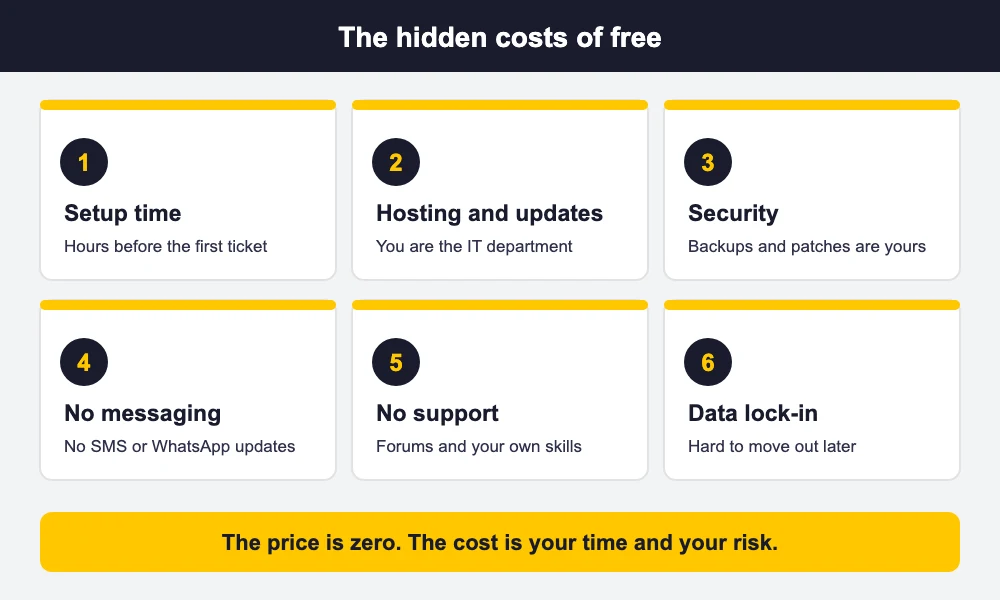
- Setup time. Building the sheet, designing the intake form, or installing and configuring a server takes hours before your first ticket. Those hours come out of repair time.
- Hosting, updates and security. With self-hosted software you are the IT department. Missed updates are how small sites get compromised.
- No customer messaging. Free tools rarely send SMS or WhatsApp updates, so you keep phoning customers to say the device is ready.
- No support. When something breaks at 5 p.m. on a Friday, you rely on forums and your own skills.
- Weak records. Manual invoice numbers, no stock count and no warranty tracking lead to disputes and lost parts.
- Getting your data out later. A messy sheet or a custom-built database is hard to move into proper software when you outgrow it.
- Outgrowing it. The day you hire a second technician or open a second counter is usually the day the free setup breaks.
Is open-source repair software safe for customer data?
It can be, but the safety is your job. Your customers’ names, phone numbers and device passcodes would sit on a server you manage. That means HTTPS, strong passwords, regular updates, tested backups and a plan for who can log in. If you are not comfortable doing those things, or paying someone to do them, a hosted product where the vendor handles security is the lower-risk choice. If you do self-host, check your local privacy rules for how long you may keep customer data.
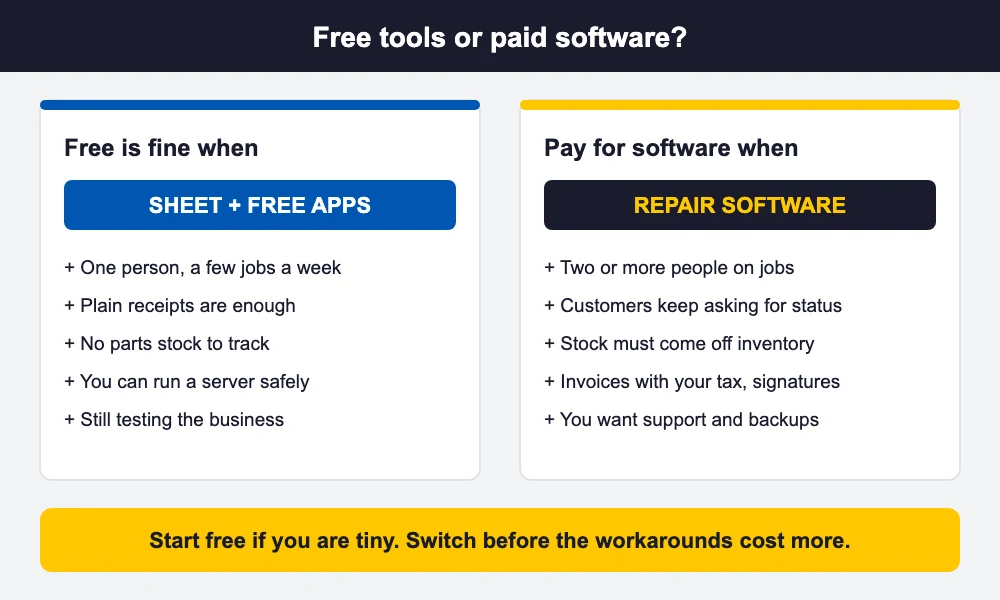
Free is fine when … pay for software when …
There is no shame in starting free. Use this table to see where you are.
| Free is fine when … | Pay for software when … |
|---|---|
| You are a one-person shop or a side business | You have two or more people touching the same jobs |
| You take a few jobs a week and can remember them | You take enough jobs that customers call to ask for status |
| You do not stock parts, or you count them by hand | Parts and stock need to come off inventory automatically |
| A plain receipt is enough for your customers | You need estimates, invoices with your tax and signatures |
| You enjoy tinkering and can manage a server safely | You want support, backups and updates handled for you |
| You are still testing whether the business works | Your time is worth more than the software fee |
Checklist: what to check in any free repair tool
Before you move a single customer into a free tool, run through this list. If the answer to several is “no”, plan the switch before you outgrow it.
- Data export: Can you export all customers, jobs and invoices in a standard format such as CSV, at any time?
- Backups: Is your data backed up automatically, and have you tested restoring it?
- Customer notifications: Can it send SMS, WhatsApp or email when a device is ready, or is that manual?
- Invoices with your tax: Can it print an invoice with your business details, your tax name and rate, and a running invoice number?
- Multi-user: Can several staff log in with their own access, and can you see who changed a job?
- Mobile: Does it work on a phone or tablet at the counter and on the bench?
- Devices and parts: Does it record the device serial or IMEI, the fault, the parts used and the warranty?
- Limits and future: Are there caps on jobs or users, and is the project still maintained?
Our guide to repair ticket software for small businesses goes deeper on comparing ticketing options, and if you are still planning your shop, read how to start a computer repair business.
What free repair shop software usually leaves out
Across spreadsheets, free invoicing apps and basic open-source tools, the same gaps keep appearing:
- Automatic customer updates by SMS or WhatsApp.
- Parts inventory that comes off stock when you use a part on a job.
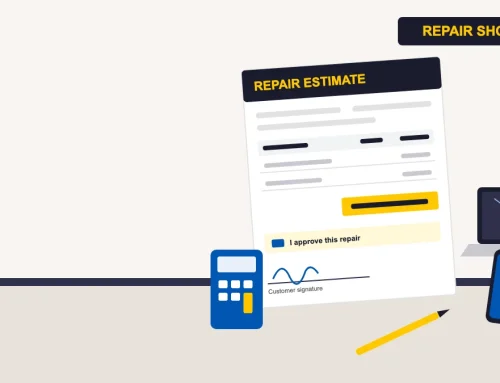
- Estimates that the customer approves from a link and that turn into the invoice.
- Customer signature, before and after photos, and a secure handover.
- Thermal receipt printing and proper invoice layouts.
- Someone to call when it breaks.
Not every free tool lacks all of these, but you should assume a gap until you have tested it.
If you have outgrown free tools: where BytePhase fits
If the checklist above has you nodding at the “no” column, that is the moment to look at paid computer repair shop software. BytePhase is one option, built for repair shops across 16 repair industries and used by 2,000+ businesses in 40+ countries. It is a paid product with a 15-day free trial, so you can test it with your real jobs before you decide. This is what it adds over a sheet or a free invoicing app:
- Estimates to invoices. Send an estimate, the customer approves it from a link, and it converts to the invoice with the same lines.
- Parts and stock. The invoice is raised from the job; parts come off your stock onto the bill and labor is its own line.
- Tax per line. Set your own tax name and rate and it is applied on each line.
- Customer messages. Send invoices and status updates by WhatsApp, SMS or email.
- Signature, photos and OTP handover. Capture the customer’s signature, before and after photos, and release the device with a 6-digit code.
- Printing. Print on A4 or on 58 mm or 80 mm thermal paper.
- Everywhere. Web, iOS and Android apps with no per-device limit, hosted for you so there is no server to maintain.
It is not the right choice for everyone. If you run two jobs a week alone, a sheet is fine and cheaper in cash. If you are past that point, see how repair shop software can replace the sheet, the invoice app and the phone calls with one system, starting with repair ticket software that tracks every job from check-in to handover. Run a phone repair shop? See how the same tools work as cell phone repair shop software.
Frequently asked questions
Yes, in four forms: spreadsheets such as Google Sheets, free invoicing apps, open-source tools you host yourself, and limited free tiers or trials of paid software. They suit a very small shop. Most leave out customer messaging, stock tracking and support.
It can be, but you are responsible for the security. You host it, so you must keep it updated, use HTTPS and strong passwords, run tested backups and control who can log in. If you cannot do that, a hosted product where the vendor handles security is lower risk.
For one person and a few jobs a week, yes. It breaks down when several people edit the same jobs, when you need stock, invoice numbering or customer updates, or when you want to find a job quickly. Keep the sheet exportable so you can move to proper software later.
Most free options leave out automatic SMS or WhatsApp updates, parts inventory that comes off stock, estimates that turn into invoices, customer signatures and photos, thermal printing, and support. Test any free tool against these before relying on it.
BytePhase is not free. You can try it with a 15-day free trial, then you choose a paid plan. See the pricing page for current plans.
The bottom line
Free repair shop software is a legitimate way to start. Be clear about what you are trading: you save the subscription and pay with setup time, upkeep and missing features. Start free if you are tiny, keep your data exportable, and move to paid software when growth makes the workarounds slower than the fee.
If you have outgrown free tools, see how BytePhase repair shop software works. Try it free for 15 days or book a demo: