Repair Technician Job Search: Where to Find Work and Get Hired

Searching for a repair technician job means knowing where the real openings actually are, not just scrolling one job site and hoping something turns up. Mobile, computer, electronics, and appliance repair shops rarely rely on a single hiring channel, so a proper repair technician job search spreads across local shops, authorized service centers, online listings, and referrals from people already in the trade. This guide covers where those openings actually show up and what makes an application stand out.
If you’re the one doing the hiring instead of the job hunting, skip ahead to the shop-owner section below — it covers how to track and assign the work once you’ve built your team.
Repair Technician Job Search: Where to Look for Openings
Local Repair Shops and Service Centers
Independent repair shops are still the most common entry point for mobile, computer, and electronics repair technicians. Many don’t post openings online at all — they hire off a walk-in application, a dropped-off resume, or a word from an existing technician. Walking into a handful of shops in your area with a short resume and a clear list of the repairs you can handle (screen replacement, battery swaps, board-level diagnostics, data recovery) often works faster than an online application.
Manufacturer-Authorized Service Centers
Brand-authorized centers for phone, laptop, and appliance manufacturers hire technicians on a more structured basis — usually a formal application, a skills test, and sometimes a certification requirement. These roles tend to pay more consistently and often include manufacturer training, but the hiring cycle is slower than at an independent shop.
Online Job Boards and Marketplaces
General job boards list repair technician openings under titles like “mobile repair technician,” “computer hardware technician,” or “field service technician.” Search using the specific device category you repair rather than the generic word “technician” — it’s the fastest way to filter out unrelated listings.
Referrals and Repair Community Groups
Repair technicians hire other repair technicians. Local repair-trade groups, trade forums, and even parts-supplier shops — who usually know which shops are short-staffed — are a reliable, low-competition source of leads that never gets posted publicly.
Why It Pays to Search More Than One Channel
Independent shops, authorized centers, job boards, and referrals each surface openings at different speeds — a shop that never posts online might have a seat open right now, while a slower-moving authorized center is still finishing its process for a role posted weeks ago. Technicians who work all four channels at once, instead of waiting on a single job board, consistently land interviews faster than those who don’t.
How to Stand Out When You Apply for a Repair Technician Job
- Show, don’t just tell. A short video or a few photos of repairs you’ve completed — a board-level solder job, a screen replacement, a successful data recovery — carries more weight than a line on a resume.
- List the specific brands and repair categories you handle. “Repairs phones” is vague; “iPhone screen and battery replacement, Samsung board-level repair” tells a shop owner exactly what they’re getting.
- Mention certifications if you have them. Manufacturer or industry certifications, even short online ones, separate a serious applicant from a casual one.
- Be upfront about turnaround speed and reliability. Repair shops live and die on how fast a job gets done — punctuality and consistent turnaround time are what get technicians rehired and referred.
Running a Repair Shop? Here’s How to Find and Manage the Technicians You Hire
Hiring is only half the job — once a technician is on your team, you need a way to assign work, track what each person is handling, and make sure nothing falls through the cracks. That’s what proper repair ticket management is for: instead of a shared spreadsheet or a paper register, every job is logged against a customer, assigned to a technician, and searchable the moment you need it.
Login to your BytePhase account
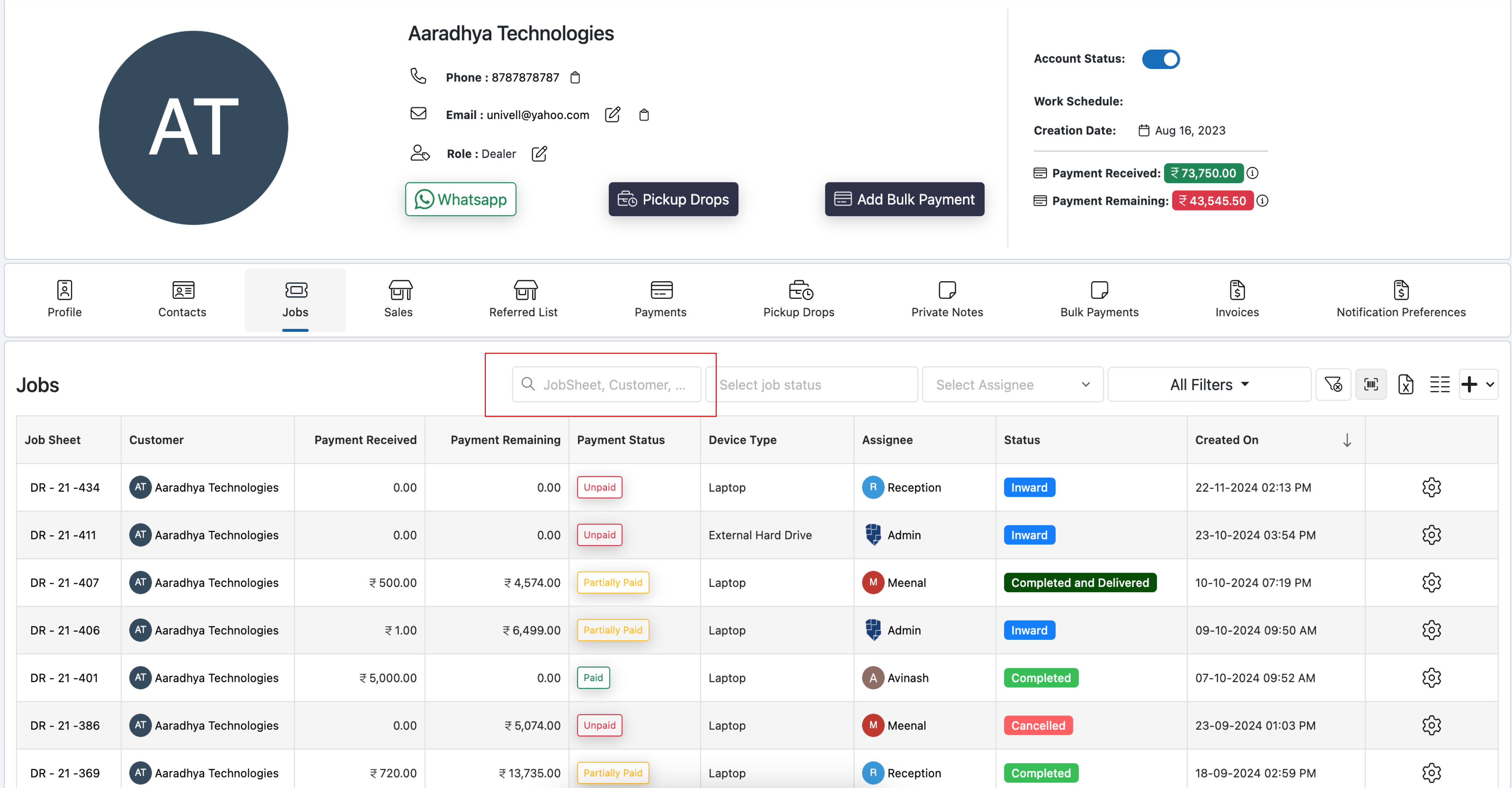
- Search all jobs for a customer from their detail page: Open the customer’s detail page and click the “Jobs” tab to see every job ever logged for them — not just the last 90 days, the full history for the life of the account.
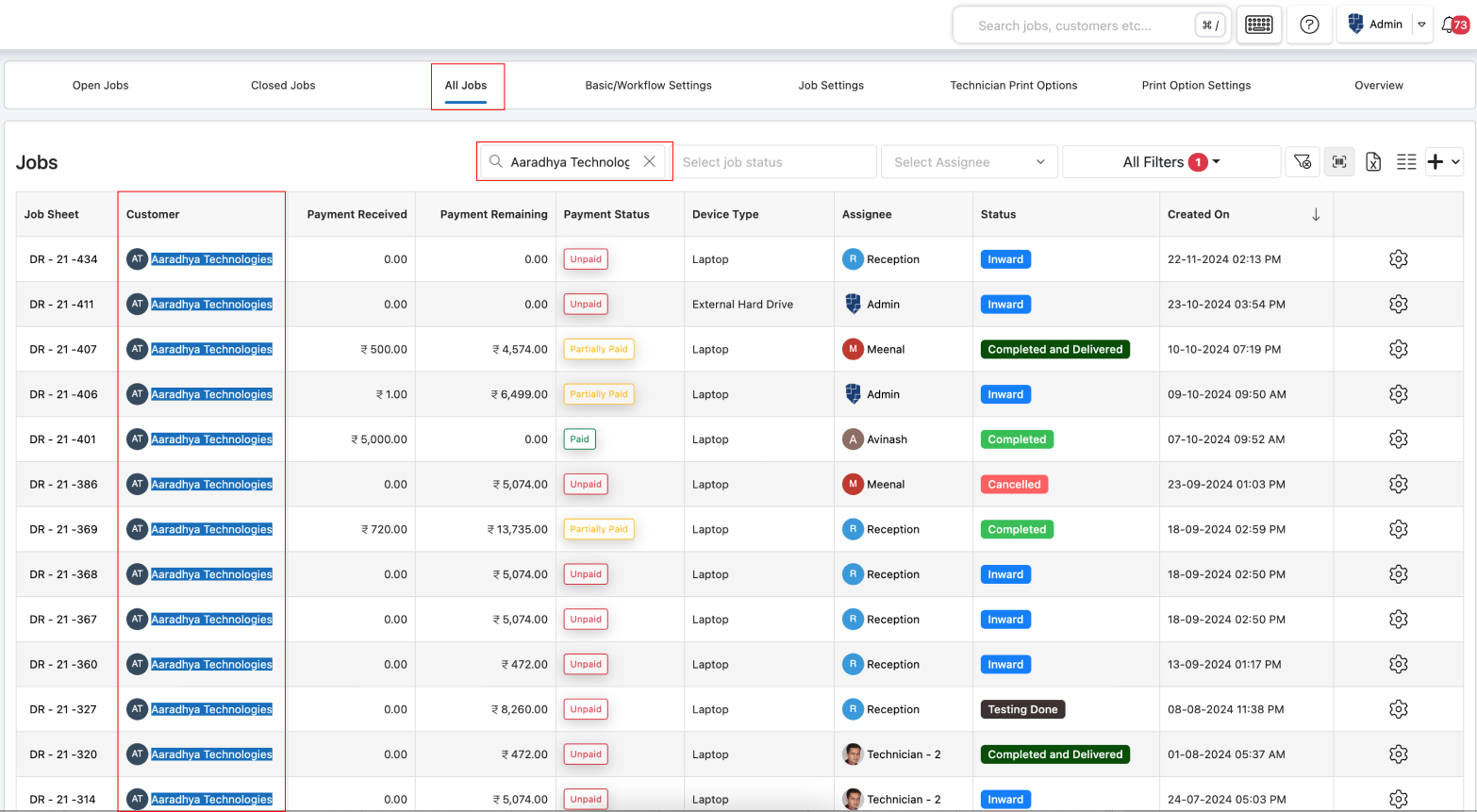
- Search all jobs from the Job listing page: On the “All Jobs” tab, type a customer’s name into the search box to pull up every job tied to them, regardless of which technician handled it.
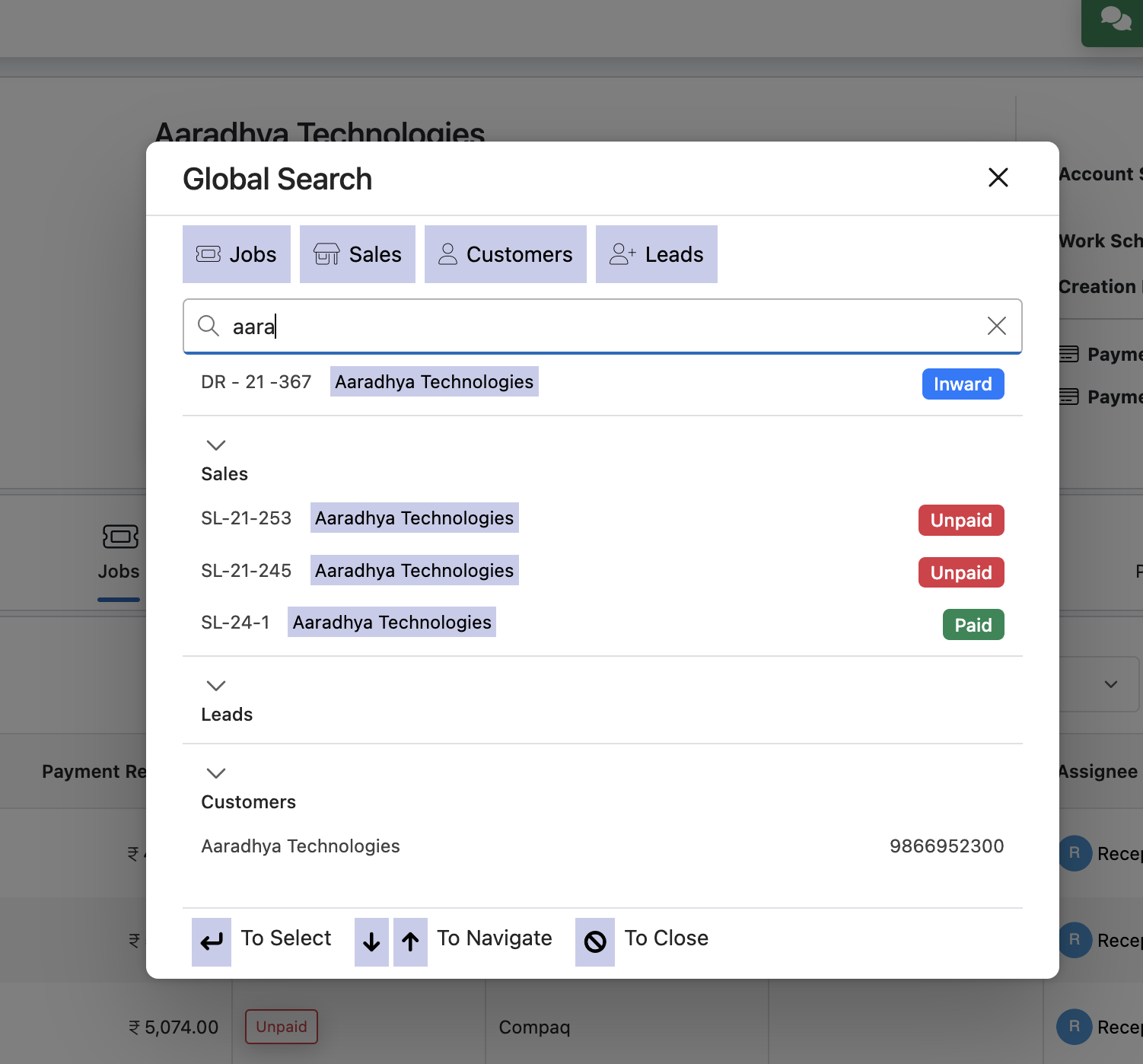
Conducting a Quick Global Search for Client Records
For the fastest lookup, use BytePhase’s Global Search: click the Global Search button in the header, then type a customer name, job reference number, or location. It queries customers, jobs, and contacts at once and returns a single ranked result list, so you — or the technician you’ve assigned — can find the right record in seconds instead of digging through tabs.
The same search habits carry over to managing the team itself. Once jobs are assigned, technician performance is easy to see at a glance — how many jobs each person closed, average turnaround time, and who’s carrying the heaviest load this week — so hiring decisions and workload balancing are based on actual numbers, not guesswork.

This is exactly what a dedicated repair shop management software platform is for — hiring a good technician only pays off if you can also see who’s working on what, front to back.
If you’re building out a repair team and still tracking jobs by hand, BytePhase offers a 15-day free trial so you can see how job assignment and search work with your own customers and technicians before committing.